Do 4 sticks of RAM run slower than 2? Speeds by CPU

On Ryzen 9000, 4 sticks of RAM run at DDR5-3600; on Core Ultra 200S, two sticks sharing one channel fall to DDR5-4000. Compare both makers’ ratings.
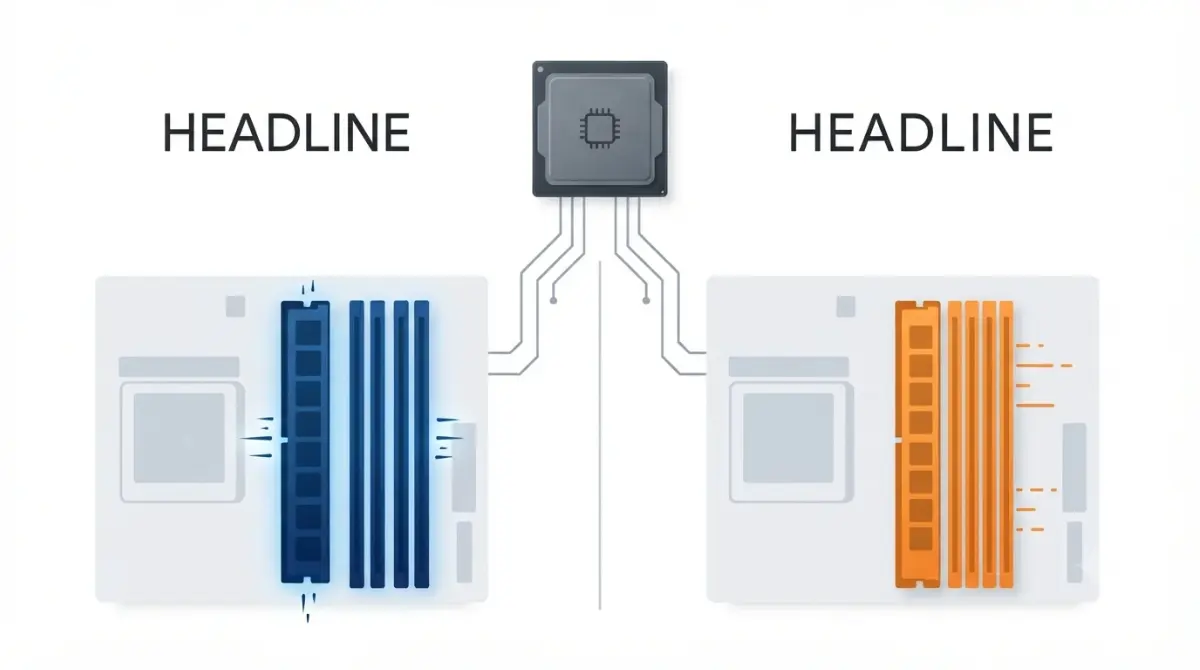
Table of Contents
Yes. Every current AMD and Intel desktop CPU has a lower official memory speed with four sticks than with two: AMD rates the Ryzen 9000 series at DDR5-5600 with two sticks and DDR5-3600 with four, and Intel lowers Core Ultra 200S from DDR5-5600 on standard sticks to DDR5-4800 or DDR5-4400. The drop is printed in the CPU makers’ own specifications, so a board that settles at the lower number after you fill all four slots is following the rating.
How far the speed falls depends on your CPU, the rank of your sticks and whether they are CUDIMMs. The tables below put AMD’s and Intel’s figures side by side and turn them into bandwidth.
Official RAM speed with two sticks and four, by CPU

Fill all four slots on a Ryzen 9000 board and AMD’s rated speed falls by 2,000 MT/s. On Intel’s Core Ultra chips the four-stick figures stay the same whatever the two-stick rating is, so the faster the two-stick rating, the bigger the step down.
| CPU | Two sticks | Four single-rank sticks | Four dual-rank sticks |
|---|---|---|---|
| Ryzen 7 9700X (Ryzen 9000) | DDR5-5600 | DDR5-3600 | DDR5-3600 |
| Ryzen 7 7700X (Ryzen 7000, previous generation) | DDR5-5200 | DDR5-3600 | DDR5-3600 |
| Core Ultra 200S, standard sticks | DDR5-5600 | DDR5-4800 | DDR5-4400 |
| Core Ultra 200S, CUDIMMs | DDR5-6400 | DDR5-4800 | DDR5-4400 |
| Core Ultra 200S Plus, CUDIMMs | DDR5-7200 | DDR5-4800 | DDR5-4400 |
Sources: AMD Ryzen 7 9700X specifications, AMD Ryzen 7 7700X specifications, Intel Core Ultra 200S Plus quick reference guide, Tom’s Hardware on Intel’s Arrow Lake Refresh datasheet, and the GIGABYTE Z890 UD WIFI7 (rev. 1.1) CPU support page, which prints Intel’s speed-drop rule.
The Ryzen 9000 figures hold across the range. Corsair’s memory guides reproduce the same four AMD lines for the Ryzen 7 9800X3D and the Ryzen 9 9950X3D2. On your own CPU’s AMD page they sit under Max Memory Speed, written as 2x1R, 2x2R, 4x1R and 4x2R.
Core 14th-gen owners (previous generation) have less to go on. Intel’s 14th-gen quick reference guide lists DDR5-5600 and two channels but gives no four-stick figure, and Intel’s support page on memory speed puts the lower speed for two sticks per channel in each processor’s datasheet.
Bandwidth shows what the drop costs on paper. Peak bandwidth is a calculation: transfer rate × 8 bytes × 2 channels. For DDR5-5600 that is 5,600 × 8 × 2 = 89,600 MB/s, or 89.6 GB/s.
| Setup | Rated speed | Peak bandwidth | Change from two sticks |
|---|---|---|---|
| Ryzen 9000, two sticks | DDR5-5600 | 89.6 GB/s | Baseline |
| Ryzen 9000, four sticks | DDR5-3600 | 57.6 GB/s | −36% |
| Ryzen 7000, two sticks | DDR5-5200 | 83.2 GB/s | Baseline |
| Ryzen 7000, four sticks | DDR5-3600 | 57.6 GB/s | −31% |
| Core Ultra 200S, two standard sticks | DDR5-5600 | 89.6 GB/s | Baseline |
| Core Ultra 200S, four single-rank | DDR5-4800 | 76.8 GB/s | −14% |
| Core Ultra 200S, four dual-rank | DDR5-4400 | 70.4 GB/s | −21% |
| Core Ultra 200S Plus, two CUDIMMs | DDR5-7200 | 115.2 GB/s | Baseline |
| Core Ultra 200S Plus, four single-rank | DDR5-4800 | 76.8 GB/s | −33% |
| Core Ultra 200S Plus, four dual-rank | DDR5-4400 | 70.4 GB/s | −39% |
Sources: rated speeds from the table above; bandwidth calculated from them.
Real throughput sits below these peaks. In Puget Systems’ January 2026 tests, Intel’s measured bandwidth fell in step with the calculation, while the Ryzen 9 9950X3D’s was only slightly lower with four sticks than with two.
Why does a second stick on each channel cost speed?
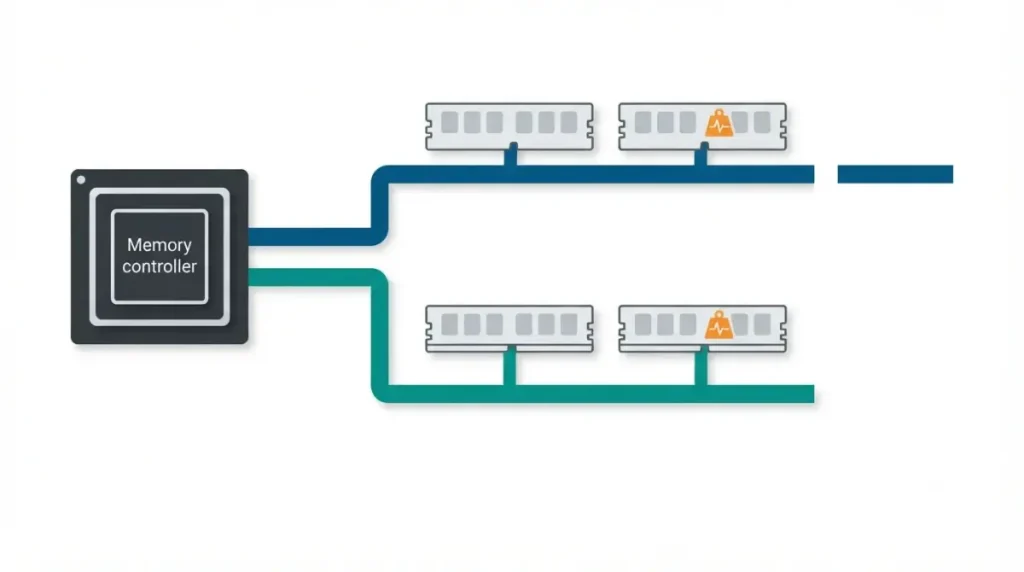
Each of the two memory channels is a set of traces from the CPU that runs past two slots. On boards that use A and B labels, A1 and A2 share one channel and B1 and B2 share the other. AMD lists two memory channels for both the 7700X and the 9700X, so filling all four slots puts two sticks on each.
That second stick adds load the memory controller has to drive over the same traces, and that load is why the four-stick ceiling is lower (Puget Systems).
Four sticks never add channels. A desktop Ryzen or Core board runs dual channel with two sticks or four; quad-channel memory belongs to workstation chips such as AMD Threadripper (Corsair). What four sticks add is capacity. The rest of a board’s limits, from socket to lane sharing, are mapped in motherboard compatibility by socket, BIOS and slots.
Rank, CUDIMMs and the Intel same-channel trap
AMD and Intel part ways on rank. AMD gives single-rank and dual-rank sticks the same DDR5-3600 four-stick rating, while Intel’s rule puts dual-rank sticks at DDR5-4400 against DDR5-4800 for single-rank. A rank is a group of memory chips the controller reads as one 64-bit block, and a dual-rank stick carries two of them (Corsair). Support lists print it as 1Rx8 or 2Rx8, and GIGABYTE’s Z890 UD WIFI7 list has a Rank column in that format.
CUDIMMs add a clock driver chip to the stick. They lift Intel’s two-stick ceiling to DDR5-6400 on Core Ultra 200S and DDR5-7200 on the 200S Plus chips, and the four-stick speeds did not change between the two generations (Wccftech on Intel’s datasheet). At Intel’s rated speeds, CUDIMMs gain nothing in a four-stick build.
The trap is in the slots. GIGABYTE’s page states that, under Intel’s specification, speed drops to DDR5-4000 when two sticks share one channel, for example A1 and A2. That leaves two sticks running slower than four, on a single channel. Two sticks go one per channel, in the pair your board’s manual names, and which RAM slots to use for two sticks lists that pair for four board makers.
Most apps lose a few percent, and some lose far more
Puget Systems ran a Core Ultra 9 285K and a Ryzen 9 9950X3D at official speeds in January 2026, with JEDEC timings and no overclocking, and compared two sticks against four. Across its full test suite, the Intel system at DDR5-4400 with four sticks scored about 95 against 100 for DDR5-5600 with two. The Ryzen at DDR5-3600 scored about 96 against 100 for DDR5-5600.
The averages hide the spread. Unreal Engine shader compiling ran 8% slower on Intel (DDR5-4400 with four sticks against DDR5-6400 with two) and 13% slower on the Ryzen. Text generation in llama.cpp slowed by up to 25% on Intel and 12% on AMD, while Photoshop and DaVinci Resolve moved about 1% on Intel.
Puget ran no games. The nearest evidence is how much each CPU cares about memory speed at all. TechPowerUp’s eight-game run on the Ryzen 7 9800X3D changed by about 2% between DDR5-4800 and DDR5-8000, as TweakTown reported. TechSpot found the Ryzen 9 7950X3D scaled far less than the Ryzen 7 7700X, which gained 17% on average going from DDR5-5200 CL40 to DDR5-6000 CL30. Neither test used four sticks. Together they show the X3D chips are the least affected by slower memory.
64GB as two sticks or four
Say you need 64GB for video editing. Two 32GB sticks keep your CPU’s two-stick rating, and four 16GB sticks drop it to the four-stick figure.
| Capacity | Two-stick build | Four-stick build |
|---|---|---|
| 32GB | 2 × 16GB | 4 × 8GB |
| 64GB | 2 × 32GB | 4 × 16GB |
| 96GB | 2 × 48GB | 4 × 24GB |
Source: Corsair, 2 sticks vs 4 sticks of RAM, for the 24GB and 48GB module sizes.
Past 96GB, Corsair’s guide moves to four sticks, with 192GB built from four 48GB modules. Check the Max. Memory line for your CPU before ordering a large kit; AMD lists 128 GB for the Ryzen 7 7700X.
EXPO and XMP profiles run above every rated speed on this page, and AMD’s Ryzen 9000 quick reference guide says running memory outside AMD’s published specifications voids the processor warranty. If a profile won’t hold once all four slots are full, why EXPO or XMP goes unstable covers the order to check things in.
Adding a second kit to reach four sticks follows the same ratings. Intel’s guidance for 600-series boards asks for two identical part numbers on a channel that holds two sticks, and says mixed part numbers can miss the target speed or fail to boot. GIGABYTE’s support page also recommends matching capacity, brand, speed and chip type.
Before you buy: find the two-stick kit at your capacity on your board’s memory support list. What that list does and doesn’t promise is in how motherboard QVL support works.
Read your RAM speed and rank before adding sticks
Open Task Manager before you order anything. The speed your sticks run at today tells you which row of the speed table you are on.
- Press Ctrl + Shift + Esc, choose Performance, then Memory, and read the Speed and Slots used lines.
- Look at the label on one stick. A rank code such as 1Rx8 or 2Rx8 gives its rank.
- Find your CPU in the speed table near the top and compare the Speed reading with its two-stick and four-stick ratings.
If Speed matches the two-stick rating, adding two more sticks moves you to the four-stick figure, whatever the new kit’s box says. Task Manager can report a memory speed higher or lower than the BIOS does (Microsoft), so read the speed in the BIOS before you decide a kit is underperforming.
Stop if: the PC won’t post or keeps retraining memory after you add sticks. Put the original two back in the slots your manual names and read what the debug LED means when there’s no POST. If it still fails, contact the board maker’s support with the board model, BIOS version and both kits’ part numbers.
Found this helpful? See more of our guides on Google.
Want to see our guides first on Google?