Motherboard compatibility: socket, BIOS, slots and fit

For motherboard compatibility, ASUS lists the Ryzen 7 9700X as validated since BIOS “all” on the TUF B650-PLUS WIFI and since 2613 on its micro-ATX sister.
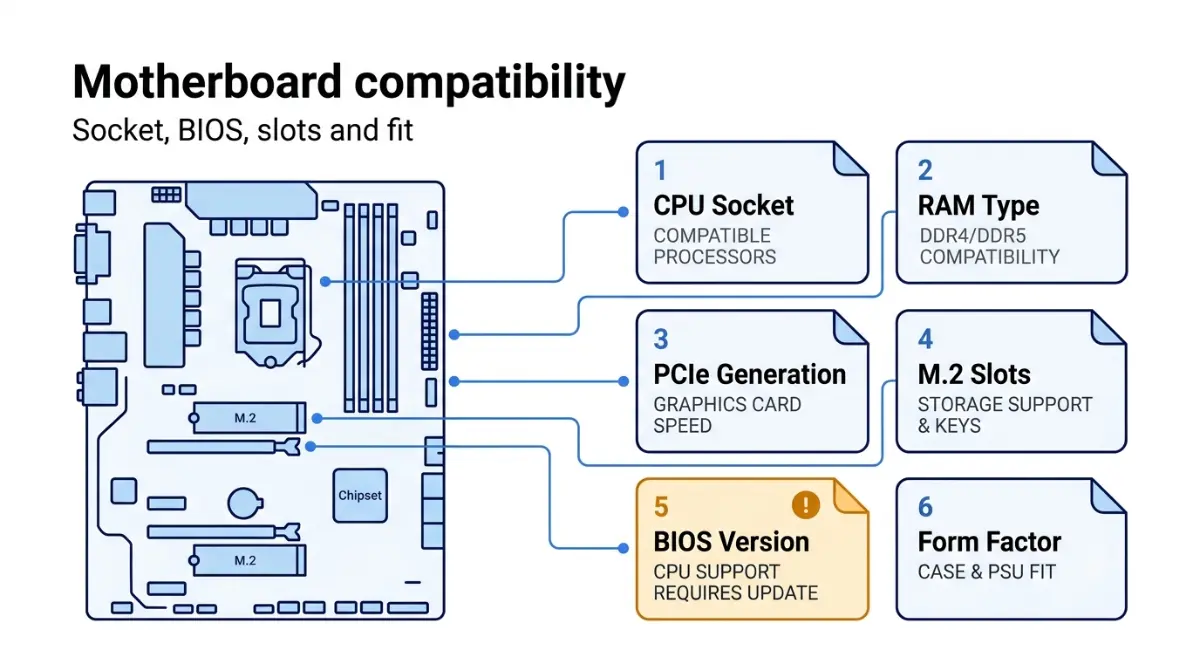
Table of Contents
I’ll re-open the ASUS pages forMotherboard compatibility comes down to six checks: socket and chipset, the board’s CPU support list, the BIOS installed on it, memory, slot sharing, and physical fit with power. A parts-list tool handles some of them, while the firmware and slot-sharing answers sit only in the board maker’s own pages and manual.
Every check below uses one real pairing as its example: ASUS’s TUF GAMING B650-PLUS WIFI with AMD’s Ryzen 7 9700X, read against ASUS’s documents for that board.
Six checks, and the document that answers each
Each check has a different source, and the last column shows what that source says for the example pairing.
| Check | What fails if you skip it | Document that settles it | TUF GAMING B650-PLUS WIFI + Ryzen 7 9700X |
|---|---|---|---|
| Socket and chipset | The CPU won’t seat | Board specifications, CPU line | Socket AM5 for Ryzen 9000, 8000 and 7000 |
| Processor support | The CPU fits but isn’t validated on this model | Board’s CPU support list | 9700X listed, validated since BIOS “all” |
| BIOS on the board | No POST | BIOS downloads and release notes | Release 2613 (April 18, 2024) added next-generation Ryzen support; newest is 4004 (September 21, 2026) |
| Memory | Kit not detected, or capacity capped | Memory line in the specifications, plus the memory support list | Four DDR5 DIMM slots, 256GB maximum |
| Slot sharing | A slot switches off | Specification footnotes and manual | Filling M.2_3 suspends PCIEX16_2 |
| Fit and power | A part won’t fit or plug in | Case, cooler and card specifications; board power connectors | ATX, 12 x 9.6 in (30.5 x 24.4 cm); 24-pin, 8-pin and 4-pin power |
Sources: ASUS TUF GAMING B650-PLUS WIFI tech specs, CPU support list and BIOS downloads.
PCPartPicker covers part of the second and third rows. On a saved parts list, its warning names the BIOS version a board needs for the chosen CPU and says an update is necessary “if the motherboard is using an older BIOS version” (PCPartPicker parts-list notes). The version on the board that arrives at your door is the part it leaves to you.
Socket and chipset come first
A Ryzen 7 9700X goes in a Socket AM5 board. ASUS’s tech specs for the TUF GAMING B650-PLUS WIFI list Socket AM5 for Ryzen 9000, 8000 and 7000 desktop processors, with an asterisk that sends you to the processor support list.
That asterisk carries weight. The socket line names CPU families, and only the support list names individual chips.
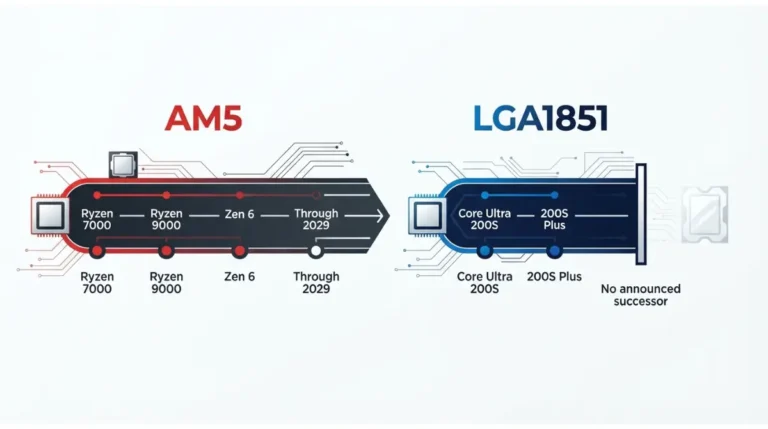
Socket also decides how far the board can go later. AMD says it will support Socket AM5 through 2029 (AMD’s Computex 2026 announcement), and each new chip still reaches a particular board only through that board maker’s BIOS releases. For both gates in depth, how socket and chipset narrow your CPU choices goes through them in order, and how long AM5 support lasts, and where LGA1851 stops covers the upgrade path.
Intel builds follow the same order of checks.
Is your CPU on this board’s support list?
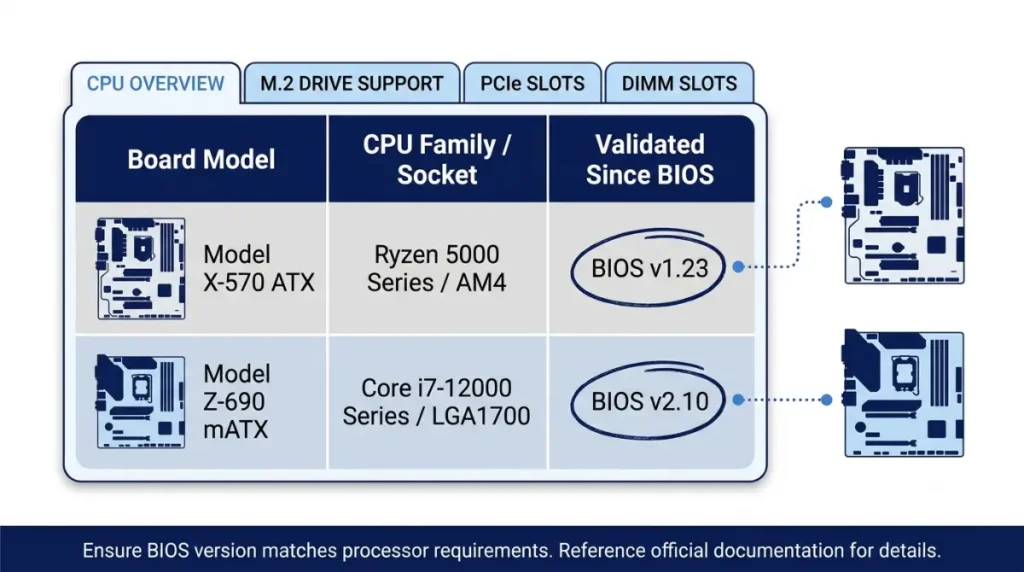
Open the board’s support page on ASUS’s site, choose the CPU / Memory Support tab, and find your processor by its model number. For the TUF GAMING B650-PLUS WIFI, the Ryzen 7 9700X row reads Validated since BIOS: all.
The micro-ATX sister board, the TUF GAMING B650M-PLUS WIFI, lists the same processor as validated since BIOS 2613 (B650M-PLUS WIFI processor list). The series and chipset match; the entries don’t. Only the list under your board’s own model name counts.
The ATX board’s BIOS page adds a wrinkle. ASUS describes release 2613, dated April 18, 2024, as the move to AGESA 1.1.7.0 patch A “to support next generation AMD Ryzen processors.” Neither page explains how that note fits with the “all” entry. Which BIOS version your CPU needs explains how AGESA releases map to Ryzen series.
Before you buy: ask the seller which BIOS version the board ships with. If they can’t say, plan on a BIOS update before the first boot; this board has a BIOS FlashBack button on its rear panel for that job.
One board’s BIOS record, release by release
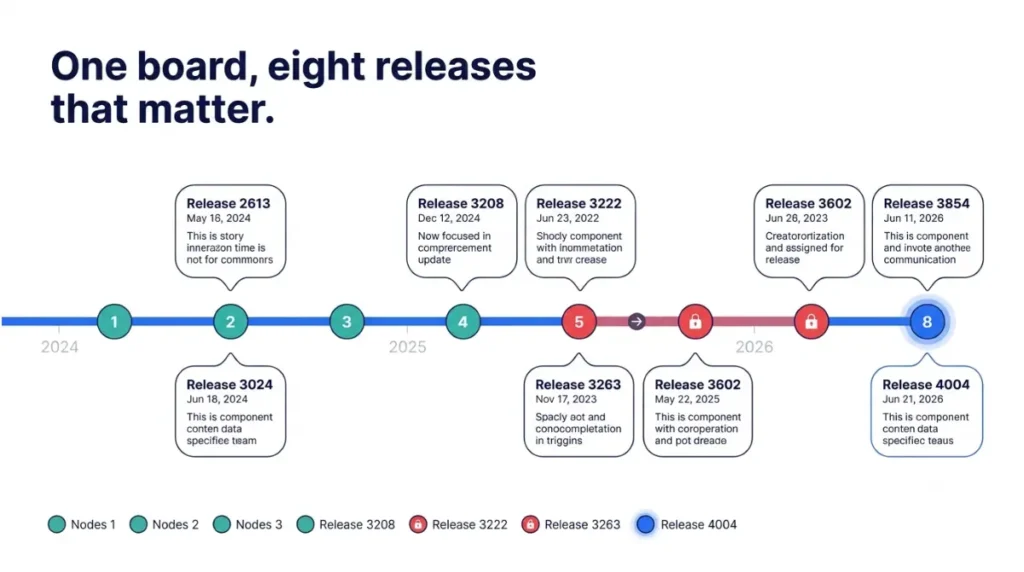
In April 2024, ASUS posted release 2613 for the TUF GAMING B650-PLUS WIFI. Its US downloads page lists 22 more releases since then, two of them betas. Eight entries in that record change what a buyer should look at.
| Release | Date | What ASUS’s notes say | What it changes for a buyer |
|---|---|---|---|
| 2613 | Apr 18, 2024 | AGESA 1.1.7.0 patch A, for next-generation Ryzen support | First note on this board to mention next-generation Ryzen |
| 3024 | Aug 7, 2024 | Better stability with Ryzen 9000 series processors | A Ryzen 9000 build has a stability release to look for |
| 3208 | Feb 27, 2025 | Up to 5000MT/s with four 64GB modules, 256GB total | The memory ceiling rose through firmware |
| 3222 | Mar 7, 2025 | Support for Ryzen 9 9950X3D and 9900X3D | New chips arrive one release at a time |
| 3263 | Jun 18, 2025 | Update marked irreversible | No rolling back past this point |
| 3602 | Nov 27, 2025 | Cannot be rolled back | Second one-way release |
| 3854 | Apr 23, 2026 | Compatibility for Ryzen 9 9950X3D2 Dual Edition; cannot be rolled back | Third one-way release |
| 4004 | Sep 21, 2026 | AGESA ComboAM5 PI 1.3.0.1d; memory performance and stability | Newest release on the page |
Source: ASUS TUF GAMING B650-PLUS WIFI BIOS downloads.
Updates you can’t roll back
Releases 3263, 3602 and 3854 each carry ASUS’s warning that the board can’t return to an earlier version afterward. If a particular release suits your CPU or memory kit, read the notes before installing anything newer, because ASUS says the step back isn’t supported.
Back up first: if the board already runs Windows, save your files and your BitLocker recovery key before any BIOS update. ASUS’s notes for release 3842 list a fix for systems that unexpectedly asked for a BitLocker recovery key at startup.
Flashing without a supported CPU
The board has a BIOS FlashBack button and LED on its rear panel. For every release on this board, ASUS’s notes say to rename the downloaded file, TGB650PW.CAP, with its BIOSRenamer tool before using USB BIOS Flashback. How flashback updates a board with no CPU installed covers the rest of the process brand by brand, using each maker’s own instructions.
Memory: generation, capacity and the QVL
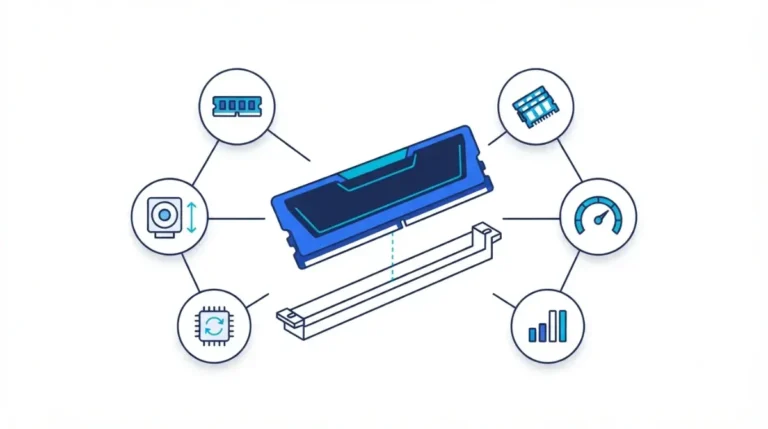
256GB is the maximum ASUS’s current tech specs give for this board, across four DDR5 DIMM slots. The ASUS US product listing still shows 128GB. Release 3208 in the record above is the one whose notes add four 64GB modules, 256GB in total, at up to 5000MT/s.
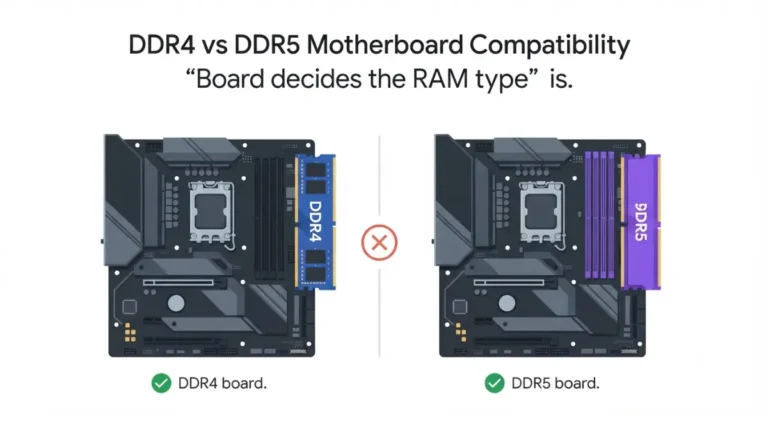
Generation is the simplest part: the board takes DDR5 only. Speed and module count depend on the CPU, and a footnote in the specifications sends you to ASUS’s memory support list for the kits and speeds it has validated. The four RAM compatibility checks go through each one in order.
When an M.2 drive switches off a slot
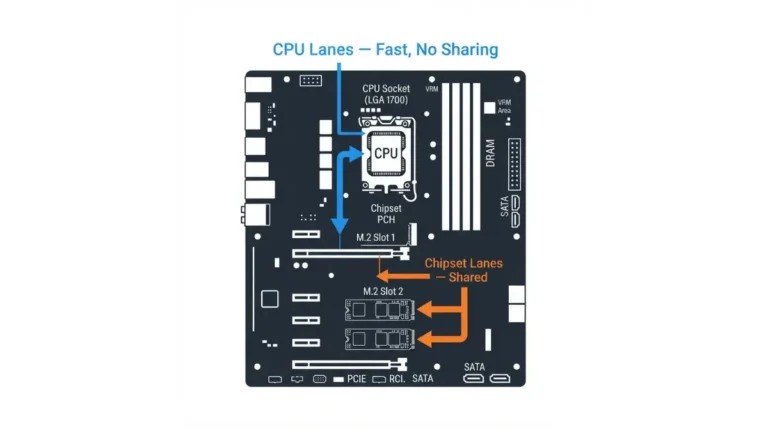
A card in this board’s second x16 slot goes dark once a drive is fitted in the third M.2 slot. ASUS’s footnote says M.2_3 shares bandwidth with PCIEX16_2, and PCIEX16_2 is suspended once M.2_3 is populated.
The newer TUF GAMING B850-PLUS WIFI documents the same trade in different words. Its chipset-connected PCIe 4.0 x16 slot, PCIEX16(G4), is disabled when M.2_3 runs (B850-PLUS WIFI tech specs).
The processor changes slot behavior too. With a Ryzen 9000 or 7000 chip, the B650-PLUS WIFI’s M.2_1 slot runs at PCIe 5.0 x4. With a Ryzen 8000 chip, ASUS lists that slot at PCIe 4.0 x4, and lists the main x16 slot as supporting x8/x4 mode. How lane sharing decides which slots stay active shows how to read these footnotes on other boards.
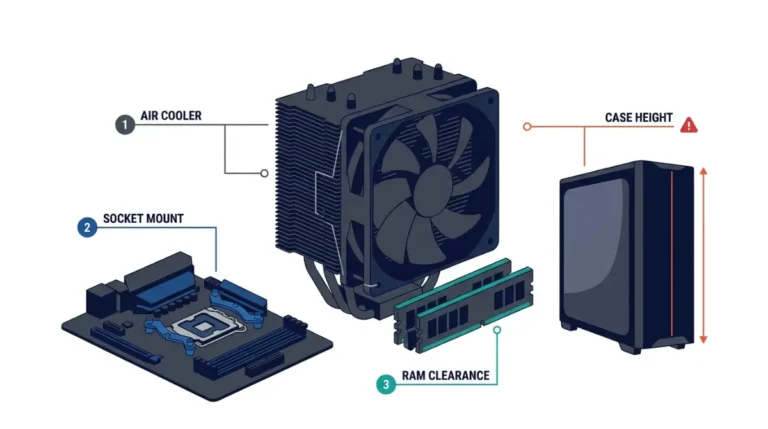
Will the cooler and graphics card fit the case?
PCPartPicker’s own parts-list notes say some physical constraints go unchecked, and they name RAM clearance with CPU coolers as one of them.
That leaves three numbers to compare yourself: cooler height against the case’s maximum cooler height, graphics card length against the case’s maximum card length, and board size against the form factors the case supports. The TUF GAMING B650-PLUS WIFI is ATX, 12 x 9.6 inches (30.5 x 24.4 cm).
RAM clearance under the cooler is the gap PCPartPicker names, and cooler height and RAM clearance covers how to check it. For the card, start with whether your graphics card fits your case.
EPS, 24-pin and GPU power connectors
Count the board’s power headers before you pick a power supply’s cables. ASUS lists them in each board’s specifications, and the two TUF boards differ.
| Board | Main power | CPU power |
|---|---|---|
| TUF GAMING B650-PLUS WIFI | 1 x 24-pin | 1 x 8-pin and 1 x 4-pin +12V |
| TUF GAMING B850-PLUS WIFI | 1 x 24-pin | 2 x 8-pin +12V |
Sources: ASUS tech specs for the B650-PLUS WIFI and B850-PLUS WIFI.
The specifications list the headers, and the manual says which ones need a cable for your build. Which power headers your board needs filled shows how to read that page. A graphics card’s 8-pin or 12V-2×6 inputs come from the card’s own specifications and get matched to the power supply separately.
Save the support-list line before checkout
Before you pay, screenshot or write down three things:
- The CPU row from your board’s support list, including its “Validated since BIOS” entry.
- The footnote or manual page that names which slots share bandwidth.
- Your case’s maximum cooler height and graphics card length.
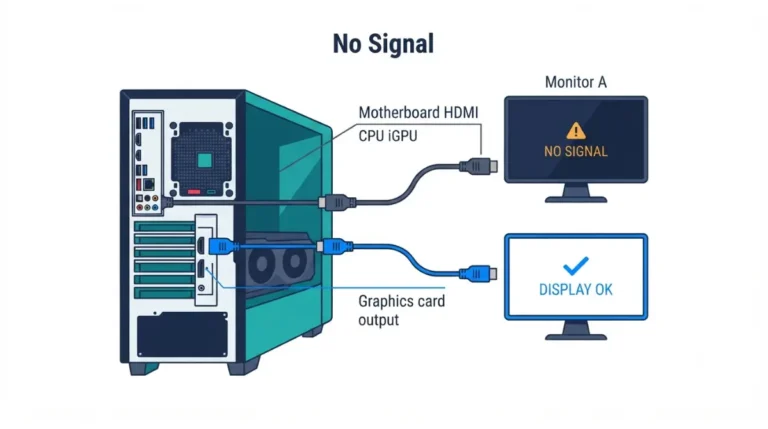
If the finished build doesn’t POST, those notes shorten the search. On this board the Q-LEDs are labeled CPU, DRAM, VGA and Boot Device, and what a lit debug LED means when there’s no POST picks up from there.
Found this helpful? See more of our guides on Google.
Want to see our guides first on Google?