Why Your PC Goes Unstable With EXPO or XMP and What to Check
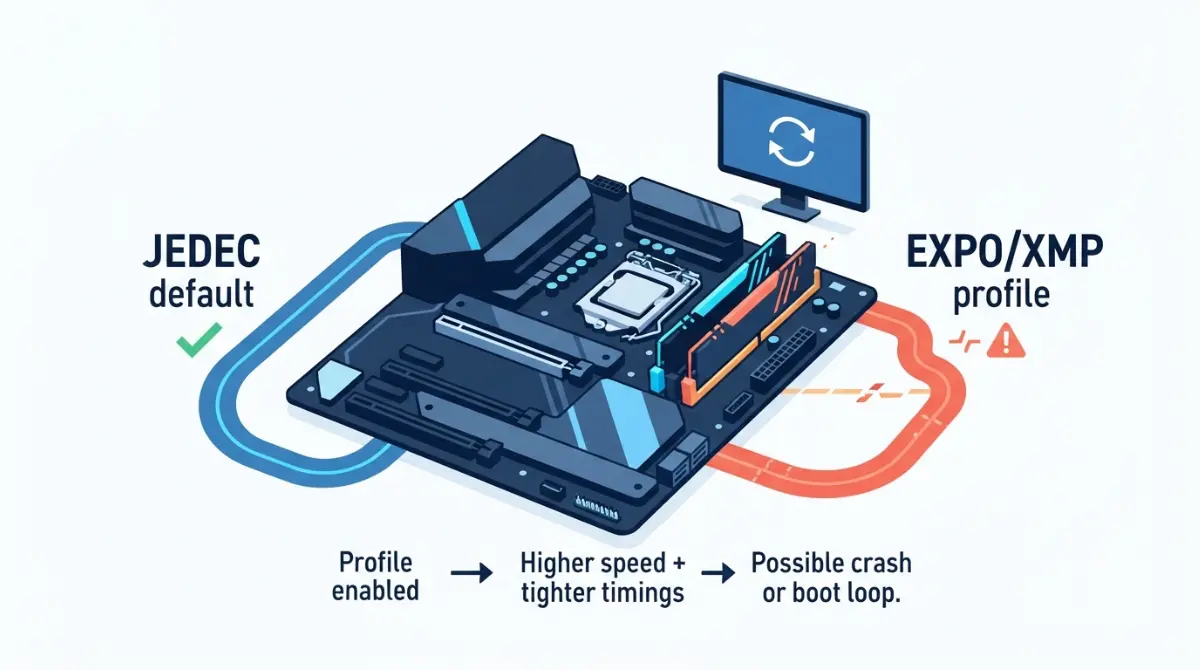
Table of Contents
Why your PC only crashes with EXPO or XMP turned on
Your PC crashes with EXPO or XMP on because the profile runs your RAM faster than your CPU’s rated memory speed, and not every CPU, board, and kit combination holds that speed stably. Intel and AMD both classify these profiles as memory overclocking. A crash or boot loop after you enable one is common, and it is usually fixable.
Start with the check that fits your situation:
- It won’t boot or keeps restarting: go to checks 1–2 in the 8-check list.
- It crashes in games or under load: work through the 8-check list in order.
- You’re running four sticks: start with the rated-speed table.
- Intel 13th or 14th Gen desktop CPU: don’t skip check 8.
ℹ️ Risk Note: EXPO and XMP are memory overclocking under AMD’s and Intel’s own terms, and unstable memory can corrupt files. Back up important data before troubleshooting. Update your BIOS only with your board maker’s file and method, and contact their support if anything is unclear.
What EXPO and XMP actually change in your BIOS
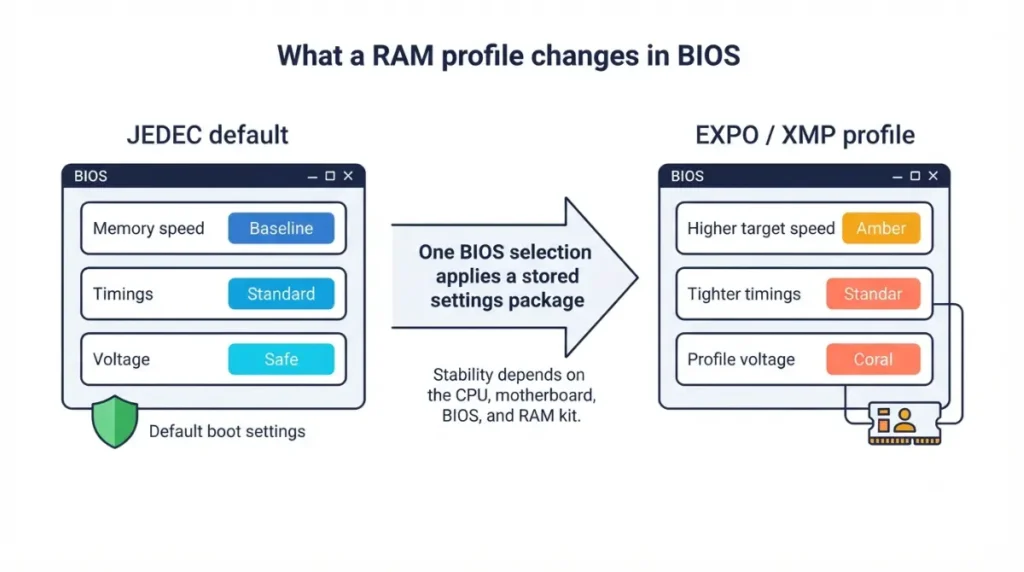
A memory profile is a stored package of frequency, timings, and voltage that your BIOS applies in one click.
JEDEC default vs the speed on the box
Your kit first starts at a conservative JEDEC default speed. The speed printed on the box usually applies only after you enable the profile. According to Intel’s XMP overview, XMP modules first boot with default JEDEC settings, and you can then select the XMP profile in the BIOS.
🔍 Why It Works: The first boot uses safe settings so any compatible system can start. The profile then asks your CPU’s memory controller to run faster than its baseline, which is where instability can appear.
Why your board calls it DOCP or A-XMP
G.Skill notes that ASUS boards may label a cross-platform profile DOCP, and MSI boards may call it A-XMP. Both names mean the same thing: a profile loaded from the kit.
Is your RAM kit faster than your CPU is rated for?
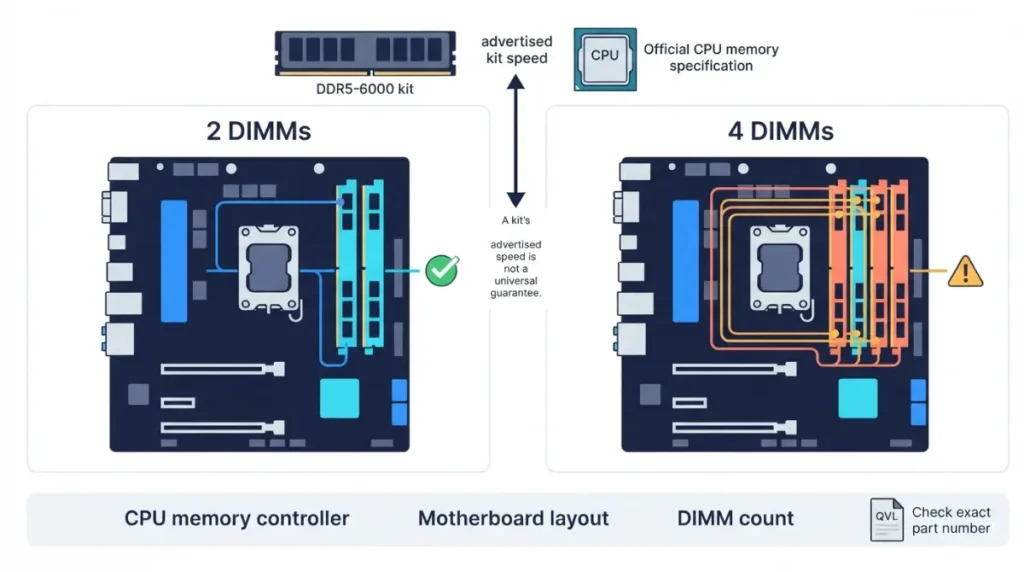
Every CPU has an official rated memory speed, and it drops when you install four sticks instead of two.
Rated speed with two sticks vs four
| CPU | 2 DIMMs | 4 DIMMs | Key Detail |
|---|---|---|---|
| Ryzen 7 9800X3D | DDR5-5600 | DDR5-3600 | Same rating for 1R and 2R |
| Ryzen 7 9850X3D | DDR5-5600 | DDR5-3600 | Same rating for 1R and 2R |
| Core Ultra 9 285K | Up to DDR5-6400 | Intel lists “up to” speed |
Source: AMD’s official product pages for the Ryzen 7 9800X3D and 9850X3D, checked September 2026.
By this measure, a DDR5-6000 kit on a 9800X3D is already above AMD’s rated speed, and four sticks sit even further above the four-DIMM rating. The AMD Ryzen 7 9800X3D specifications show this under Connectivity. Our guide on why four sticks of RAM run slower explains the reason.
Checking your board’s QVL for the exact kit
🧩 Compatibility Check: Open your specific motherboard’s support page, find the memory QVL, and search for your kit’s exact part number. If it’s listed at your speed and stick count, the board maker has validated that combination.
8 checks to fix EXPO or XMP crashes, in order
Work through these in order, because the early checks fix the most cases with the least risk.
- Update your BIOS from your board maker’s support page.
- Clear CMOS or load defaults, then re-enable the profile.
- Confirm your sticks are in the manual’s recommended slots.
- Compare your stick count to the CPU’s rated speed.
- Check the QVL for your kit’s part number.
- Select the kit’s lower profile or a lower speed option, and leave voltages alone.
- Confirm stability with a memory test.
- Rule out the CPU itself.
Firmware first: BIOS, AGESA and microcode
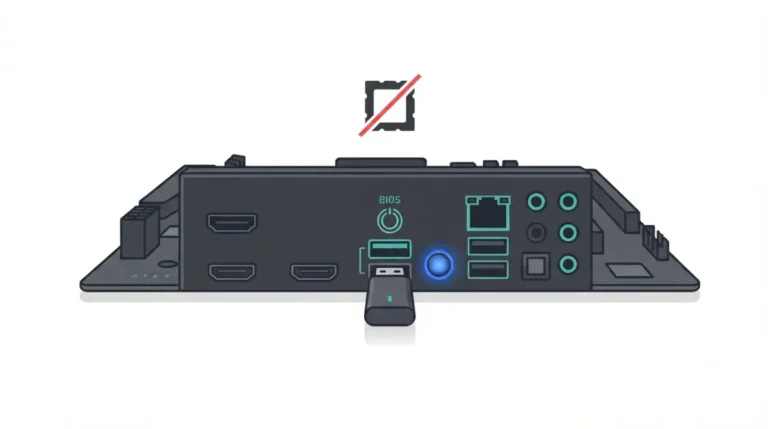
Corsair identifies an outdated BIOS as a very common reason for XMP/EXPO instability. First check which BIOS version your board is running, then compare it against the maker’s download page.
Hardware setup: slots, stick count, QVL
Two sticks usually belong in specific slots, not the first two. Your manual shows which slots to use for dual channel.
When it’s not the RAM at all
| Symptom | Likely cause | What to check | Where to verify |
|---|---|---|---|
| No boot / boot loop | Board can’t train the profile | Clear CMOS, update BIOS | Board manual and support page |
| Crashes in games | Speed above what your setup holds | Lower profile, then retest | Kit’s profile list |
| Four sticks unstable | Four-DIMM rating is lower | Rated speed by DIMM count | CPU spec page |
| Crashes at idle (Intel 13th/14th Gen) | Possible Vmin Shift Instability | BIOS with microcode 0x12F or later | Intel support article |
| Crashes with profile off | Not a profile problem | Contact board or CPU support | Maker support page |
Source: Intel, AMD, and Corsair documentation cited in this article, September 2026.
For affected 13th and 14th Gen desktop chips, Intel’s Vmin Shift Instability advisory recommends Intel Default Settings and a BIOS with microcode 0x12F or later.
How to confirm your memory is stable after a change
A change only counts as a fix once your system passes a memory test and stays stable in normal use.
Back up before stress-testing
⚠️ Watch Out: AMD lists data loss and corruption among the risks of memory overclocking. Back up important files before you run tests at an unconfirmed speed.
Memory test tools and what a pass means
Windows Memory Diagnostic is built into Windows. MemTest86 runs from a USB drive before Windows loads. Follow each tool’s own documentation for how long to run it. A pass lowers the odds of a problem but doesn’t guarantee stability, so keep watching for crashes afterward.
✅ Do This: Test after every single change, not after several at once. That way you know exactly which change fixed the crash.
Run slower, run at default, or return the kit?
If crashes continue after all 8 checks, choose based on criteria you can check.
When a lower speed is the right answer
Step down if your kit is above your CPU’s rated speed or you’re running four sticks. A lower profile gives up some performance, and how much depends on your CPU and workload. Check independent reviews of your specific CPU rather than a general rule.
When to contact the memory maker
Contact the memory maker if the kit is on your board’s QVL at your stick count and still fails at a lower profile after a BIOS update. Ask them about their warranty or replacement process. The same applies if the kit fails memory tests even at JEDEC default speed.
EXPO, XMP and your CPU warranty: what’s official
Both CPU makers treat these profiles as overclocking in their warranty terms.
What AMD and Intel say
The footnotes on AMD’s EXPO technology page state that overclocking memory voids AMD’s product warranty, even when enabled through AMD’s own tools. Intel says enabling XMP beyond its given specifications may void the processor warranty.
The 2023 AM5 voltage fix, and why BIOS updates matter
In 2023, AMD capped SoC voltage at 1.3V through a firmware update and told users to update their BIOS. Intel also extended warranty coverage by two years for eligible 13th and 14th Gen chips affected by Vmin Shift Instability. If your CPU may be damaged, contact the CPU maker’s support directly. Don’t try to fix it by changing voltages yourself.
EXPO and XMP crash questions, answered
1. Is it safe to use EXPO or XMP?
EXPO and XMP are memory overclocking under AMD and Intel terms. Most setups run them, but crash-free operation isn’t guaranteed. Back up your data before testing.
2. Does EXPO void my AMD warranty?
Yes. AMD’s EXPO page footnotes state that memory overclocking voids AMD’s product warranty, even when enabled through AMD tools. Contact AMD support with any warranty questions.
3. Does XMP void my Intel warranty?
Intel says enabling XMP beyond its given specifications may void the processor warranty. Check Intel’s warranty terms before relying on coverage.
4. Should I update my BIOS before enabling XMP?
Yes. An outdated BIOS is a very common cause of XMP and EXPO instability. Use only your board maker’s file and method.
5. Can I use XMP RAM on an AMD board?
Yes. Boards may label the setting DOCP (ASUS) or A-XMP (MSI). Check your board’s QVL for the exact kit part number.
6. Why is my RAM unstable with four sticks?
Four DIMMs lower the CPU’s rated memory speed. The Ryzen 7 9800X3D drops from DDR5-5600 to DDR5-3600, so XMP instability is more likely.
7. How do I test RAM stability after enabling EXPO?
Run Windows Memory Diagnostic or MemTest86 after each single change. Follow each tool’s documentation for run length.
8. Can an unstable XMP profile corrupt my files?
Yes. AMD lists data loss and corruption among the risks of memory overclocking. Back up before testing any new EXPO or XMP setting.
9. Is my RAM faulty if EXPO crashes?
Not necessarily. The kit may exceed your CPU’s rated speed. Suspect the RAM only if it fails memory tests at JEDEC default speed. Contact the memory maker’s support if it does.
10. Could an XMP crash actually be my CPU?
Yes, on some Intel 13th and 14th Gen desktop chips. Intel recommends a BIOS with microcode 0x12F or later and Intel Default Settings. Contact Intel support if crashes continue.
Your next step
Go back to the 8-check list and start at check 1. To prevent this on your next build, read how to read your board’s QVL for XMP and EXPO kits and our full guide to motherboard compatibility checks before you buy.