Picking the Right DDR4 vs DDR5 Motherboard After the RAM Surge
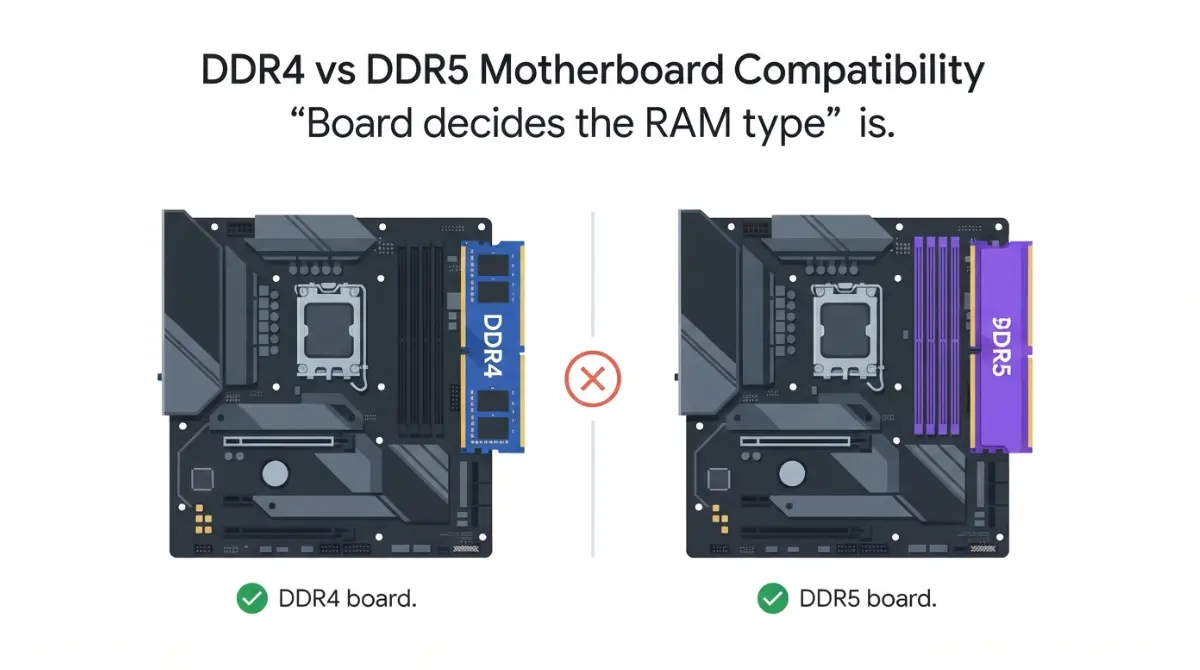
Table of Contents
DDR4 or DDR5 board: the short answer for 2026
The platform you pick decides your memory type, not the RAM you buy. That choice got harder this year: a 32GB DDR5 kit that sold for under $100 in mid-2025 now has a floor near $375, and DDR4 rose too.
Start with your situation:
- Already own DDR4? Jump to “which one fits your build.”
- Buying every part new? Read the platform table, then the cost tables.
- Eyeing a new AM4 CPU? Read the BIOS section before you order.
Memory type is one of the five checks in our full motherboard compatibility checklist.
ℹ️ Risk Note: Some CPUs in this article need a motherboard BIOS update before they will run. An interrupted or wrong BIOS update can leave a board unable to boot. Use only your board maker’s file and method, and contact their support if anything is unclear.
Why a board takes DDR4 or DDR5, never both at once
A consumer motherboard is built for one memory type, and its spec page states which.
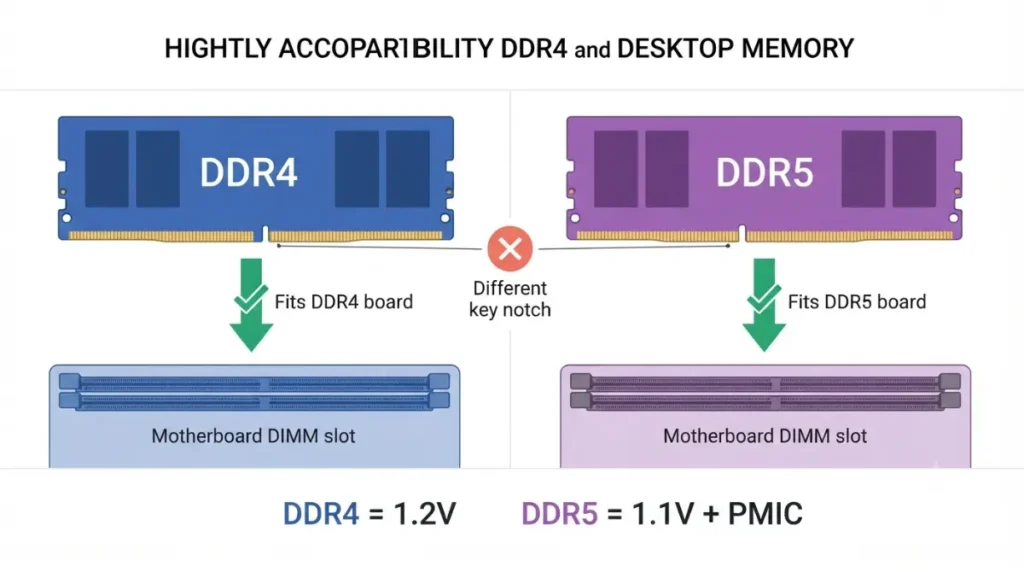
Different notch, different slot
The key notch sits in a different place on DDR4 and DDR5 modules, so a stick physically won’t seat in the wrong slot. The electrical design differs too. DDR5 moves voltage regulation onto the module with its own PMIC (power management chip) and drops operating voltage from 1.2V to 1.1V. The JEDEC DDR5 specification defines the standard.
The CPU supports it, but the board decides
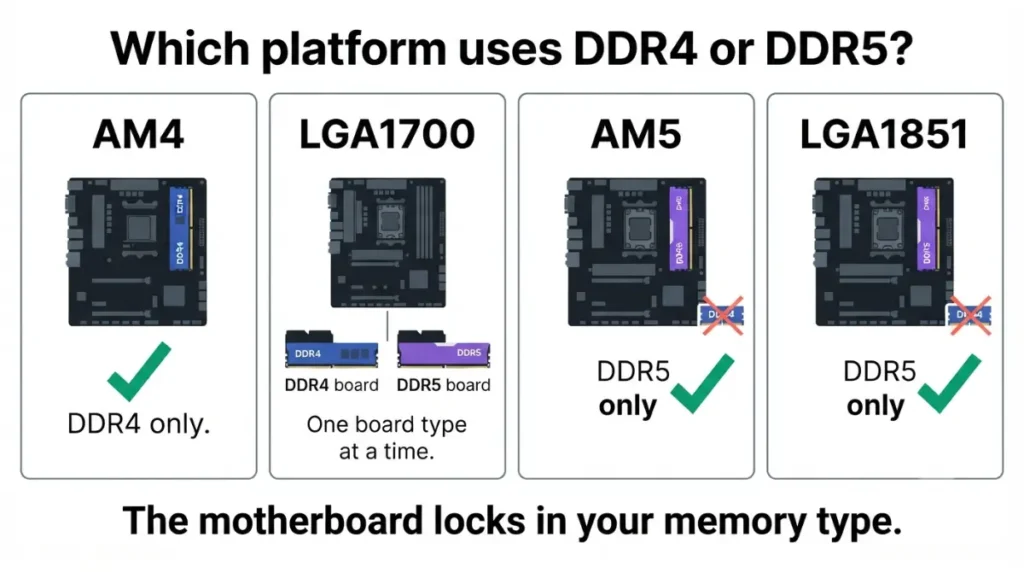
Intel’s 12th- through 14th-Gen Core CPUs can run either type, but each board is wired for just one.
🔍 Why It Works: The memory controller sits inside the CPU, but the slots and wiring sit on the motherboard. A CPU that understands both memory types can still only use the one the board was built around.
Which platforms still take DDR4 in 2026
Only two desktop platforms still take DDR4: AMD’s AM4 and Intel’s LGA1700, and on LGA1700 only on DDR4-variant boards. Both current platforms, AM5 and LGA1851, are DDR5-only.
| Socket | Memory type | CPUs | New DDR4 boards in 2026 | Key Detail |
|---|---|---|---|---|
| AM4 | DDR4 only | Ryzen 1000–5000 series | Yes (Gigabyte B550 X, B450M D3HP) | Newest CPU: Ryzen 5 5500F (Sept 2026) |
| LGA1700 | DDR4 or DDR5, per board | Intel 12th–14th Gen Core | Yes (Gigabyte B760M Gaming WiFi6E DDR4 Gen5) | Look for “DDR4” or “D4” in the model name |
| AM5 | DDR5 only | Ryzen 7000 and newer | Not possible | AMD committed support through at least 2027 |
| LGA1851 | DDR5 only | Core Ultra 200S | Not possible | Intel lists up to DDR5-6400 |
Sources: AMD and Intel product specifications; Gigabyte announcements; accurate as of September 2026.
AMD: AM4 vs AM5
AM4 is AMD’s DDR4 platform, and it is still getting new hardware. AM5 has never supported DDR4.
Intel: LGA1700 vs LGA1851
LGA1700 boards shipped in separate DDR4 and DDR5 versions. For LGA1851, Intel’s Core Ultra 5 245K spec sheet lists DDR5 at up to 6400 MT/s and nothing else. To confirm your CPU fits the board in the first place, match your CPU to the right socket and chipset.
⚠️ Watch Out: Many B760 and Z790 boards come in DDR4 and DDR5 twins with nearly identical names. Ordering the wrong twin means your RAM won’t fit, so check the full model name against the spec page.
New DDR4 boards and CPUs that launched in 2026
Board makers are releasing DDR4 boards again as a direct response to DDR5 pricing.
New AM4 and LGA1700 DDR4 boards
Industry reporting says motherboard makers are ramping DDR4 board production for the second half of 2026 and into 2027. Gigabyte’s 2026 releases include:
- AORUS B550 X series: new AM4 boards, announced July 31.
- B450M D3HP: a new AM4 board with four DDR4 slots.
- B760M Gaming WiFi6E DDR4 Gen5 (LGA1700): supports 12th–14th Gen Core, but caps memory at 64GB across just two DDR4 slots.
The Ryzen 5 5500F and the BIOS question
AMD launched the Ryzen 5 5500F on September 10. It has 6 cores and 12 threads, 16MB of L3 cache, and DDR4-3200 support. It has no integrated graphics, so it needs a separate graphics card. Existing AM4 boards also need a BIOS update that adds support for this new chip.
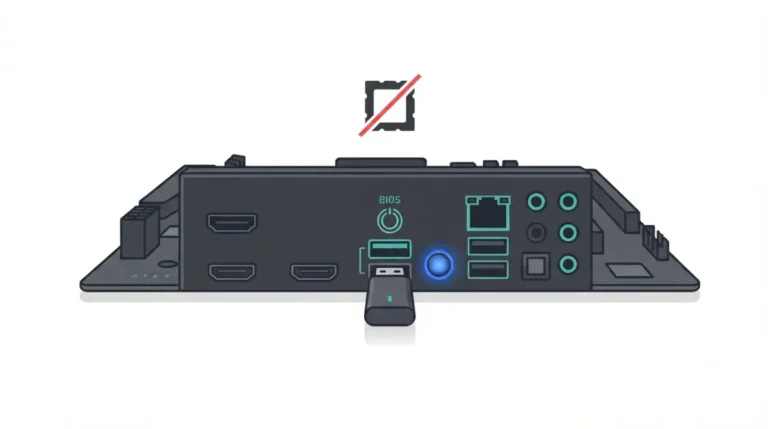
✅ Do This: Before ordering, open your board’s CPU support list and confirm it lists the Ryzen 5 5500F and a minimum BIOS version. If it isn’t listed, ask the board maker’s support team; never use unofficial firmware. Here’s how to check which BIOS your board needs for a new CPU.
What the RAM price surge did to total build cost
DDR4 is still cheaper than DDR5, but it is no longer cheap.
| Kit | Before surge | After surge | Key Detail |
|---|---|---|---|
| 32GB DDR4 (2×16GB) | $60–$90 (Oct 2025) | $150–$180 (Jan 2026) | Roughly doubled to tripled |
| 32GB DDR5, cheapest US kit | Under $100 (mid-2025) | $374.97 (June 3, 2026) | Most volatile line in a build |
Source: Tom’s Hardware’s running RAM price tracker and Tech Times reporting. Prices as of the dates shown.
| Build path | Example CPU | CPU price | Board price | Memory |
|---|---|---|---|---|
| AM4 + DDR4 | Ryzen 5 5500F | $99 reported launch price (Sept 2026) | DDR4 row above | |
| AM5 + DDR5 | Ryzen 5 7500 | ~$189 reported (Sept 2026) | DDR5 row above |
Why DDR4 got more expensive too
Memory makers are steering production toward high-bandwidth memory and server DRAM for AI data centers. Samsung, SK Hynix, and Micron have also cut legacy DDR4 output. No reliable date exists for prices to fall.
DDR4 or DDR5 board: which one fits your build
Choose DDR4 only if it saves real money now and you accept a platform with no meaningful CPU upgrades ahead.
If you already own DDR4
Reusing a good kit on an AM4 or LGA1700 DDR4 board saves you the full price of new memory, which is the biggest DDR4 advantage in 2026.
If you’re buying all new parts
AM5 with DDR5 keeps an upgrade path open, since AMD committed to supporting AM5 through at least 2027. LGA1700 is at the end of its line.
How much performance DDR4 gives up
Estimates vary with test conditions:
- Tom’s Hardware, January 2026: around 5% or less in most cases, depending on workload.
- Tom’s Hardware, July 2026 retest: Tom’s Hardware’s mid-2026 DDR4 retest found a 14% average drop on LGA1700 CPUs, up to 25% in some games.
- TechSpot, 2024: the Core i5-14600K ran 19% faster with DDR5 than with DDR4-3600 CL14.
🔍 Why It Works: Memory speed matters most when the CPU limits frame rate. When the graphics card is the limit, the DDR4 penalty shrinks.
Mistakes that leave you with the wrong board or RAM
Most wrong-board returns come from two checks nobody made.
Check the model name and spec page
Confirm the memory type and slot count on the exact model’s spec page. Some budget DDR4 boards have only two slots.
Check your old kit before reusing it
Look for your kit on the board’s memory support list. The Ryzen 5 5500F is officially rated for DDR4-3200; faster speeds rely on XMP profiles, which vary by board. Here’s how to confirm your exact kit against the board’s memory list.
DDR4 vs DDR5 motherboard FAQ
1. Can I put DDR5 in a DDR4 motherboard?
No. DDR5 modules have a different notch position, so they won’t seat in a DDR4 motherboard’s slots.
2. Does AM5 support DDR4?
No. AM5 motherboards take DDR5 only; AMD’s DDR4 platform is AM4, which still received new boards and a CPU in 2026.
3. Do Intel 12th–14th Gen CPUs support DDR4?
Yes, the CPUs support DDR4 and DDR5, but each LGA1700 motherboard supports only one. Check the board’s spec page.
4. Does a Z890 motherboard support DDR4?
No. LGA1851 boards are DDR5-only; Intel’s Core Ultra 5 245K spec lists DDR5 up to 6400 MT/s.
5. Why is RAM so expensive in 2026?
Memory makers shifted capacity toward AI-focused memory and cut DDR4 output, squeezing consumer DDR4 and DDR5 supply at the same time.
6. Is a DDR4 motherboard still worth it in 2026?
Mainly if you already own a DDR4 kit. Buying everything new, compare dated DDR4 and DDR5 prices plus upgrade paths.
7. How much slower is DDR4 in games?
It depends on test conditions. Tom’s Hardware measured a 14% average drop on LGA1700 in mid-2026; its January estimate was about 5%.
8. How do I tell if a motherboard is DDR4 or DDR5?
Read the Memory section of the motherboard’s spec page. DDR4 variants often add “DDR4” or “D4” to the model name.
9. Will my old DDR4 work in a new DDR4 motherboard?
Usually. Check the board’s memory support list and slot count, because some budget DDR4 boards have only two slots.
10. Does the Ryzen 5 5500F need a BIOS update?
Many AM4 motherboards need a newer BIOS first. Confirm the 5500F and minimum BIOS version on your board’s CPU support list. Use only your board maker’s BIOS file and method.
The bottom line on DDR4 vs DDR5 boards
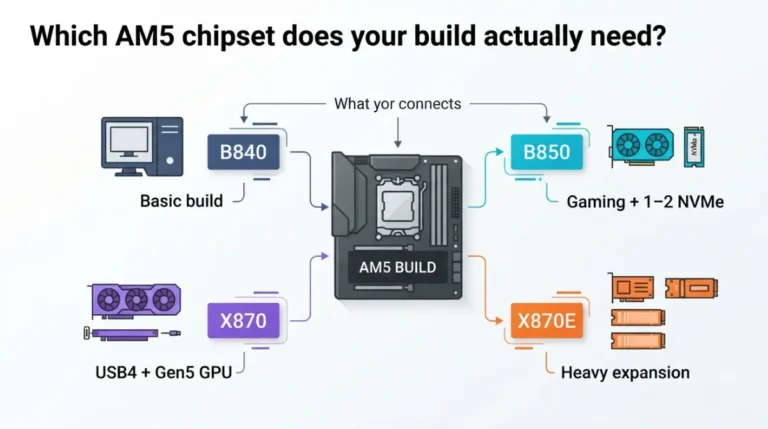
Your platform locks in your memory type. A DDR4 board saves money when you already own the RAM or are building a budget AM4 or LGA1700 system. DDR5 costs more today but keeps an upgrade path open. If you’re going DDR5 on AMD, compare AM5 chipsets before you choose a board. Every spec above links to its source, and we don’t claim tests we didn’t run.