A Clear Answer on Whether You Need a PCIe 5.0 Motherboard
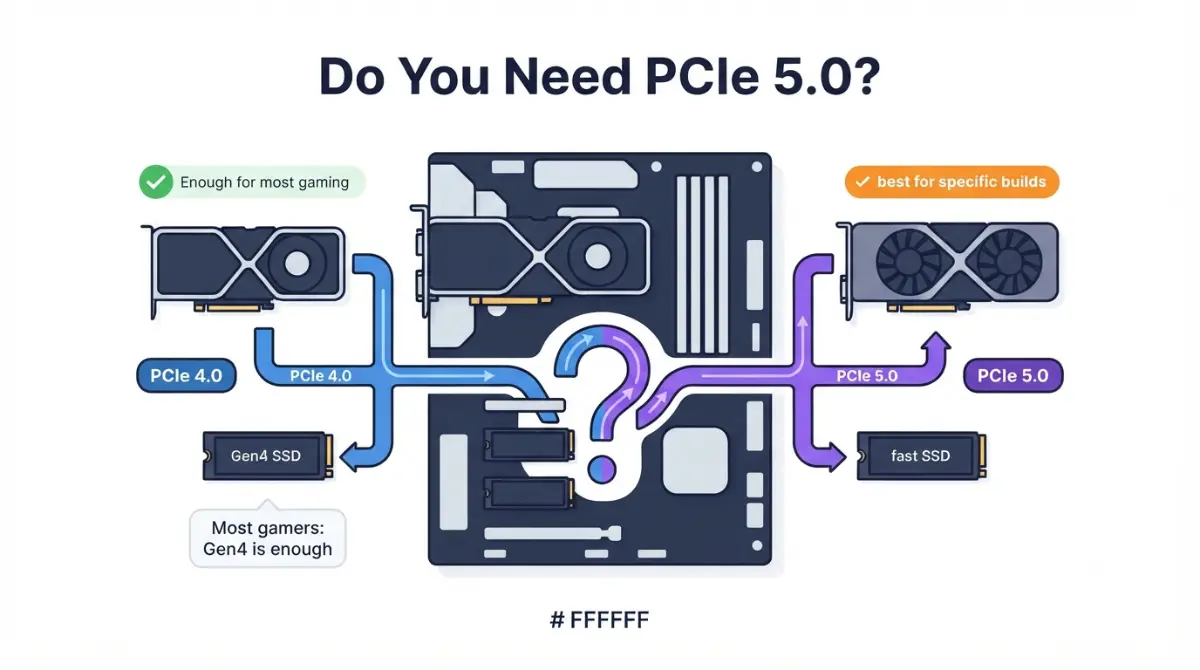
Table of Contents
Do you need PCIe 5.0? The short answer by part
For most gamers, no. A modern graphics card loses about 1% on PCIe 4.0, and Gen5 SSDs rarely load games noticeably faster.
PCIe 5.0 earns its cost in three cases:
- an 8-lane card with 8GB of VRAM on a Gen4 or Gen3 board;
- regular large-file work;
- a board you’ll actually fill with Gen5 parts.
If you’re buying a graphics card
Check whether the card uses 16 lanes or 8. That one detail decides most of the answer.
If you’re buying an SSD
A fast Gen4 drive covers gaming, while Gen5 pays off when you move huge files.
If you’re choosing a motherboard
The chipset tells you where Gen5 can be. Your board’s manual tells you where it is.
What PCIe 5.0 changes: lanes times generation
Bandwidth is lane count multiplied by per-lane speed, so the generation number alone never tells the whole story.
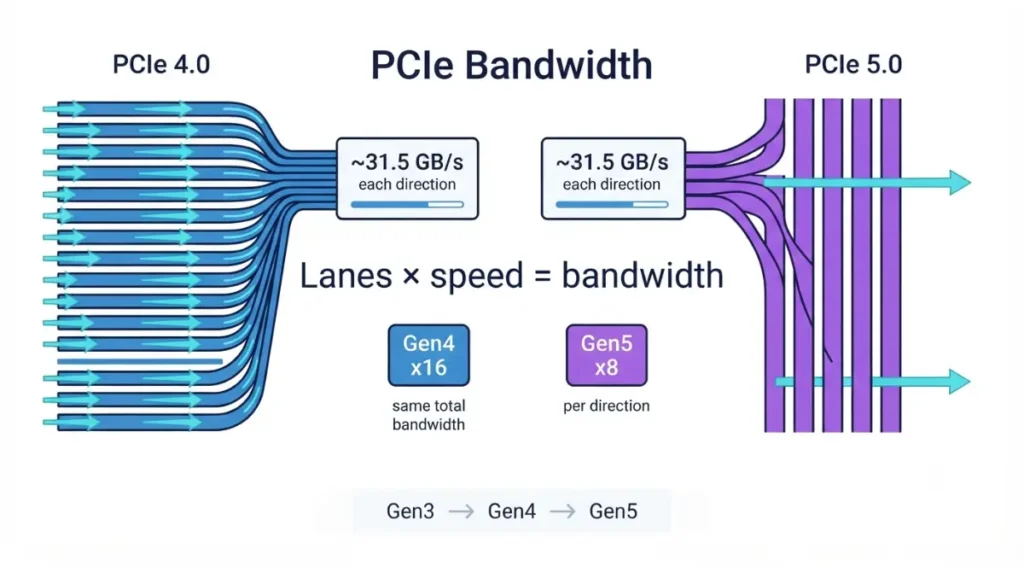
Why a Gen5 x8 slot equals a Gen4 x16 slot
Double the speed on half the lanes lands at the same total.
| Link width | PCIe 3.0 | PCIe 4.0 | PCIe 5.0 | Key detail |
|---|---|---|---|---|
| x4 | ~3.9 GB/s | ~7.9 GB/s | ~15.8 GB/s | Typical NVMe SSD |
| x8 | ~7.9 GB/s | ~15.8 GB/s | ~31.5 GB/s | RTX 5060-class cards |
| x16 | ~15.8 GB/s | ~31.5 GB/s | ~63 GB/s | Most graphics cards |
Source: calculated from PCI-SIG signaling rates (8/16/32 GT/s) with 128b/130b encoding. Figures are theoretical and per direction; sources that count both directions quote double these numbers.
🔍 Why It Works: Think of lanes as road width and generation as the speed limit. An 8-lane Gen5 card on a Gen4 board gets half the road at the old limit. That’s the root of the x8 exception below.
Does your graphics card need a PCIe 5.0 slot?
A PCIe 5.0 card works in a PCIe 4.0 or 3.0 slot. The real question is how much speed it gives up.
Full x16 cards: about 1% on PCIe 4.0
TechPowerUp’s RTX 5090 PCIe scaling tests found about a 1% loss on PCIe 4.0 x16 at 1080p, 1440p and 4K. On PCIe 3.0 x16 the loss was about 4% at 1080p and 1440p. GamersNexus reported a similar 1–4% gap between Gen5 and Gen3 x16 on the same card.
8-lane cards: where the slot generation shows up
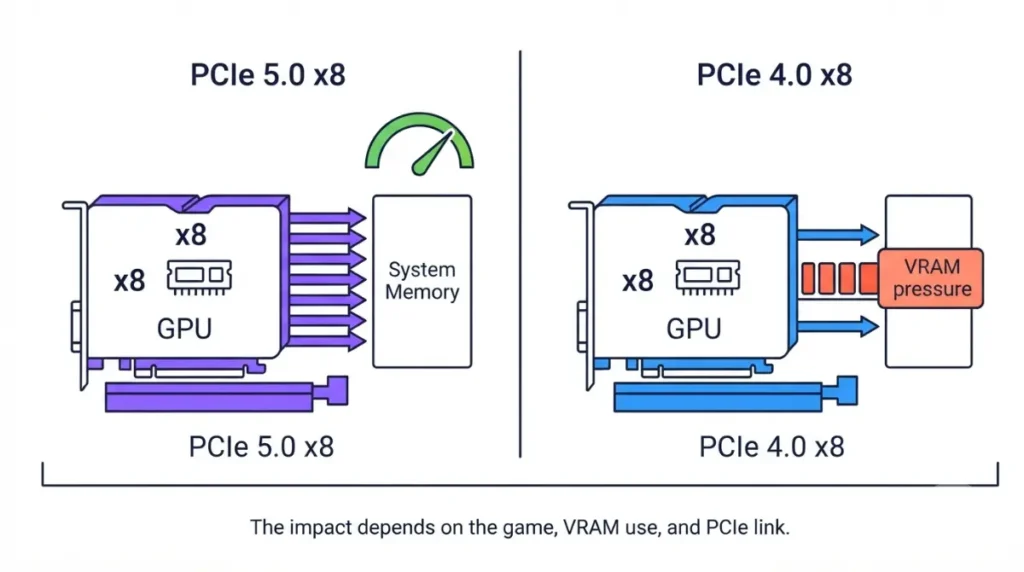
The RTX 5060 and RTX 5060 Ti are wired for eight lanes. MSI’s RTX 5060 spec pages list “Gen 5 x16 (uses x8).”
In ComputerBase testing reported by Tom’s Hardware, the 8GB RTX 5060 Ti averaged 59.4 fps on PCIe 5.0 and 55.82 fps on PCIe 4.0. That was across 27 games at 1440p, and eight titles dropped roughly 9% or more. The 16GB model avoided the drop, and TechSpot’s PCIe 3.0/4.0/5.0 comparison likewise tied the gains to the 8GB card running out of VRAM.
Creator workloads are different
Puget Systems’ tests, reported by TechPowerUp, found DaVinci Resolve render times virtually identical at PCIe 5.0 x16, 5.0 x8 and 4.0 x16. They were about 10% slower at 4.0 x8 and about 25% slower at 4.0 x4.
Does a PCIe 5.0 SSD make games load faster?
Only slightly. Higher rated speeds rarely become shorter game loads.
Rated speed vs real load times
Samsung rates its Gen5 9100 PRO at up to 14,800 MB/s sequential reads, roughly double the Gen4 990 PRO’s 7,450 MB/s. Yet in TechSpot’s SSD load-time comparison, moving from a PCIe 3.0 QLC drive to a PCIe 5.0 TLC drive cut Black Myth: Wukong’s initial load by only about 10%. TechRadar judged the 9100 Pro a drive for professionals moving large files rather than for gamers.
Heat: a Gen5 drive needs a heatsink
Gen5 drives run hotter than Gen4 drives. Use the motherboard’s M.2 heatsink or the one supplied with the drive, and follow the drive maker’s cooling guidance.
Gen5 drive in a Gen4 slot
It works, capped at Gen4 speed. Before installing, check which M.2 slots disable SATA ports on your board.
Which motherboards give you PCIe 5.0, and in which slot
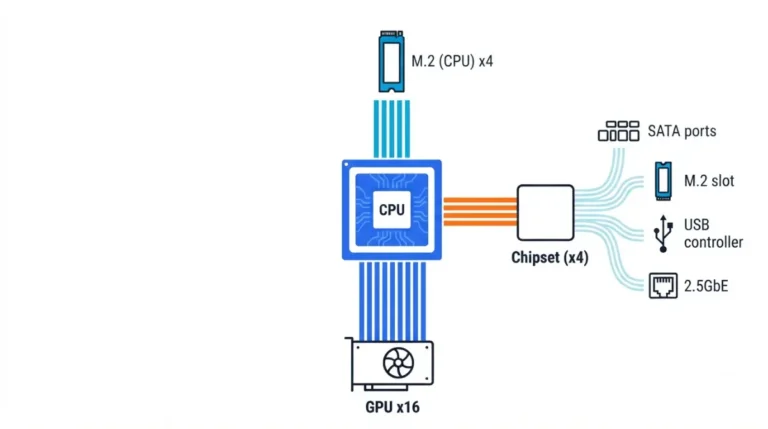
A chipset sets the ceiling, and each board maker decides what it actually wires.
AMD AM5: X870E, X870, B850, B840 and the 600 series
| Chipset | Gen5 GPU slot | Gen5 M.2 (CPU) | Key detail |
|---|---|---|---|
| X870E / X870 | Yes | Yes | USB4 required |
| X670E / B650E | Yes | Yes | Previous-gen 600 series |
| B850 | PCIe 4.0 baseline; maker may enable Gen5 | Yes, required | Check the board’s slot spec |
| B650 | No | Optional | Being phased out for B850 |
| B840 / A620 | No | No | No PCIe 5.0 lanes |
Source: AMD’s AM5 chipset specifications (platform maximums); B850 graphics note per TechSpot; as of September 2026.
For every other difference, see the full AM5 chipset comparison.
Intel LGA 1851: Z890, B860, H810
| Chipset | Gen5 GPU slot | Gen5 M.2 (CPU) | Key detail |
|---|---|---|---|
| Z890 | Yes (x16 or 2 × x8) | Yes | Most flexible lane splits |
| B860 | Yes (x16) | Yes | No x8/x8 split |
| H810 | Yes (x16) | No | M.2 runs from chipset lanes |
Source: Intel’s Z890 chipset specifications; per-chipset lane exposure per Puget Systems; as of September 2026.
Our Z890 vs B860 vs H810 breakdown covers the rest.
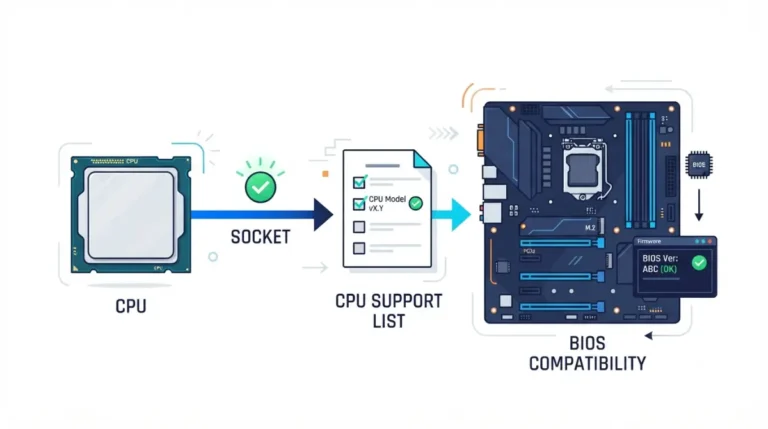
Your CPU has to support it too
Ryzen 8000G processors are limited to PCIe 4.0 with fewer graphics lanes (TechSpot), so a Gen5 board won’t lift them.
Previous-generation Intel 12th–14th Gen boards offer Gen5 only through the x16 slot. Boards that add a Gen5 M.2 slot take eight lanes from graphics to do it (TechPowerUp).
Should you pay extra for PCIe 5.0? Decide by build
Match your parts to a row below; each verdict rests on the source shown.
| Your situation | Does Gen5 matter? | Basis |
|---|---|---|
| x16 card, Gen4 x16 slot | No | ~1% loss (TechPowerUp) |
| x16 card, Gen3 x16 slot | Slightly | ~2–4% (TechPowerUp, GamersNexus) |
| x8 card with 16GB, Gen4 slot | Little | Avoided the drop (ComputerBase) |
| x8 card with 8GB, Gen4 or Gen3 | Yes | Lower fps on Gen4 (ComputerBase, TechSpot) |
| SSD mainly for games | No | Small load gains (TechSpot, TechRadar) |
| SSD for large video or data files | Yes | Sequential speed counts (TechRadar) |
Pay for it if…
- You run an 8GB, 8-lane card.
- You edit video on a board that splits lanes.
- You want a Gen5 SSD without cutting your graphics slot.
Skip it if…
You game on a full x16 card with a Gen4 SSD.
Check lane sharing before you add a Gen5 SSD
On some boards, filling certain M.2 slots drops the graphics slot to x8. Read how M.2 slots split GPU lanes before you buy.
Is your GPU or SSD actually running at PCIe 5.0?
A part can quietly run slower than its slot, and checking takes a minute.
Check the link in GPU-Z or your SSD tool
GPU-Z’s bus interface field shows the PCIe version and lane count your card is using. TechPowerUp recommends it for exactly this check. Some cards lower link speed at idle, so check while a load is running.
Common reasons it drops: slot, sharing, risers
- Wrong slot: TechPowerUp’s RTX 5090 lost 11% at 1080p in a chipset-wired Gen4 x4 slot.
- Lane sharing: an occupied M.2 slot can halve the graphics slot.
- Risers: TechPowerUp and Hardware Canucks reported errors with some riser cables, so confirm your riser’s rated PCIe generation.
- Link-width bugs: HWCooling saw RTX 5060 Ti cards start below x8 on some Gen5 boards. Check your board maker’s support page for BIOS updates.
PCIe 5.0 FAQ
1. Does a PCIe 5.0 GPU work in a PCIe 4.0 slot?
Yes. A PCIe 5.0 GPU runs in a PCIe 4.0 slot, and TechPowerUp measured about a 1% loss for an RTX 5090.
2. Do I need a PCIe 5.0 motherboard for gaming?
Usually not. The main exception is an 8-lane, 8GB card, which ComputerBase found slower on a PCIe 4.0 motherboard.
3. Does a PCIe 5.0 SSD load games faster?
Only slightly. In TechSpot’s comparison, a PCIe 5.0 SSD cut one game’s load about 10% versus a PCIe 3.0 drive.
4. Can a PCIe 5.0 SSD go in a PCIe 4.0 M.2 slot?
Yes. A PCIe 5.0 SSD works in a PCIe 4.0 M.2 slot but runs at PCIe 4.0 speed.
5. Does B850 support PCIe 5.0?
B850 guarantees PCIe 5.0 on the primary M.2 slot. Its graphics slot is PCIe 4.0 unless the board maker enables Gen5.
6. Does B840 support PCIe 5.0?
No. AMD lists zero PCIe 5.0 lanes for B840, so its graphics and M.2 slots run at PCIe 4.0.
7. Does the RTX 5060 Ti need PCIe 5.0?
The 8GB RTX 5060 Ti lost performance on PCIe 4.0 in ComputerBase’s tests, while the 16GB model largely avoided it.
8. Is PCIe 5.0 x8 as fast as PCIe 4.0 x16?
Yes. PCIe 5.0 x8 and PCIe 4.0 x16 share the same theoretical bandwidth, about 31.5 GB/s per direction.
9. Why is my GPU running at x8?
A GPU runs at x8 when it’s an 8-lane card, sits in a lower slot, or shares lanes with an M.2 slot. Check your manual’s bandwidth table.
10. How do I check my PCIe version?
GPU-Z’s bus interface field shows the PCIe version and lane count your graphics card is currently using.
What to check before you buy
For most builds, PCIe 4.0 is enough. PCIe 5.0 earns its cost with 8-lane, 8GB cards or large-file work.
Check your card’s bus interface and your board manual’s slot table, then work through the full motherboard compatibility checklist. Every figure above is credited to its source; we didn’t test this hardware ourselves.