Why an M.2 slot disables a SATA port, and what to do next
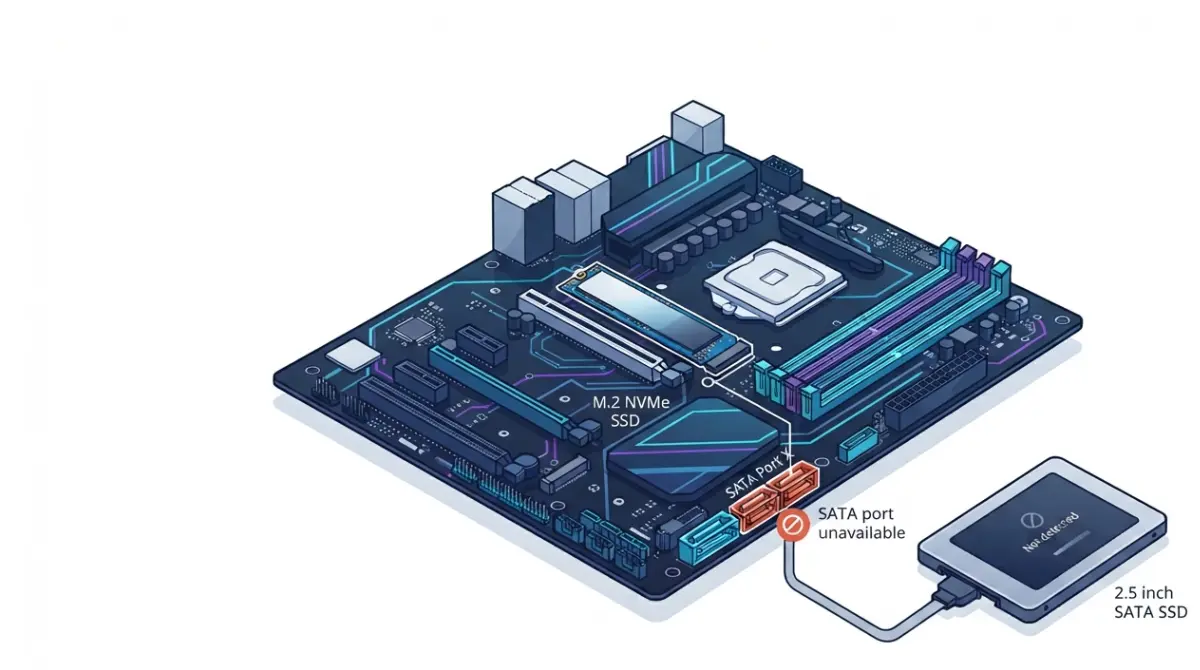
Table of Contents
Your SATA drive worked yesterday. You installed an M.2 SSD, and now it is missing from BIOS and File Explorer. On a great many boards, that drive is fine and nothing is broken — the motherboard switched a SATA port off deliberately.
Start where your situation sits. If a drive has just vanished, read the next two sections and then move one cable. If you are planning an upgrade and want to keep every port you paid for, skip to the slot-choice section. If your manual says nothing about sharing at all, go to the troubleshooting section, because the cause is something else.
This is one of several board limits worth knowing before you order, which our guide to checking motherboard compatibility before you buy covers in full.
ℹ️ Risk Note: A SATA drive that stopped appearing after an M.2 install has almost certainly not lost data. Do not initialize, format, or run repair tools on a drive that holds files you need — initialization is meant for new, empty disks. Back up anything irreplaceable before you change storage configuration.
Why installing an M.2 drive can switch off a SATA port
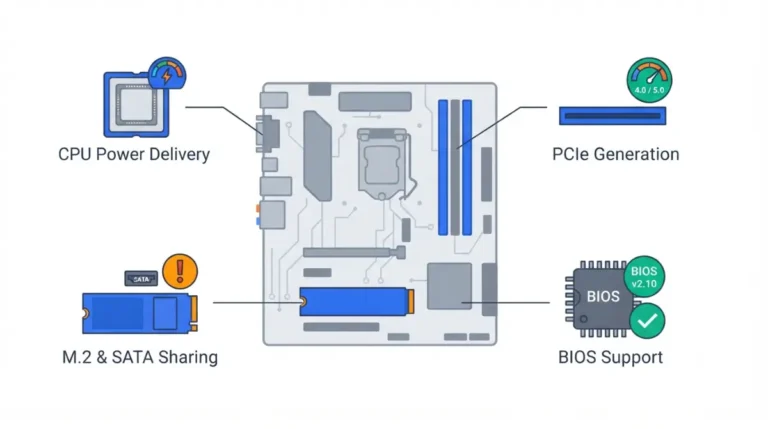
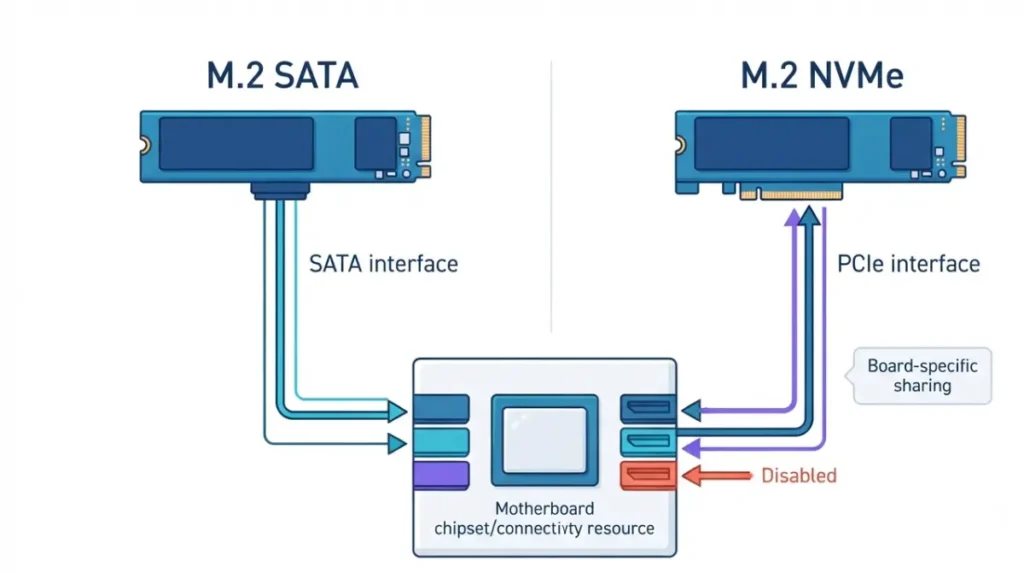
An M.2 slot disables a SATA port because the two share the same connection to the chipset. MSI states that some M.2 slots share channels with SATA interfaces, so the shared slot and port cannot be used at the same time, and attributes this to the board’s circuit design. The port is not broken; the board turned it off.
M.2 SATA drives use a SATA channel
M.2 is a form factor, not an interface. An M.2 SATA SSD speaks SATA, so it consumes a SATA channel by definition — and on many boards that is a specific numbered port.
NVMe drives can still cost you ports
An NVMe drive uses PCIe lanes instead. On plenty of boards it still disables SATA ports, because the chipset routes a fixed pool of lanes to either the M.2 socket or the SATA controller.
CPU-attached and chipset-attached slots differ
Slots wired to the processor rarely touch SATA. Chipset-wired slots are where sharing usually lives, which is why the slot you choose matters.
🔍 Why It Works: A chipset has a fixed number of high-speed lanes. Board designers spend them twice on paper — once on an M.2 socket, once on SATA ports — and let firmware decide which one is live.
MSI’s support note on storage detection documents this behavior.
How to find which SATA port your board actually disables
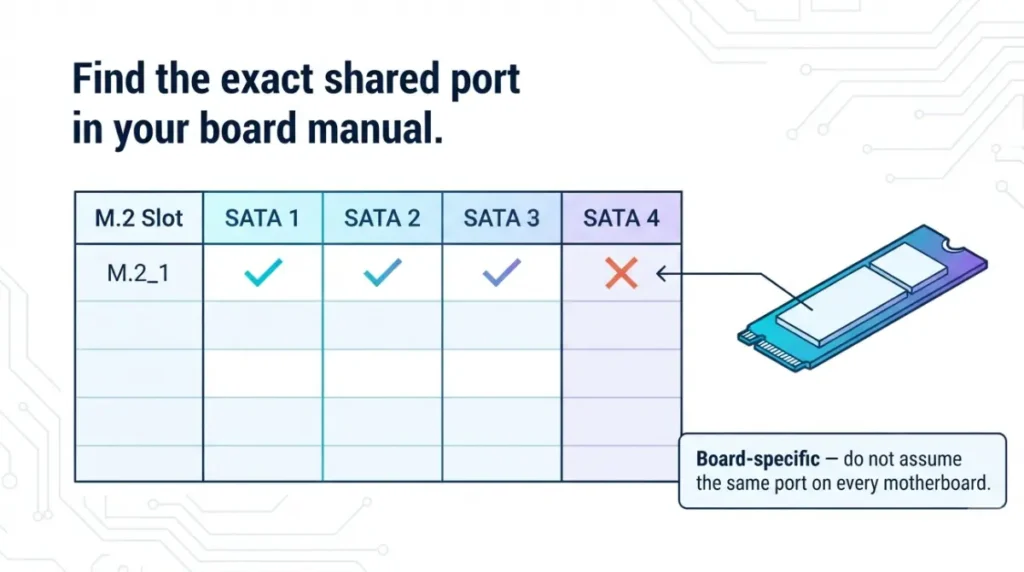
The affected port is named in your motherboard manual, in the storage notice beside the M.2 installation instructions or in the specification footnotes. Every major manufacturer publishes it. The difficulty is that each one words it differently.
What each manufacturer’s wording means
| Manufacturer | Wording you’ll see | What it means | Key detail |
|---|---|---|---|
| ASUS | “shares bandwidth with SATA6G_x” | That numbered port goes dead while the M.2 slot is populated | Fix is to move the cable to a port not listed |
| MSI | “will be unavailable when installing M.2 … in the M2_x slot” | Named ports switch off, per slot | Stated per slot, not per board |
| Gigabyte | “shares bandwidth with the SATA3 x connector” | Followed by a grid of available/not-available combinations | Read the grid, not the sentence |
| ASRock | “If M2_x is occupied, PCIE2 will be disabled” | The sacrifice can be a PCIe slot instead of a SATA port | Check both lists before blaming SATA |
Source: ASUS, MSI, Gigabyte and ASRock product documentation, read September 2026.
Why you can’t go by chipset or series
Two boards with the same chipset from the same brand behave differently. ASUS documents a case where M.2_1 shares with SATA6G_1, so populating both closes SATA6G_1 and only the M.2 drive is recognised — that is one board’s wiring, not a rule.
🧩 Compatibility Check: Open your board’s manual, find the storage or M.2 section, and read the port names off the sharing table. Confirm the manual revision matches the “REV: X.X” printed on your board — revisions change wiring.
ASUS’s troubleshooting guide for undetected drives shows the same behavior from the support side.
Getting your SATA drive back
Move the SATA data cable to a port your manual does not list as shared. That is the whole fix on most boards, and it takes one cable.
- Shut down and unplug the power cord before touching any cable inside the case.
- Pick a destination port that your manual’s sharing table shows as available with your M.2 slot populated. For the ASUS case above, the documented move is to a different port such as SATA6G_3 or SATA6G_4.
- Move the data cable only — the power cable from the PSU does not change.
- Check BIOS first, not Windows. Boot into BIOS and look at the storage device list. If the drive is there, the fix worked.
Checking Windows first misleads people, because a drive can be present and simply unlettered.
⚠️ Watch Out: If the drive appears in Disk Management marked “Not Initialized,” do not initialize it. That step is meant for new, empty disks. A drive that already held data should mount with its partitions intact once the connection is correct.
Your own board’s table lives in the same place as the one in a current AM5 board manual.
Choosing an M.2 slot that doesn’t cost you a SATA port
Slot choice decides what you give up. The common pattern is that the processor-wired slot shares nothing with SATA and the chipset-wired slots do — but confirm it on your board rather than assuming it.
Populate the CPU-attached slot first
Manufacturers usually state a population order. ASRock’s B650M Pro-A Gen5 documentation names M2_1 as the first priority for M.2 installation.
When the trade-off is a PCIe slot instead
Not every board pays for M.2 in SATA ports. On that same board, occupying the M2_3 socket disables the PCIE2 slot — worth knowing if you run a capture card or sound card, as our guide to fitting a graphics card and expansion cards to your board explains.
Boards where nothing is shared
Some current boards route enough lanes that every M.2 slot and every SATA port works at once. The sharing table is what tells you, and its absence is the answer.
💡 Pro Tip: Check the sharing table before you buy, not after the drive arrives. It takes thirty seconds on the manufacturer’s manual page and decides how many drives the board can actually run.
One current B650 board’s manual shows both patterns on a single page.
When the CPU, not the M.2 slot, is what disabled your port
Sometimes the M.2 drive is innocent. Port availability can depend on the processor you installed, and on where the ports come from.
CPU-dependent port availability
ASUS states in the specifications for its PRIME B650M-A AX II that the SATA6G_E34 ports are disabled with some 8000-series processors. That is a processor limit, not a storage one, and no amount of cable-moving fixes it.
Ports from a secondary controller behave differently
Boards advertising more SATA ports than the chipset provides add a second controller. On that same board, ASUS notes the extra port pairs cannot support RAID.
📊 Spec Check: ASUS PRIME B650M-A AX II — 2 M.2 slots and 8 SATA 6Gb/s ports, with the extra ports excluded from RAID and a named pair disabled on some 8000-series processors. Source: ASUS product specifications, September 2026.
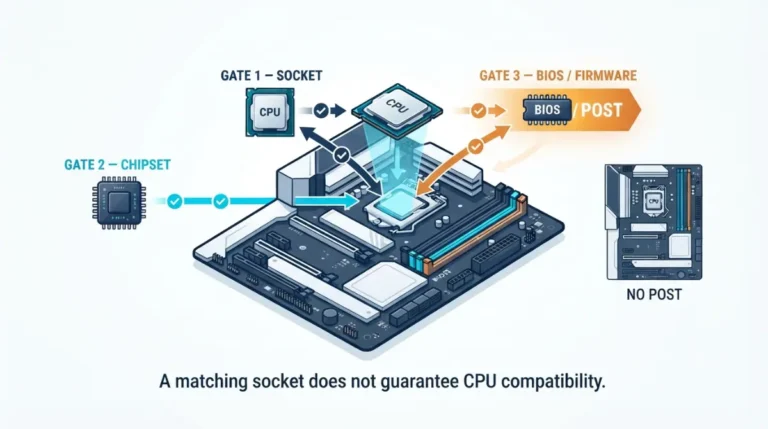
Check the footnotes against your exact processor model, not its series — the same discipline that applies to matching a processor to a socket and chipset.
This board’s specification footnotes carry the exact wording.
Still missing? Work through these before assuming the worst
If your manual lists no sharing and the drive is still absent, the cause is elsewhere.
- Reseat both the data cable and the SATA power cable at the drive end and the board end.
- Try a different data cable and a different power lead from the PSU.
- Try the drive on a port you know works with a drive you know works.
ASUS lists physical damage to the drive or SSD as the remaining explanation once its other checks are exhausted.
✅ Do This: If the drive appears on no port with no cable, stop. Contact the drive manufacturer’s support to check warranty status and symptom pattern. If it holds the only copy of data that matters, go to a professional data-recovery service before running any repair or formatting tool.
Common questions about M.2 and SATA port conflicts
1. Does an M.2 SSD disable SATA ports?
On many boards yes, because the M.2 slot and specific SATA ports share the same chipset channels by design.
2. Which SATA port is disabled when an M.2 slot is populated?
The one your motherboard manual names in its storage sharing table. It varies by board, not by chipset.
3. Does an NVMe drive disable SATA ports too?
It can. NVMe uses PCIe lanes, but many boards allocate those lanes from the same pool that feeds SATA.
4. Is my SATA drive broken if it disappeared?
Almost certainly not. A board disabling a shared port is designed behavior documented by the manufacturer.
5. Where is the sharing table in my manual?
In the storage section or beside the M.2 installation instructions, usually as a grid of available and unavailable combinations.
6. Which M.2 slot should I use to keep every SATA port?
Usually the processor-wired slot, which manufacturers often name as first priority. Confirm on your board’s own table.
7. Can an M.2 slot disable a PCIe slot instead?
Yes. Some boards disable an expansion slot rather than a SATA port when a particular M.2 socket is occupied.
8. Can my CPU disable SATA ports?
Yes. Some boards document specific SATA ports as unavailable with certain processors, independent of M.2 population.
9. My manual mentions no sharing and the drive is still gone. What now?
Reseat and swap the data and power cables, then test the drive on a known-working port.
10. Will I lose data on the drive that disappeared?
No, if you leave it alone. Do not initialize or format it — contact a data-recovery service if it holds your only copy.
What to check next
One cable move usually ends this. What it should change is your habit: read the storage sharing table before you buy a board, not after a drive vanishes.
The same table answers which memory the board supports and whether it needs a BIOS update for your processor. Every claim here is traceable to the manufacturer documentation linked above, and none of it came from a bench we do not have.