The Cheapest Compatible Motherboard Without Costly Surprises
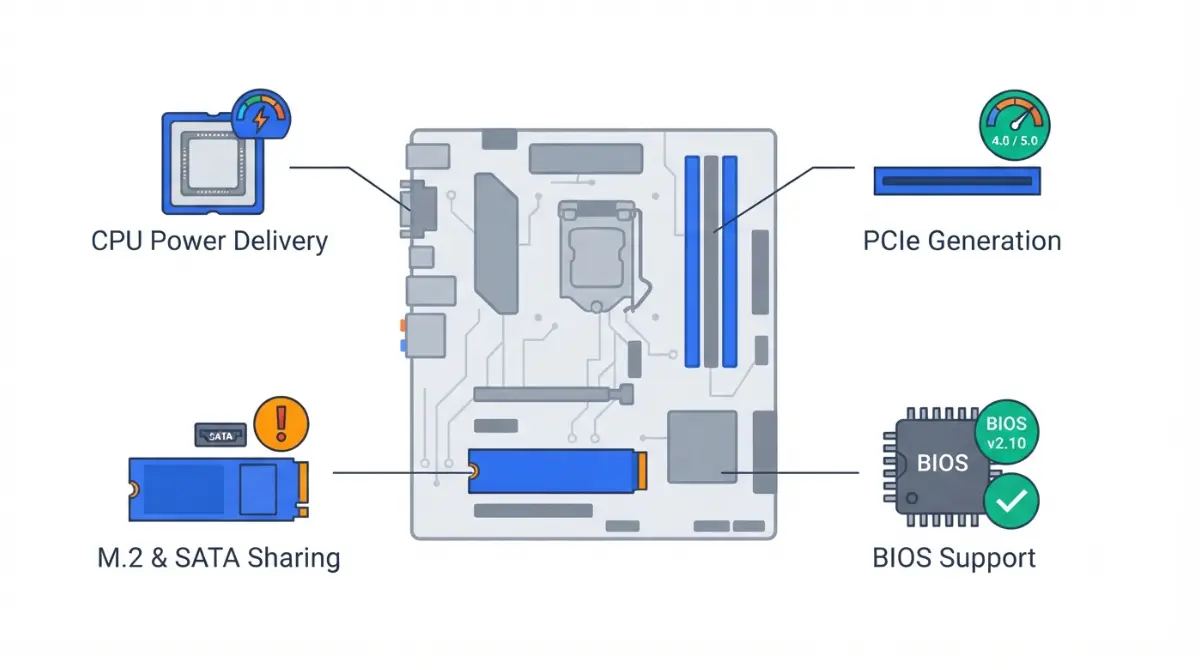
Table of Contents
What “won’t limit your CPU” actually means on a cheap board
A cheap motherboard can hold your build back in only four places, and you can check every one before you order.
The four limits a budget board can impose
- CPU power delivery: whether the board can feed your processor its full rated power.
- PCIe generation: how fast the graphics slot and M.2 slots run.
- M.2 and SATA slots: how many drives fit, and which slots share lanes.
- BIOS support: whether the board recognizes your CPU the day it arrives.
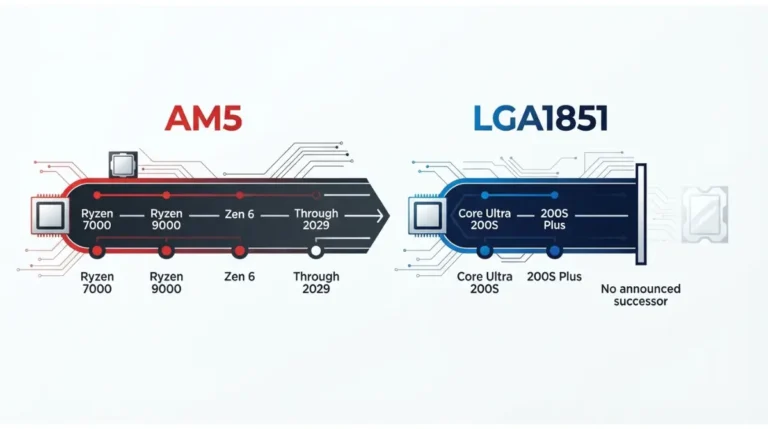
Which platform are you on: AM5 or LGA 1851?
Building on AMD? Start with the chipset table below, then the power section. On Intel, H810’s memory limits matter most.
Already own the board and something feels slow? Skip to the troubleshooting section near the end. This article covers only the cost side of our full motherboard compatibility checklist.
ℹ️ Risk Note: Some budget boards need a BIOS update before they recognize newer CPUs. An interrupted or wrong-file update can leave a board unable to boot. Back up your data, use only your board maker’s file and official method, and contact their support if anything is unclear.
Which cheap chipsets cut which features
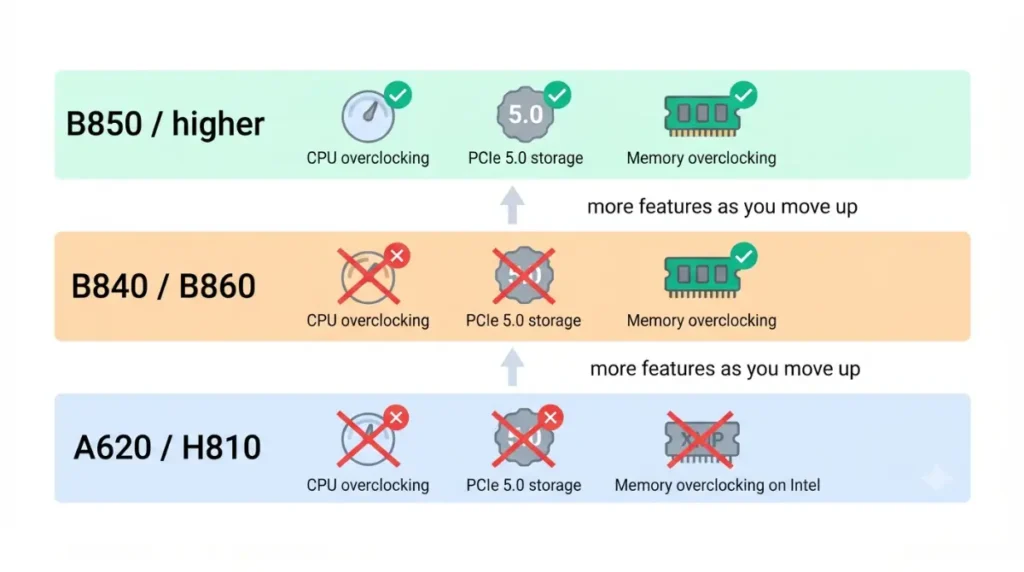
On both platforms, the cheapest chipsets give up CPU overclocking and PCIe 5.0 storage. Intel’s H810 gives up memory overclocking too.
AMD AM5: A620, A620A, B840
| Chipset | GPU slot (from CPU) | CPU-connected NVMe | CPU / memory overclocking | Key Detail |
|---|---|---|---|---|
| A620 / A620A | 1×16 PCIe 4.0 | 1×4 PCIe 4.0 | No / Yes | A620A uses a slower PCIe 3.0 x4 chipset link |
| B840 | 1×16 PCIe 4.0 | 1×4 PCIe 4.0 | No / Yes | Early coverage said PCIe 3.0; AMD’s table now says 4.0 |
| B850 (one tier up) | 1×16 or 2×8 PCIe 4.0 | 1×4 PCIe 5.0 | Yes / Yes | Adds PCIe 5.0 storage and CPU overclocking |
Source: AMD’s official AM5 chipset specifications (page updated June 2026); A620A link speed per Tom’s Hardware (March 2024).
AMD’s own table puts A620 and B840 almost side by side, at 32 versus 34 usable PCIe lanes and neither with PCIe 5.0. The real differences come from how each board maker wires its slots, which our full AM5 chipset comparison breaks down.
🧩 Compatibility Check: B840 was widely reported at launch as PCIe 3.0-only, but AMD’s current specification table lists PCIe 4.0 for its graphics and NVMe links. Before buying a B840 board, open its manual’s expansion-slot table and confirm each slot’s generation.
Intel LGA 1851: H810 vs B860
| Chipset | CPU PCIe 5.0 config | Memory OC / DIMMs per channel | Chipset PCIe 4.0 lanes | Key Detail |
|---|---|---|---|---|
| H810 | 1×16 | No / 1 | 8 | Two RAM slots maximum |
| B860 | 1×16 + 1×4 | Yes / 2 | 14 | Extra x4 link typically feeds an M.2 SSD |
Source: Intel’s H810 specification listing and Intel’s B860 listing (both updated August 2026).
Because H810 lacks that extra x4 link, a PCIe 5.0 SSD can’t connect to the CPU at full speed.
Will a cheap board throttle a high-end CPU?
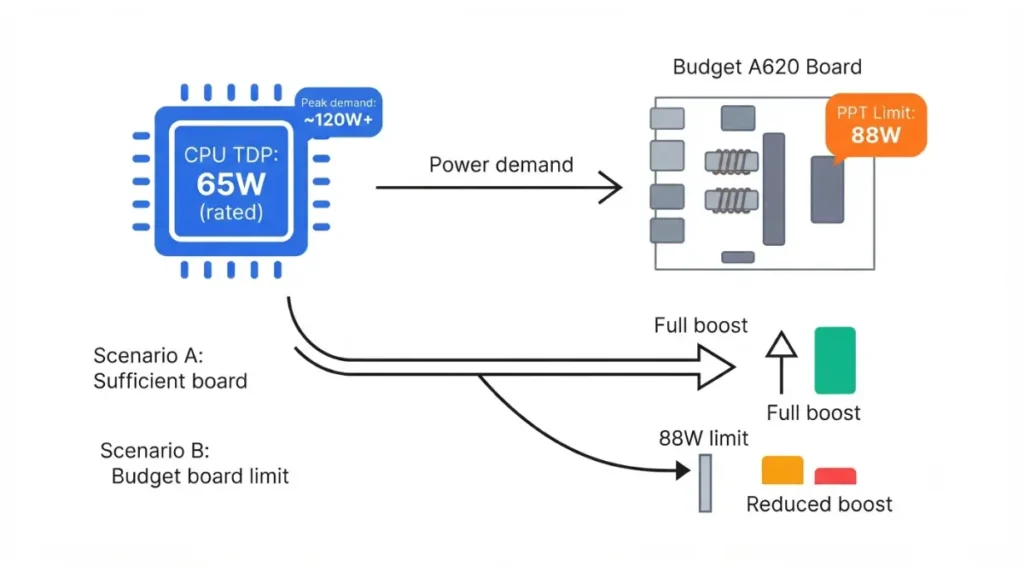
It will boot, but it may not run at full power. At the A620 launch, Tom’s Hardware’s report on A620 power limits explained that AMD’s base A620 spec is built for 65W-TDP chips, which allows 88W of peak package power (PPT). A higher-TDP chip boots if the BIOS supports it, but it won’t reach its full peak power.
A620’s 88W baseline and why it matters above 65W
The 88W figure is a baseline, not a rule for every A620 board. Board makers can build pricier A620 models that support more power, so the board’s own page matters more than the chipset name.
🔍 Why It Works: TDP is the rating the chipmaker publishes; PPT is the power the board actually lets the CPU draw. If your CPU wants more than the board allows, it boosts less, and you lose performance you paid for.
Intel budget boards and baseline power profiles
Tom’s Hardware’s VRM thermal testing (July 2026) found that only the most basic budget and business boards noticeably held performance back. Intel budget boards took the bigger hit, and some limit the CPU strictly to its baseline spec. XDA Developers (June 2026) makes the same point: booting a flagship CPU doesn’t prove a budget board can sustain it.
Where to find your board’s real limit
| Your CPU | Cheapest tier that fits | What to check | Where | Key Detail |
|---|---|---|---|---|
| AMD, 65W TDP | A620, A620A, or B840 | Exact CPU on the board’s list | Board’s CPU support page | Base A620 spec targets this class |
| AMD, above 65W TDP | A620 only if listed at full power; otherwise B850 | Supported CPU power | Board spec page | Base A620 caps PPT at 88W |
| Intel Core Ultra 200 (LGA 1851) | H810 if two RAM slots are enough; otherwise B860 | CPU list, default power behavior | Board manual | Some budget boards enforce baseline power |
Sources: Tom’s Hardware (April 2023; July 2026); Intel ARK. Find your CPU’s TDP on its official AMD or Intel spec page.
Will a budget board slow your SSD or graphics card?
For most budget builds, no. AMD’s table gives both A620 and B840 a PCIe 4.0 x16 graphics slot and a PCIe 4.0 x4 CPU-connected NVMe link.
Reading the M.2 slot table
- Count CPU-connected M.2 slots: the A620 platform supports up to two, but some boards wire only one.
- Check chipset slots: on A620 these run at PCIe 3.0 and usually serve x1 expansion slots.
- Rule out Gen 5 on H810: Intel lists no extra CPU PCIe 5.0 x4 link for it.
When a second SSD disables SATA ports
On some boards, filling one M.2 slot switches off SATA ports, and the manual’s footnotes say which ones. See which M.2 slots switch off SATA ports before adding a second drive.
💡 Pro Tip: PCIe 5.0 storage only matters if you’re already paying for a PCIe 5.0 SSD. A Gen 4 drive in a Gen 4 slot runs at its full rated interface speed.
Will a cheap board boot your CPU out of the box?
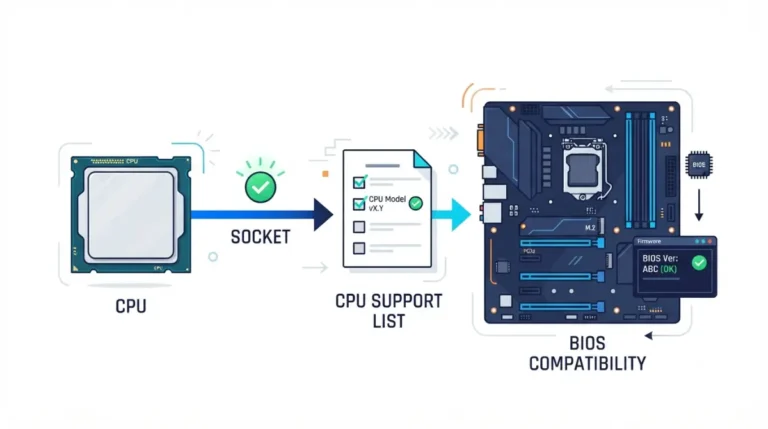
AMD states that every AM5 board works with every AM5 processor. However, 600-series boards, including A620, may need a BIOS update for Ryzen 8000 and 9000 CPUs.
Check the CPU support list before buying
Board makers publish CPU support lists showing the minimum BIOS version for each processor. The MSI PRO A620M-E CPU support list is one example of where this lives. Our guide shows how to check whether your board’s BIOS supports your CPU.
If an update is needed: the safe route
Some budget boards can update their BIOS without a CPU installed, and the manual says whether yours can. If it can’t, ask the seller or the board maker’s support whether current stock ships with a compatible BIOS.
⚠️ Watch Out: An interrupted or wrong-file update can leave a board unable to boot. Back up your data, use only the board maker’s file and official method, and contact their support if any step is unclear.
The cheapest board that fits your CPU
Match the board to the CPU you’re actually buying, then step up only for a feature you’ll use.
65W CPUs: the cheapest tier works
If your AMD CPU is rated 65W TDP, an A620, A620A, or B840 board fits, provided your exact CPU is on its support list.
CPUs above 65W: step up one tier
Choose A620 only if the maker lists your CPU at full power; otherwise move to B850. On Intel, choose B860 if you need four RAM slots, XMP speeds, or a PCIe 5.0 SSD, because H810 supports none of these.
When the step up costs less than it seems
At launch, the cheapest A620 boards started at $85 (April 2023), and Intel set H810 boards from $99 and B860 from $129 (January 2025). These are launch prices, not today’s, so compare current listings for your exact shortlist. B860’s second DIMM per channel also means a later RAM upgrade doesn’t force a board swap.
Signs your budget board is holding your build back
Most budget-board limits show up as one of three symptoms.
CPU sits at lower power than expected
The likely cause is the board’s power limit, such as the A620 88W baseline or an Intel board enforcing baseline power. Check the board’s spec page before blaming the CPU.
Graphics card or SSD running at a lower PCIe generation
The device is likely in a chipset slot, which runs at PCIe 3.0 on A620, or it shares lanes. Move it to the CPU-connected slot the manual identifies.
RAM stuck at base speed
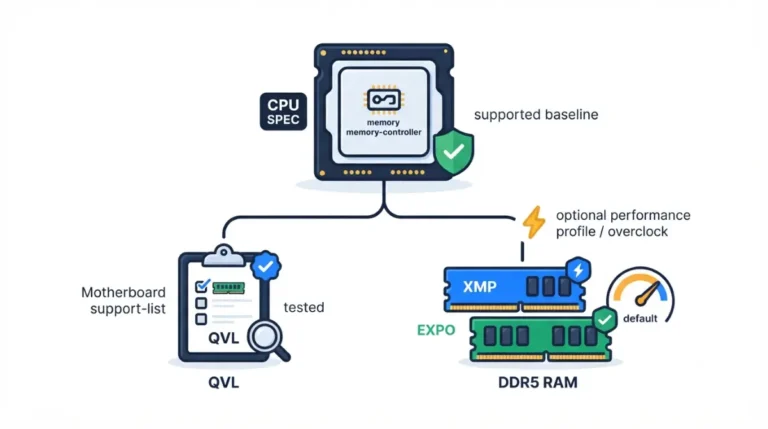
On H810 this is by design, because Intel doesn’t support memory overclocking there. On A620 and B840, AMD supports EXPO, so confirm the profile is enabled in the BIOS.
Frequently asked questions
1. Is the cheapest compatible motherboard good enough for gaming?
Usually, for 65W CPUs. A620 and B840 give graphics cards a PCIe 4.0 x16 slot; confirm your CPU is on the board’s list.
2. Does an A620 board support Ryzen 9000?
AMD says every AM5 board supports every AM5 CPU, but A620 boards may need a BIOS update first. Update only with the board maker’s file and method.
3. Is B840 worse than A620?
Barely. AMD’s current table gives both PCIe 4.0 graphics and NVMe links and no CPU overclocking; B840 lists 34 usable lanes versus 32.
4. Can an H810 motherboard use XMP RAM?
The kit works, but Intel doesn’t support memory overclocking on H810, so it can’t run above Intel’s supported memory speed.
5. Will a cheap motherboard bottleneck my graphics card?
Not on AMD’s budget chipsets: A620 and B840 both provide a CPU-connected PCIe 4.0 x16 graphics slot, per AMD’s specifications.
6. Can a cheap motherboard throttle my CPU?
Yes. Base A620 boards allow 88W peak CPU power, so CPUs rated above 65W may boost less. Check the board’s supported CPU power.
7. How many M.2 slots do budget motherboards have?
The A620 platform supports up to two CPU-connected PCIe 4.0 M.2 slots, but some boards include only one. Check the manual.
8. Do I need to update the BIOS on a new budget board?
Possibly. A620 and other 600-series boards may need one for Ryzen 8000 and 9000; the CPU support list shows the minimum version. Use only the board maker’s official method.
9. Can a budget motherboard run a PCIe 5.0 SSD at full speed?
Not from the CPU on A620, B840, or H810. B850 and B860 add a CPU-connected PCIe 5.0 x4 link.
10How many RAM slots does an H810 motherboard have?
Two at most. Intel limits H810 to one DIMM per channel, so a memory upgrade means replacing sticks, not adding them.
Your next step before you order
Pick your CPU first. Then confirm four things on the specific board: its supported CPU power, its slot generations, its M.2 and SATA sharing, and its minimum BIOS version.