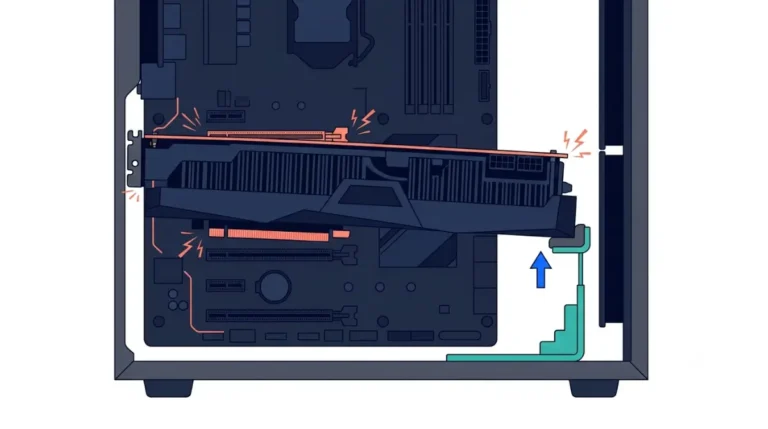
Vertical GPU Mount Setup With the Correct Riser and Glass Gap

Vertical GPU mount trouble usually starts at the riser: a slower one needs the slot set down in BIOS, or the screen stays black. Then check 4 clearances
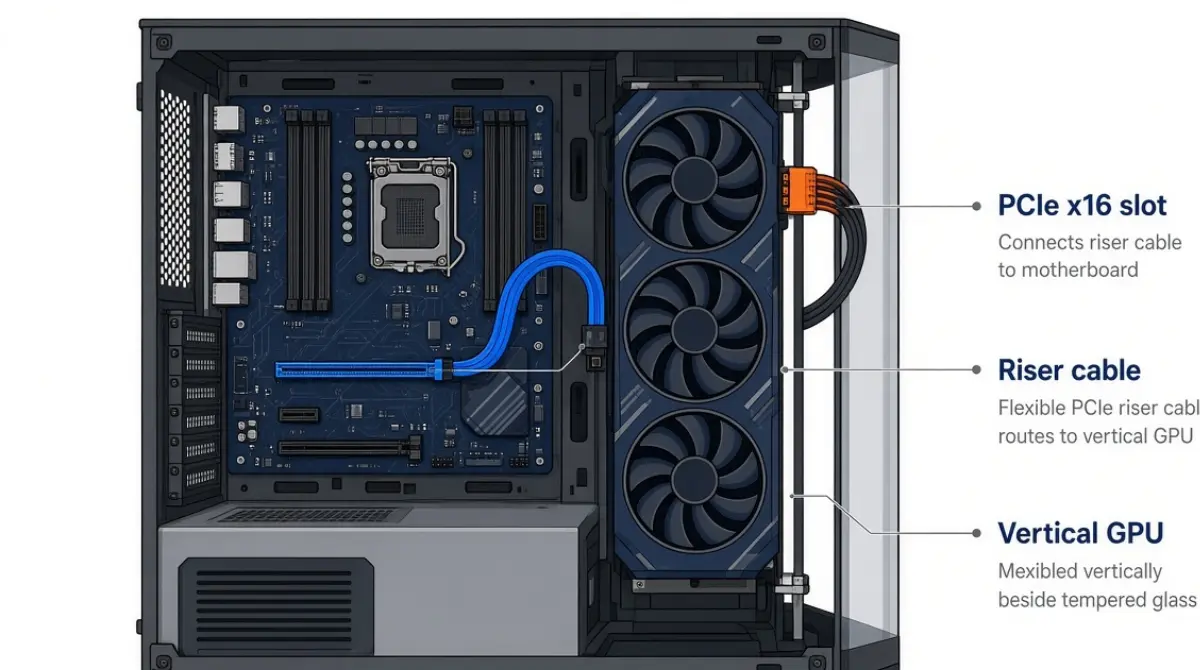
Table of Contents
What you need to mount a GPU vertically
The three parts every vertical mount needs
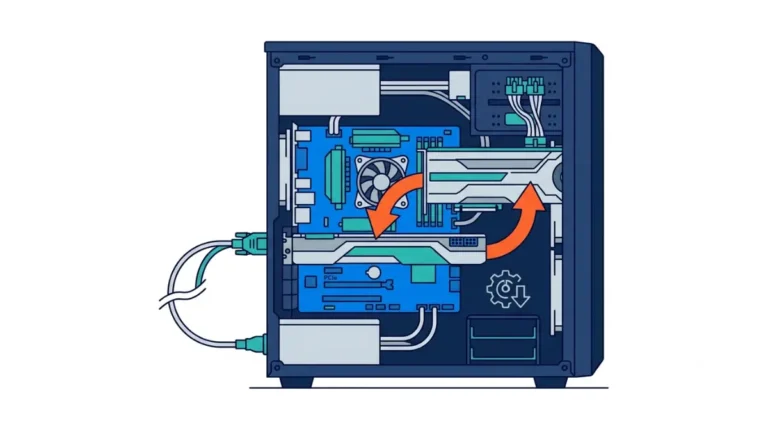
A vertical GPU mount needs three things: a vertical slot or bracket for your case, a PCIe riser cable rated for your platform, and room between the GPU fans and the side panel. The riser carries the x16 link from the motherboard slot to the card, so the card can face the glass. Treat vertical mounting as a looks and layout choice, not a performance upgrade.
Which section answers your situation
- First vertical mount: check case fit, then follow the six-step install.
- Moving to a PCIe 5.0 card: go straight to the riser table.
- Worried about heat: read the glass clearance section.
- Black screen after installing: jump to the fix order.
ℹ️ Risk Note: This guide covers routing the GPU power cable, and a badly seated or sharply bent 12V-2×6 connector can overheat. Switch off and unplug the PC before any work, use only the cables supplied for your PSU and GPU, and push every connector fully home. If a connector looks discolored or melted, stop and contact the GPU or PSU maker’s support.
Will your case and GPU fit a vertical mount?

Only cases with a vertical slot, a kit made for that case, or enough slots for a universal kit can take a vertical card.
Native bracket, case-specific kit or universal kit
- Native slot or rotatable plate: Corsair’s FRAME cases have a PCI plate you rotate to vertical, so you add only a riser.
- Case-specific kit: Lian Li’s O11D Mini kit replaces that case’s back panel and moves up or down to clear bottom fans or a radiator.
- Universal kit: Cooler Master’s V3 vertical holder fits E-ATX, ATX and micro-ATX cases with at least four PCI slots. In micro-ATX it may block rear-panel parts and limits CPU coolers to 70 mm.
Count the slots: 2-, 3- and 4-slot cards
Both kits above take cards up to three slots wide. A thicker card needs a bracket whose spec sheet lists that width.
🧩 Compatibility Check: Find your card’s slot width on the GPU maker’s spec page. Then match it to the “supported graphics cards” line on the bracket’s spec page, not the box art.
What about the Steam Machine?
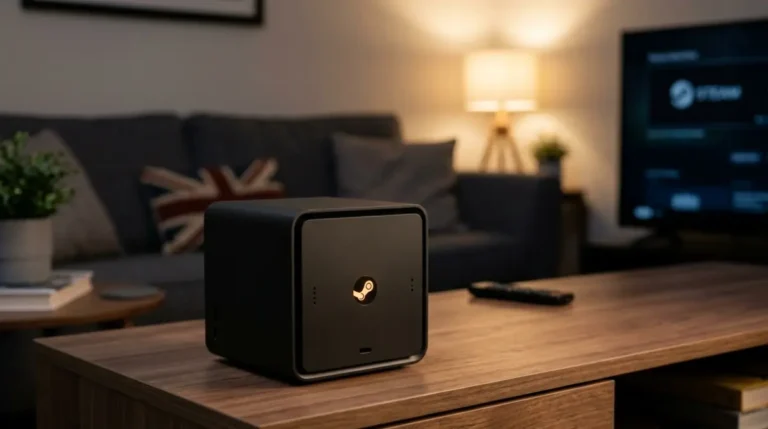
No. Valve lists a semi-custom AMD RDNA3 GPU, and Android Authority’s reporting on early units describes it as soldered to the main board, so there’s no card to remount. See what the Steam Machine can and can’t upgrade instead.
Which riser cable your GPU and motherboard need
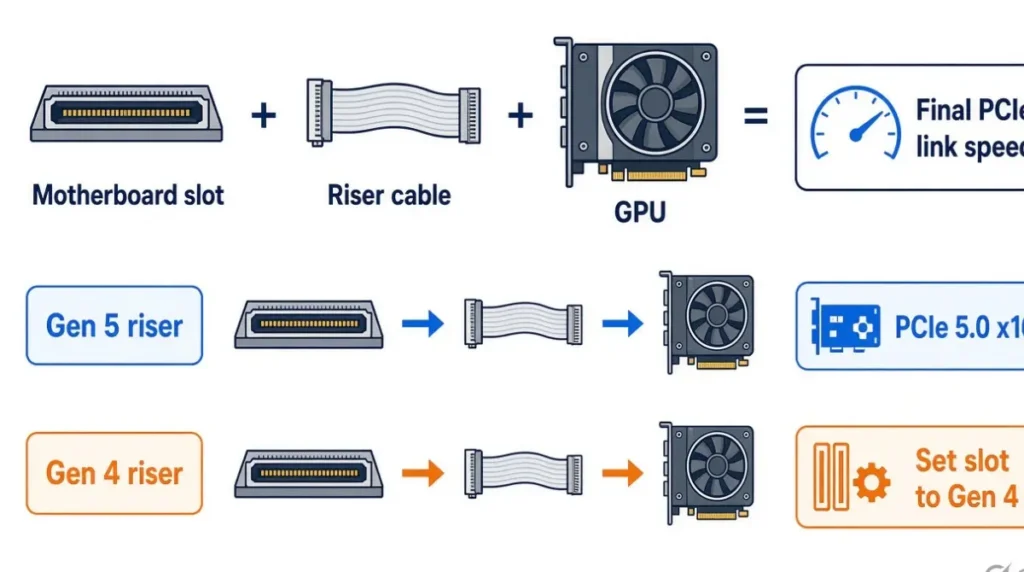
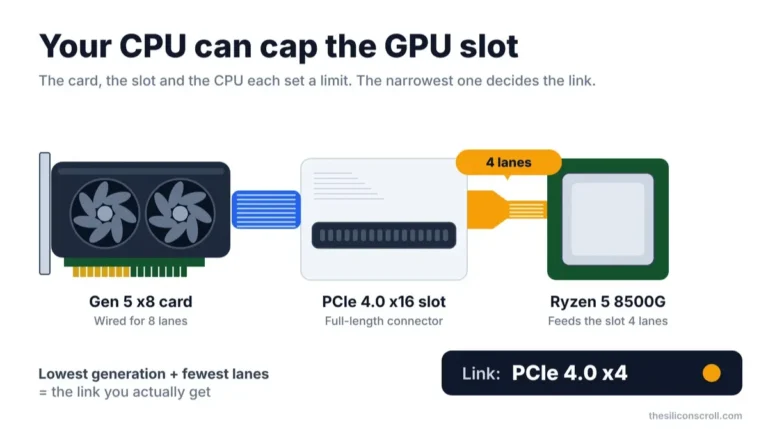
Use a riser rated for the link you want to run; if it’s rated lower than your GPU and slot, set the slot down to the riser’s generation in BIOS first.
Match the riser to the slower link
| Riser rated for | GPU and slot | Link to expect | BIOS action | Key detail |
|---|---|---|---|---|
| PCIe 5.0 | PCIe 5.0 | Up to 5.0 x16 | None | Corsair rates its Premium riser to 5.0, backward compatible |
| PCIe 4.0 | PCIe 5.0 | 4.0 | Set slot to Gen4 | Same rule as the Gen3 row, one generation up |
| PCIe 4.0 | PCIe 4.0 or older | Up to 4.0 | None | Lian Li and Cooler Master kit risers are Gen4 |
| PCIe 3.0 | PCIe 4.0 | 3.0 | Set slot from Auto to Gen 3 | Lian Li’s documented fix for its Gen3 riser |
Sources: Corsair Premium PCIe 5.0 x16 riser guide; Lian Li’s O11D Mini kit page; Cooler Master V3 spec page; Hardware Canucks (Dec 2020). Checked October 2026.
🔍 Why It Works: Each PCIe generation doubles the transfer rate; Lian Li lists Gen4 at 16 GT/s, twice Gen3. A riser not built for that speed can lose the signal, and the board may not fall back on its own.
Pick a length that reaches without slack
Kit riser lengths run 165 mm (Cooler Master V3), 175 mm (Corsair Gen5) and 200 mm (Lian Li O11D Mini). Measure from the slot to where the card’s connector will sit.
Where the BIOS setting lives
Hardware Canucks found it under PCIEX16 Mode on ASUS, Settings → Miscellaneous on GIGABYTE, and PCI_E1 Gen Switch on MSI. Menus change by board and BIOS, so check your manual and use the primary x16 slot, as how your board shares PCIe lanes explains.
How to mount a GPU vertically, step by step
Set the slot generation first if your riser needs it, then power off and fit the bracket, riser and card in that order.
Before you start: BIOS and power off
- If your riser is rated lower than your GPU and slot, boot with the card still in the slot and set the slot generation in BIOS. Lian Li also advises updating to the latest BIOS first.
- Shut down, switch off the PSU, unplug the PC, and remove the card.
Fit the bracket and riser
- Rotate the case’s PCI plate or fit the bracket, following your case manual.
- Screw the riser to the bracket or standoffs with 6-32 screws, then push its straight end into the primary x16 slot, as Corsair’s riser guide directs.
Seat the card and boot
- Press the card into the riser’s socket until it clicks, then screw its I/O bracket to the mount.
- Connect power (see the 12V-2×6 section below), close up, boot, and confirm the link generation in a GPU info tool or your driver’s control panel.
✅ Do This: Before step 1, write down the BIOS menu path your board uses. A later BIOS update can reset the setting, and you’ll need the path again.
How much glass clearance a vertical GPU needs
A vertical GPU runs hotter mainly when its fans sit close to a solid side panel; two independent tests show the gap and the panel decide the result.
Why the gap to the glass matters
📊 Spec Check: In Gamers Nexus’s vertical mount thermal test (June 2018, GTX 1080 Ti SC2, Cooler Master H500M, fans fixed at 55%), a stock vertical mount near the glass ran the GPU core 50 °C over ambient. Horizontal mounting and a vertical mount set farther back both ran 44 °C over ambient.
Custom PC (April 2019) saw a GPU near the solid panel of a Raijintek Ophion reach 93 °C; a vent cut beside the cooler intake held it at 73 °C. Both tests are older and case-specific, so read them as direction, not a target for your build.
The four clearances to measure
- Fan face to side panel: no universal safe gap is published, so use the bracket position farther from the glass.
- Card back to motherboard and CPU cooler: Cooler Master’s V3 limits CPU coolers to 70 mm in micro-ATX cases.
- Card to floor fans or radiator: Lian Li’s O11D Mini kit moves up or down for this.
- Straight cable above the power connector: covered in the next section.
Compare GPU temperature and fan speed in the same game before and after mounting. Planning a small living-room box? Choosing a mini-ITX case for a Steam Machine-style build covers the room your case leaves.
Does a vertical mount stop sag?
The bracket carries the card’s weight instead of the slot. Cooler Master rates its V3 holder for cards up to 3.5 kg.
Route the 12V-2×6 cable without a tight bend
A vertical card points its power connector toward the glass, so plan the cable route before you close the panel.
Leave straight cable before the first bend
Corsair’s 12V-2×6 bending guidance says to keep about 30 mm of straight cable from the 12V-2×6 connector before any bend. Don’t bend where the cable meets the connector housing, and avoid harsh 90° bends. Corsair explains that a hard bend can pull the connector partly out, leaving some pins with poor contact that can overheat.
Use your PSU maker’s angled cable, not a random adapter
If space is tight, Corsair points to a 90-degree cable or a 180-degree bridge. Use the version your PSU maker lists for your exact PSU model. For cards with 8-pin connectors, follow the GPU manual’s routing guidance.
⚠️ Watch Out: If a connector looks discolored or melted, or you smell burning, shut the PC down and unplug it. Contact the GPU or PSU maker’s support about inspection and warranty before you remove or reuse the cable.
Black screen after installing a riser? Fix it in this order
A black screen after a riser install usually means the riser can’t hold the link speed the slot is set to, and it’s fixable.
Reseat, then set the slot generation
- Power off, unplug, and reseat both riser ends and the card.
- Move the card back into the motherboard slot, boot, and set the slot to the riser’s generation.
- Shut down, reinstall the riser and card, and boot again.
When the riser itself is the problem
Hardware Canucks’ riser cable investigation (Dec 2020) tried over 20 risers and found identical cables could pass or fail, so swapping the riser can be the fix. If the card also fails directly in the slot, the riser isn’t the cause; contact the GPU maker.
⚠️ Watch Out: Hardware Canucks notes a BIOS update resets the slot setting to default. The black screen can return after an update, so repeat steps 2 and 3.
Vertical GPU mount FAQ
1. Does a vertical GPU mount reduce performance?
Not with a riser rated for your link. A lower-rated riser means running the slot one generation down, which halves link bandwidth.
2. Do I need a riser cable to mount a GPU vertically?
Yes. A vertical GPU mount places the card away from the slot, so a PCIe riser cable carries the x16 link to it.
3. Which riser cable do I need for a PCIe 5.0 GPU?
A Gen5-rated riser cable runs a PCIe 5.0 GPU at full link speed; a Gen4 riser works with the slot set to Gen4.
4. Why is my screen black after installing a riser?
Usually the riser can’t hold the slot’s link speed. Reseat it, then set the slot to the riser’s generation in BIOS.
5. How much space should a vertical GPU have from the glass?
No universal gap is published. Use the bracket position farther from the glass, then compare GPU temperatures before and after mounting.
6. Can every case take a vertical GPU mount?
No. A vertical GPU mount needs a native vertical slot or rotatable plate, a kit for that case, or enough slots for a universal kit.
7. Can I vertically mount a 4-slot GPU?
Only with a bracket rated for a 4-slot GPU. The Cooler Master and Lian Li kits covered here stop at three slots.
8. How long should a riser cable be?
Long enough to reach without strain. Kit riser cables covered here measure 165 mm, 175 mm and 200 mm, so measure first.
9. Does a vertical GPU mount fix sag?
A vertical GPU mount moves the card’s weight onto the bracket. Cooler Master rates its V3 holder for cards up to 3.5 kg.
10. Can you vertically mount the GPU in a Steam Machine?
No. The Steam Machine’s GPU is reported as soldered to its main board, so there’s no removable card for a vertical mount.
Your vertical mount checklist
Confirm the case fits, match the riser to the slower link, and set the slot generation before installing. Then check the four clearances and leave about 30 mm of straight power cable; if a connector ever looks damaged, contact the GPU or PSU maker.
Building a living-room PC instead of buying a Steam Machine? Start with the desktop card closest to the Steam Machine’s GPU, then how to build your own Steam Machine. Every spec here comes from the maker and reviewer pages credited above; we did not test this hardware.