Steam Machine Specs and Upgrades, Clearly Sorted by Evidence
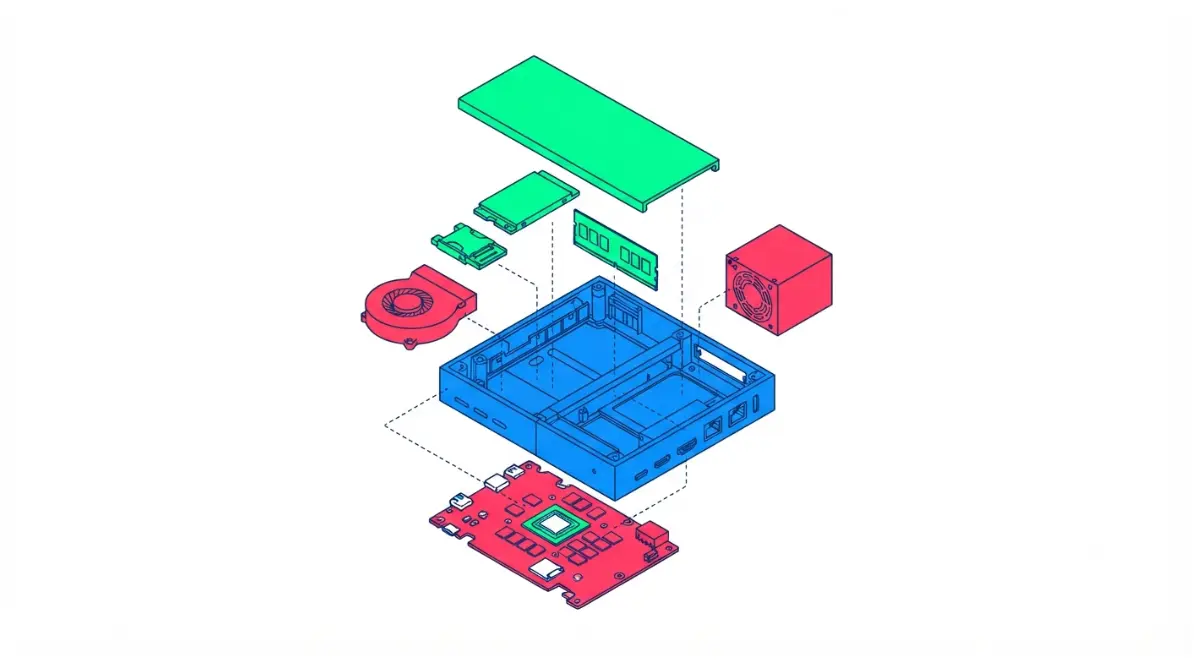
Table of Contents
Steam Machine specs and upgrades: what you can actually change
Valve’s Steam Machine is a compact gaming PC that shipped June 29, 2026, and only some of its parts can be changed. This guide separates what’s changeable from what isn’t, and it grades every upgrade claim by how well it’s proven.
Find your situation:
- If you’re deciding whether to buy: read the specs in Section 2 and the costs in Section 8.
- If you need more storage: go to Section 4. The SSD is the easiest change.
- If you want more RAM: go to Section 5. Your unit ships with one memory stick, and that matters.
- If you’re thinking about Windows: go to Section 7.
- If you’re weighing a DIY build instead: Section 8 compares costs, and this look at what mini-ITX builds can and can’t fit covers the small-build trade-offs.
ℹ️ Risk Note: Opening a Steam Machine, replacing its SSD or RAM, and reinstalling an operating system can cause hardware damage or data loss, and damage from modification may fall outside warranty coverage. Back up your data, follow Valve’s and iFixit’s instructions, read Valve’s warranty terms first, and contact Valve support or a qualified repair shop if you are unsure.
What are the Steam Machine’s specs as it ships?
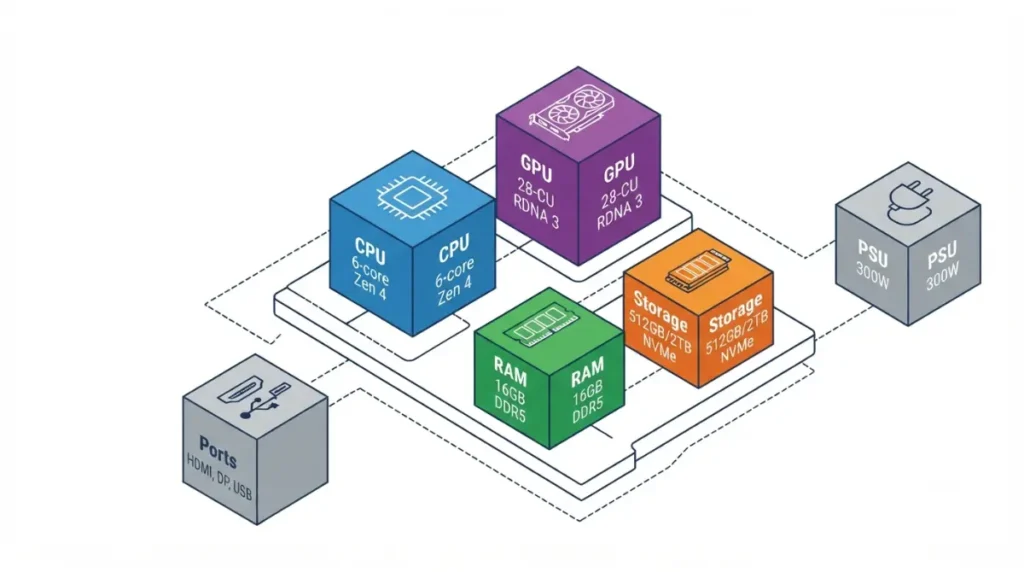
The Steam Machine pairs a six-core, 12-thread Zen 4 CPU (30W) with a 28-compute-unit RDNA 3 GPU (110W) and 8GB of GDDR6. Its 16GB of DDR5-5600 system memory comes as a single stick.
| Component | Specification | Key Detail |
|---|---|---|
| CPU | Semi-custom AMD Zen 4, 6 cores / 12 threads, up to 4.8 GHz | 30W TDP |
| GPU | Semi-custom AMD RDNA 3, 28 CUs, up to 2.45 GHz | 110W TDP, 8GB GDDR6 |
| System memory | 16GB DDR5-5600 SO-DIMM | One stick, two slots |
| Storage | 512GB or 2TB NVMe SSD | Plus a microSD slot |
| Power supply | 300W internal, 110–240V | No external brick |
| Networking | Wi-Fi 6E, Bluetooth 5.3, Gigabit Ethernet | Dedicated Steam Controller antenna |
| Rear ports | DisplayPort 1.4, HDMI 2.0, USB-C 3.2 Gen 2, 2× USB-A 2.0 | HDMI supports 4K at 120 Hz |
| Front ports | 2× USB-A 3.2 Gen 1, microSD | Power button on the base |
| Size | 152 × 156 × 162.4 mm with feet | One 120 mm fan |
Source: Valve’s published specifications as listed in Tom’s Hardware’s Steam Machine review, cross-checked against Valve’s Steam Machine page. Checked September 2026.
📊 Spec Check: Valve lists the GPU at 110W. Some third-party write-ups cite 130W or 90W, but this guide uses Valve’s figure. Source: Valve’s specifications via Tom’s Hardware.
CPU and GPU
Both chips are semi-custom AMD parts, and both are soldered. The CPU’s 30W limit is the main constraint on CPU-heavy work, according to GamersNexus.
Memory and storage
The system takes DDR5 SO-DIMMs, the laptop-style module. If DDR5 is new to you, see how DDR5 differs from DDR4. Storage is an M.2 NVMe drive, plus a microSD slot on both models.
Ports and wireless
Tom’s Hardware notes the HDMI 2.0 port supports 4K at 120 Hz and HDMI-CEC, and the review calls the port selection strong for the size.
Size and power
The power supply sits inside the case, which is why no separate brick ships with it.
Which Steam Machine parts can you upgrade?
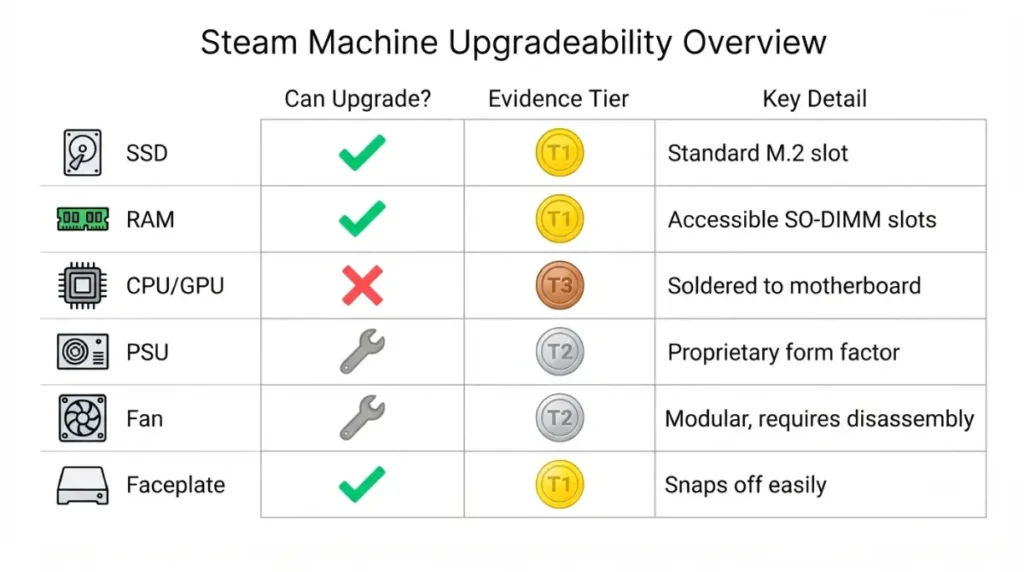
Two parts are confirmed upgradeable by Valve: the SSD and the RAM. Everything else is either a repair, a cosmetic swap, or has no documented path.
How to read the evidence tiers
- Tier 1: Valve states it.
- Tier 2: iFixit’s guides or an independent review document it.
- Tier 3: a single community test.
- Tier 4: no documented path.
The upgrade matrix
| Part | Can you change it? | Evidence tier | Key Detail |
|---|---|---|---|
| SSD | Yes | 1 and 2 | Valve calls NVMe 2230/2280 drives accessible and upgradeable. iFixit documents the swap. |
| System RAM (to 32GB) | Yes | 1 and 2 | Valve says the DDR5 SO-DIMMs are upgradeable. Access means removing the heatsink. GN benchmarked a second 16GB stick. |
| RAM beyond 32GB | Unconfirmed | 3 | One reported test booted a 64GB kit. No Valve maximum was found in the sources checked. |
| microSD storage | Yes | 1 | Both models include the slot. |
| Faceplate | Yes | 1 | The plate pops off magnetically. Valve committed to releasing print files. |
| Fan, heatsink, PSU, boards | Repair only | 2 | iFixit publishes replacement guides. These restore parts; they don’t upgrade them. |
| CPU, GPU, 8GB VRAM | No documented path | 4 | Neither Valve nor iFixit lists an upgrade route. |
Sources: Valve’s FAQ as reported by GamingOnLinux and OC3D; iFixit’s Steam Machine (2026) guides; Tom’s Hardware review; SteamHardware.io for the 64GB test. Checked September 2026.
What changed since launch
Valve confirmed the single-stick memory configuration in late June. Official Windows drivers followed in July, and iFixit published 18 repair guides in mid-September. As of that coverage, iFixit had not yet listed Steam Machine parts in its store, so recheck before planning a repair.
Start with microSD
The lowest-risk way to add storage is the microSD slot, which needs no disassembly. Tom’s Hardware notes that a card from a Steam Deck works in the Steam Machine, and that its games are playable immediately.
How do you upgrade the Steam Machine’s SSD?
You can swap the SSD, and it is the easiest internal change. This section explains what’s involved rather than walking you through it, because iFixit’s guide is the source for the actual procedure.
Which SSDs physically fit
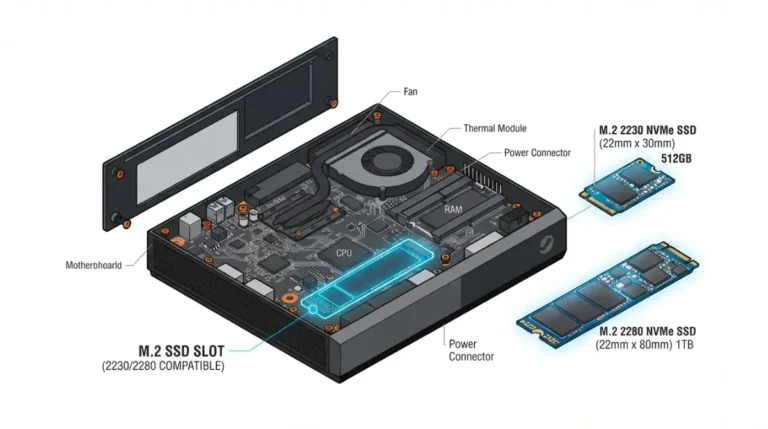
The slot accepts M.2 NVMe drives in 2230 or 2280 length, per iFixit. A standoff screw moves between the two positions. Some owners report fitting 4TB drives, according to GameGPU’s reporting, but Valve has not published a maximum capacity.
🧩 Compatibility Check: Confirm the drive is NVMe (not SATA-only) and 2230 or 2280 in length. The sources checked for this guide don’t state the slot’s PCIe generation, so don’t buy a drive for its top speed.
What you need before you start
Back up anything you care about, and have a SteamOS recovery route ready. iFixit says to unplug the power cable and remove any microSD card first, or the card may break.
💡 Pro Tip: iFixit advises removing the microSD card before opening the unit. It can be damaged during the procedure.
What the process involves
Tom’s Hardware describes the route: two rear screws, a pry tool to lift the back cover, then the internal assembly slides out. The M.2 slot sits below the power supply, and one Torx screw holds the drive. Follow iFixit’s guide for the real steps.
⚠️ Watch Out: The power supply is inside the case. Unplug the unit first, follow iFixit’s order, and don’t handle the PSU. If compact electronics make you uneasy, use a qualified repair shop.
What happens to your data and OS
iFixit’s guide covers only the physical swap. You still need to install or restore SteamOS afterward using Valve’s instructions.
✅ Do This: Read Valve’s Hardware Warranty page and iFixit’s SSD guide before you open anything.
Can you upgrade the Steam Machine’s RAM?
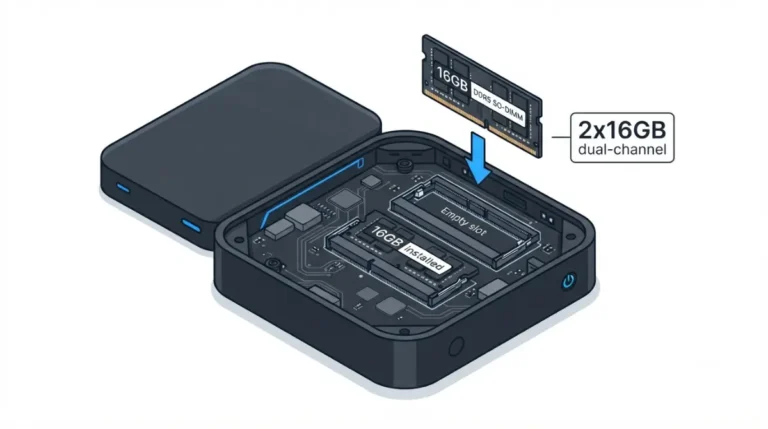
Yes, and Valve says so, but it is a much bigger job than the SSD. It also matters more than usual because every unit ships with a single memory stick.
What’s confirmed
Valve told Gamers Nexus that all units ship with one 16GB stick. The two SO-DIMM slots let you add a second module. Tom’s Hardware says reaching the RAM means removing the large heatsink, with many cables in the way. It calls this more risk than many owners will want.
🧩 Compatibility Check: Gamers Nexus reported boot instability with some DDR5 SO-DIMMs and had to find one matching Valve’s own module. If you buy a second stick, match the stock one’s capacity and DDR5-5600 speed. Valve publishes no supported-module list in the sources checked, so read why memory support lists matter.
Does more RAM help?
The gain depends on the workload.
🔍 Why It Works: With one stick, memory runs single-channel: one path between CPU and RAM. Two matching sticks run dual-channel, doubling that path’s width. See how dual-channel and slot order work.
📊 Spec Check: Gamers Nexus compared one stick against two 16GB sticks. It found about 19% faster 7-Zip compression, 15.3% in Baldur’s Gate 3 and 14.7% in The Outer Worlds 2 (both 1080p low), and near ties in Black Myth: Wukong, Stellaris and Final Fantasy XIV. Sources: VideoCardz, TechPowerUp and TweakTown reporting on GN’s test.
Across GPU-focused tests, VideoCardz reports the average gain was about 2.5%. HotHardware’s simulation on a different PC found most games differed by roughly statistical noise. GN’s test stayed under 16GB of usage, so it reflects channel count, not capacity.
What one 64GB test does and doesn’t show
ETA Prime reportedly booted a 64GB two-module kit, according to SteamHardware.io. That is one test, not a Valve specification.
⚠️ Watch Out: A failed boot after a memory swap can look like a dead unit. See what unstable memory looks like, and contact Valve support before assuming the worst.
What can’t you upgrade in a Steam Machine?
The CPU, the GPU and its 8GB of VRAM cannot be upgraded. No source checked documents a path.
The 8GB VRAM ceiling
Tom’s Hardware notes many enthusiasts feel 8GB is no longer enough above 1080p. Adding system RAM leaves it unchanged.
CPU and GPU are fixed
Two independent reviews place the GPU in mid-range territory. Tom’s Hardware found it between a Radeon RX 6600 and an RX 7600 in two synthetic tests. GamersNexus found it closest to the RX 6600, Intel Arc B570 and RTX 3060.
The 30W CPU limit
GamersNexus calls the 30W CPU the largest limiter. Tom’s Hardware reads the machine as a 1080p or 1440p system, and said it isn’t sure Valve should have advertised 4K.
Internal PSU and size
The 300W supply and single 120 mm fan are built into a compact case. Neither is an upgrade path.
| Limit | What it caps | Can it change? |
|---|---|---|
| 8GB GDDR6 VRAM | Texture-heavy games above 1080p | No documented path |
| 30W CPU, 110W GPU | CPU-limited and heavy titles | No |
| 300W internal PSU | Total power budget | Repair only |
| One 120 mm fan | Cooling capacity | Repair only |
Sources: Tom’s Hardware and GamersNexus reviews; iFixit guides. Checked September 2026.
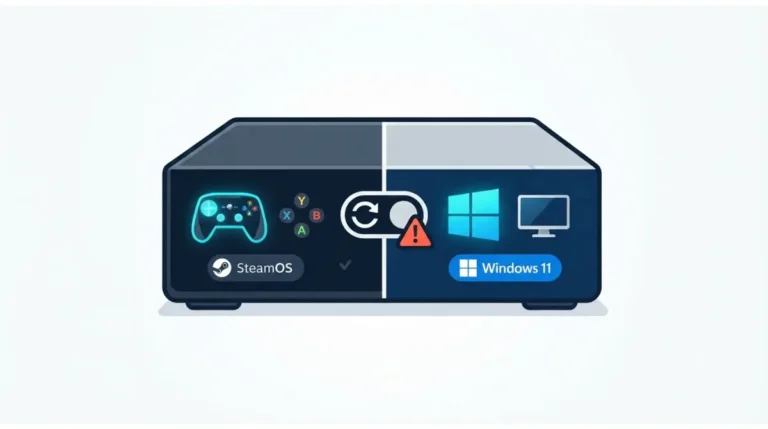
Can you install Windows on the Steam Machine?
Yes, with Valve’s official drivers, but Windows replaces SteamOS on the drive. Valve does not support Windows installs.
Official drivers exist
Valve’s driver package covers graphics, Wi-Fi, Bluetooth and the SD card reader, for 64-bit Windows 10 and 11.
What you give up
| Topic | SteamOS | Windows |
|---|---|---|
| Valve support | Yes | Not offered |
| Dual-boot | n/a | Not yet, per Valve’s Windows resources |
| Wi-Fi at first boot | Works | Missing; use Ethernet |
| Recovery | SteamOS recovery | Only Valve’s route wipes the drive |
| Anti-cheat | Some titles won’t run | The main reason users switch |
Sources: TechSpot, VideoCardz, Korben; Tom’s Hardware review. Checked September 2026.
What to prepare
Back up your data, keep an Ethernet cable handy, and keep SteamOS recovery media ready.
⚠️ Watch Out: Installing Windows erases the drive. Valve’s recovery process also wipes it, so back up first.
Is upgrading worth it versus buying something else?
Compare the price gap between configurations before you buy a drive or memory.
What the base machine costs
| Configuration | US price (Sept 2026) | Key Detail |
|---|---|---|
| 512GB | $1,049 | No controller |
| 512GB + Steam Controller | $1,128 | +$79 |
| 2TB with two faceplates | $1,349 | $300 above base |
| 2TB + faceplates + controller | $1,428 | +$79 |
Source: Tom’s Hardware review. Prices as of September 2026; verify at Valve’s store.
Steam Machine vs. a DIY equivalent
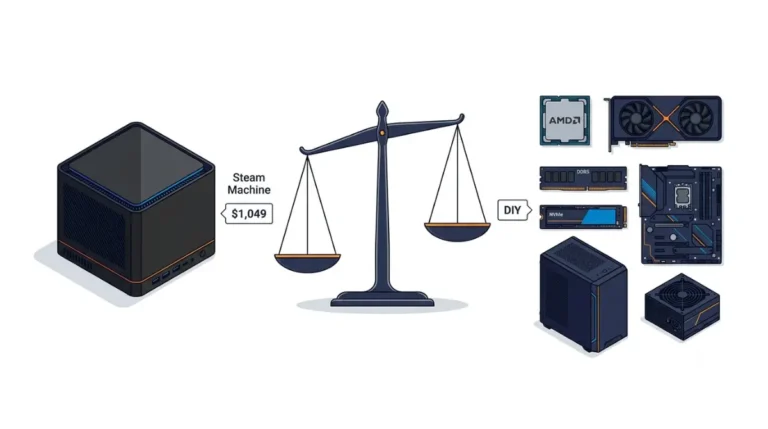
The two reviews disagree because their parts lists differ. Tom’s Hardware priced a comparable AM5 build (Ryzen 5 7600X, RX 7600, 16GB DDR5-5600, 1TB storage) at $1,048.83, about level with the base machine. GamersNexus put the Steam Machine’s premium over DIY at $71 (about 7.3%) for 512GB and $211 for 2TB. A DIY build lacks the small case and quiet operation, and it can change its CPU later. See how long AM5 sockets stay supported and the cheapest compatible motherboard route.
When upgrading beats a bigger model
The $300 gap to the 2TB model also buys two faceplates. If a compatible drive costs less than $300 at purchase time, buying a bigger drive yourself may come out ahead. Weigh that against the opening risk. Tom’s Hardware also notes that nearly any GPU from the last three to four years is already faster.
Availability and waitlist
At launch, Valve used a reservation lottery and waitlist. Check its store for current status.
Steam Machine upgrade questions, answered
1. Can you upgrade the Steam Machine’s RAM?
Yes. Valve says its DDR5 SO-DIMMs are accessible and upgradeable, but reaching them means removing the heatsink, a much deeper teardown than the SSD swap. Back up first and read Valve’s warranty page.
2. Can you replace the Steam Machine’s SSD?
Yes. The slot takes M.2 NVMe drives in 2230 or 2280 size, and Valve calls the SSD accessible and upgradeable. Back up first.
3. Which SSD sizes fit?
M.2 2230 and 2280, per iFixit, using a movable standoff screw. Drives must be NVMe, matching the stock 512GB or 2TB drives.
4. Is the Steam Machine’s VRAM upgradeable?
No documented path exists. The 8GB of GDDR6 belongs to the fixed semi-custom GPU, which neither Valve nor iFixit lists as an upgrade.
5. Can the Steam Machine run Windows?
Yes, with Valve’s official drivers, but installing Windows wipes SteamOS and Valve doesn’t support Windows installs. Back up and keep Ethernet handy.
6. Can you dual-boot Windows and SteamOS?
Not officially yet. Valve’s Windows resources say the dual-boot installer isn’t ready, so Windows replaces SteamOS on the drive.
7. Does opening the Steam Machine void the warranty?
Valve gives a one-year warranty. Read its warranty page first; one outlet reports damage from modifying the unit isn’t covered.
8. What does the Steam Machine cost?
As of September 2026: $1,049 for 512GB and $1,349 for 2TB with two faceplates. A Steam Controller bundle adds $79.
Your next step before opening a Steam Machine
Whether you’re comparing configurations or holding a screwdriver, start with the lowest-risk change: a microSD card. Get the free upgrade pre-flight checklist, which covers backups, recovery media, and a warranty check.
For related reading, see the full motherboard compatibility guide, how CPU and motherboard compatibility works, and choosing between B650 and B850 boards.
The one safeguard that matters most: back up your data and read Valve’s warranty terms before opening the case. Contact Valve support if anything is unclear.
The Silicon Scroll doesn’t test hardware. We research specifications and reviews, credit every independent number in-line, and check each spec against its source.