How to Enable Resizable BAR in BIOS the Correct Way

Enable Resizable BAR only after one check: Intel and NVIDIA both require a GPT boot drive, and an MBR Windows install may not boot with CSM turned off.
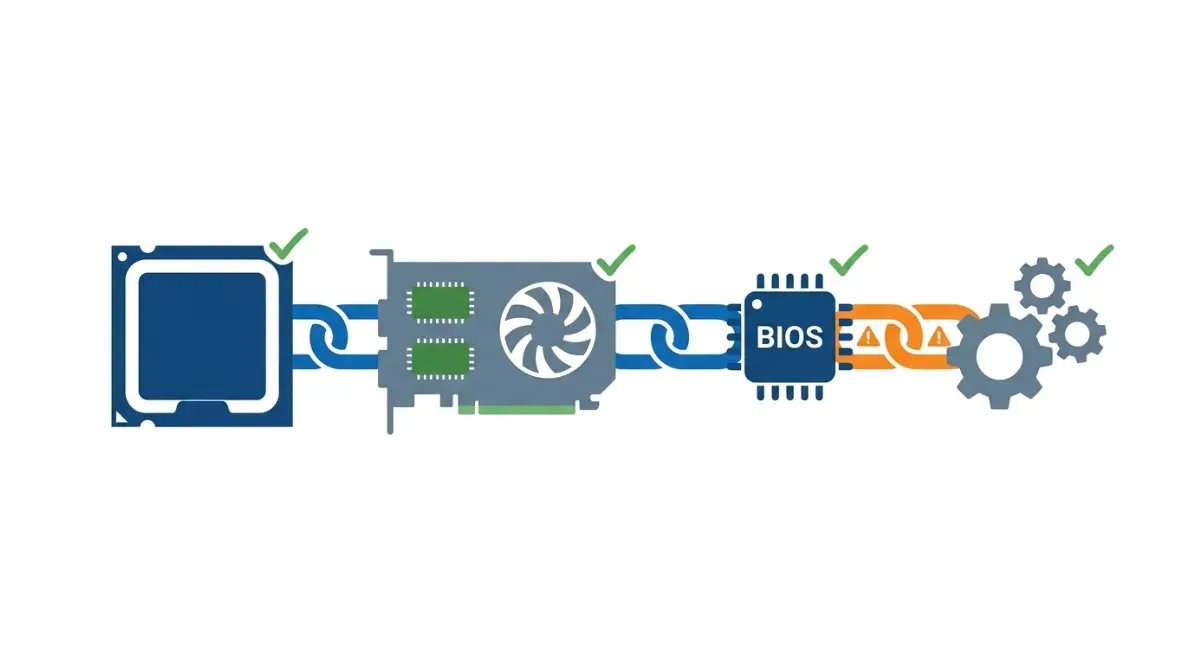
Table of Contents
What turning on Resizable BAR actually changes
Resizable BAR is an optional PCI Express feature that lets your CPU reach all of your graphics card’s memory at once.
What Resizable BAR does in one sentence
🔍 Why It Works: Normally the CPU sees video memory through a small window, 256MB per MSI’s Smart Access Memory announcement. Resizable BAR lets that window cover the full frame buffer, so NVIDIA says transfers can run concurrently instead of queuing.
Find your situation
- Unsure your parts qualify: Section 2.
- Older Windows install: Section 3 first.
- Already enabled: verify in Section 5.
- Setting missing or off: Section 7.
- Considering a console-style PC instead: see what the Steam Machine can and can’t upgrade.
ℹ️ Risk Note: Changing boot settings can stop Windows from starting, and a failed firmware update can leave a board or card unusable. Back up your data, use only your motherboard and card maker’s own tools, and contact their support if unsure.
Does your PC support Resizable BAR?

You need support from the graphics card, the CPU platform, the motherboard BIOS and the driver.
NVIDIA, AMD and Intel requirements side by side
| Vendor | Graphics card | CPU and platform | Key Detail |
|---|---|---|---|
| NVIDIA | GeForce RTX 30 Series | Ryzen 5000 on AMD 400/500 series; Intel 10th Gen; Intel 11th Gen S-series | Driver 465.89 or later |
| AMD | Radeon RX 6000 | Ryzen 5000, or Ryzen 3000 except 3400G and 3200G, on a 500-series board | Latest motherboard BIOS |
| Intel | Arc B570, B580 | Intel 10th Gen to Core Ultra; Ryzen 3000 (not 3000G) to Ryzen 9000 | PCIe 3.0+ x16 slot |
Sources: NVIDIA’s Resizable BAR requirements (March 30, 2021); AMD Smart Technologies, footnote GD-178; Intel Arc Desktop Quick Start Guide (reviewed December 2, 2025). Checked October 2026.
NVIDIA’s and AMD’s lists date from launch. Intel says unlisted platforms with the feature may also work.
🧩 Compatibility Check: Read your exact motherboard’s BIOS changelog for a release adding Resizable BAR. The chipset alone doesn’t settle it; Intel says 10th Gen support varies by board. See how to check your board’s BIOS version.
Same feature, different names
Intel says boards may label it Re-Size BAR, Smart Access Memory or Clever Access Memory. Integrated graphics don’t affect availability.
Check your boot drive before you disable CSM

Resizable BAR needs CSM off and UEFI boot on, which requires Windows on a GPT drive.
Why CSM must be off
Intel and NVIDIA both require CSM (Legacy mode) disabled, UEFI boot mode enabled, and a GPT boot drive. NVIDIA names these as causes of black screens after enabling.
MBR or GPT: how to tell, and what to do
| Boot drive style | With CSM turned off |
|---|---|
| GPT (UEFI install) | Boots normally; Windows 11’s default, per Intel |
| MBR (Legacy install) | May not boot until converted or reinstalled |
Windows Disk Management shows each drive’s partition style. Microsoft’s MBR2GPT converts a system disk without deleting data, after you confirm UEFI support and suspend BitLocker.
✅ Do This: Back up first. If your boot drive is MBR, follow Microsoft’s MBR2GPT documentation or ask your PC maker’s support before disabling CSM.
How to enable Resizable BAR in BIOS, step by step
To enable Resizable BAR, enter UEFI setup, turn CSM off, then enable Above 4G Decoding and Re-Size BAR.
Get into UEFI setup
Restart and press your board’s setup key; ASUS’s example uses Delete. Or, in Windows: Settings, Recovery, Advanced startup, then Troubleshoot, Advanced options, UEFI Firmware Settings.
The four settings, in order
- Set Compatibility Support Module (CSM) to Disabled.
- Set boot mode to UEFI.
- Set Above 4G Decoding to Enabled.
- Set Re-Size BAR Support to Enabled.
Choose Auto where Enabled isn’t offered, per Intel.
💡 Pro Tip: Intel notes some boards show Re-Size BAR only after you save Above 4G Decoding and restart.
Save and restart
Save and exit; ASUS’s example uses F10. Intel’s Arc setup guide lists this sequence.
🧩 Compatibility Check: Menu names vary by board, so check your manual’s BIOS chapter for each setting’s location.
How to check that Resizable BAR is on
Each GPU maker reports Resizable BAR status in its own software.
NVIDIA, AMD and Intel checks
| Graphics card | Where to look | What “on” looks like |
|---|---|---|
| NVIDIA | Control Panel, System Information | “Resizable BAR: Yes” |
| AMD | AMD Software: Adrenalin Edition | Smart Access Memory enabled |
| Intel Arc | Intel Graphics Software or Driver & Support Assistant | Reported as enabled |
Sources: NVIDIA; PCWorld (AMD row); Intel. Checked October 2026.
Using GPU-Z
ASUS’s Resize BAR walkthrough says to run GPU-Z as administrator; its Resizable BAR field should read Enabled.
How much does Resizable BAR help your GPU?
The gain depends on the GPU brand first, then the game.
NVIDIA: game-by-game gains
NVIDIA reports gains from a few percent up to 12% in some games and losses in others, so its driver enables Resizable BAR per game. TechSpot’s RTX 3080 testing found little overall change, slightly more at 4K. SFF.network’s RTX 3060 Ti testing found small gains in some games and none in others.
Intel Arc: close to essential
Intel says Arc needs Resizable BAR for optimal performance. Tom’s Hardware reported the Arc A770 losing up to 24% without it, and TechPowerUp found a large gap on the A380, both in 2022 A-Series testing.
| GPU brand | Vendor position | Key Detail |
|---|---|---|
| NVIDIA | Enabled per game | Little overall change (TechSpot) |
| Intel Arc | Required for optimal performance | Large losses without it |
Sources: NVIDIA; Intel; TechSpot; SFF.network; Tom’s Hardware; TechPowerUp. Checked October 2026.
GamersNexus placed the Arc B570 among the desktop cards closest to the Steam Machine’s GPU, so a DIY build using one needs this setting.
Resizable BAR option missing or still off? Fix it
Most failures trace to three causes; check them in order.
The option isn’t in BIOS
Enable Above 4G Decoding, save, restart, and look again. If it’s still missing, your BIOS may predate support; here’s how BIOS Flashback updates work.
Control Panel says No, or the screen goes black
NVIDIA lists three checks: CSM disabled, a GPT drive in UEFI mode, and a successful VBIOS update.
When a firmware update is needed
NVIDIA says the RTX 3060 shipped ready, but the 3060 Ti, 3070, 3080 and 3090 may need firmware from the card maker. Founders Edition owners use NVIDIA’s firmware update tool page.
⚠️ Watch Out: NVIDIA warns never to put Founders Edition firmware on a partner card. Keep power stable during any update, and contact the card maker if it fails.
Resizable BAR questions, answered
1. Is it safe to enable Resizable BAR?
Resizable BAR is a standard BIOS setting, but turning CSM off can stop an MBR Windows install booting. Back up first.
2. Do I need Above 4G Decoding for Resizable BAR?
Yes. Intel’s steps enable both, and some boards show Resizable BAR only after Above 4G Decoding is saved.
3. Will disabling CSM stop Windows from booting?
It can on an MBR drive. GPT drives installed in UEFI mode boot normally with CSM off. Back up first.
4. Does Resizable BAR increase FPS?
On NVIDIA, Resizable BAR gains vary by game and TechSpot found little overall change. Arc cards lose far more without it.
5. Do Intel Arc cards need Resizable BAR?
Yes. Intel says Arc needs Resizable BAR for optimal performance; Tom’s Hardware reported the A770 losing up to 24%.
6. Is Smart Access Memory the same as Resizable BAR?
Yes. Smart Access Memory is AMD’s name for Resizable BAR; some boards also call it Clever Access Memory.
7. Why does NVIDIA Control Panel say Resizable BAR “No”?
NVIDIA lists three causes for Resizable BAR showing No: CSM still on, a non-GPT boot drive, or a failed VBIOS update.
8. Do RTX 30 cards need a VBIOS update?
The RTX 3060 shipped ready for Resizable BAR; the 3060 Ti, 3070, 3080 and 3090 may need one. Use only your card maker’s tool.
9. Does my CPU need integrated graphics for Resizable BAR?
No. Intel says integrated graphics, or their absence, don’t affect whether Resizable BAR is available.
10. Can I enable Resizable BAR without reinstalling Windows?
Usually. GPT installs need no change, and Microsoft’s MBR2GPT converts MBR system disks without deleting data. Back up first.
Your next step after enabling Resizable BAR
Confirm the setting with your GPU maker’s tool, then play. If you’re building your own Steam Machine-style PC, check board support before buying.
Back up your data and use only your motherboard and card maker’s tools. The Silicon Scroll doesn’t test hardware; we research official documentation and credit every independent number in-line.