Is Your Steam Machine Loud? Overlooked Causes to Check First

Table of Contents
Is your Steam Machine loud, or is that normal?
Valve’s Steam Machine is a SteamOS mini PC, and reviewers call it quiet. GamersNexus’s Steam Machine review measured 23.5 dBA at 1 meter in a lab chamber under sustained load. Clearly louder usually means placement, dust or sustained load.
What quiet-by-design sounds like
Tom’s Hardware barely heard the fan during benchmarks, and PC Gamer doubted it would stand out over room noise.
Which fix to try first
- Loud all the time: check placement, then the fault card.
- Loud only while gaming: read the load section.
- In a cabinet or on carpet: read airflow first.
- Thinking of opening it: read warranty first.
ℹ️ Risk Note: Cleaning inside a Steam Machine means opening an enclosure that houses an internal mains power supply, and Valve has warned that damage from modding isn’t covered by warranty. Unplug the unit before any cleaning, use only Valve’s or iFixit’s official method, and contact Valve Support first if the unit is under warranty.
How loud and how hot should a Steam Machine get?
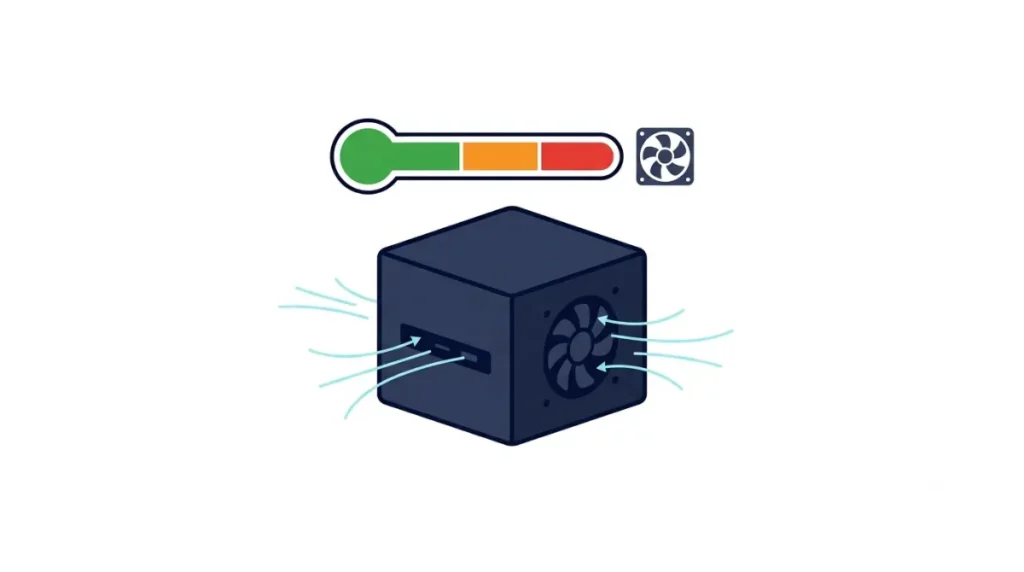
Results vary by room and meter, so figures below are reported as published.
| Metric | Result | Measured by | Conditions |
|---|---|---|---|
| Stock noise, sustained load | 23.5 dBA at 1 m, about 1,252 RPM | GamersNexus | Lab chamber, 30-minute run |
| Forced maximum fan | 35.4 dBA at 2,000 RPM | GamersNexus | Fan forced to maximum |
| Peak noise | 34 dBA | Club386 | Open air, 26°C office |
| Gaming temperatures | CPU 68°C avg, GPU 65°C avg | PC Gamer | Load and room not stated |
Source: GamersNexus, Club386 and PC Gamer reviews (2026), not averaged.
Noise: idle, stock and forced max
GamersNexus called idle effectively inaudible and advises against forcing the fan to maximum.
Temperatures while gaming
GamersNexus and Club386 saw no thermal throttling on a stock unit.
Why one heatsink and fan sets the baseline
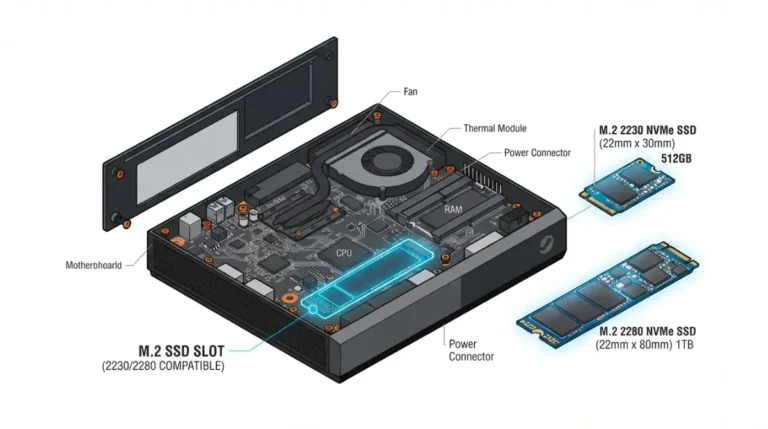
PC Gamer describes a single, geometry-optimised 120 mm fan pulling air through a heatsink covering nearly the whole motherboard. Airflow problems therefore reach the whole system, as our Steam Machine specs and limits pillar covers.
Where does a Steam Machine pull in and push out air?
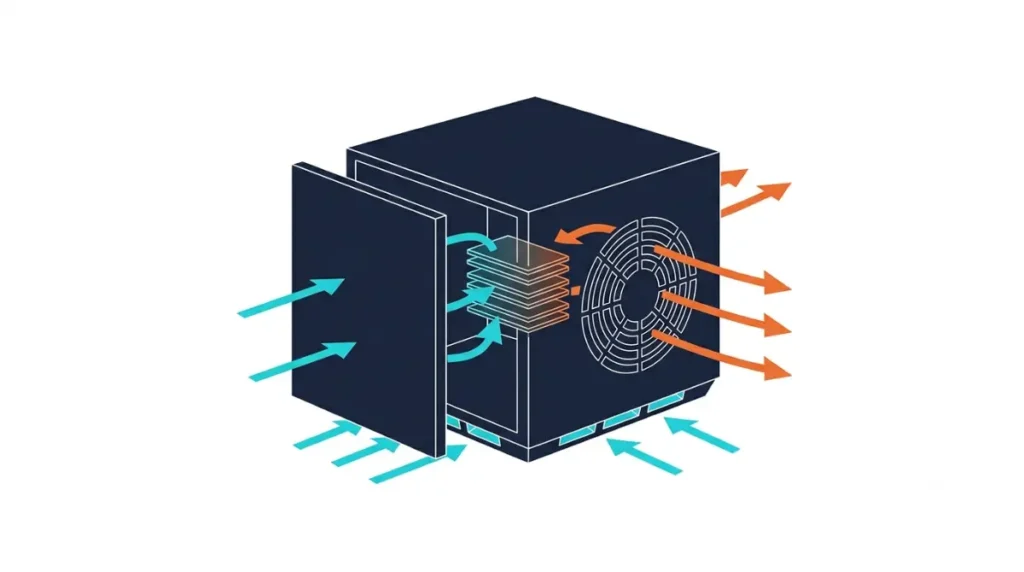
Air enters through the bottom and behind the front panel, then leaves through the back.
Intake: bottom cutouts and faceplate sides
Club386 says bottom-panel cutouts draw in cool air. Tom’s Hardware adds that air also enters from the sides behind the front panel.
Exhaust: rear
The 120 mm fan vents out the back, which Tom’s Hardware calls easier to spot than the intake.
Cabinets, carpet and shelves: a placement check
| Setup | Risk | What to change |
|---|---|---|
| Carpet | Hurts thermals and noise (Club386); draws in dust (iFixit) | Use a hard, flat surface |
| Closed cabinet | Enclosed spaces hurt thermals and noise (Club386) | Open the door, or leave one panel open (iFixit) |
| Tight gaps | Needs open space around it | Keep a few inches clear (iFixit) |
Source: Club386 review and iFixit’s open-and-clean guide.
🧩 Compatibility Check: Check what sits under the unit, whether the cabinet is open, and the space behind the rear exhaust.
How to clean the faceplate and vents safely
Tom’s Hardware reports the front faceplate attaches magnetically, and PC Gamer says it comes off mainly so owners can clear dust.
Powering down and removing the magnetic faceplate
Power off and unplug the unit first, as iFixit directs. Then pull the faceplate off by hand.
What to look for at the vents
Check the bottom cutouts, behind the faceplate and the rear exhaust for dust or hair.
Third-party filter panels: what’s known and what isn’t
GamersNexus says the stock panel isn’t thermally limiting and most owners don’t need an aftermarket one. Its filtered panel cut GPU temperatures about 6–7°C but ran louder at the same fan speed.
Should you open the Steam Machine to clean the fan?
Cleaning inside means opening the enclosure, and iFixit rates its official open-and-clean guide Moderate, at one to three hours and 38 steps.
What Valve says about opening the enclosure
Tom’s Hardware reports Valve engineer Pierre-Loup Griffais saying modding damage isn’t covered by warranty and owners could break the unit or get hurt.
If you’re opening it only to upgrade RAM or SSD
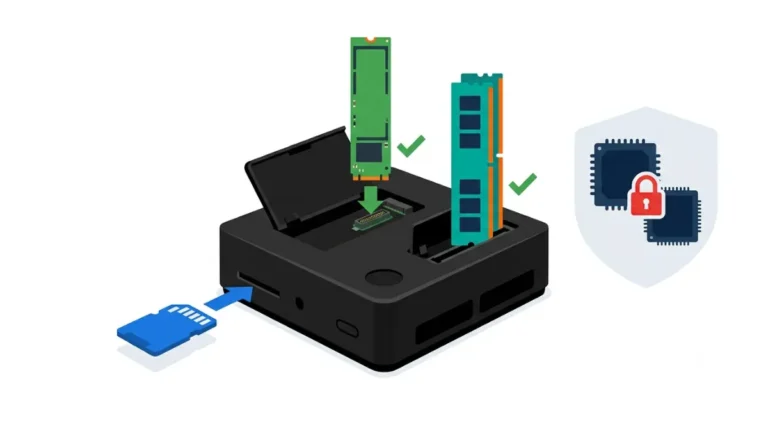
Upgrades mean opening the unit too; our Steam Machine RAM upgrade guide covers the memory side.
⚠️ Watch Out: Unplug the unit, remove the microSD card and avoid forcing the fan connector, which iFixit warns against. An internal power supply sits inside, so follow only iFixit’s or Valve’s method, and contact Valve Support first if it’s under warranty.
Why does the fan ramp up while you play?
One heatsink carries the whole system’s heat, so the fan speeds up under sustained load.
Sustained load vs. short bursts
GamersNexus logged noise climbing over about five minutes to a steady state, with the fan near 1,125 RPM gaming and 1,228 RPM under torture load.
What changes with heavier games
GamersNexus measured 13 W idle, 173–176 W gaming and a 209 W peak, against a 300 W internal supply per Tom’s Hardware.
When a loud Steam Machine needs Valve Support
| Symptom | Likely area | Next step |
|---|---|---|
| Noise changes with placement, or dust at vents | Airflow or dust | Move to a hard surface, open the cabinet, clean the exterior |
| Constant noise at idle | Needs investigation | Check placement, then contact Valve Support |
| New rattling or grinding | Possible fan fault | Contact Valve Support before opening it |
Symptoms that point to placement or dust
Noise that eases after moving the unit or clearing vents points here.
Symptoms that point to a hardware fault
Noise persisting on a hard surface with clear vents needs Valve Support.
What to gather before contacting Valve Support
Note when the noise happens and what surrounds the unit, then ask whether opening it affects coverage.
Steam Machine fan noise and cleaning FAQ
1. Is the Steam Machine loud?
Reviewers call it quiet: GamersNexus measured 23.5 dBA at 1 meter under sustained load, while Club386 recorded a 34 dBA open-air peak.
2. Why is my Steam Machine fan so loud?
Carpet, enclosed cabinets, dust and sustained gaming load are common causes; Club386 and iFixit both warn against enclosed or carpeted placement.
3. Does the Steam Machine overheat?
Not in reviews: GamersNexus and Club386 saw no thermal throttling, and PC Gamer reported gaming averages of 68°C CPU, 65°C GPU.
4. Can I put the Steam Machine in a cabinet?
iFixit advises opening the cabinet door while gaming and keeping a few inches clear; Club386 warns that enclosed spaces hurt thermals.
5. Where does the Steam Machine exhaust hot air?
Out the back: reviewers describe intake through bottom and front-side cutouts, and exhaust from a rear 120 mm fan.
6. How do I clean dust from the outside of the Steam Machine?
Power off and unplug it, pull off the magnetic faceplate, and check the vents for dust or hair; follow iFixit for anything more.
7. Does the Steam Machine have a dust filter?
GamersNexus describes the stock panel as unfiltered and a third-party filtered panel as optional, because the stock panel isn’t thermally limiting.
8. Does opening a Steam Machine void the warranty?
Tom’s Hardware reports a Valve engineer saying modding damage isn’t covered by warranty. Contact Valve Support before opening a unit under warranty.
9. Can you change the Steam Machine fan speed?
No user fan-speed setting appeared in the sources reviewed, so check Valve’s current documentation before assuming one exists.
When should I contact Valve Support about a loud Steam Machine?
When noise is new, rattling or grinding, or persists on a hard surface with clear vents. Ask about warranty coverage before opening the unit.