The Right Stick and Real Effort of a Steam Machine RAM Upgrade
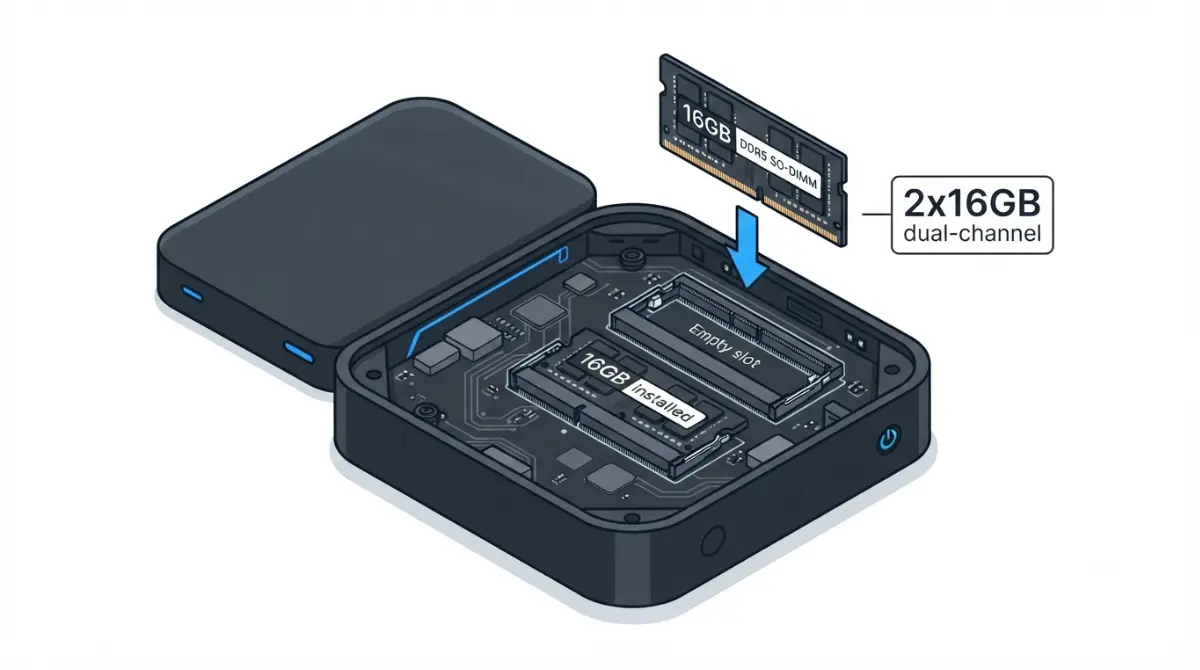
Table of Contents
Can you upgrade the Steam Machine’s RAM?
Yes. Valve’s Steam Machine specifications list 16GB of DDR5 system memory plus 8GB of GDDR6 VRAM, and the machine has two SO-DIMM slots with one stick fitted. Valve told Digital Foundry in June 2026, as VideoCardz reported, that every unit produced to date ships that way.
The catch is access. The RAM guide that iFixit wrote with Valve runs 49 steps, against 11 for the SSD.
- Own one with a single stick? Go to the dual-channel numbers.
- Still deciding whether to buy? Jump to cost.
- Nervous about opening it? Read the last section first.
For the wider picture, see Steam Machine specs, upgrades, and limits.
ℹ️ Risk Note: Reaching the RAM means opening a mains-powered device with an internal power supply and delicate ribbon and antenna connections. Follow only Valve’s and iFixit’s method, unplug the machine first, and contact Steam Support before you start if anything is unclear. This article describes the work; it is not a repair guide.
What RAM does the Steam Machine use?
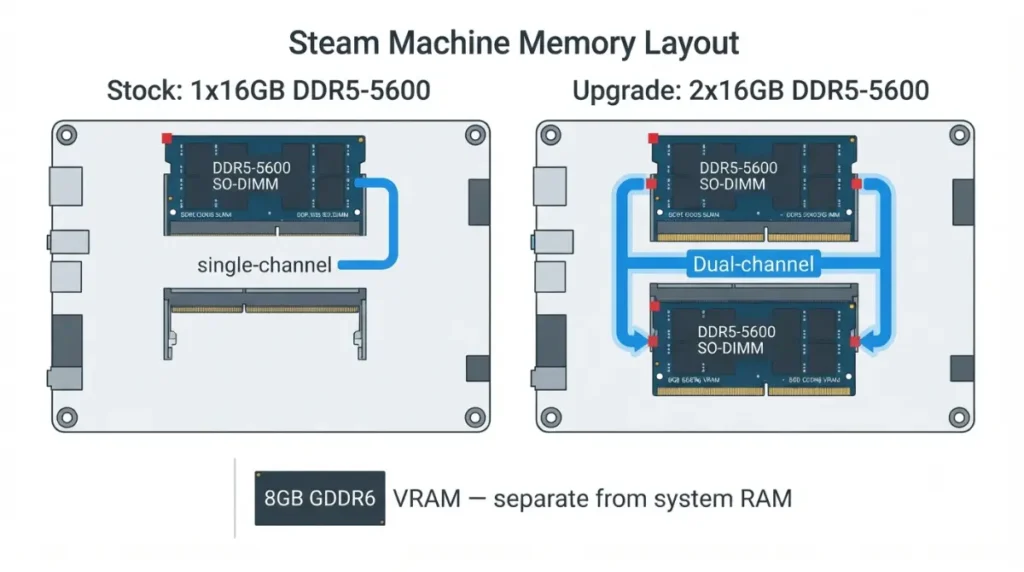
iFixit’s guide lists two slots for DDR5-5600 SODIMM modules, and Valve fits one 16GB stick. Valve first said some units might carry two 8GB sticks, then told Gamers Nexus all units have one 16GB stick.
| Configuration | Reported by | What it shows |
|---|---|---|
| 1×16GB DDR5-5600 (stock) | Valve, iFixit, Notebookcheck | Single-channel at retail |
| 2×16GB | Gamers Nexus, via VideoCardz | Dual-channel performance measured |
| 2×32GB (64GB) | ETA Prime, via Notebookcheck | Booted; capacity only |
Source: reports named in each row, late June 2026.
🧩 Compatibility Check: Read the label on your own stick before buying: DDR5, SO-DIMM, 5600 MT/s. Valve told Digital Foundry it might change configurations if supply forces it, so confirm your unit still has one stick and an empty slot. The 8GB of VRAM is separate; ETA Prime said it is not user-upgradable (see Steam Machine 8GB VRAM).
What does the Steam Machine teardown involve?
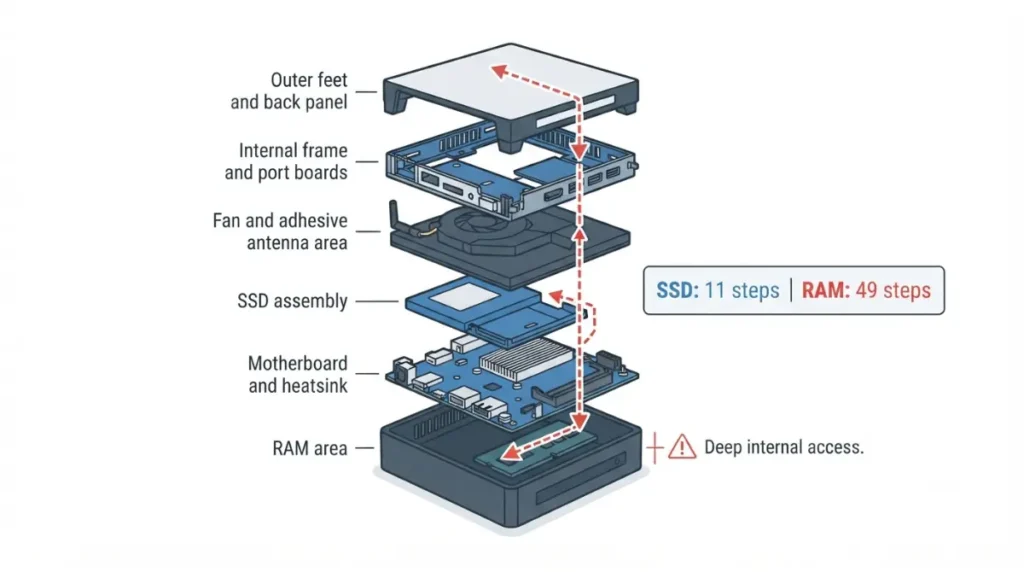
The RAM sits under most of the machine.
How deep the RAM sits
iFixit’s RAM guide and its SSD guide share their first eight steps: feet, back panel and inner assembly. The SSD comes out at step 10. The RAM does not appear until step 49.
What the official guide covers
Between those points, the guide has you lift cable covers and port boards, free the fan and its adhesive-held antennas, remove the SSD and its board, then separate the motherboard and heatsink from the power supply. Reports differ on the heatsink; iFixit’s RAM guide moves it with the motherboard instead of detaching it. The steps call for a T8 Torx screwdriver, spudger, angled tweezers and a heat source.
⚠️ Watch Out: iFixit warns that too much force on the fan connector can rip its socket off the board, and that the microSD and USB ports are fragile. Treat those cautions as binding, and stop and contact Steam Support if a connector will not release.
How much does dual-channel help the Steam Machine?
Gamers Nexus ran the only published single- versus dual-channel test of this machine we located.
| Workload | Dual vs. single | Key detail |
|---|---|---|
| 7-Zip compression | +19.4% (65,832 vs. 55,126.5 MIPS) | CPU-bound |
| Baldur’s Gate 3, 1080p low | +15.3% | CPU-limited settings |
| Outer Worlds 2, 1080p low | +14.7% | CPU-limited settings |
| GPU-targeted game tests | +2.5% average | GPU-limited settings |
Source: Gamers Nexus, via VideoCardz and TechPowerUp, late June 2026.
CPU-limited tests
Compression and low-setting games, where the CPU is the limit, gained most.
GPU-limited game tests
Tests aimed at the GPU gained 2.5% on average. A Valve engineer reportedly saw no measurable gaming difference between 1×16GB and 2×8GB in internal testing.
What one test can’t tell you
This is one test, reported by several outlets; we found no second independent test as of October 2026. Its suite stayed within 16GB, so gains reflect channel mode, not capacity.
How much does a Steam Machine RAM upgrade cost?
Cost depends on how far you go.
A second 16GB stick
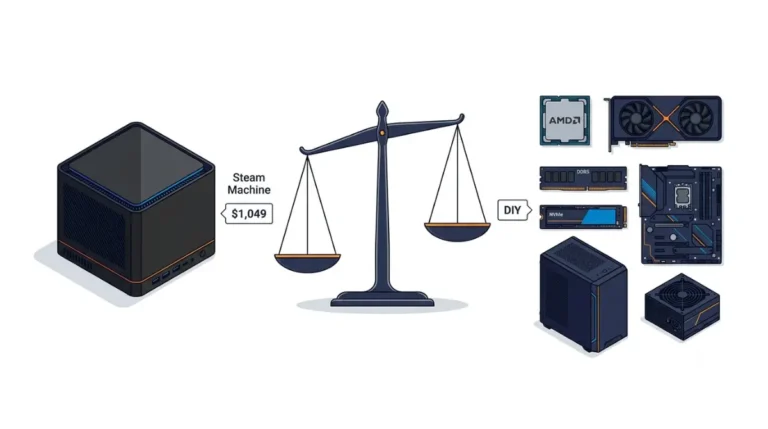
PCWorld put a second 16GB SO-DIMM at about $200 in late June 2026, roughly 19% on top of the $1,049 512GB launch price.
Going to 64GB
ETA Prime’s 2×32GB Crucial kit cost $820 per Notebookcheck and replaced the stock stick, about 78% of the launch price.
| Upgrade | Reported price | Per GB |
|---|---|---|
| +16GB to reach 32GB | about $200 | $12.50 |
| 2×32GB kit for 64GB | $820 | $12.81 |
Source: PCWorld; Notebookcheck on ETA Prime; iFixit device page. Per-GB and percentages are our arithmetic; prices as reported late June 2026.
Why the number moves
Valve said supply problems with 8GB sticks drove its single-stick choice, so check current SO-DIMM listings before you budget.
Should you upgrade now or stay single-channel?
A second stick suits some owners; the criteria are checkable.
When a second stick makes sense
It fits if your workloads are CPU-limited, you accept the 49-step guide, and a module reported near $200 fits your budget.
What RAM won’t fix
The GPU and its 8GB of VRAM stay as built; see Steam Machine GPU equivalent for what that GPU matches. The Steam Machine SSD upgrade is the easier job.
Parts and guide timing
iFixit’s guides went live September 16, 2026, but mid-September reports said its store listed no Steam Machine parts, with spares promised soon.
What to check before you open it
Opening a mains-powered device deserves a checklist.
Warranty and damage
Valve publishes its hardware warranty terms on its support site.
Power and static
iFixit’s guide begins by telling you to power down, unplug the machine and remove any microSD card. The guide detaches the internal power supply but never opens it, and neither should you.
If it won’t start afterward
iFixit’s guide points to its post-repair troubleshooting page and Answers forum. For anything involving warranty or a unit that will not boot, contact Steam Support.
✅ Do This: Before you order memory, open iFixit’s RAM guide, check the tools it calls for, and ask Steam Support how a self-installed upgrade affects your warranty.
Frequently asked questions
1. Can you do a Steam Machine RAM upgrade?
Yes. The Steam Machine has two DDR5 SO-DIMM slots with one filled, so a second matching stick can be added after opening the machine. Follow iFixit’s RAM guide.
2. What RAM does the Steam Machine use?
iFixit’s guide lists two slots for DDR5-5600 SODIMM modules, and Valve fits one 16GB module at retail.
3. How much RAM does the Steam Machine ship with?
16GB of DDR5 system memory as a single stick, plus 8GB of GDDR6 VRAM that the RAM upgrade does not change.
4. Does every Steam Machine have a free RAM slot?
Valve told Digital Foundry all units produced to date have one 16GB stick and an empty slot, but supply could change that. Check your unit.
5. Can you upgrade the Steam Machine’s VRAM?
No. The 8GB of GDDR6 VRAM is separate from system memory, and ETA Prime said it is not user-upgradable.
6. How much faster is dual-channel on the Steam Machine?
In Gamers Nexus’ Steam Machine test, 7-Zip ran 19.4% faster with two sticks, while GPU-targeted game tests averaged 2.5% faster.
7. Can the Steam Machine take 64GB of RAM?
ETA Prime booted two 32GB DDR5-5600 SO-DIMMs for 64GB; Valve lists no maximum, so treat that as one reported result.
8. How hard is a Steam Machine RAM upgrade?
iFixit’s RAM guide has 49 steps, against 11 for the SSD, because the memory sits beneath most of the internals. Contact Steam Support first if unsure.
9. What tools does a Steam Machine RAM upgrade need?
iFixit’s RAM guide steps call for a T8 Torx screwdriver, a spudger, angled tweezers and a heat source for antenna adhesive.
10. Does iFixit sell Steam Machine parts?
Not as of mid-September 2026: reports said iFixit’s store listed no Steam Machine parts, with spares promised soon.
A Steam Machine RAM upgrade is possible, and the second stick buys the most where the CPU is the limit, but it rests on one published test and a 49-step guide. Read iFixit’s guide first, and contact Steam Support with warranty doubts before opening it. If the cost gives you pause, compare Steam Machine vs a mini PC.