How many M.2 slots can you use at once without losing ports
How many M.2 slots you can fill comes down to lanes, not the slot count on the box. One current board gives three M.2 slots and four SATA ports.

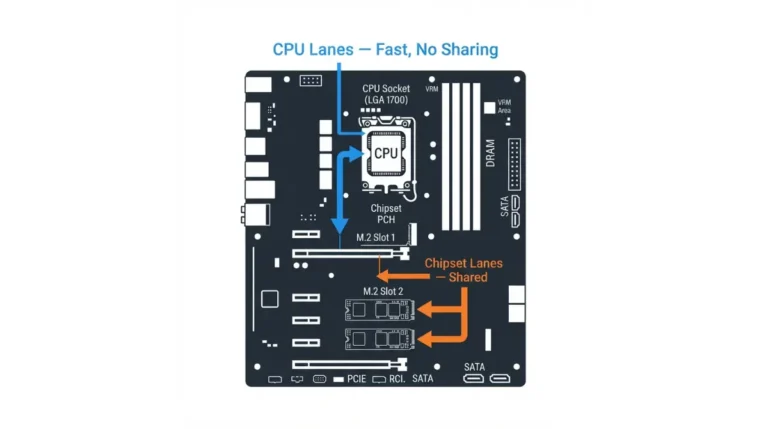
How many M.2 slots you can fill comes down to lanes, not the slot count on the box. One current board gives three M.2 slots and four SATA ports.
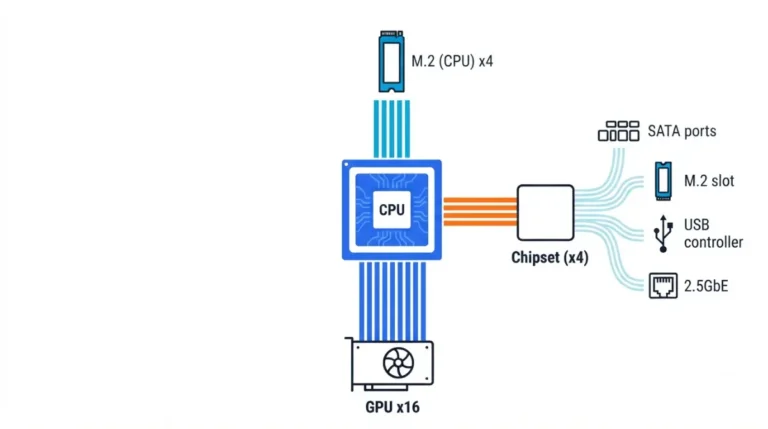
PCIe lane sharing decides which of your M.2 sockets disables a SATA port and when an x16 slot runs at x8 — your board’s manual states both.
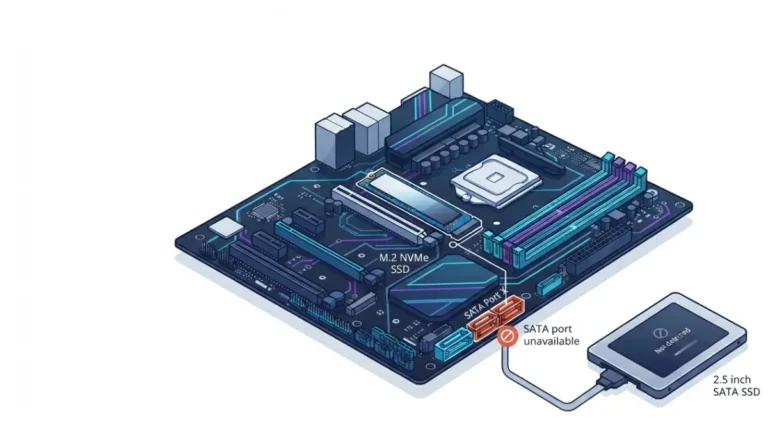
M.2 slot disabling a SATA port is documented, not a fault. ASUS shows M.2_1 closing SATA6G_1; your board names its own port in the manual.
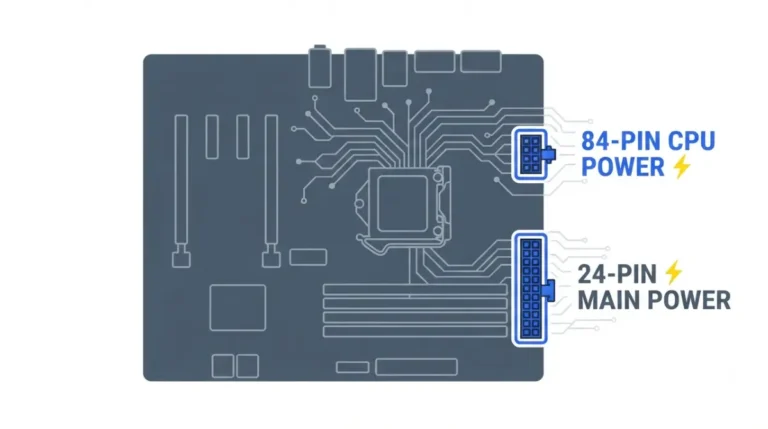
Motherboard power sockets aren’t all filled the same way: ASUS’s TUF B850-PLUS manual accepts one 8-pin or both. Here’s how to read yours.
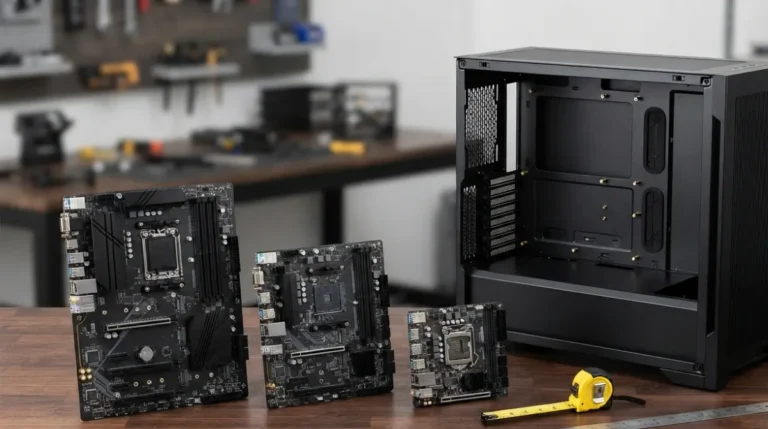
Motherboard form factor sets case fit: Intel puts Mini-ITX screw holes on four ATX positions, but back-connect boards break the rule.
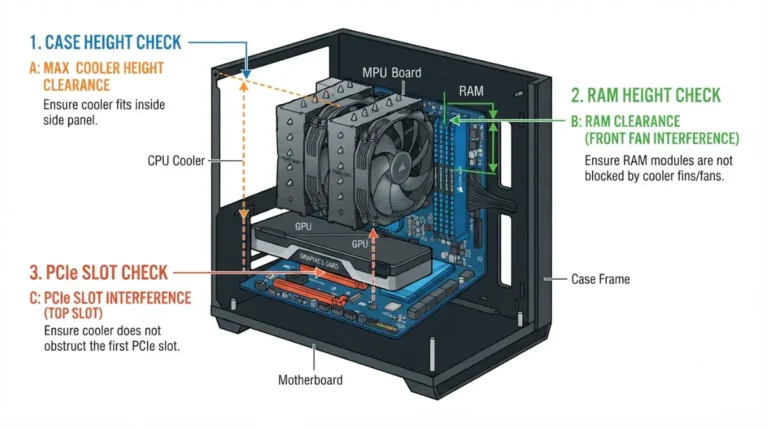
CPU cooler socket compatibility stops at the mount. G.SKILL lists Trident Z5 at 44mm; the NH-D15 G2 leaves 32mm under its front fan by default.
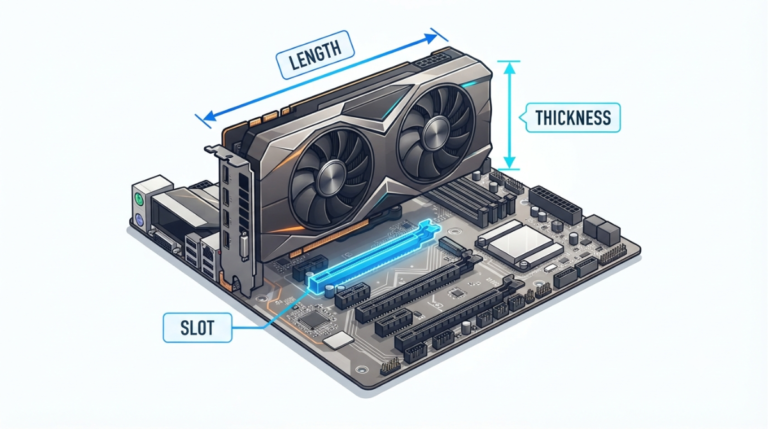
GPU motherboard compatibility rarely fails electrically. NVIDIA asks for 304mm x 137mm and 3-slot clearance for an RTX 5090 — more than the card itself.
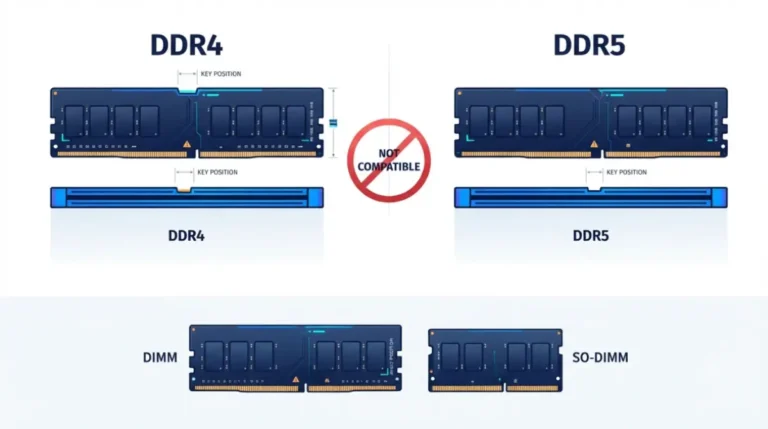
RAM compatibility with a motherboard is not one check but four, and the last one— your board’s memory QVL — is where most buyers stop too early.

CPU motherboard compatibility has three gates, not one. Intel confirms LGA1851 boards won’t take LGA1700 chips, though the cooler mounts carry over.
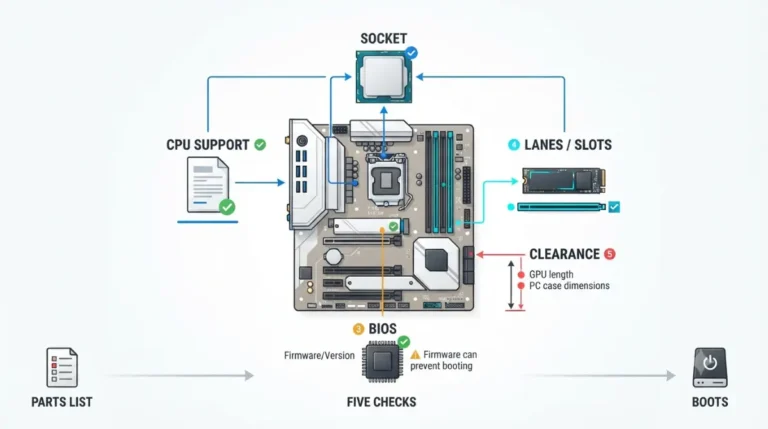
Motherboard compatibility can fail on firmware alone. A board can ship with a BIOS older than your CPU, and it won’t POST until that firmware is updated.