CPU cooler socket compatibility and the two fits people overlook
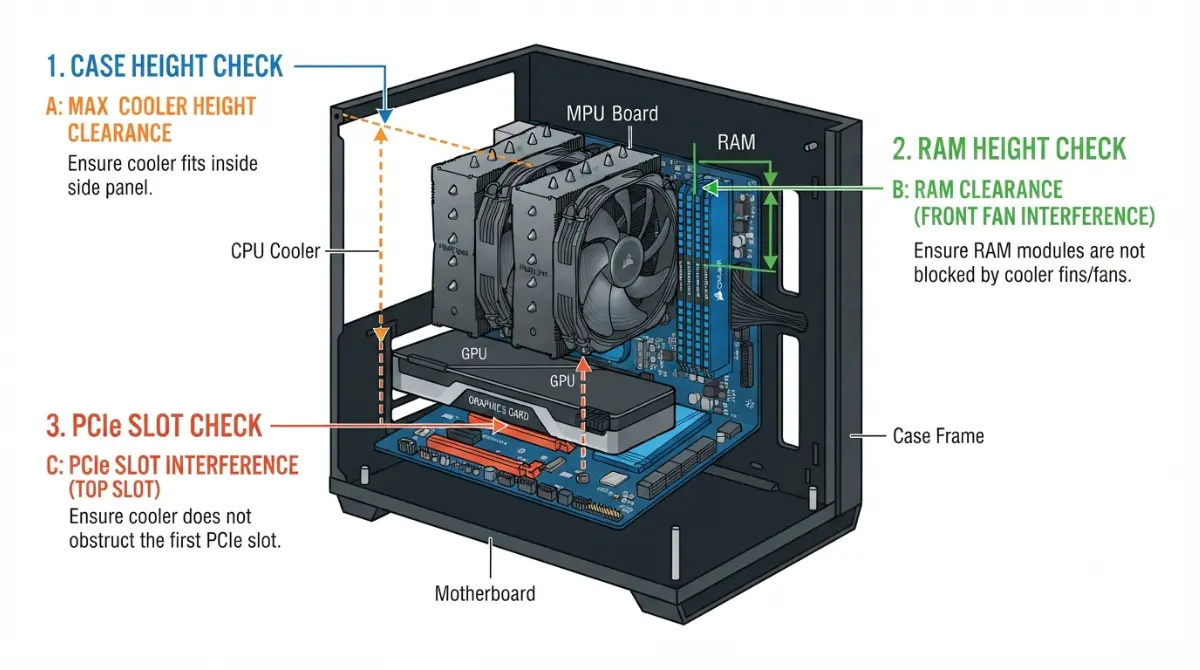
Table of Contents
Three fits decide whether that cooler works
CPU cooler socket compatibility is three separate fits, and a product page answers only the first. The mount, the case height, and the gap over your memory each live on a different spec sheet.
Where you are right now decides which one to read first.
- Buying a cooler and case together: start with height, then the RAM gap.
- Carrying a cooler onto a new socket: go to the Intel or AMD section for your platform.
- Parts on the desk and the hardware won’t line up cleanly: read the last section before you push anything.
If the other four checks are still open, the five checks that decide whether your parts work covers them in order.
ℹ️ Risk Note: Mounting hardware is matched to a socket for a reason. Parts intended for a different socket, or washers and spacers added to make something fit, can change the pressure on the processor and cause permanent damage. Use only the hardware your cooler’s manufacturer specifies for your socket, and contact them for the correct mounting kit.
Why “supports AM5” doesn’t mean it fits
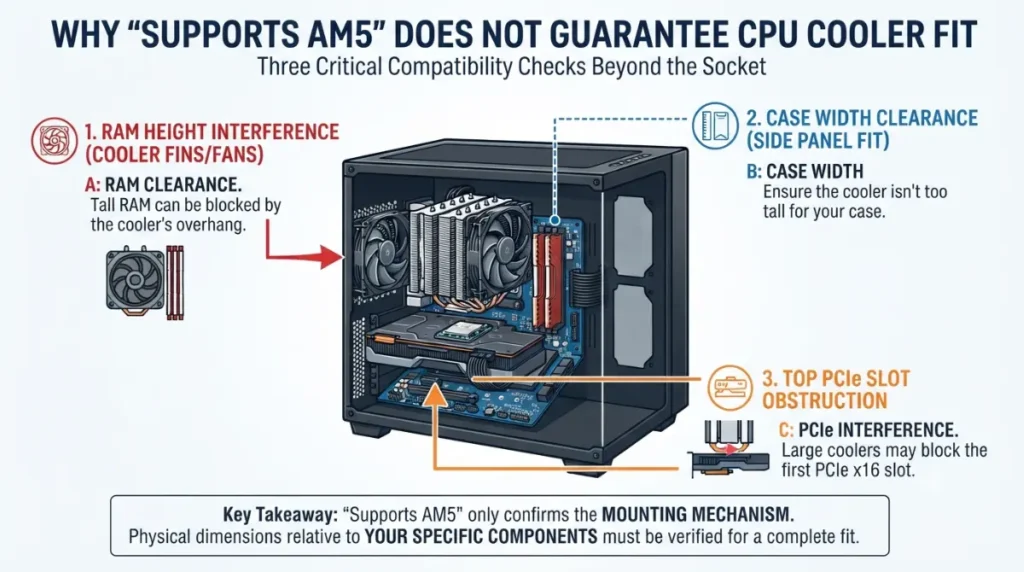
A socket list on a cooler’s product page is a claim about mounting hardware, nothing more.
What a socket list actually promises
Noctua’s socket compatibility overview says so in its own note: the chart indicates whether a heatsink is mechanically compatible with a socket, and restrictions can still apply on certain motherboards or CPUs.
What it leaves out
Your case publishes a maximum cooler height. Your memory maker publishes a module height. Nobody cross-references those two pages against the cooler’s for you.
Does the TDP rating have to match?
Cooler “TDP ratings” are vendor figures with no shared test standard across brands, so read them as a rough class indicator rather than a number to match against your CPU.
Intel: one mounting system, three socket generations
LGA1700 to LGA1851: Intel’s own answer
Yes, and Intel says so directly. Its support documentation states the mounting holes for LGA1700 and LGA1851 sit in the same positions, so LGA1700 backplates align correctly and existing thermal solutions fit LGA1851 without modification, per Intel’s statement on LGA1700 and LGA1851 thermal solutions. Intel notes this covers the mounting mechanism only.
What about LGA1954?
Noctua’s FAQ states that coolers compatible with LGA1700 and LGA1851 need no additional mounting parts for LGA1954. Nothing has shipped on that socket and Intel has published no equivalent statement, so treat it as a cooler vendor’s word, not a confirmed fact.
The exceptions: low-profile coolers
Noctua documents its NH-L9i as incompatible with both LGA1700 and LGA1851, because the baseplate thickness required leaves it sitting too low to clear surrounding board components.
🧩 Compatibility Check: A shared mounting system is a platform fact, not a promise about your specific cooler. Open your cooler model’s page on the manufacturer’s site and confirm your socket appears on its list — the low-profile exceptions above are exactly the models that break the pattern. The processor is a separate question; which processors your socket actually accepts does not follow the same rule.
AMD: the backplate decides, not the socket
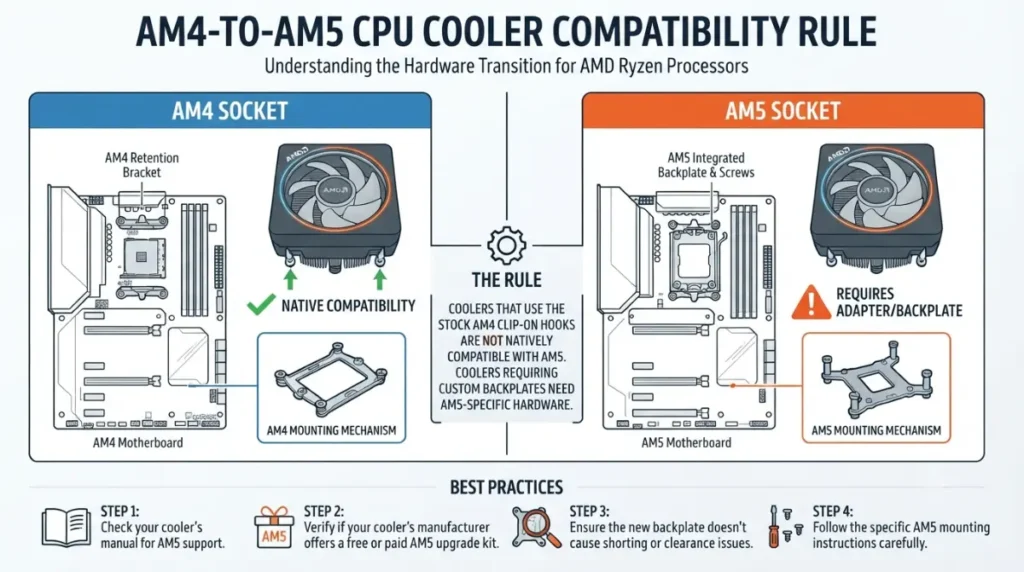
An AM4 cooler works on AM5 if it screws into the stock AMD backplate, and does not if it requires replacing that backplate with its own.
The AM4-to-AM5 rule in one line
Noctua’s documentation explains why: the stack-up height, the backplate threads and their pattern are identical on AM4 and AM5, so mountings that attach to the standard AMD backplate carry straight across. See Noctua’s published AM4-to-AM5 compatibility rule.
Which coolers are the exception
The same page names its own: the NH-L9a-AM4 and the NM-AM4-L9aL9i mounting kit, both of which need a custom backplate that AM5 will not accept.
Free mounting kits for older coolers
Noctua supplies mounting upgrade kits for older coolers at no charge. That is one manufacturer’s policy, not an industry norm — check your brand’s own support page.
✅ Do This: Open your cooler’s installation manual to step one. If it tells you to remove the motherboard’s backplate, the cooler is not AM5-ready without a specific kit from its maker.
Cooler height is a variable, not a fixed number
The cooler height printed on a spec page is the height in one configuration, and your memory can change it before the cooler is even installed.
Where your case publishes its limit
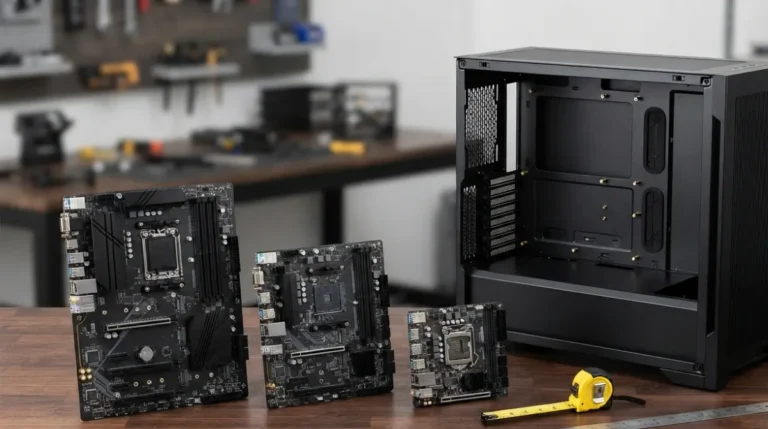
Case makers publish a maximum CPU cooler height in the specification table. Compare it against the cooler’s height in the fan position you actually intend to use, not the headline figure.
Why raising a fan changes the number
Noctua’s own worked example makes the point: raising the front fan 3mm to clear taller memory takes a 168mm cooler to 171mm, per its published clearance figures for each fan configuration.
The margin to leave
Clearance quoted to the millimetre assumes everything else is nominal. Treat a figure within a millimetre or two of your case limit as a fit you should design around, not rely on.
💡 Pro Tip: Decide your memory before your cooler. Height is the number that gets revised, and it only moves upward.
The RAM gap: what actually fits under a tower cooler
Subtract the cooler’s published RAM clearance at your fan position from your module height. A positive result fits.
How tall your memory actually is
G.SKILL publishes heights per series, and the spread is wide enough to decide the question on its own.
How much room the cooler leaves
| Configuration (NH-D15 / NH-D15 G2) | Clearance | Key detail |
|---|---|---|
| Front fan at default position | 32mm | Total height 160mm / 168mm |
| 120mm fan in place of the front fan | 52mm | Height unchanged |
| Single-fan mode, front fan removed | 66mm / 59mm | Costs some cooling capacity |
Source: Noctua NH-D15 and NH-D15 G2 clearance documentation, September 2026. Figures apply to these models only.
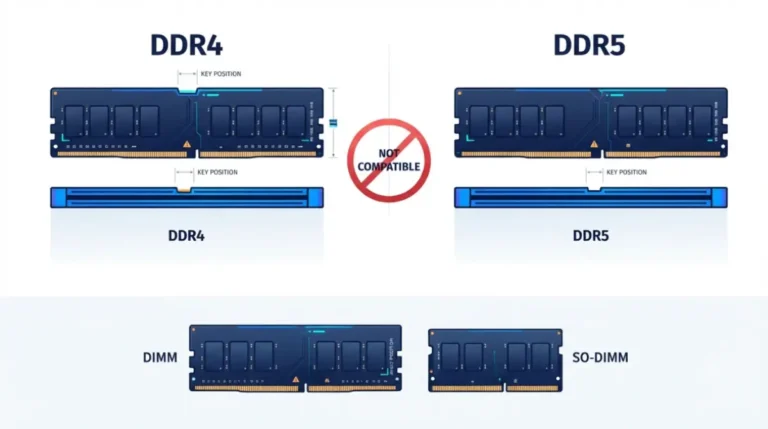
📊 Spec Check: G.SKILL lists Aegis, Zeta R5, T5 and G5 DDR5 at 31.2mm; Ripjaws S5 and Flare X5 at 33mm; Ripjaws M5 at 41mm; the Trident Z5 family at 44mm, per G.SKILL’s published module heights. A 44mm kit clears the default 32mm position by nothing at all.
🧩 Compatibility Check: Take the height from your memory maker’s spec page, not the retailer listing, and pair it with your cooler’s clearance at your fan position. Electrical fit is separate — your board’s qualified memory list is the other half.
When a cooler mounts but shouldn’t
Mounting pressure is a published specification, not a feel, and it can fail in both directions.
Wrong-socket brackets and adapters
Noctua documents that its LGA17xx low-profile variant used on LGA115x or LGA1200 can cause irreversible damage, because the mounting pressure ends up too high.
Spacers, washers and mounting pressure
Intel raised the minimum mounting-pressure requirement for the LGA1851 loading mechanism, and LGA1851’s taller screw heads mean added washers can lift the screws above the heat spreader so the cooler never contacts the CPU — both covered in Noctua’s breakdown of the LGA1851 loading mechanism.
What to do instead
⚠️ Watch Out: If the supplied hardware does not line up cleanly, that is the answer, not an obstacle. Contact your cooler’s manufacturer and ask for the correct mounting kit part number for your model and socket — many supply them free. Do not improvise with third-party brackets, washers or spacers.
Frequently asked questions
1. Will an LGA1700 cooler fit LGA1851?
Yes. Intel states the mounting holes are in the same positions, so LGA1700 thermal solutions fit LGA1851 without modification.
2. Will my current cooler work on LGA1954?
Noctua says LGA1700 and LGA1851 coolers need no new parts. Nothing has shipped on LGA1954 and Intel has not confirmed it.
3. Will an AM4 cooler work on AM5?
Yes, if it attaches to the stock AMD backplate. Coolers requiring their own replacement backplate do not fit AM5.
4. Which AM4 coolers don’t fit AM5?
Noctua names the NH-L9a-AM4 and the NM-AM4-L9aL9i mounting kit, both of which need a custom backplate AM5 cannot accept.
5. Do I need a new cooler when I upgrade my CPU?
Usually not within the same mounting family. Check your cooler’s socket list, your case height limit, and your memory height first.
6. How do I find my case’s cooler height limit?
The case manufacturer publishes a maximum CPU cooler height in its specification table. Compare it against your cooler’s height, not its clearance.
7. Does raising the cooler’s fan change its height?
Yes. Noctua’s example shows a 3mm fan raise taking a 168mm cooler to 171mm, which can break a case fit.
8. How tall is a standard DDR5 module?
G.SKILL lists several DDR5 series at 31.2mm, rising to 33mm, 41mm and 44mm for taller heatspreader designs.
9. Can I use an adapter bracket for a different socket?
No. Noctua documents that wrong-socket mounting can apply excessive pressure and cause irreversible damage. Contact your cooler’s manufacturer for the correct kit.
10. Does a cooler’s TDP rating need to match my CPU?
No. These are vendor figures with no shared cross-brand test standard, so treat them as a class indicator, not a threshold.
Three numbers, three spec pages
Collect the socket list from your cooler’s manufacturer page, the maximum cooler height from your case’s spec table, and your module height from your memory maker’s site. Two subtractions settle it.