Why Your PC Goes Unstable With EXPO or XMP and What to Check
EXPO and XMP crashes often trace to a speed your CPU, board or BIOS can’t hold. Four sticks cut the 9800X3D’s rated speed to DDR5-3600.

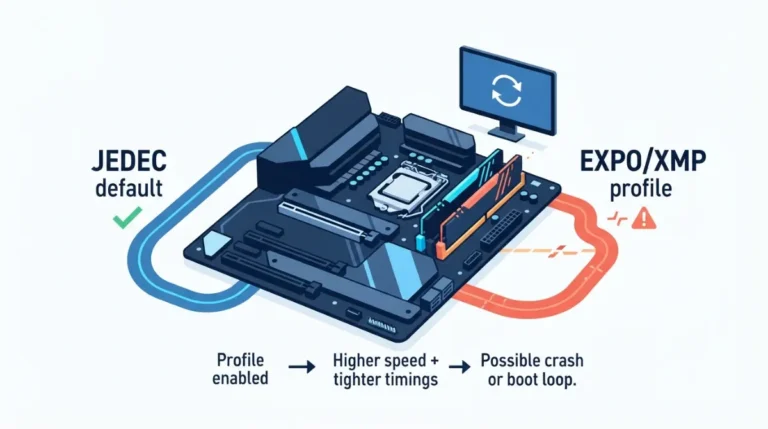
EXPO and XMP crashes often trace to a speed your CPU, board or BIOS can’t hold. Four sticks cut the 9800X3D’s rated speed to DDR5-3600.
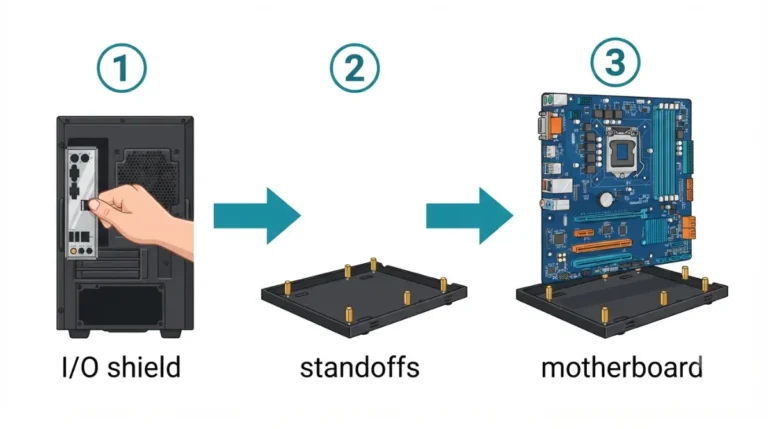
Installing motherboard standoffs? A separate I/O shield goes into the case before the board, per ASUS. Then check each standoff against your manual.
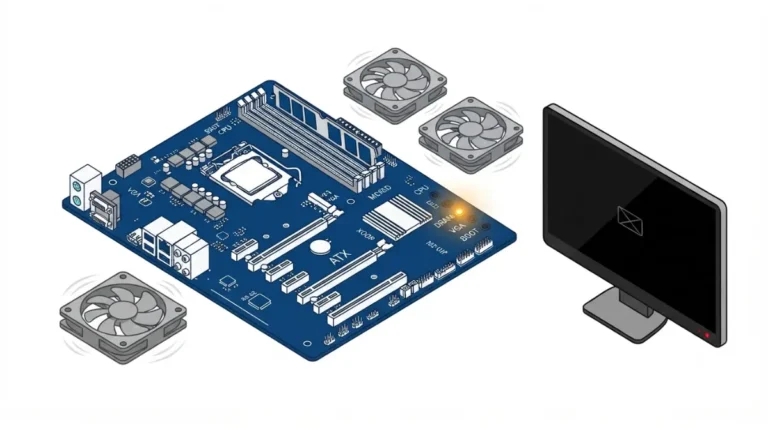
Debug LED stuck on your motherboard? On some ASUS boards, a fast-blinking power LED means no CPU on AMD but no memory on Intel.
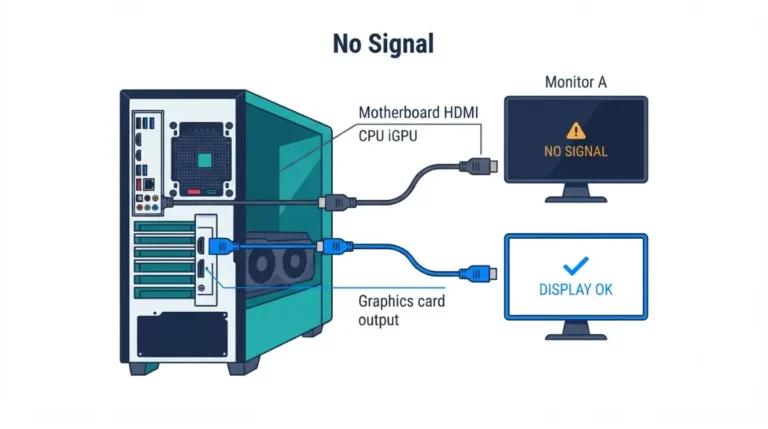
Motherboard HDMI showing no signal? AMD’s Ryzen 7 9700X has Radeon graphics, but the 7500F needs a discrete card. Here’s how to tell which you have.
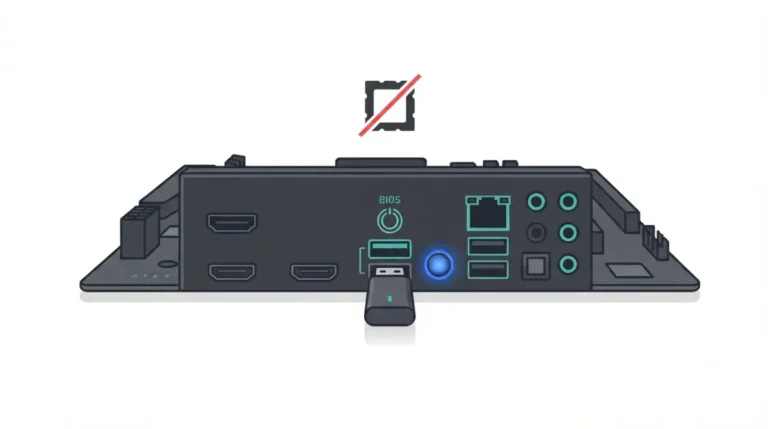
Updating BIOS without a CPU works only on boards with flashback. ASRock’s version also resets TPM, one of several details the brands handle differently.
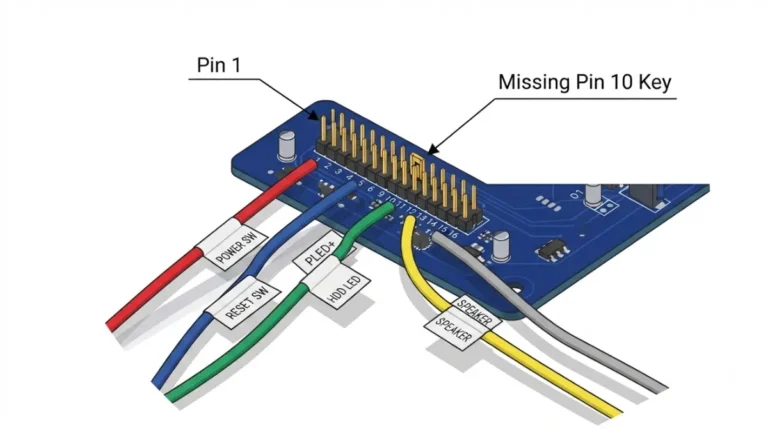
Front panel header layouts aren’t universal: in current manuals, Gigabyte’s F_PANEL is 20-pin while MSI and ASUS use 10-pin blocks.
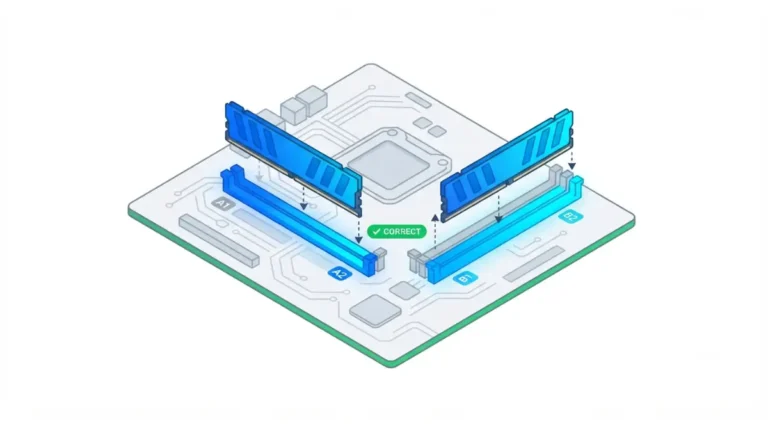
RAM slot order matters: two sticks in A1 and A2 share one channel, so they run single channel. Here’s the layout manufacturers list, and how to confirm it.
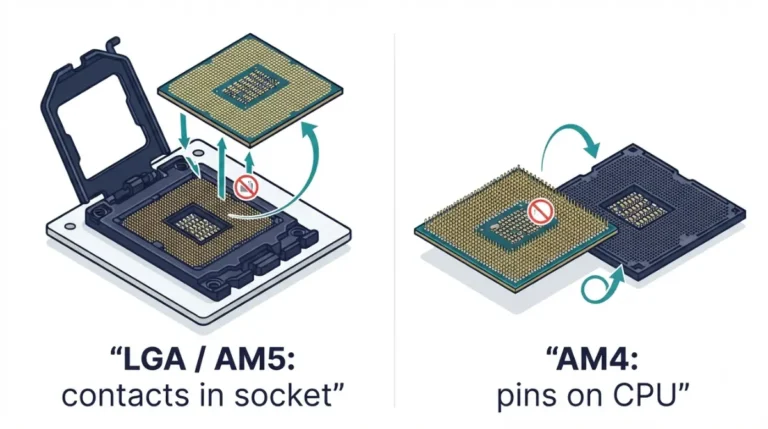
Installing a CPU without bent pins starts with one check: are your pins on the board or the chip? AM4 puts them on the CPU; AM5 moved them to the socket.
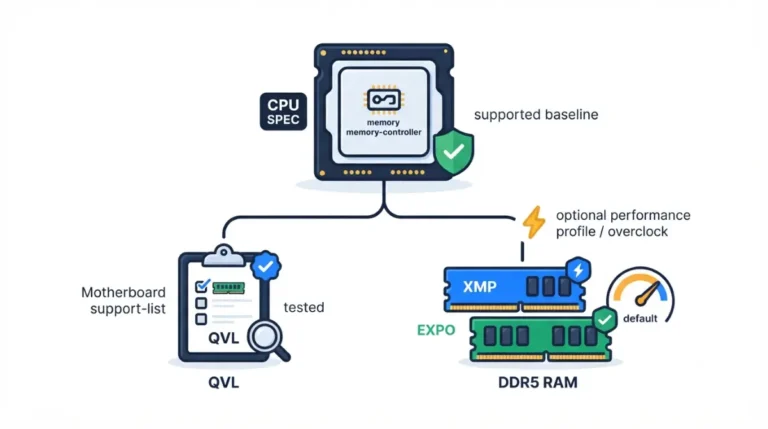
Motherboard QVL RAM lists show kits a board maker vetted, not what your CPU promises. On a Ryzen 7 9700X, four sticks drop AMD’s spec to DDR5-3600.
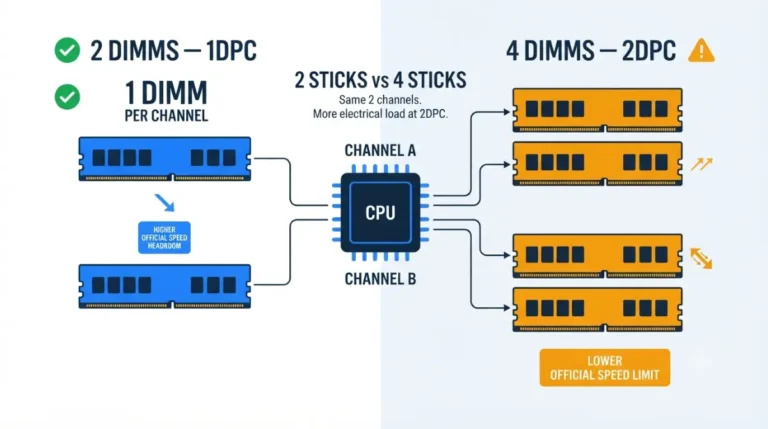
Four sticks of RAM slower than two is usually by design. They share two channels, and Ryzen 9000’s official rating falls from DDR5-5600 to DDR5-3600.