Clear Mini-ITX Compatibility Limits for Slots, RAM and Drives
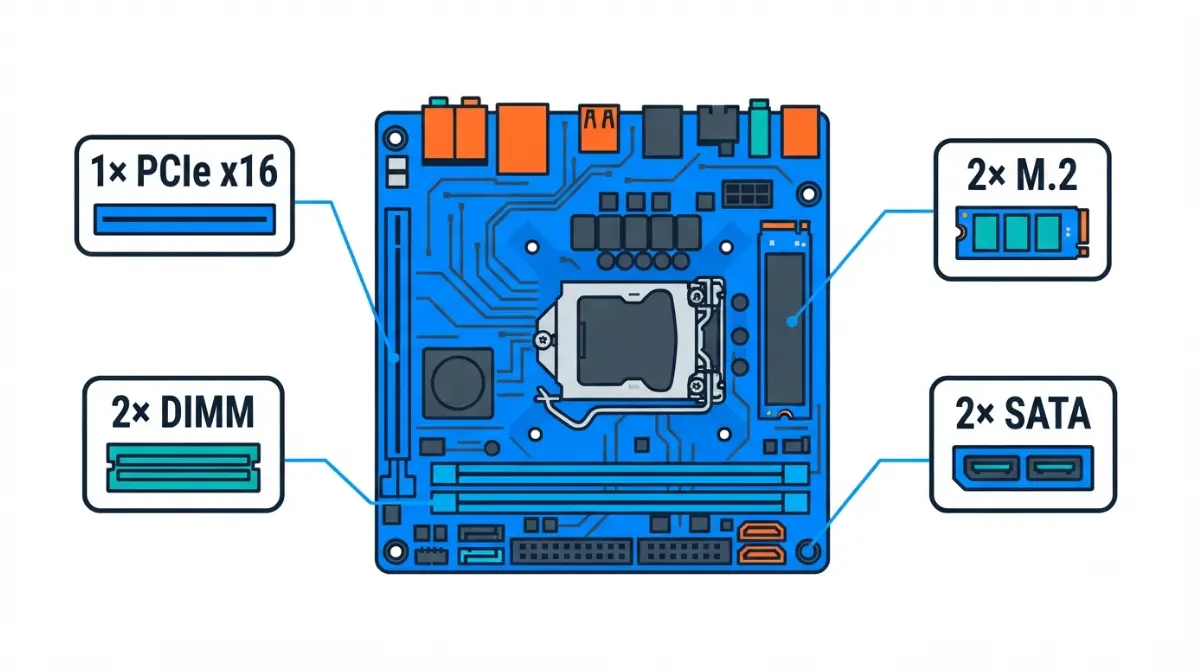
Table of Contents
What a mini-ITX board gives up, spec by spec
A mini-ITX motherboard measures 17 × 17 cm, and on the three current boards we checked, that footprint sets four hard limits.
The four hard limits at a glance
- One PCIe x16 expansion slot
- Two DIMM slots, 128GB maximum
- Two M.2 slots
- Two SATA ports, which on some boards work only with an add-on card
The exact limits depend on the specific board and the CPU you pair with it.
What mini-ITX doesn’t limit
The graphics slot is full PCIe 5.0 x16 on these boards with supported CPUs. Where to go next:
- Planning a build: jump to the matrix in the checklist section.
- Adding RAM: start with the memory section.
- A drive or GPU misbehaving after the build: go to troubleshooting.
Form factor is one layer; the full motherboard compatibility checklist covers socket, BIOS and lanes.
Why mini-ITX has only one PCIe slot
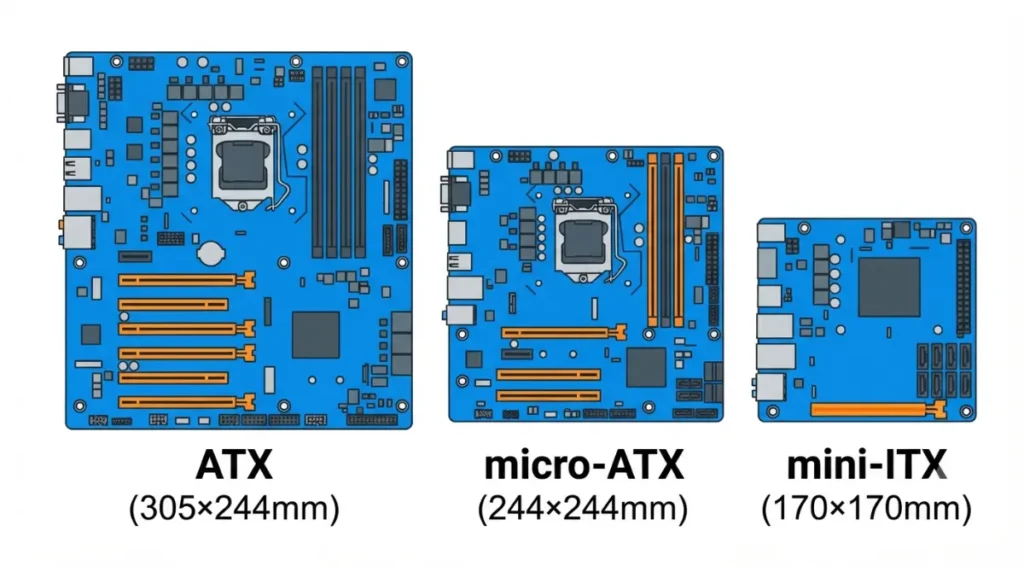
A 17 cm board has room for one full-length expansion slot, and the graphics card almost always takes it.
One slot, and your GPU takes it
The PCIe x16 slot on the ASUS ROG Strix Z890-I runs PCIe 5.0 x16 with Intel Core Ultra (Series 2) processors. On the ROG Strix X870-I, ASUS lists PCIe 5.0 x16 with Ryzen 9000 and 7000 CPUs, per ASUS’s X870-I specification sheet.
Why a Ryzen 8000 chip can drop it to x8
🧩 Compatibility Check: Pair the X870-I with a Ryzen 8000 series CPU and ASUS lists the slot as PCIe 4.0 x16 that “supports x8/x4 mode.” Before you buy, read the Expansion Slots field on your board’s spec page, which lists slot speed per CPU series.
Capture cards, NICs and other second cards
A capture card or network card competes with the GPU for that single slot. The X870-I’s USB4 ports and the Z890-I’s Thunderbolt 4 ports give you an external connection instead.
How much RAM a mini-ITX board can take
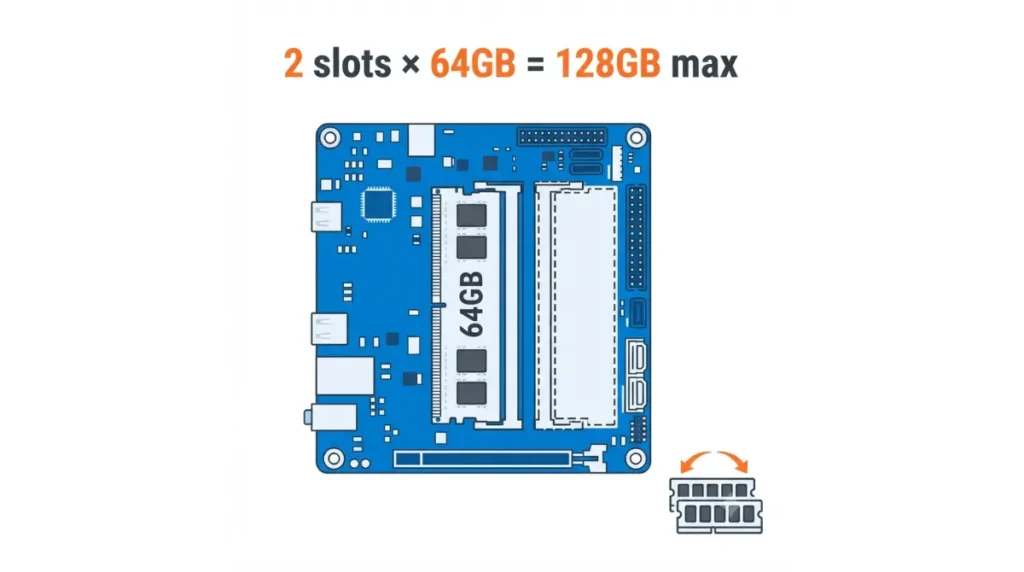
Your ceiling is simple arithmetic: two slots multiplied by the largest module the board supports.
Two DIMMs × max per-DIMM size
📊 Spec Check: GIGABYTE lists the B850I AORUS PRO at up to 128GB with 64GB single-DIMM capacity (GIGABYTE’s B850I spec page). ASUS lists 128GB maximum for both the X870-I and Z890-I.
Four-slot mini-ITX boards have existed, such as ASRock’s previous-generation X299E-ITX/ac with four SO-DIMM slots. They are exceptions.
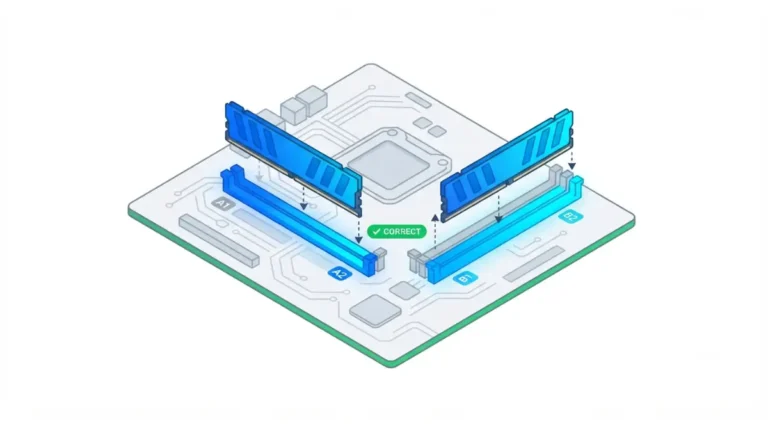
Why upgrading means replacing, not adding
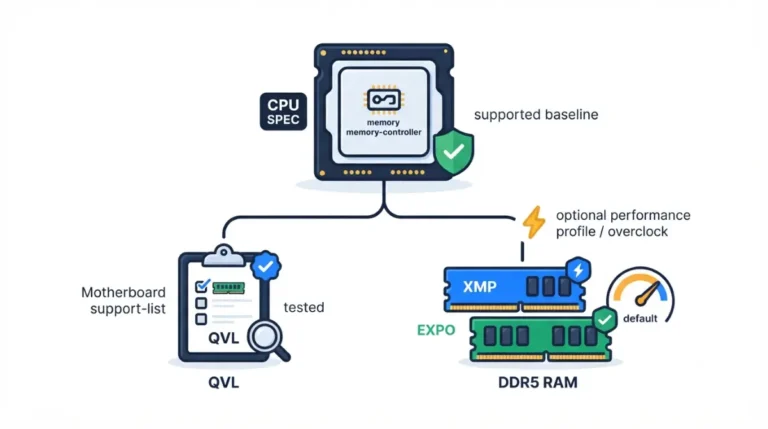
GIGABYTE’s manual assigns one memory socket to each channel, and dual channel needs both modules installed. A 2×16GB kit leaves no free slot, so moving to 64GB means replacing both sticks. Check any new kit against your board’s RAM compatibility list first.
Check the spec page, not the retailer
At least one retailer listing still showed 96GB for the X870-I while ASUS’s own page lists 128GB. Board revisions matter too: GIGABYTE’s Rev. 1.0 and Rev. 1.1 B850I pages list different top overclocked memory speeds.
How many M.2 and SATA drives fit on mini-ITX
All three boards carry two M.2 slots, but where each slot gets its lanes decides what else slows down.
CPU slot vs chipset slot
On the X870-I, M.2_1 runs from the CPU at PCIe 5.0 x4 (4.0 x4 with Ryzen 8000), and M.2_2 runs from the chipset at PCIe 4.0 x4. The Z890-I rates both slots at PCIe 5.0 x4.
⚠️ Watch Out: ASUS states that when the Z890-I’s M.2_2 slot holds an SSD, the PCIe x16 slot runs at x8 only. If you want full x16 for your GPU, use M.2_1 for a single drive.
M.2 SATA drives may not work
According to the B850I manual’s M.2 section, neither M.2 connector supports M.2 SATA SSDs. Older M.2 SATA drives are the trap for upgraders.
SATA ports that need an add-on card
The X870-I and Z890-I list two SATA 6Gb/s ports each, but both spec sheets say you must install the bundled ROG FPS Card to use them. Read more on when M.2 slots share lanes with SATA ports.
Fan headers and connectors you may run short on
A smaller board carries fewer headers, and the count varies by model.
Count fan headers on the spec page
The X870-I lists three fan headers: one CPU, one AIO pump, one chassis. ASUS’s Z890-I specifications add an Extra Flow header for four. ASUS’s Z890-I feature page describes more; when marketing copy and the spec sheet disagree, plan around the spec sheet.
Front USB and RGB headers
Both ASUS boards list one front USB Type-C connector, one USB 5Gbps header and two addressable Gen 2 RGB headers.
✅ Do This: Count your case fans plus any AIO pump. Compare that number against the Internal I/O list before ordering. If you have more fans than headers, plan for a fan hub.
Mini-ITX or micro-ATX: a spec checklist
These five fields decide whether mini-ITX fits your plan.
The Mini-ITX Limits Matrix
| Spec | ASUS X870-I | ASUS Z890-I | GIGABYTE B850I AORUS PRO | Key Detail |
|---|---|---|---|---|
| Max RAM | 128GB, 2 DIMMs | 128GB, 2 DIMMs | 128GB (64GB/DIMM) | Upgrade = replace both |
| x16 slot | PCIe 5.0 (Ryzen 9000/7000); 4.0 x8/x4 (Ryzen 8000) | PCIe 5.0 x16 | PCIe x16 | Slot speed depends on CPU |
| M.2 | 2 (CPU 5.0 x4 + chipset 4.0 x4) | 2 (both 5.0 x4) | 2 | Z890-I: M.2_2 → GPU x8 |
| SATA | 2, via ROG FPS Card | 2, via ROG FPS Card | 2 | No M.2 SATA on B850I |
| Fan headers | 3 | 4 | See manual | Count fans + pump |
Source: ASUS ROG and GIGABYTE official spec pages and the B850I manual, checked September 2026.
Four signs you need micro-ATX instead
- You need a second PCIe card alongside the GPU.
- You need more than 128GB of RAM.
- You want more than two NVMe drives, or two drives with no GPU lane trade-off.
- You need more than two SATA drives.
If any of these apply, compare micro-ATX boards, and confirm their slot counts on the spec page.
A part isn’t showing up in your mini-ITX build
Most of these symptoms trace back to a spec footnote, so start there.
| Symptom | Likely cause (boards checked) | Where to check |
|---|---|---|
| SATA drive missing | ROG FPS Card not installed (X870-I, Z890-I) | Storage footnotes |
| GPU at x8 | M.2_2 occupied (Z890-I) or Ryzen 8000 CPU (X870-I) | Storage / Expansion Slots |
| Half memory bandwidth | One module only; dual channel needs two | Manual, memory section |
| M.2 drive not seen | M.2 SATA drive in B850I | Manual, M.2 section |
Source: ASUS and GIGABYTE spec pages and manual, September 2026.
For the x8 case, see how an M.2 drive can drop your GPU to x8. If a part still isn’t detected, contact your board maker’s support with the exact model and BIOS version.
Mini-ITX limits: quick answers
1. Does mini-ITX only have one PCIe slot?
Yes. Every current mini-ITX board in our matrix has one PCIe x16 slot, and a graphics card usually occupies it.
2. How much RAM can a mini-ITX board support?
The ASUS X870-I, ASUS Z890-I and GIGABYTE B850I mini-ITX boards each list 128GB maximum across two DIMM slots.
3. Can mini-ITX have four RAM slots?
Rarely. ASRock’s previous-generation X299E-ITX/ac used four SO-DIMM slots, but the current mini-ITX boards checked here have two.
4. How many M.2 slots does mini-ITX have?
The three current mini-ITX boards checked each have two M.2 slots; check each slot’s lane source on the spec page.
5. Does mini-ITX support SATA drives?
Usually two ports, but ASUS’s X870-I and Z890-I mini-ITX boards need the bundled ROG FPS Card installed first.
6. Can I add a capture card to a mini-ITX build?
Only by giving up the GPU slot, since mini-ITX offers one PCIe slot; USB4 or Thunderbolt 4 ports offer an external route.
7. Why is my GPU running at x8 on a mini-ITX board?
On the Z890-I, filling M.2_2 drops the slot to x8; on the X870-I, Ryzen 8000 CPUs limit it.
8. Do mini-ITX boards have fewer fan headers?
Often. ASUS lists three fan-related headers on the X870-I and four on the Z890-I mini-ITX boards; count yours.
9. Is mini-ITX or micro-ATX better for upgrades?
Choose micro-ATX over mini-ITX if you need a second card, over 128GB RAM, or more drives than two M.2 plus two SATA.
10. Do M.2 SATA drives work on mini-ITX?
Not on every mini-ITX board. GIGABYTE’s B850I manual says neither M.2 connector supports M.2 SATA SSDs.
Mini-ITX limits are real but predictable: one slot, two DIMMs, two M.2, two SATA, each with board-specific footnotes. Run the five matrix fields against your exact board before ordering. The board is only half of a small build, so check cooler height and socket clearance next. Every spec here comes from the manufacturer’s own documentation.