Is B650 Discontinued? B650 vs B850 and the Right Board to Buy
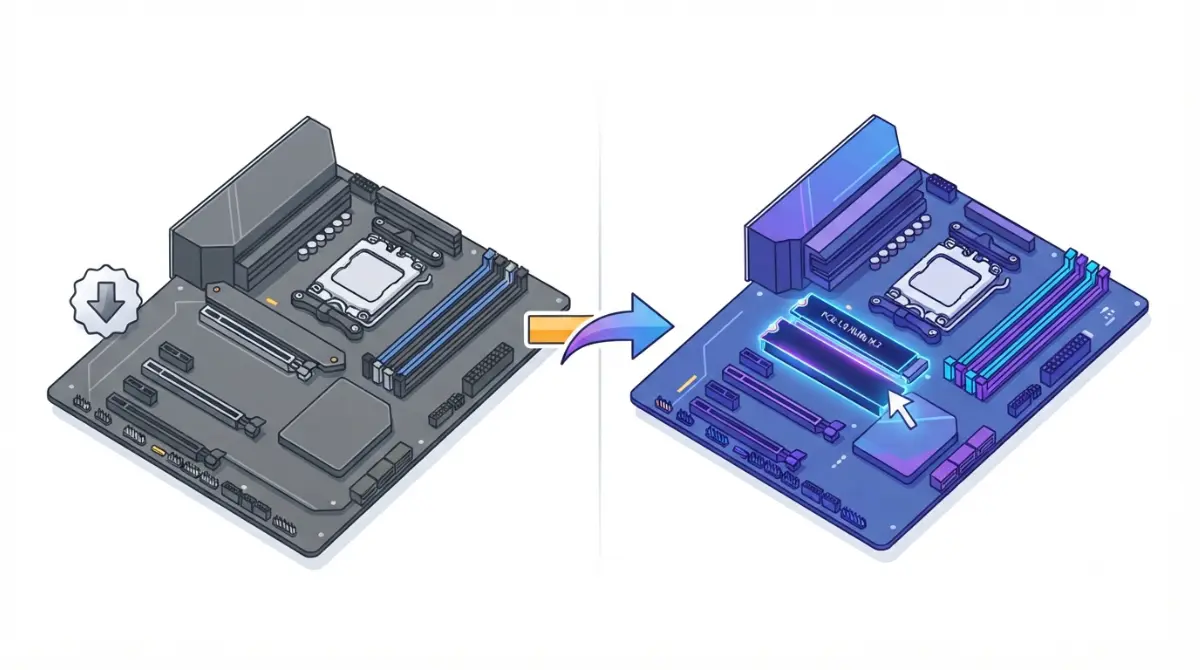
Table of Contents
B650 or B850? The short answer for September 2026
B650 boards haven’t disappeared, even though AMD announced a move to B850 in 2025. For most new builds, a B850 motherboard is the simpler default because it guarantees a PCIe 5.0 M.2 slot. A B650 board still makes sense when it’s clearly cheaper and passes two checks: it has the slot you need, and its BIOS supports your CPU.
If you’re buying a board this month
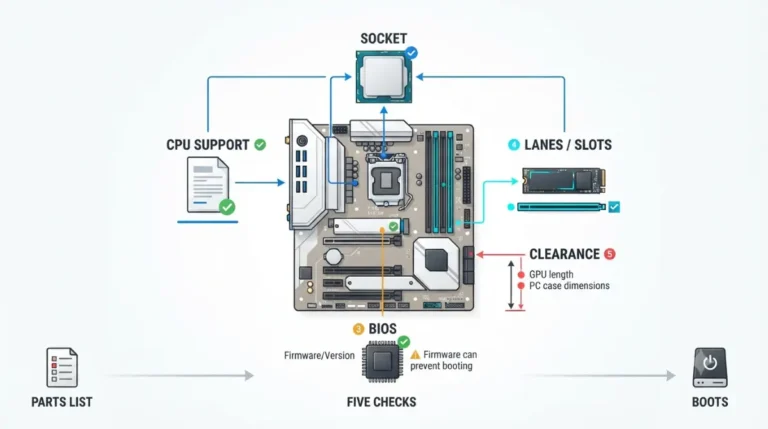
Start with the dated status timeline, then use the four-check decision rule below. If you’re verifying every part at once, work through our full motherboard compatibility checklist.
If you already own a B650
You don’t need to replace it. The Zen 6 section below separates what AMD has confirmed from what’s still rumor.
ℹ️ Risk Note: Updating a motherboard BIOS can leave the board unable to boot if the update is interrupted or uses the wrong file. Back up your data, use only your board maker’s file and update method, and contact their support if any step is unclear.
Is B650 actually discontinued? What happened, dated
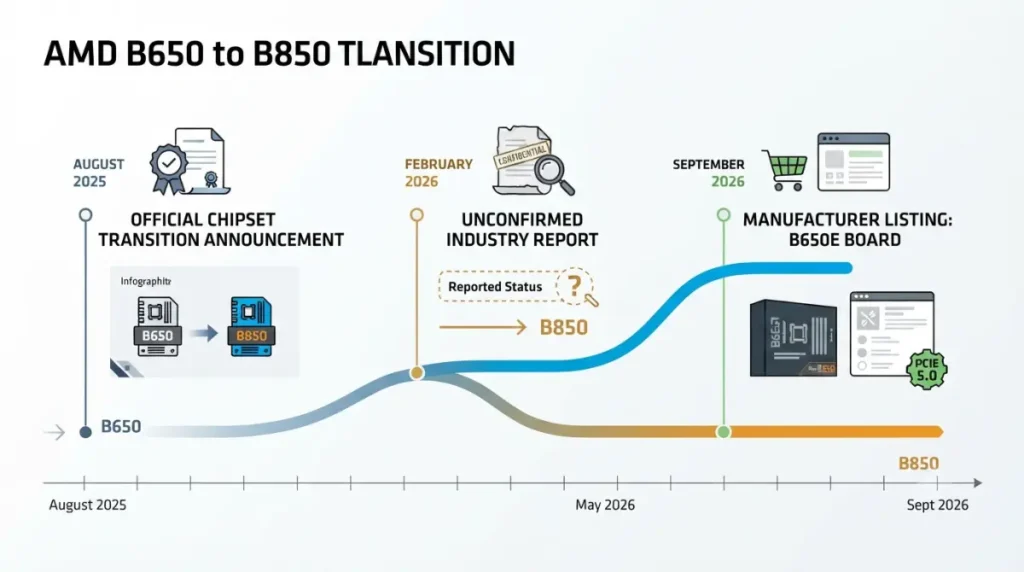
AMD announced a B650-to-B850 transition in August 2025. Later reports said B650 supply would continue, and MSI listed a new B650E board in September 2026. AMD hasn’t publicly confirmed any reversal, so the accurate reading is that B650 is winding down slowly, not gone.
August 2025: AMD confirms the transition
AMD told Tom’s Hardware that it was transitioning B650 to B850, with retail stock expected to run down over the following quarters.
December 2025: reports of a reversal
Board Channels reported that AMD told board makers B650 would stay in supply alongside B850 as DDR5 prices climbed. This remains unconfirmed.
2026: new B650E boards still appearing
MSI added the B650E GAMING WIFI to its lineup. AMD’s own AM5 chipset page, meanwhile, no longer lists B650 or B650E.
| Date | Event | Status | Source |
|---|---|---|---|
| Aug 2025 | AMD confirms B650 → B850 transition | Official | Tom’s Hardware (AMD statement) |
| Dec 2025 | AMD reportedly keeps B650 in supply | Reported, unconfirmed | Board Channels via VideoCardz, Tom’s Hardware |
| Sep 2026 | MSI lists new B650E GAMING WIFI | Official (manufacturer listing) | MSI |
| Sep 2026 | AMD’s AM5 chipset page omits B650/B650E | Observed | AMD |
Source: AMD, MSI, Tom’s Hardware, and VideoCardz, as of September 2026.
What B850 adds over B650 (and what it doesn’t)
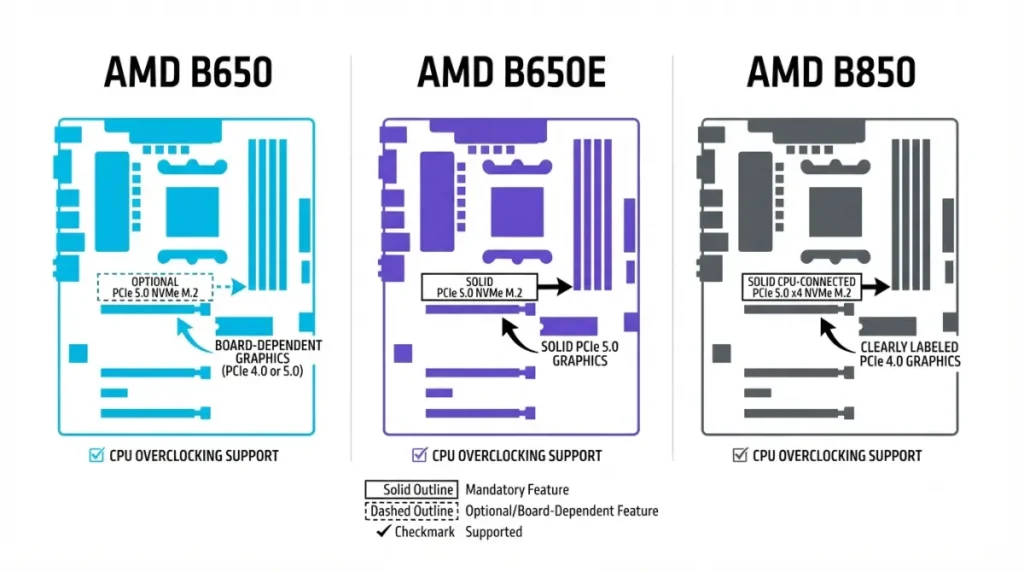
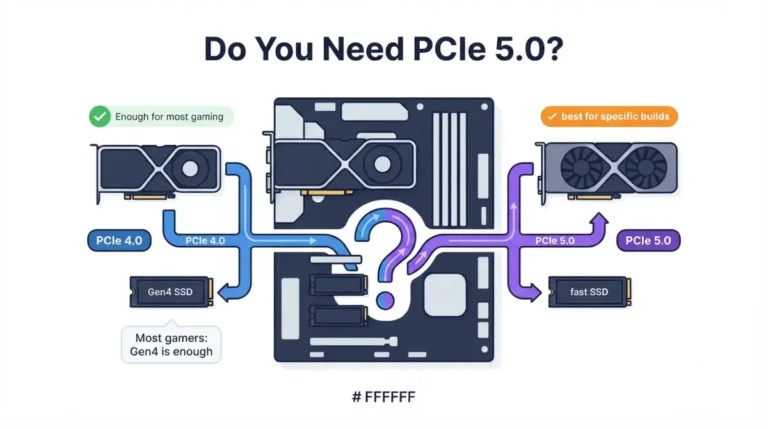
The one upgrade B850 guarantees is a PCIe 5.0 x4 M.2 link from the CPU. Its main graphics slot is PCIe 4.0 in AMD’s specification.
| Feature | B650 | B650E | B850 | Key Detail |
|---|---|---|---|---|
| PCIe 5.0 M.2 | Optional | Yes | Yes (1×4) | Check the M.2 line on the board’s spec page |
| PCIe 5.0 GPU slot | No | Board-dependent | PCIe 4.0 in AMD’s spec | Check the x16 slot line |
| CPU overclocking | Yes | Yes | Yes | Chipset-level feature |
Source: AMD AM5 chipset specifications (B850); TechSpot and board makers’ pages (B650/B650E), as of September 2026.
Guaranteed PCIe 5.0 M.2: the real difference
On B650, a Gen5 SSD slot is the board maker’s choice. On B850, it’s required.
📊 Spec Check: AMD’s AM5 chipset specifications list B850 with 36 usable PCIe lanes, 4 of them PCIe 5.0.
The GPU slot is still board-dependent
Some boards add Gen5 graphics, so read the x16 slot line rather than trusting the chipset name. For the whole AM5 lineup, see every AM5 chipset side by side.
Where B650E fits
B650E guarantees Gen5 storage. MSI’s new B650E model also runs its primary graphics slot at PCIe 5.0.
🔍 Why It Works: Independent reporting from HWCooling says B650 and B850 use the same Promontory 21 chipset silicon. The differences come from what AMD requires board makers to include, not from a faster chip.
Should you buy B650 or B850 right now?
Compare the two specific boards, not the chipset names. Run these four checks in order:
- Gen5 SSD: Do you plan to use a PCIe 5.0 SSD? If yes, confirm the B650 board actually has a Gen5 M.2 slot.
- CPU support: Does the B650 board’s CPU support list cover your processor?
- Features: Compare VRM, USB, Wi-Fi, and M.2 count on both spec pages.
- Price gap: Is the B650 meaningfully cheaper for equal or better features?
Buy B850 if…
You want a guaranteed Gen5 SSD slot, or the price gap is small. You also avoid the BIOS uncertainty that comes with older stock.
A B650 still makes sense if…
It already passes checks 1–3 and costs clearly less. Budget builds squeezed by memory prices benefit most.
💡 Pro Tip: Features vary by board more than by chipset. VideoCardz notes that MSI’s older B650 GAMING PLUS WIFI has 20Gbps rear USB-C, while its new B650E model tops out at 10Gbps.
Will a B650 board run your Ryzen 9000 CPU out of the box?
AMD states that every 600- and 800-series board supports every AM5 processor. However, a BIOS update may be required for Ryzen 8000 and 9000 chips on 600-series boards like B650.
Find the minimum BIOS on the CPU support list
Each board’s support page lists the first BIOS version that recognizes your CPU. Our guide explains how to check which BIOS version your CPU needs.
🧩 Compatibility Check: Open your exact board’s CPU support list and find your processor’s minimum BIOS version. If the board may ship with an older version, it may not boot that CPU until it’s updated.
Boards that can update without a CPU
Some boards include a BIOS flashback-style button that updates firmware without a compatible CPU installed. Confirm the feature on the board’s spec page and follow its manual exactly.
✅ Do This: Before ordering, ask the retailer or the board maker’s support which BIOS version the unit ships with. Update only with the board maker’s own file and method.
Zen 6 and AM5 to 2029: does B850 give a longer upgrade path?
B650 and B850 share the same AM5 socket, so neither is locked out of Zen 6 by the chipset name. What matters is your board maker’s BIOS support.
What AMD has confirmed
AMD announced at Computex 2026 that AM5 will be supported through 2029. TechPowerUp reports that AMD’s documentation lists Zen 6 “Olympic Ridge” as AM5-compatible.
What’s still up to your board maker
Support for each board arrives through that board’s own BIOS updates and CPU support list, as igor’sLAB notes.
Should you wait for 900-series boards?
900-series boards are only rumored, reportedly on the same Promontory 21 silicon. Leaks point to desktop Zen 6 arriving in 2027.
⚠️ Watch Out: “AM5-compatible” doesn’t mean every existing board will get a Zen 6 BIOS. Treat any launch date as unconfirmed until AMD announces it.
B650 buying traps: old stock, old BIOS, vague listings
Most B650 mistakes happen at checkout, not during the build.
“PCIe 5.0” on the box: which slot?
A listing’s “PCIe 5.0” may refer only to one M.2 slot. On some boards, using a Gen5 M.2 also changes GPU lanes, so check which slots share lanes on your board.
B650 vs B650E naming
The “E” matters for Gen5 storage support, so match the exact model name to its spec page.
Return windows on old stock
Confirm the return policy before buying a clearance board. Old stock may ship with an older BIOS.
B650 vs B850 FAQ
1. Is B650 discontinued?
AMD announced a B650-to-B850 transition in August 2025, but B650 boards are still sold, and MSI listed a new B650E in September 2026.
2. Is B850 better than B650?
B850 guarantees a CPU-connected PCIe 5.0 M.2 slot, while B650 makes it optional. Other features depend on the specific board.
3. Is B850 just a rebranded B650?
Independent reporting says both use Promontory 21 silicon. B850 mainly differs by requiring a PCIe 5.0 M.2 slot on every board.
4. Does B650 support Ryzen 9000?
Yes. AMD says all AM5 boards support Ryzen 9000, but B650 and other 600-series boards may need a BIOS update first.
5. Do I need a BIOS update for Ryzen 9000 on B650?
Check your B650 board’s CPU support list for the minimum BIOS version and compare it with the version your board has. Use only your board maker’s BIOS file and method.
6. Will B650 support Zen 6?
AMD documentation reportedly lists Zen 6 under AM5, but B650 support depends on your board maker releasing a compatible BIOS.
7. Is B650E better than B850?
B650E guarantees PCIe 5.0 storage, and some B650E boards add a Gen5 GPU slot that AMD’s B850 spec doesn’t require.
8. Does B850 have PCIe 5.0 for the GPU?
AMD’s B850 specification lists the graphics slot as PCIe 4.0. Some boards add Gen5, so check the x16 slot line.
9. Should I wait for 900-series boards instead of B850?
900-series AMD boards are only rumored so far, reportedly using the same Promontory 21 silicon, and desktop Zen 6 dates remain unconfirmed.
10. Is a discounted B650 a good idea?
A discounted B650 is reasonable if it has the M.2 slot you need, supports your CPU’s BIOS requirement, and costs clearly less.
The bottom line on B650 vs B850
Default to B850 when prices are close. Choose B650 when it’s clearly cheaper and passes the slot and BIOS checks. Your next step is to open the exact board’s CPU support list, and to confirm socket and chipset compatibility with your CPU. Every fact here comes from manufacturer pages or named reporting; we didn’t test these boards.