Z890 vs B860 vs H810 and the Exact Features Each One Adds
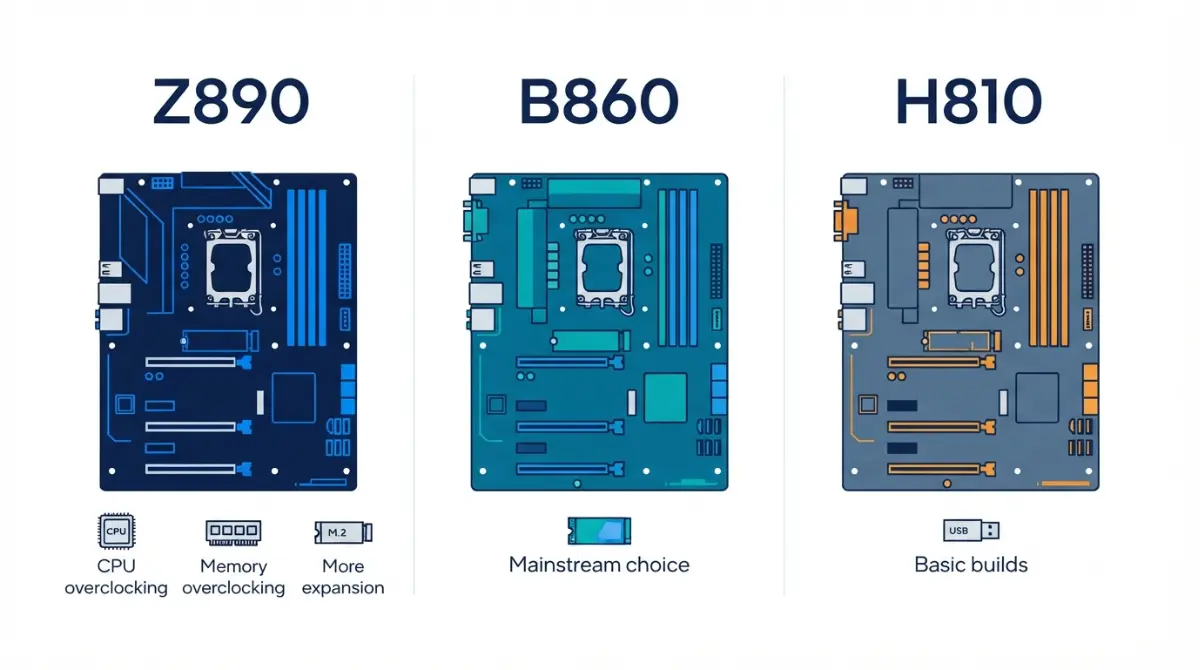
Table of Contents
Z890, B860 or H810: the short answer first
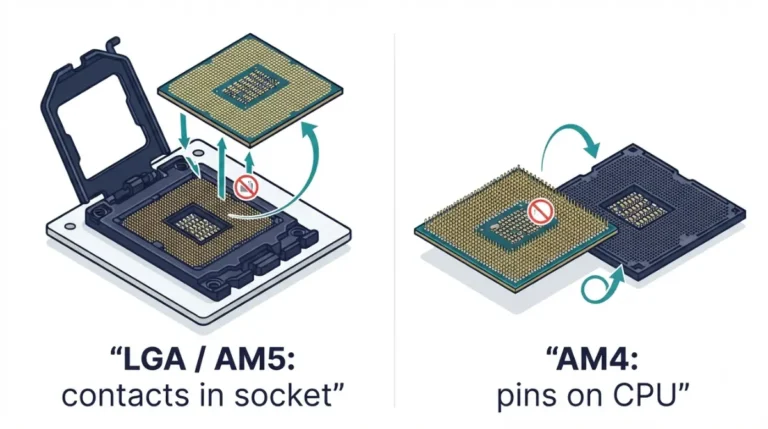
All three chipsets use Intel’s LGA1851 socket, so this choice is about features, not CPU speed.
Who each chipset is for
- Z890 is for builders who will overclock the CPU or need the most M.2, USB and SATA connections.
- B860 fits most gaming and creator builds. It supports memory overclocking, up to four RAM slots, and one CPU-attached Gen5 M.2 slot.
- H810 suits office and tight-budget builds that need one SSD and two RAM sticks.
Where to go next depends on your situation:
- Picking your first board: start with the spec table below.
- Buying a Gen5 SSD: jump to the M.2 section.
- Upgrading to a Core Ultra 200S Plus: read the CPU support section.
- Troubleshooting a new build: go straight to troubleshooting.
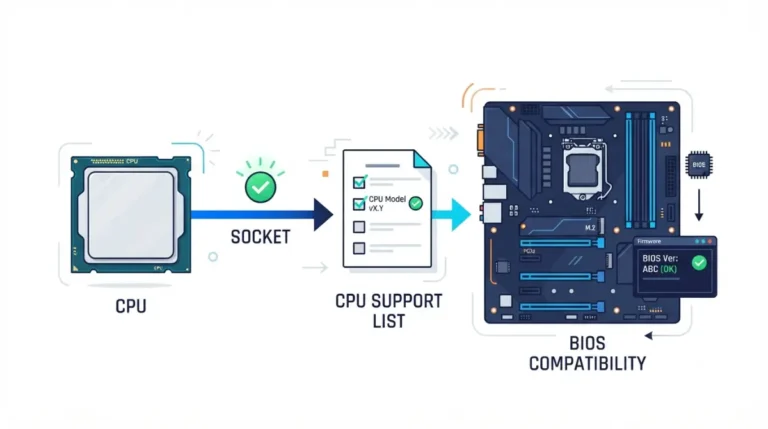
If you haven’t confirmed socket and BIOS basics yet, start by checking motherboard compatibility before you order.
Where Q870, W880 and W890 fit
Intel’s 800 series also includes these business and workstation chipsets. They’re outside this comparison.
ℹ️ Risk Note: CPU overclocking and BIOS updates can void warranties or permanently damage hardware if done wrong. Use only your board manufacturer’s BIOS files and update method, check your warranty terms first, and contact the manufacturer’s support if anything is unclear.
Z890 vs B860 vs H810 specs side by side
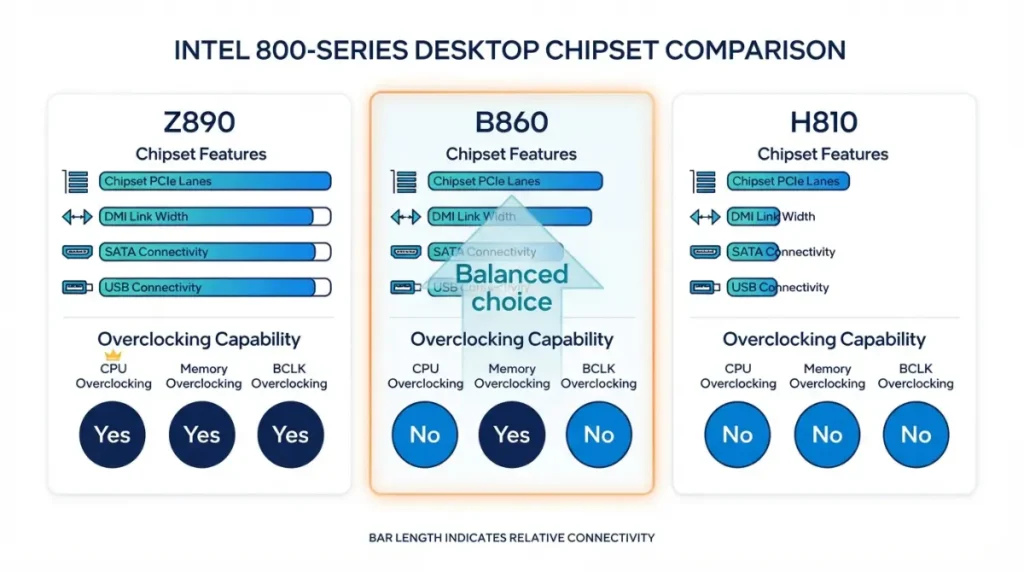
Z890, B860 and H810 differ in chipset PCIe lanes (24, 14 and 8), RAM slots, USB and SATA counts, and overclocking support, per Intel.
Lanes, USB and SATA
| Spec | Z890 | B860 | H810 | Key Detail |
|---|---|---|---|---|
| Chipset PCIe 4.0 lanes | 24 | 14 | 8 | Feed extra M.2 and expansion slots |
| DMI 4.0 link to CPU | 8 lanes | 4 lanes | 4 lanes | Z890’s uplink is twice as wide |
| Max SATA 6Gb/s ports | 8 | 4 | 4 | Board makers may wire fewer |
| Max 20Gb/s USB ports | 5 | 2 | 0 | H810 has no 20Gb/s USB from the chipset |
| Max 10Gb/s USB ports | 10 | 4 | 2 | |
| Overclocking | CPU, BCLK, memory | Memory only | None | Covered in the next section |
| Intel Recommended Customer Price | $57 | $31 | $28 | Chipset price to board makers |
Source: Intel ARK specification pages for Z890, B860 and H810, checked September 2026. Recommended Customer Price is Intel’s chipset pricing guidance as of September 2026, not a motherboard price.
Memory slots and display outputs
H810 allows one DIMM per channel, so H810 boards top out at two RAM slots. B860 and Z890 allow two per channel. H810 also supports three displays from integrated graphics, versus four on the other two chipsets.
🔍 Why It Works: Intel’s figures are ceilings. Each board maker decides how many ports and slots to actually wire, so two B860 boards can look very different.
The full lineup is on Intel’s 800 Series chipset comparison.
Which chipset lets you overclock CPU or RAM
Only Z890 supports CPU overclocking. B860 supports memory overclocking only, and H810 supports neither.
Z890: CPU, BCLK and memory
📊 Spec Check: Intel lists Z890’s overclocking support as IA (CPU cores), BCLK (base clock) and memory, per Intel’s Z890 specification page.
B860: memory only
A K-series CPU runs at its stock specifications on B860, but you can’t raise its multiplier. Intel does list memory overclocking for B860, so XMP profiles are supported.
H810: none
Intel lists no memory overclocking for H810. A kit rated above the CPU’s official memory speed may run at a lower default.
⚠️ Watch Out: Intel’s own spec pages warn that altering clocks or voltages can reduce component life and may not be covered by warranty. Read your CPU and board warranty terms before changing anything.
M.2 slots and Gen5 SSDs: where the tiers really split
The real storage difference is how many of the CPU’s own PCIe lanes each chipset lets a board use.
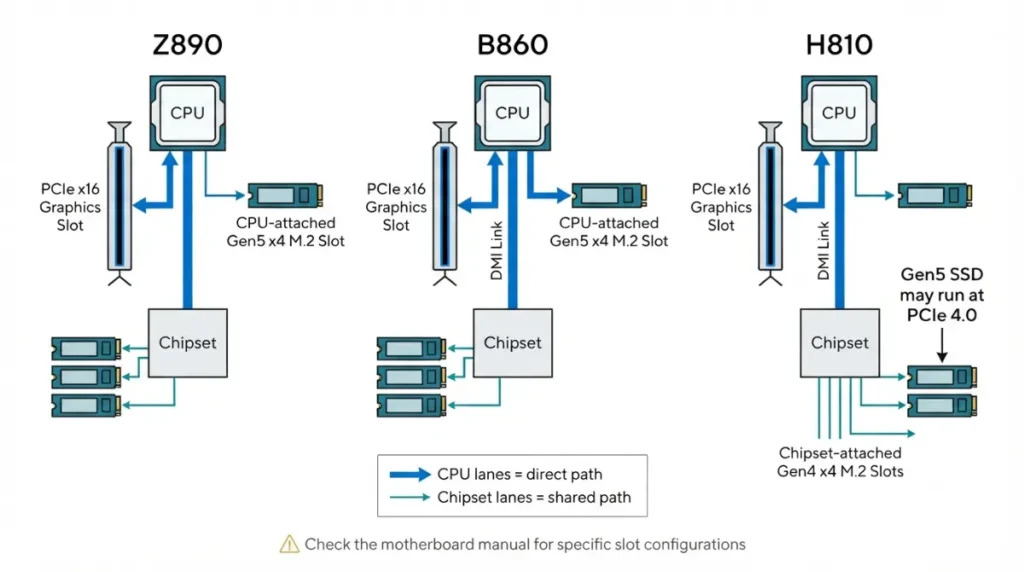
CPU lanes vs chipset lanes
🔍 Why It Works: Slots wired to the CPU get its PCIe 5.0 lanes. Everything else shares the chipset’s PCIe 4.0 lanes and its link back to the CPU.
| Chipset | CPU PCIe 5.0 configs (Intel ARK) | Extra CPU lanes | CPU-attached M.2 possible | Key Detail |
|---|---|---|---|---|
| Z890 | 1×16+1×4, 2×8+1×4 or 1×8+3×4 | PCIe 4.0 x4 | Gen5 x4 plus Gen4 x4 | Only tier that can split the x16 |
| B860 | 1×16+1×4 | None listed | One Gen5 x4 | Other M.2 slots use chipset lanes |
| H810 | 1×16 only | None listed | None | Every M.2 runs on chipset PCIe 4.0 |
Source: Intel ARK “Supported Processor PCI Express Port Configurations,” checked September 2026. The “CPU-attached M.2” column is our reading of those listed configurations; your board decides the actual wiring.
Why H810 can’t host a CPU-attached Gen5 M.2
The H810’s processor PCIe configuration lists only a single x16 link, which goes to the graphics slot. A Gen5 SSD will still work in an H810 board’s M.2 slot, but at PCIe 4.0 link speed.
RAID support
Intel lists PCIe and SATA RAID 0/1/5/10 for Z890 and none for H810. Intel’s B860 listing doesn’t specify RAID.
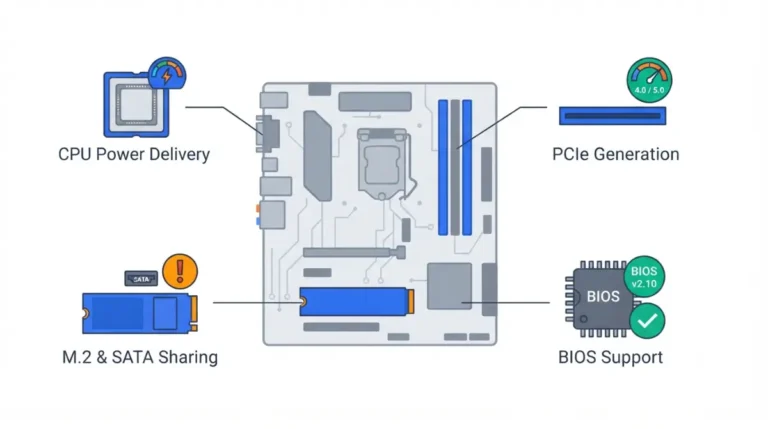
🧩 Compatibility Check: Open your board manual’s M.2 table and confirm which slot connects to the CPU, and which slots share lanes. Here’s how lane sharing works on a motherboard.
Which CPUs fit, and is LGA1851 a dead end?
A board supports a new CPU only if its BIOS does, and that applies to every chipset tier.
Core Ultra 200S Plus needs a BIOS update
In March 2026, ASUS announced BIOS support for Core Ultra 200S Plus processors across its W880, Z890, Q870, B860 and H810 boards (ASUS’s BIOS support announcement). Other makers publish their own support lists.
✅ Do This: Before ordering, confirm the minimum BIOS version for your CPU on your exact board’s CPU support list. Update only with the manufacturer’s file and method.
Nova Lake moves to a new socket
Tom’s Hardware reports that Intel’s Core Ultra 400 “Nova Lake” desktop chips will need 900-series chipsets and a new LGA1954 socket. A leaked roadmap points to first desktop parts in Q1 2027. If those reports hold, no 800-series board will accept them.
Z890, B860 or H810: pick by what your build needs
Choose by the feature you’ll actually use. Independent reviews suggest B860 doesn’t hold back stock CPU performance.
Gamers and most builders
In the Tom’s Hardware review of the MSI MAG B860 Tomahawk WiFi, the board let a Core Ultra 9 285K draw up to 250W using Intel’s Performance setting. TechPowerUp found the ASRock B860 Steel Legend WiFi handled the same CPU well. B860 is the default unless a need below applies.
Storage-heavy creators
Choose Z890 if you need two CPU-attached M.2 drives, more than four SATA ports, or RAID. TechPowerUp noted in March 2025 that some B860 boards cut M.2 slots, Thunderbolt ports and fan headers compared with their Z890 siblings.
Office and budget builds
H810 works if two RAM slots, one fast SSD, and no overclocking cover you.
Common 800-series board problems and what to check
Most early problems on these boards trace back to BIOS versions, memory limits, or lane sharing.
New CPU won’t POST
The board’s BIOS may predate the CPU. Check the support list and the manual’s update method.
RAM not at rated speed on H810
H810 doesn’t support memory overclocking. Check the board’s memory support list for the speeds it runs.
A drive disappeared after adding an M.2
Some M.2 slots share lanes with SATA ports. Here’s why an M.2 slot can disable SATA ports.
FAQ
1. Can you overclock the CPU on a B860 motherboard?
No. Intel lists B860 as supporting memory overclocking only; CPU multiplier and BCLK overclocking require a Z890 board.
2. Does H810 support XMP memory profiles?
Intel lists no memory overclocking for H810, so rated XMP speeds aren’t guaranteed. Check your board’s memory support list first.
3. Is Z890 better than B860 for gaming?
Not at stock. Independent reviews found B860 boards ran a Core Ultra 9 285K properly; Z890 adds CPU overclocking and connectivity.
4. Do I need Z890 for a K-series CPU?
No. A K-series CPU runs at stock specs on B860 or H810, but only Z890 lets you raise its multiplier.
5. How many RAM slots can an H810 board have?
Two at most. Intel limits H810 to one DIMM per channel, while B860 and Z890 allow two per channel.
6. Can an H810 motherboard run a Gen5 SSD?
Yes, but at PCIe 4.0 speed. H810 offers no CPU-attached M.2 lanes, so its M.2 slots use chipset PCIe 4.0.
7. Does Core Ultra 200S Plus work on B860 and H810?
Yes, with a BIOS update. ASUS added support across its 800-series boards; confirm the minimum BIOS on your model’s CPU support list.
8. Will Nova Lake CPUs work on a Z890 board?
Reportedly not. Nova Lake is reported to use a new LGA1954 socket and 900-series chipsets, which 800-series boards lack.
9. Does B860 support RAID?
Intel’s B860 listing doesn’t specify RAID, while Z890 lists PCIe and SATA RAID 0/1/5/10. Check your B860 board’s manual.
10. Is H810 good enough for gaming?
It runs the same CPUs with a PCIe 5.0 x16 graphics slot, but limits you to two RAM slots and chipset-only M.2.
Choose the chipset, then check the board
B860 covers most builds. Z890 earns its cost for CPU overclocking or heavy storage, and H810 suits simple machines. LGA1851 is late in its life, so buy for the features you need now. Next, run your parts through the motherboard compatibility checks, or compare AMD’s AM5 chipset tiers.