The Right Motherboard Form Factor Case for Your Board
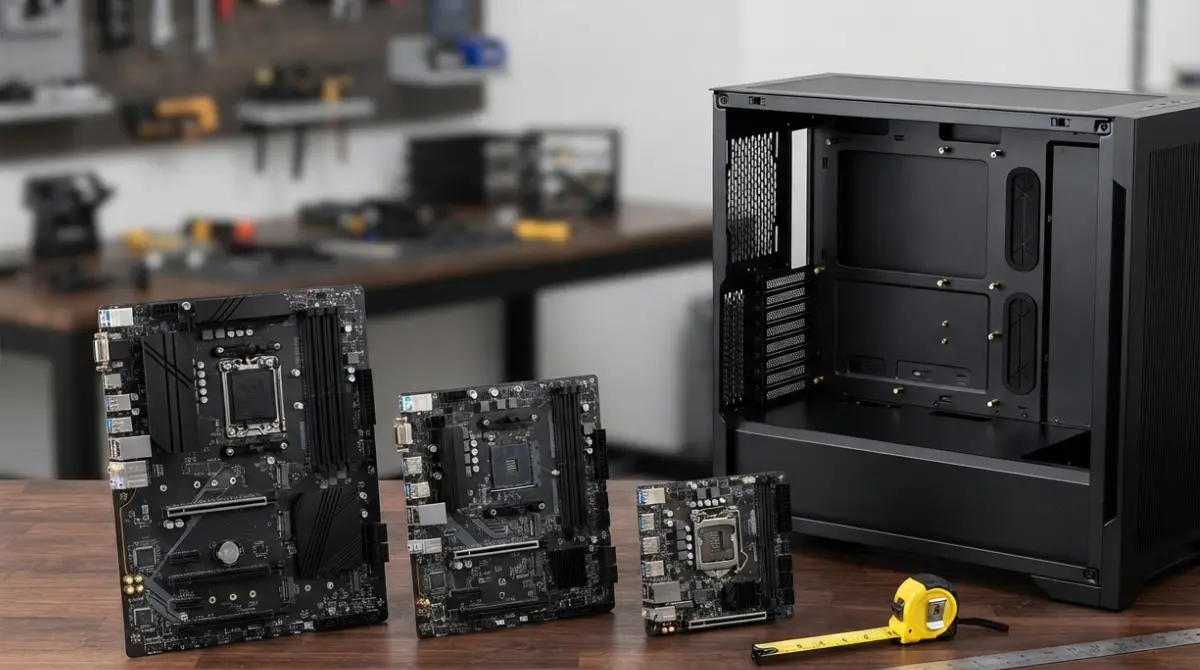
Table of Contents
Which case fits your motherboard size?
A case accepts its own motherboard size and every smaller standard size, as long as it lists that size. Intel’s Mini-ITX addendum says a Mini-ITX board can go in an ATX, microATX or Mini-ITX chassis, and microATX was designed to be backward compatible with ATX, so microATX boards work in full-size ATX cases. Two exceptions break the rule: E-ATX boards, which vary in size, and back-connect boards, which need a specially cut motherboard tray.
- Planning a first build? Start with the dimensions table and the fit matrix.
- Buying a flagship or workstation board? Jump to the E-ATX size check.
- Want a hidden-connector board? Read the back-connect section before choosing a case.
- Holes won’t line up? Go straight to troubleshooting.
The one rule: a case takes its size and smaller
Smaller boards reuse the larger board’s layout, so they drop into bigger cases without adapters. Form factor is only one check, though. Our full motherboard compatibility checklist covers socket, BIOS and lanes.
Mid-tower isn’t a motherboard size
Terms like mid-tower and full tower describe a case’s style, not a measured standard. Read the case’s motherboard compatibility line instead.
ATX vs mATX vs Mini-ITX dimensions compared
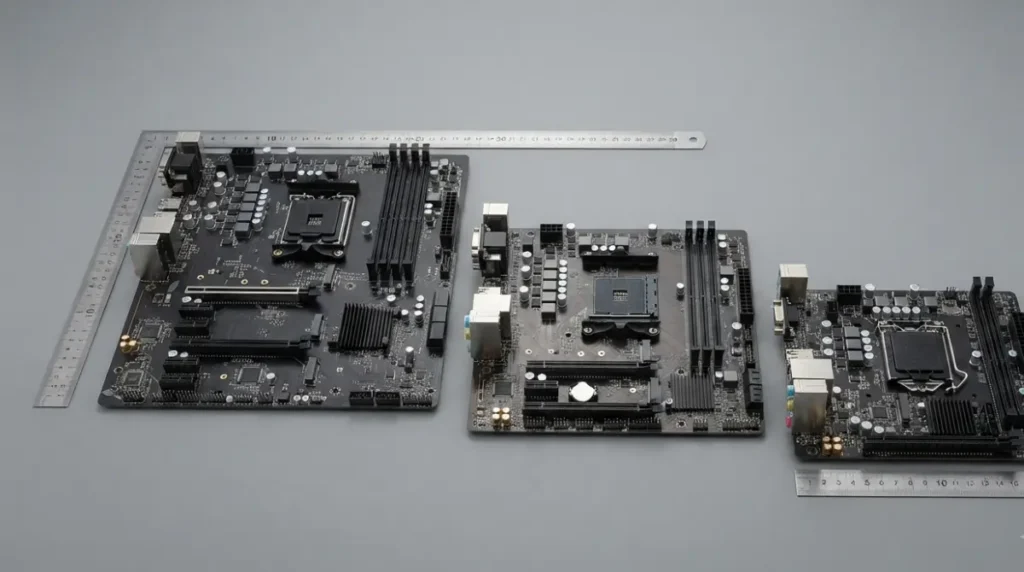
Each form factor sets a maximum board size and a maximum number of expansion slots.
| Form factor | Max size (mm) | Max size (in) | Expansion slots | Key detail |
|---|---|---|---|---|
| ATX | 305 × 244 | 12 × 9.6 | Up to 7 | Needs an ATX or larger case |
| microATX | 244 × 244 | 9.6 × 9.6 | Up to 4 | Fits microATX, ATX and E-ATX cases |
| Mini-ITX | 170 × 170 | 6.7 × 6.7 | Fits Mini-ITX, microATX and ATX cases |
Source: Intel Mini-ITX Addendum v2.0 (Table 2, sizes); Intel ATX Specification and microATX Motherboard Interface Specification v1.2 (slot limits). Inches converted from mm. Verified September 2026.
Board sizes in mm and inches
Intel’s comparison table lists 305 × 244 mm for ATX, 244 × 244 mm for microATX and 170 × 170 mm for Mini-ITX as maximum allowable sizes. A real board can be smaller than its maximum, so your board’s spec page gives its exact figure.
How many expansion slots each size allows
Intel’s ATX specification supports up to seven expansion slots, while the microATX specification allows a maximum of four expansion connector locations. Fewer slots on the board usually means fewer slot openings on a matching case.
Will a microATX board fit an ATX case? Yes, here’s why
Yes. A microATX board fits any case that lists ATX support, because Intel placed its mounting holes on ATX positions and kept the same rear I/O panel.
Smaller boards use a subset of the same holes
Intel’s addendum describes Mini-ITX as using a subset of the ATX mounting holes and lists each form factor’s positions by letter.
| Form factor | Intel mounting-hole positions | Key detail |
|---|---|---|
| ATX | A, C, F, G, H, J, K, L, M | Nine positions |
| microATX | B, C, F, H, J, L, M, R, S | Six of nine (C, F, H, J, L, M) are ATX positions |
| Mini-ITX | C, F, H, J | All four are ATX and microATX positions |
Source: Intel Mini-ITX Addendum v2.0, Table 3. Overlap derived from that table.
🔍 Why It Works: The board’s rear edge lines up with a fixed cutout in the case. ATX defines that rear I/O area as 6.25 inches wide by 1.75 inches tall, and Mini-ITX uses the standard microATX I/O panel, so the ATX I/O shield doesn’t need retooling. Because the ports sit in the same spot, only the mounting holes change.
Board-into-Case Fit Matrix
| Board | Mini-ITX case | microATX case | ATX case | E-ATX case |
|---|---|---|---|---|
| Mini-ITX | ✓ | ✓ | ✓ | ✓ |
| microATX | ✗ | ✓ | ✓ | ✓ |
| ATX | ✗ | ✗ | ✓ | ✓ |
| E-ATX / EEB | ✗ | ✗ | ✗ | Check size in mm |
| Back-connect (any size) | Validated cases only | Validated cases only | Validated cases only | Validated cases only |
Source: Intel ATX, microATX and Mini-ITX specifications. E-ATX and back-connect rows are explained below. ✓ assumes the case lists that form factor.
Match standoffs to your board’s holes
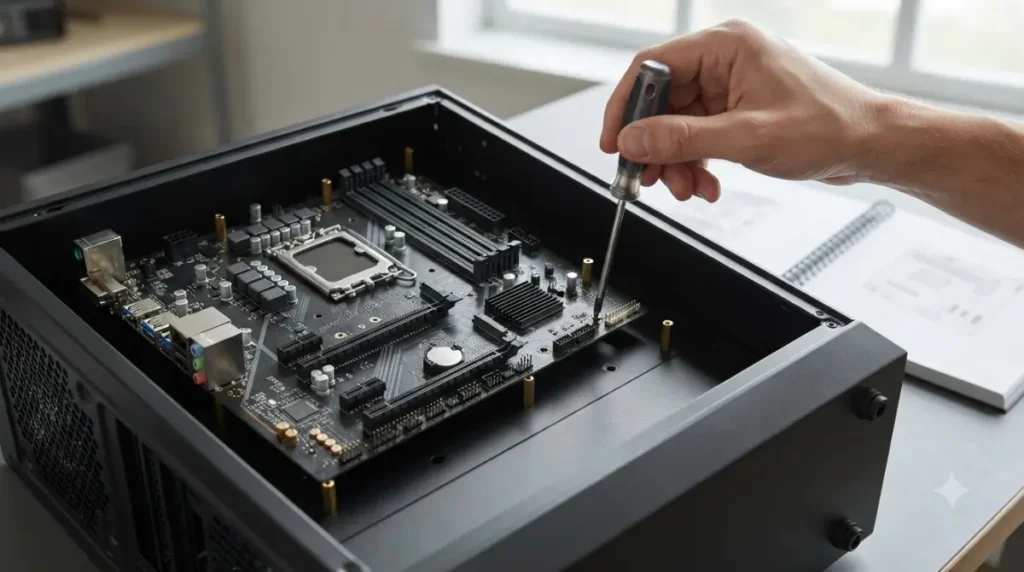
Intel’s addendum says chassis standoffs in positions a board doesn’t use should be removable or not fitted, to avoid damaging traces on the board. Compare the standoff positions on the tray against your board’s holes using your Mini-ITX addendum-style diagram in the case manual.
⚠️ Watch Out: A standoff sitting where your board has no hole can press against circuitry on the board’s underside. Move standoffs only as your case manual shows, and never force the board down.
E-ATX boards: check the width in mm, not the label
“E-ATX” isn’t one fixed size, so a case listing E-ATX support doesn’t guarantee your board fits.
Why E-ATX has no single size
The dimension that grows is the one ATX caps at 244 mm. Intel’s tables call it depth, and many case spec sheets call it width. Two current ASUS boards show the spread.
| Board | Label | Size (mm) | Key detail |
|---|---|---|---|
| ROG Maximus Z890 Extreme | E-ATX | 305 × 277 | 33 mm beyond ATX |
| Pro WS WRX90E-SAGE SE | EEB | 305 × 330 | 86 mm beyond ATX |
Source: ASUS lists the Z890 Extreme as E-ATX at 30.5 × 27.7 cm and the WRX90E-SAGE SE as EEB at 30.5 × 33 cm, per official spec pages checked September 2026.
Compare board width to the case’s max width
🧩 Compatibility Check: Take the second dimension from your board’s spec page, then find the largest board the case accepts in millimetres. If the case says only “E-ATX,” check its manual or ask the case maker before ordering. Fractal’s North XL page, for example, promises compatibility with full E-ATX boards but gives no millimetre figure in its spec table.
Five case specs to check before you order
A case’s spec page answers the fit question in five fields.
- Motherboard compatibility: it must name your board’s form factor.
- Largest board size in mm: needed for anything bigger than ATX.
- Expansion slots: enough openings for your graphics card at its slot position.
- GPU max length and CPU cooler max height: both larger than your parts.
- PSU compatibility and max length: the type and size your power supply must match.
📊 Spec Check: Fractal’s North XL spec page lists E-ATX, ATX, Micro ATX and Mini ITX support, 7 expansion slots, a 413 mm GPU limit, a 185 mm cooler limit, and ATX power supplies up to 290 mm long. (As of September 2026.)
Slot count vs. graphics card thickness
A thick graphics card covers the slot openings below the one it plugs into. On a microATX board in a four-slot case, a card in a lower slot can run out of openings. Our guide to GPU and motherboard slot and length compatibility covers that check.
Cooler height is the other clearance that catches builders out. See CPU cooler socket and height compatibility.
Small cases often need an SFX power supply
Intel’s Mini-ITX addendum doesn’t define a power supply standard, and suggests SFX, TFX or FlexATX units for chassis over 4 liters. A small case may not take a standard ATX unit, so read its PSU compatibility field before buying the power supply.
Back-connect motherboards need a validated case
No, back-connect boards don’t fit any ATX case. They move power and header connectors to the underside, so they need a tray with matching cutouts.
Why an ATX label isn’t enough
Fractal Design’s support team says these boards fit only cases built for rear connectors, not every ATX case, even though they’re listed as ATX. Fractal’s own spec table shows the standard North XL with no reverse-connector support, while the North XL RC lists Reverse ATX and Reverse Micro ATX support and a lower 169 mm cooler limit.
The three brand standards aren’t interchangeable
| Brand | Back-connect name | Confirm case support on |
|---|---|---|
| ASUS | BTF | The case maker’s rear-connector list |
| MSI | Project Zero | The case maker’s rear-connector list |
| GIGABYTE | Project Stealth | The case maker’s rear-connector list |
Source: Fractal Design’s rear-connector compatibility list; Corsair, as of June 2026.
Corsair notes that the three standards place connectors slightly differently, so a case designed for one won’t necessarily work with the others.
✅ Do This: Find your exact case model on its maker’s list, such as Corsair’s reverse-motherboard case list, and confirm your board’s standard is named.
Motherboard holes don’t line up? Check these first
A mismatch is usually one of three things, and none needs tools beyond a screwdriver.
Standoffs in the wrong positions
Compare the tray’s standoffs with your board’s holes using the case manual’s diagram. Move only the ones the manual shows, and never drill new holes.
Wrong case class or a back-connect board
Check your board’s form factor against the case’s compatibility line. If the connectors sit on the board’s underside, confirm the case appears on a rear-connector list, then contact the case maker’s support with both model numbers.
Motherboard form factor and case FAQ
1. Will a microATX motherboard fit in an ATX case?
Yes. A microATX motherboard uses mounting holes on ATX positions, so any case listing ATX support accepts it.
2. Can an ATX motherboard fit a microATX case?
No. An ATX motherboard runs up to 305 mm, but microATX cases are built for boards no larger than 244 × 244 mm.
3. What size is a Mini-ITX motherboard?
A Mini-ITX motherboard measures up to 170 × 170 mm and fits Mini-ITX, microATX and ATX cases.
4. Is E-ATX a standard motherboard size?
No. ASUS lists extended boards at 305 × 277 mm and 305 × 330 mm, so compare the case’s millimetre limit.
5. Do I remove extra motherboard standoffs?
Intel’s addendum says unused standoff positions should be removable or empty. Follow your case manual’s diagram for your motherboard size.
6. How many expansion slots does a microATX motherboard have?
Intel’s microATX specification allows up to four expansion slots, against up to seven on a full ATX motherboard.
7. Does a Mini-ITX motherboard need an SFX power supply?
Not by specification. Intel’s addendum defines no PSU type, but small cases may require SFX, so check the PSU field.
8. Do ASUS BTF motherboards fit normal cases?
No. ASUS BTF back-connect motherboards fit only cases validated for rear connectors, even when sold as ATX.
9. Is a mid-tower case the same as an ATX case?
No. Mid-tower describes case style, and the case’s motherboard compatibility list shows which form factors fit.
10. Why won’t my motherboard screw holes line up?
Usually the standoffs are misplaced, the case doesn’t list your motherboard size, or it’s a back-connect board.
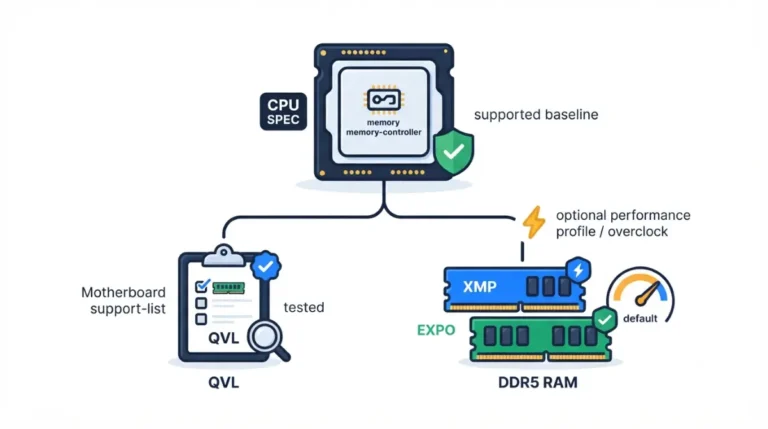
Match your board’s size to the case’s compatibility line, then check millimetres for E-ATX and the rear-connector list for back-connect boards. With board and case settled, confirm your processor using our CPU socket and chipset compatibility guide and your memory with RAM and motherboard compatibility. Every spec here comes from Intel’s documents and makers’ own pages. We didn’t test this hardware.