Steam Machine vs Mini PC: Which Mini PC Class Fits You

A Steam Machine and a desktop-GPU mini PC take up almost the same space: 3.85 vs 3.86 liters. Two tables show what else splits the five boxes.
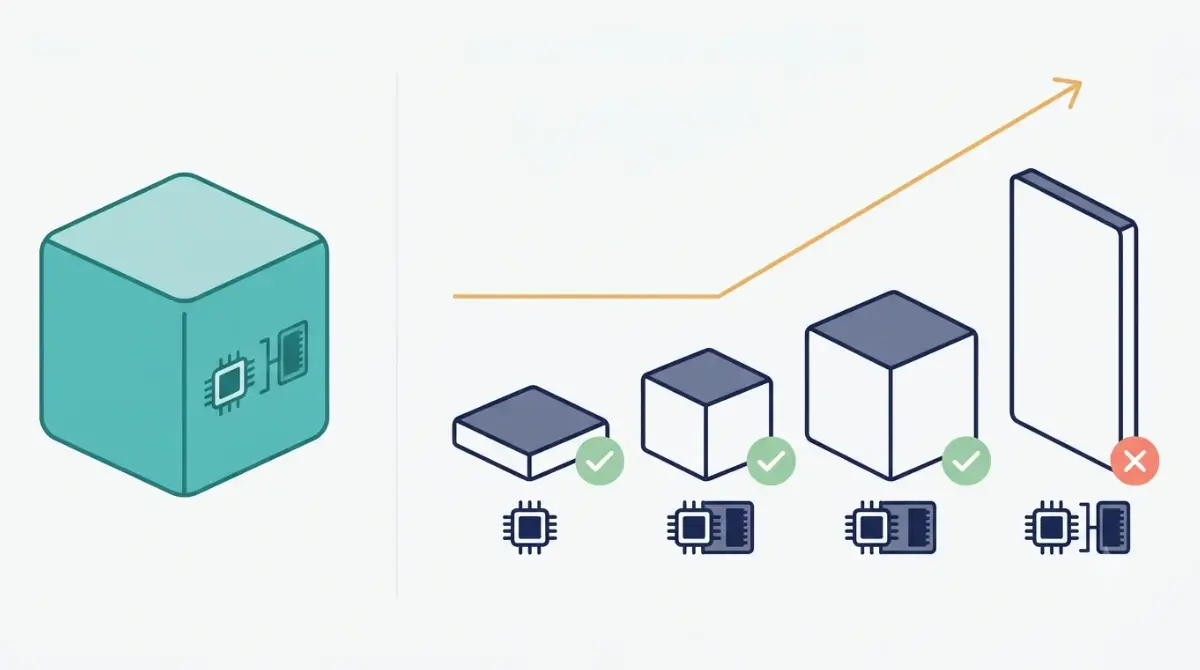
Table of Contents
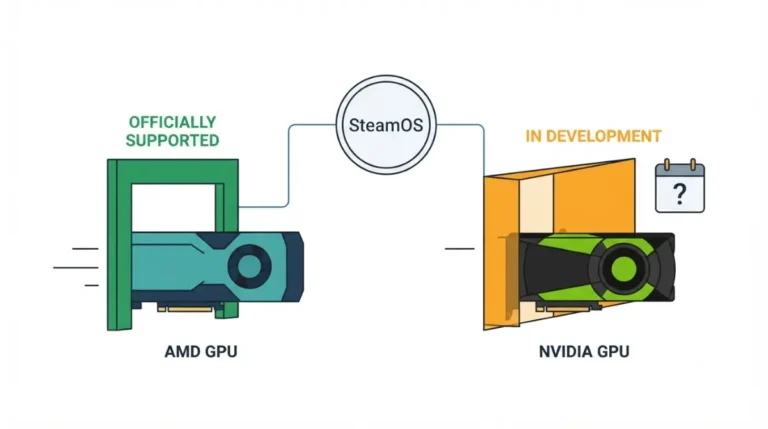
Two kinds of mini PC outrun the Steam Machine’s graphics: boxes built around a desktop graphics card, such as the Minisforum AtomMan G1 Pro with its GeForce RTX 5060, and boxes built on AMD’s Ryzen AI Max+ 395. Both cost more than Valve’s box, and the G1 Pro’s NVIDIA card falls outside SteamOS 3.8, which supports only AMD graphics right now (Valve’s SteamOS FAQ).
Cheaper mini PCs use smaller integrated GPUs that borrow system memory. Valve’s box carries its own, a semi-custom RDNA 3 GPU with 28 compute units and 8GB of GDDR6 (Valve’s hardware page). So the choice comes down to Valve’s GPU and SteamOS on one side, and a mini PC’s Windows install and wider port selection on the other.
Four kinds of mini PC against one Valve box
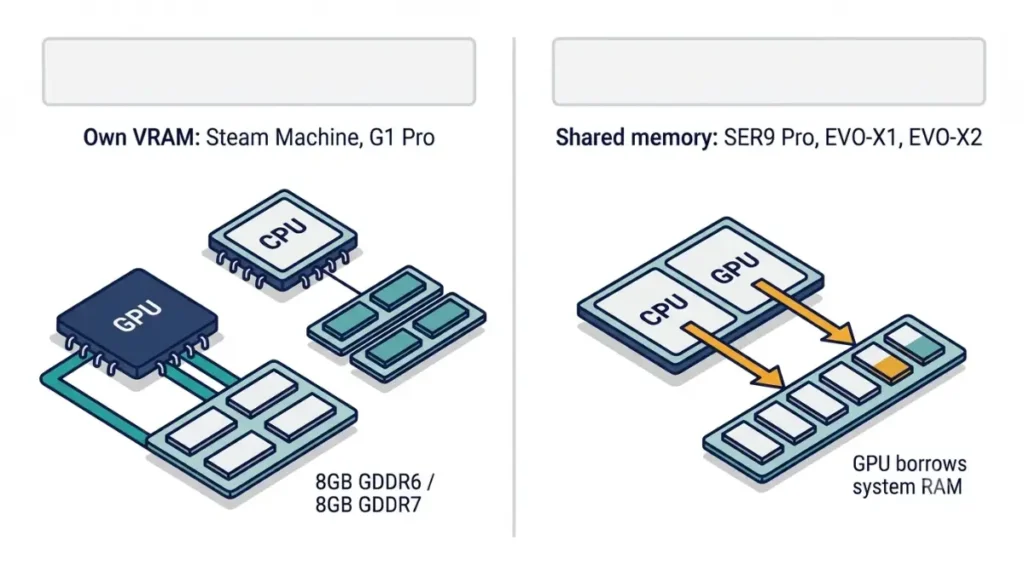
Dedicated graphics memory is the column most comparisons leave out, and it splits this field in two. Only the Steam Machine and the G1 Pro have VRAM of their own. The other three boxes share system RAM with the GPU.
| Box | Graphics | Own VRAM | SteamOS 3.8 GPU rule | Price (seller, US, Nov 5, 2026) |
|---|---|---|---|---|
| Valve Steam Machine 512GB | Semi-custom RDNA 3, 28 CUs | 8GB GDDR6 | Valve’s own hardware | $1,049 (Steam) |
| Beelink SER9 Pro, Ryzen 7 H 255 | Radeon 780M, integrated | None | Meets it (AMD) | $699 (Beelink, 24GB, preorder) |
| GMKtec EVO-X1, Ryzen AI 9 HX 370 | Radeon 890M, integrated | None | Meets it (AMD) | $1,149.99 (GMKtec, 32GB/1TB) |
| GMKtec EVO-X2, Ryzen AI Max+ 395 | Radeon 8060S, integrated | None | Meets it (AMD) | $2,199.99 (GMKtec, 64GB/1TB) |
| Minisforum AtomMan G1 Pro, Ryzen 9 8945HX | Desktop GeForce RTX 5060 | 8GB GDDR7 | Not supported yet (NVIDIA) | $1,759 (Walmart, sold by Minisforum, 32GB/1TB) |
Sources: Valve, Beelink SER9 Pro page, GMKtec EVO-X1 page, GMKtec EVO-X2 page, G1 Pro listing at Walmart, SteamOS FAQ.
Memory and size tell a second story. The Steam Machine and the G1 Pro use SO-DIMM sticks you can add to. The two smaller boxes have memory soldered in place.
| Box | Memory as sold | Add RAM later? | Video outputs | Size and weight |
|---|---|---|---|---|
| Steam Machine | 16GB DDR5-5600, one SO-DIMM | Yes, second slot empty | DisplayPort 1.4, HDMI 2.0 | 156 x 162.4 x 152 mm (6.14 x 6.39 x 5.98 in), 2.6 kg |
| SER9 Pro | 24GB or 32GB LPDDR5X-6400 | No, soldered | HDMI, DisplayPort, USB4 | 135 x 135 x 44.7 mm (5.31 x 5.31 x 1.76 in), 780 g |
| EVO-X1 | 32GB LPDDR5X-7500 | No, on board | HDMI 2.1, DisplayPort 2.1, USB4 | 110.19 x 107.3 x 63.2 mm (4.34 x 4.22 x 2.49 in) |
| G1 Pro | 32GB DDR5-5200 | Yes, two SO-DIMM slots | 2x HDMI 2.1, 2x DisplayPort 2.1, 1x DisplayPort 1.4 | 315 x 215 x 57 mm (12.40 x 8.46 x 2.24 in), 3.81 kg |
Sources:
- Memory: GamersNexus review, Valve, Beelink, GMKtec
- EVO-X1 dimensions: Notebookcheck
- G1 Pro outputs: Minisforum’s listing, via Notebookcheck
- G1 Pro size: Guru3D
GMKtec lists the EVO-X2’s memory as 8-channel LPDDR5X-8000 on board, which puts it in the soldered group too.
The Steam Machine GPU sits below an RX 7600
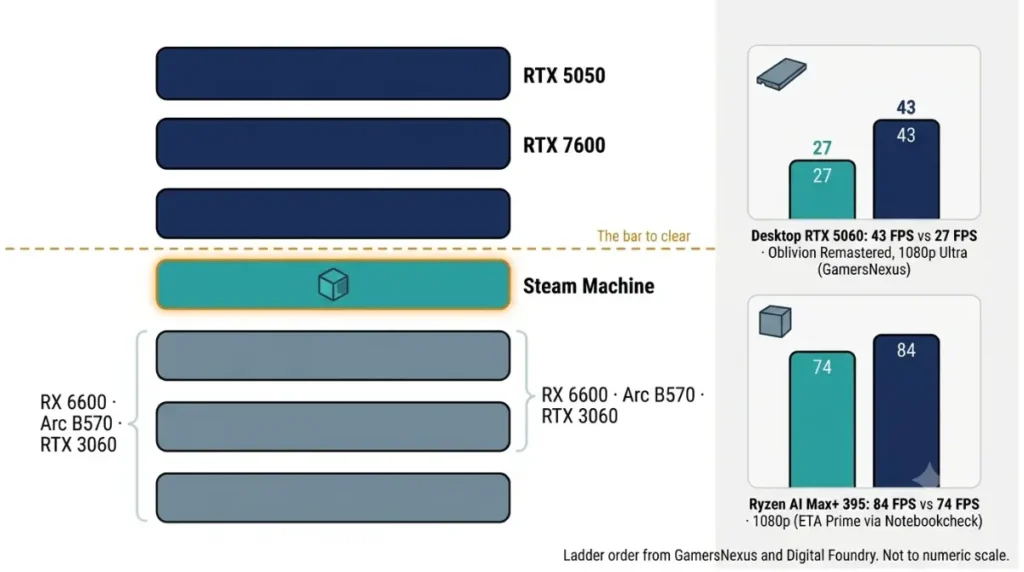
In GPU-bound games, GamersNexus measured the Steam Machine closest to an RX 6600, an Intel Arc B570 and an RTX 3060. The RX 7600 and RTX 5050 were the nearest modern cards ahead of it. Digital Foundry placed it between an RX 6600 and an RX 7600 (Tom’s Guide’s roundup of the reviews), so two separate test benches agree on where it lands.
GamersNexus ties the shortfall to power. Valve’s GPU has 28 compute units and a 110W limit, while the desktop RX 7600 has 32 and a 165W rating.
That is the bar each mini PC class has to clear.
The G1 Pro clears it with a desktop RTX 5060 that Minisforum rates at 145W (HotHardware’s launch report). In GamersNexus’s Oblivion Remastered run at 1080p Ultra, a desktop RTX 5060 on its test bench averaged 43 FPS against the Steam Machine’s 27.
From the integrated side, a Ryzen AI Max+ 395 clears it as well. ETA Prime installed SteamOS on a Ryzen AI Halo mini PC built on that chip. It averaged 84 FPS at 1080p to the Steam Machine’s 74, and the gap widened to 27 against 18 at 4K (Notebookcheck’s report on the test). That box is not the EVO-X2, though the APU is the same.
No published review used for this comparison puts a Radeon 780M or 890M mini PC head to head with the Steam Machine, so their gap stays unmeasured. Card-by-card matches are in which desktop graphics card the Steam Machine equals.
Can a mini PC run official SteamOS?
Yes, if its graphics are AMD. Valve says SteamOS 3.8 can run on a PC you put together yourself, with only AMD GPUs supported for now and wider support in progress (Valve’s support page on SteamOS for your own PC).
Every AMD box above meets that rule, and the G1 Pro does not. It ships with Windows 11 Pro, so a SteamOS-style setup on it means a community build such as Bazzite, which is not Valve’s release. Why SteamOS needs an AMD GPU for now explains the NVIDIA gap.
The rule cuts the other way too. GamersNexus couldn’t get F1 24 running on the Steam Machine because the game’s anti-cheat software is incompatible with SteamOS. All four mini PCs ship with Windows 11. If a game you play depends on that kind of anti-cheat, check its Linux status before you pick the SteamOS side.
RAM, storage and ports after you buy
Every Steam Machine ships with one 16GB stick of DDR5. Valve made that correction after its engineers first told GamersNexus that some units would get two 8GB sticks (Tom’s Hardware). The second SO-DIMM slot stays empty, so 32GB is one module away, and adding RAM to a Steam Machine covers which sticks fit.
Filling both slots pays off. GamersNexus found gains of up to 20% from dual-channel memory (TweakTown’s summary of the tests). Club386 puts Baldur’s Gate 3 at 15.3% faster without the single-channel limit.
Among the mini PCs, only the G1 Pro takes SO-DIMM sticks. The rest have memory soldered to the board.
Before you buy: if a mini PC’s spec page lists LPDDR5 or LPDDR5X, the memory is soldered, and the capacity you order is the capacity you keep.
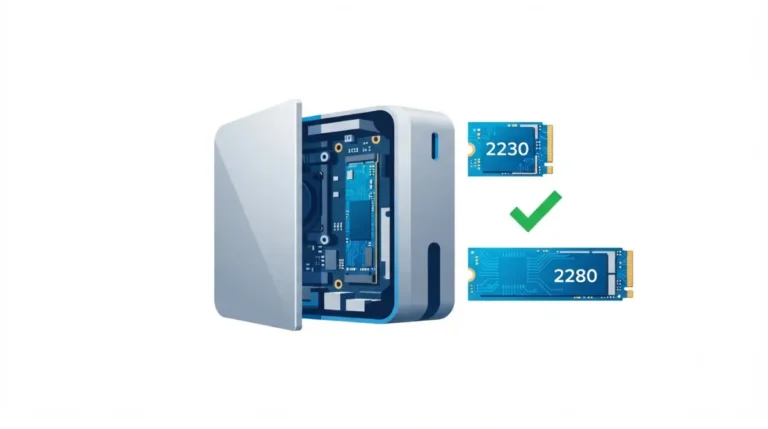
Ports split along similar lines. Valve rates the HDMI 2.0 port for 4K at 120 Hz and the DisplayPort 1.4 for 4K at 240 Hz (Valve’s spec sheet). GamersNexus notes that the rear USB-A ports are USB 2.0 and that Ethernet tops out at 1 Gbps, and the box has no separate audio output either. The EVO-X1 lists two 2.5GbE ports and HDMI 2.1, and the G1 Pro has 5GbE. For storage, the Steam Machine has a single NVMe SSD plus a microSD slot, while the SER9 Pro and EVO-X1 each have two M.2 2280 slots.
A desktop GPU fits in almost the same volume
Published dimensions put two very different shapes in nearly the same space: 3.85 liters for the Steam Machine’s cube and 3.86 liters for the G1 Pro’s 57 mm (2.24 in) slab. The G1 Pro weighs 3.81 kg to Valve’s 2.6 kg.
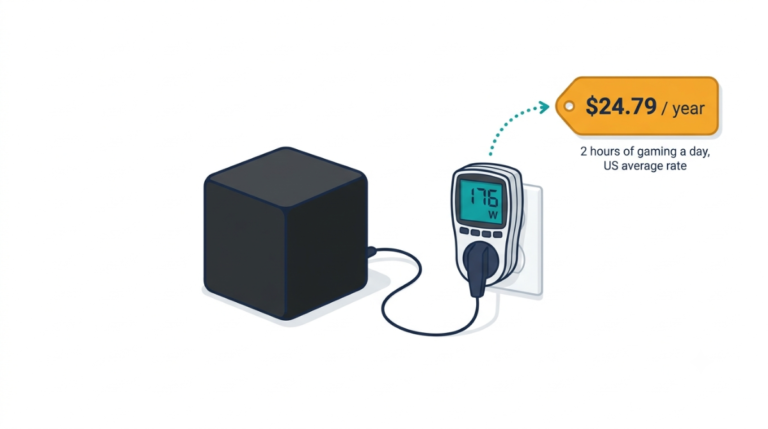
Both keep the power supply inside the case. Valve fits a 300W unit (Tom’s Hardware’s hands-on), and Minisforum a 350W one (PC Gamer’s AtomMan G1 Pro review). GamersNexus logged the Steam Machine at 173W to 176W from the wall during a looping Black Myth: Wukong benchmark, and at 20 to 21 dBA at one meter in the same game.
The SER9 Pro and EVO-X1 take up less than a quarter of that space, 0.81 and 0.75 liters, and run from external power adapters.
Who each box suits
The Steam Machine is the box to buy if you want SteamOS working on day one and a dedicated GPU in a near-silent case, and your games don’t rely on anti-cheat that blocks Linux. The others fit narrower jobs.
- A SER9 Pro-class box fits lighter games. It also suits a TV that streams from a gaming PC you already own through Steam Remote Play, which works on anything running the Steam client (GamersNexus).
- The EVO-X1 suits a desktop that games second. It comes with Windows 11 installed and an OCuLink port for an external graphics card later (GMKtec).
- The EVO-X2 makes sense when its 64GB of memory is the reason to buy. Its gaming lead over the Steam Machine has so far been shown in one reviewer’s test of the same chip.
- The G1 Pro puts a desktop RTX 5060 in a console-sized box, for buyers happy to run Windows on the TV.
If none of those fits, a small self-built PC is the remaining route, and building your own Steam Machine walks through the parts.
Buyers also ask about Windows and the controller
Can you install Windows on a Steam Machine?
Yes. Valve has published official Windows drivers, offered as-is with no Windows support from Valve. Installing Windows erases SteamOS because dual-boot isn’t available yet (TweakTown). What changes under Windows 11 on the Steam Machine covers the trade-offs.
The Steam Controller bundle
Valve sells both the 512GB and 2TB Steam Machine with or without the new Steam Controller, so a controller comes in the box only if you order the bundle (the bundle list on Valve’s store page).
Check the GPU maker on any mini PC you shortlist
Open the spec page for the mini PC you are leaning toward and read the graphics line first. Radeon keeps SteamOS 3.8 on the table, and GeForce means Windows or a community build. Next, read the memory line for LPDDR5X or SO-DIMM. If the box is going under a TV, note the HDMI version too. For Valve’s side of the comparison, the full Steam Machine specs and limits lists every port and part.
Found this helpful? See more of our guides on Google.
Want to see our guides first on Google?