Is SteamOS NVIDIA Support Ready? Pick the Right GPU First
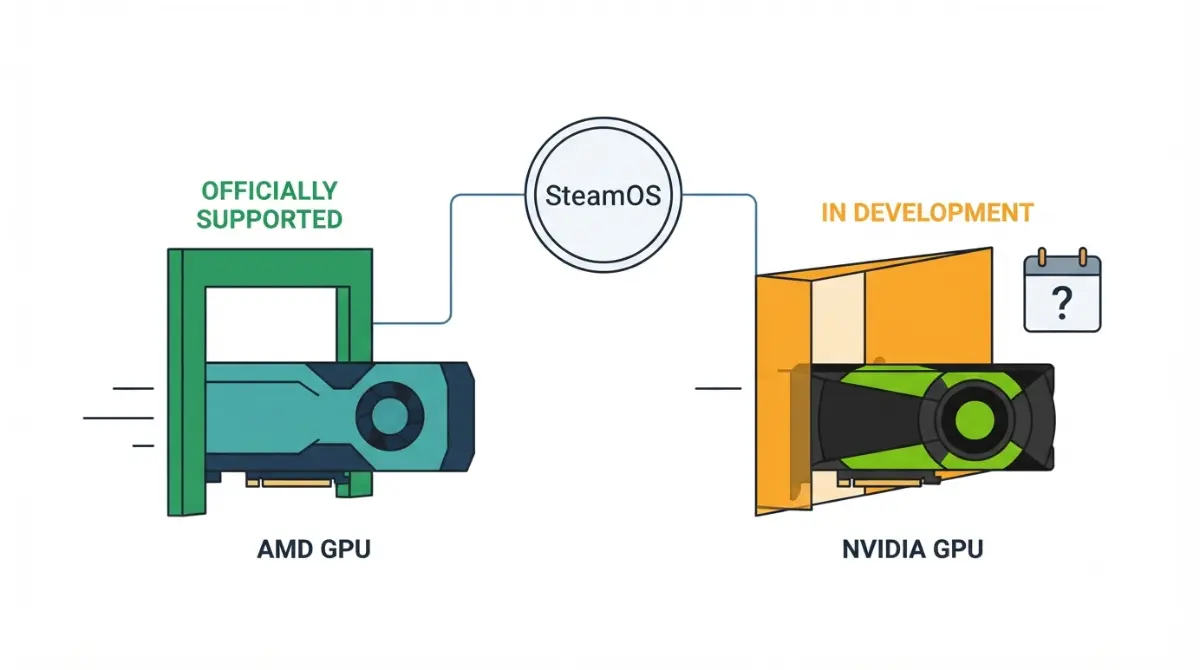
Table of Contents
Does SteamOS work with NVIDIA GPUs?
Not officially. As of 8 October 2026, Valve says only AMD GPUs are supported when you install SteamOS 3.8 on your own PC, per its FAQ as PC Gamer quoted it from Valve’s Steam Machine page. Valve’s NVIDIA driver exists only in its development tree.
“Installable” is not “supported.” Valve’s own box also runs AMD parts, as Steam Machine specs, upgrades, and limits covers.
ℹ️ Risk Note: Installing any operating system can erase the drive it goes on. Back up your files, use a dedicated drive, and follow Valve’s own instructions. This article covers support status, not an install walkthrough.
Which GPUs does Valve say SteamOS supports?
| Rung | Hardware | Valve’s status | Key Detail |
|---|---|---|---|
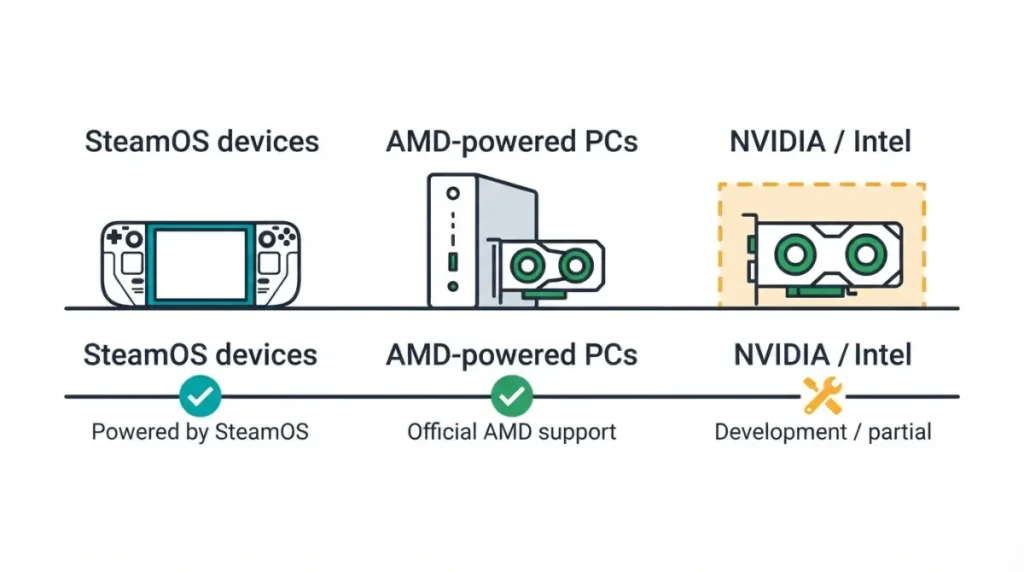
| 1 | Steam Deck, Steam Machine, Legion Go S | Powered by SteamOS | Ships with it |
| 2 | Other AMD handhelds, such as ROG Ally X | Beta compatibility | Beta status |
| 3 | AMD discrete GPUs in a custom PC | Supported | SteamOS 3.8 or newer |
| 4 | NVIDIA GeForce and other GPUs | Not supported | Driver in development only |
Source: Valve’s Steam Machine FAQ via PC Gamer; Valve’s SteamOS page; The Sixth Axis. As of 8 October 2026.
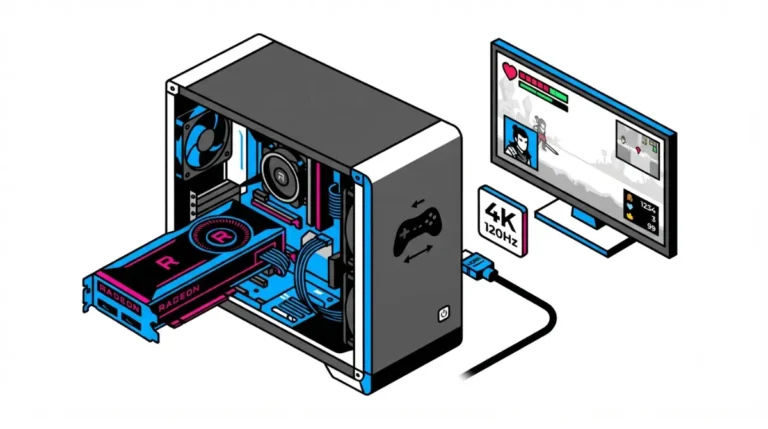
Valve’s FAQ says only AMD GPUs are supported right now, which leaves Intel graphics off the list too. Valve’s Steam Machine uses a semi-custom AMD RDNA 3 GPU, per Engadget; which desktop card it matches is a separate question.
🧩 Compatibility Check: Check your exact GPU against Valve’s current SteamOS requirements before you install. No source we checked states a minimum AMD generation, so we give none.
Why SteamOS runs best on AMD graphics
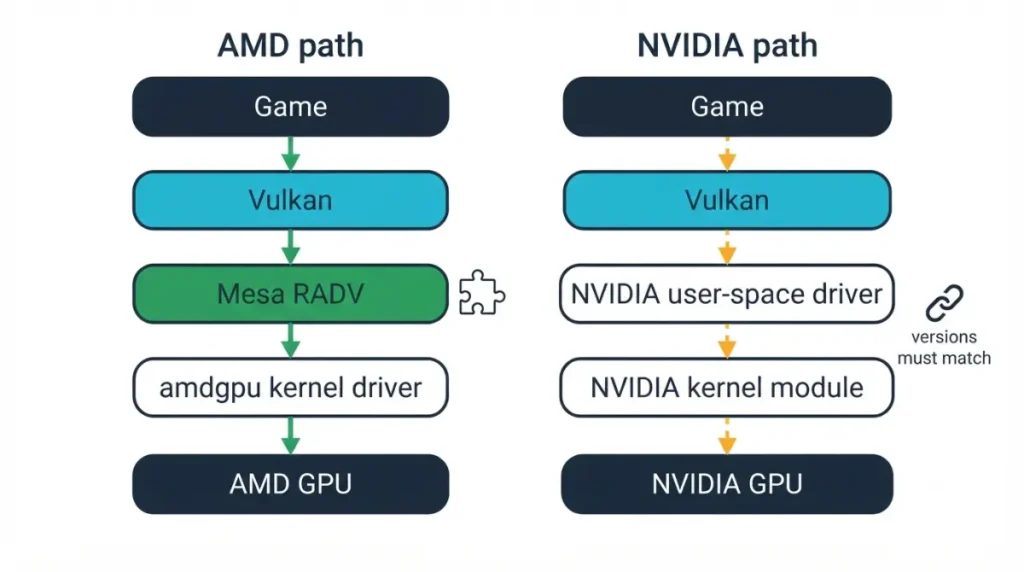
Mesa’s RADV documentation describes RADV as a user-space Vulkan driver for AMD GCN and RDNA GPUs. It is part of Mesa, works with the Linux kernel’s amdgpu driver, and is the Vulkan driver on the Steam Deck. NVIDIA’s open kernel module notes say its open modules cover Turing and later and must pair with user-space components from the same release.
🔍 Why It Works: A GPU driver has a kernel half and a user-space half. When both come from one open project they update together; separate releases must be kept matched.
| Layer | AMD | NVIDIA | Key Detail |
|---|---|---|---|
| Vulkan driver | RADV, in Mesa | NVIDIA user-space driver | Mesa also lists NVK; not assessed |
| In SteamOS today | Used on Steam Deck | Development tree only | Valve, via IGN |
Source: Mesa docs; NVIDIA README, checked 8 October 2026; TechSpot via IGN.
TweakTown also cites Valve’s Gamescope compositor and SteamOS’s read-only design; Valve hasn’t said so in coverage we reviewed.
What Valve has said about NVIDIA support
Valve has given no date: in June an engineer said support might not land this year, and in September a driver was enabled in its development tree.
| Date | Statement | Key Detail |
|---|---|---|
| June 2026 | Team working with NVIDIA; might not land in 2026 | Nothing to install |
| September 2026 | Driver in main tree; some generations “light up” | Development builds only |
Source: The Verge via PCWorld and Tom’s Guide (June 2026); IGN via TechSpot (September 2026).
Pierre-Loup Griffais told IGN a performance gap remains, and TechSpot’s report says the work could take years.
What to check before installing SteamOS
Can you dual-boot SteamOS and Windows? Not easily: Griffais told The Verge there is no easy dual-boot or wizard to remove another OS, as Club386 reported.
Check your exact GPU against Valve’s current requirements and use SteamOS 3.8 or newer. Valve’s SteamOS recovery and install instructions are the place to start.
✅ Do This: Back up your files, install on a drive holding nothing you need, and follow only Valve’s instructions. Ask Valve Support or your motherboard maker about your parts.
Valve’s own dual-boot installer was called not ready in July, per Steam Machine Windows 11 limits.
Own a GeForce card? Your realistic options
| Path | Cost | Data-loss risk | Key Detail |
|---|---|---|---|
| Wait | None | None | No date from Valve |
| Keep Windows | None | None | No SteamOS |
| Other Linux gaming OS | None for the OS | Yes if it replaces your OS | No Valve support |
| Buy an AMD GPU | Card price | Install erases the target drive | Listed as supported by Valve |
Source: Valve’s FAQ via PC Gamer; TechSpot; Held Games. As of 8 October 2026.
TechSpot and Held Games point NVIDIA owners to Bazzite; this site doesn’t cover installing it. Before buying an AMD card, confirm it meets Valve’s current requirements and read your retailer’s return terms. For a pre-built route, see how the Steam Machine compares with mini PCs.
When SteamOS won’t install or boot
Confirm the GPU is an AMD discrete card; a GeForce card has no Valve fix. Use the newest SteamOS image Valve provides, since 3.8 or newer is the version for custom builds.
Valve’s recovery page and Steam Support cover SteamOS itself, and your motherboard maker covers its own boot settings. If a drive was erased by mistake, stop writing to it and contact a data-recovery service.
SteamOS and NVIDIA: quick answers
1. Does SteamOS support NVIDIA?
Not officially. As of 8 October 2026, Valve says only AMD GPUs are supported on custom PCs; its NVIDIA driver is in development.
2.Can I install SteamOS on any PC?
Valve says yes on a custom PC with an AMD GPU and SteamOS 3.8 or newer; other GPUs aren’t supported.
3. Does SteamOS work with Intel graphics?
Valve’s FAQ says only AMD GPUs are supported right now, so Intel graphics are not among the GPUs Valve names.
4. Why does SteamOS need an AMD GPU?
It leans on Mesa’s open RADV driver, also used on Steam Deck, while Valve’s NVIDIA support is still in development.
5. Is Valve adding NVIDIA support to SteamOS?
Yes. Valve says it is working with NVIDIA on drivers, but it has given no release date.
6. When will SteamOS support NVIDIA?
Valve hasn’t said. In September it reported a driver enabled in its development tree, not in a release.
7. Does the Steam Machine use an AMD GPU?
Yes. Valve describes a semi-custom AMD RDNA 3 GPU with 8GB of GDDR6, as Engadget reported.
8. Can I dual-boot SteamOS and Windows?
Valve’s Pierre-Loup Griffais says there is no easy dual-boot yet, so use a dedicated drive and back up first.
9. What can I use instead with a GeForce card?
TechSpot and Held Games point NVIDIA owners to Linux gaming systems such as Bazzite, or you can stay on Windows.
10. Which SteamOS version do I need?
Valve’s FAQ, as PC Gamer quoted it, names SteamOS 3.8 or newer for running SteamOS on your own PC.
Bottom line for your build
As of 8 October 2026, SteamOS is officially supported on custom PCs only with an AMD GPU. Radeon owners: check your exact card against Valve’s requirements and back up first. GeForce owners: wait, stay on Windows, or choose another Linux gaming system.