Will GPU Fit My Case? The Exact Length, Slot and Height Check

Will your GPU fit? A 304mm card clears Fractal’s North on fans but misses by 4mm once a 360mm front radiator goes in. Here’s the exact check.
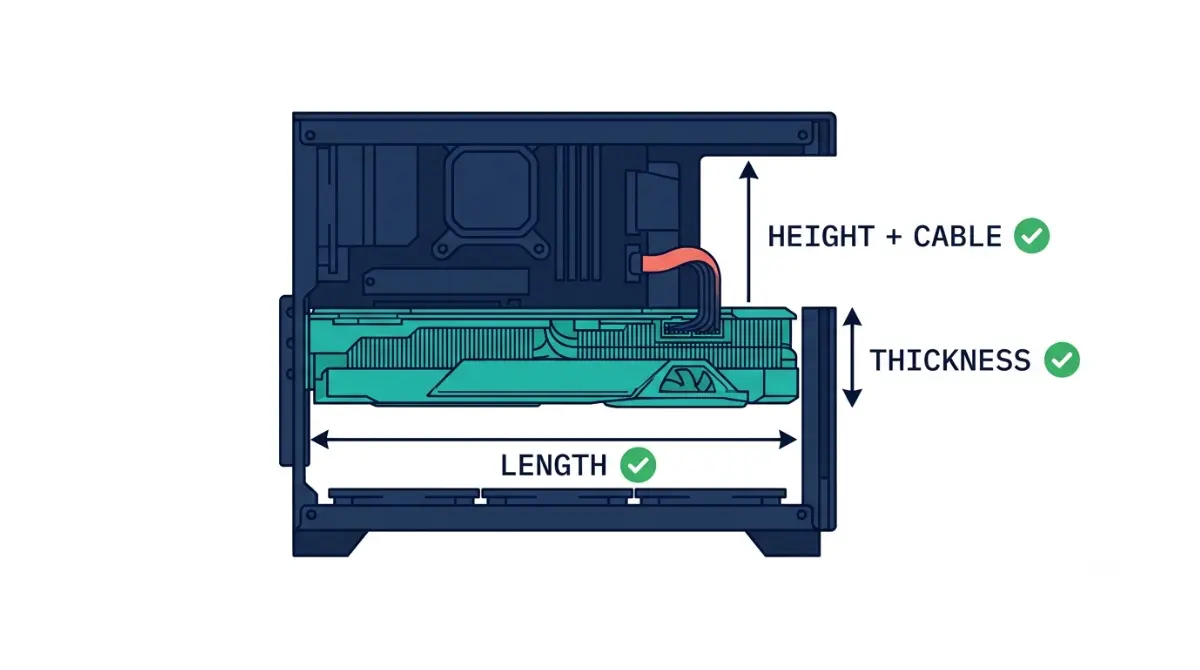
Table of Contents
Will a GPU fit in your case? The three-number check
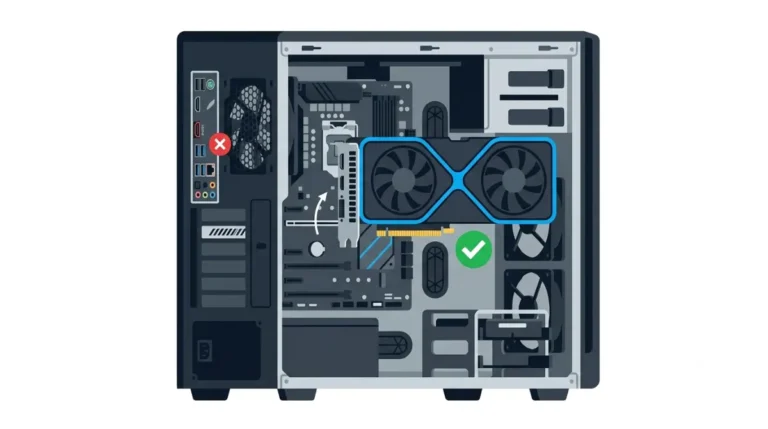
A graphics card fits when it clears three numbers in the configuration you actually run.
- Length: the card is shorter than the case’s maximum GPU length for your fan and radiator layout.
- Thickness: the cooler’s slot width fits the case’s expansion slots.
- Height: the card’s height plus its power-cable bend fits before the side panel.
The three measurements that decide fit
Start where you are:
- Buying for a case you already own: go to Sections 3 and 4.
- Running a front AIO: go to Section 4.
- Building small: go to Sections 5 and 6.
- The card almost fits: go to Section 7.
Steam Machine owners: why this is a new-build question
The Steam Machine has no desktop GPU slot. Gamers Nexus’ teardown, as reported by TweakTown, showed the GPU can’t be swapped. ETA Prime’s teardown found the 8GB of video memory soldered to the board. More GPU therefore means a separate desktop, and our Steam Machine specs and upgrade limits covers what the box itself can change.
ℹ️ Risk Note: Section 6 covers 12V-2×6 GPU power cables, where a cable pressed by a side panel strains the plug. This is general guidance only. Follow your GPU and PSU manufacturers’ installation instructions, and contact their support if the cable can’t sit without pressure.
Which GPU measurements matter (and the “2-slot” trap)
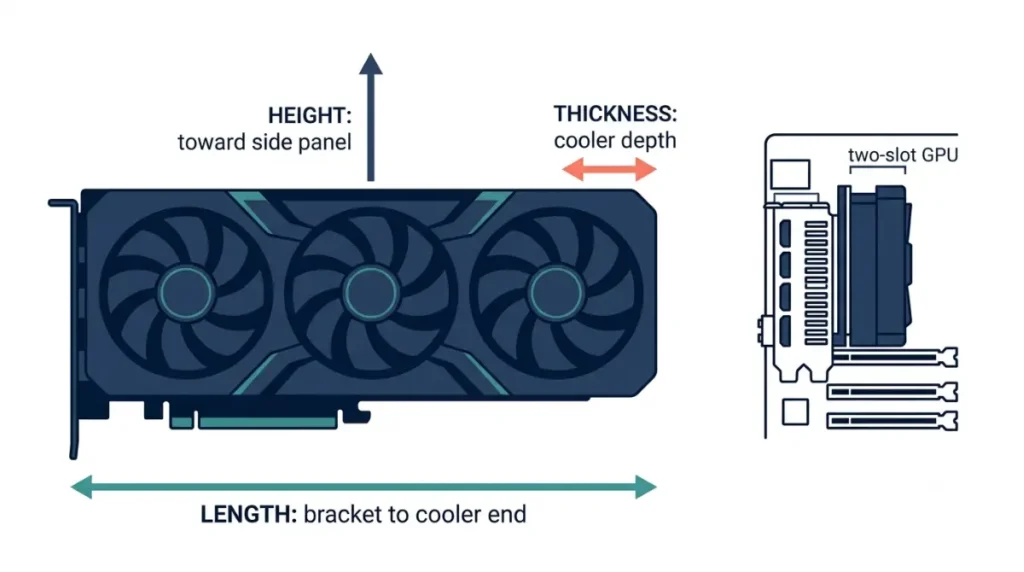
Every card has three dimensions, and spec pages don’t always label them the same way.
Length, height, thickness: where each is measured
- Length runs from the bracket to the far end of the cooler.
- Height runs from the slot edge up toward the side panel.
- Thickness is how much depth the cooler takes from the slots beside it.
📊 Spec Check: NVIDIA’s SFF-Ready sizing table lists the RTX 5090 Founders Edition at 137 × 304 × 40 mm (height × length × thickness). Partner RTX 5090 cards are separate designs with their own dimensions.
Slots versus millimetres
NVIDIA’s guideline treats 50 mm as 2.5 slots, which works out to about 20 mm per slot. By that measure, the 40 mm Founders Edition is a true two-slot card. Some spec pages describe a card by its bracket instead, so always read the cooler thickness in millimetres. If you haven’t chosen a card class yet, start with which desktop card the Steam Machine’s GPU matches.
How to read your case’s max GPU length spec
A case’s maximum GPU length describes one configuration, not every build.
“With fans,” “with radiator”: which line applies
Fractal Design’s North page gives two numbers:
- Its spec table lists 355 mm.
- Its feature text says that drops to 300 mm with a 360 mm front radiator.
Someone running a front AIO who reads only the spec table would be off by 55 mm.
When the spec sheet and the manual disagree
Some retailer listings for the North print only the 355 mm figure. Treat retailer copy as a last resort.
🧩 Compatibility Check: Open the manufacturer page for your exact case model, then its manual. Use the most restrictive length figure that matches your cooling layout.
How much a front radiator takes off GPU length

A front-mounted radiator sits in the same path as the card’s far end, so it uses up length.
Use the case maker’s with-radiator figure first
When the manufacturer publishes a with-radiator number, use it, because it already reflects that case’s geometry. On the North, the difference is 55 mm. That is this case’s figure, not a constant for every case.
No published figure? Subtract your exact radiator and fan stack
If only a bare figure exists, take the published limit and subtract your radiator’s thickness and your fans’ thickness. Get both thicknesses from your exact cooler’s spec page.
The Clearance Budget Worksheet
| Axis | Case figure (your layout) | Card figure | Margin | Key Detail |
|---|---|---|---|---|
| Length (front fans) | 355 mm (North) | 304 mm (RTX 5090 FE) | +51 mm | Fits |
| Length (360 mm front radiator) | 300 mm (North) | 304 mm (RTX 5090 FE) | −4 mm | Does not fit |
| Thickness | Your case’s slot openings × ~20 mm | 40 mm (2-slot) | Your number | Count openings below the x16 slot |
| Height | Your case’s slot-to-panel clearance | 137 mm + cable run | Your number |
Source: Fractal Design North product page; NVIDIA SFF-Ready guideline table. Checked October 2026.
🔍 Why It Works: A margin at or below zero on any row means no fit. Working one row at a time keeps a generous length figure from hiding a tight height.
Will a 2.5- or 3-slot card fit, and what it covers
Card thickness is checked against the case’s slot openings and against what sits below the GPU slot.
Counting case expansion slots (ATX, microATX, Mini-ITX)
- Intel’s ATX specification supports up to seven expansion slots, and the Fractal North lists seven.
- Smaller cases list fewer, so check your case’s spec page.
- A 2.5-slot cooler still needs three openings at the back of the case.
- For compact builds, NVIDIA’s labelling program marks cases as “Compatible with SFF-Ready Enthusiast GeForce Cards.”
For small builds, see our Mini-ITX case guide for a Steam Machine-style build.
What a thick card blocks below it
A thick cooler covers whatever sits beneath it, such as a second PCIe slot or front-panel headers.
🧩 Compatibility Check: Open your motherboard manual’s layout diagram and note what sits within your card’s thickness below the x16 slot.
Side-panel clearance: card height plus the power cable
Card height alone doesn’t decide whether the side panel closes. The power cable needs room too.
Why card height alone isn’t enough
NVIDIA notes that partner product pages list card dimensions but generally leave out clearance for power cables and connectors. Its SFF-Ready guideline handles this in two ways:
- Card height is capped at 151 mm, and that figure includes the power cable’s bend radius.
- Compatible cases must provide 154.5 mm from the motherboard or riser PCB to the panel.
Leave the cable straight before it bends
Seasonic’s 12V-2×6 cable guidance says to:
- avoid bending or putting force on the cable close to the connector;
- never bend it once it’s plugged in.
Its 90° cable is meant for tight card-to-panel gaps. Seasonic warns it may not fit every RTX 40 or 50 card, because connector orientation varies.
⚠️ Watch Out: If closing the panel presses on the 12V-2×6 cable, don’t force it. Either reroute using your PSU maker’s native cable or a right-angle cable confirmed for your exact card, or choose a case with more side clearance. Contact GPU or PSU support if you’re unsure.
It almost fits: what to check before returning it
A few millimetres short can sometimes be fixed with a layout the manufacturer already supports.
Removable drive cages, fan and radiator relocation
Check the manual for supported layouts only. Some layouts won’t work: the North’s top position, for example, lists 120 and 240 mm radiators, so a 360 mm front unit can’t simply move up.
Vertical mounting has its own spec
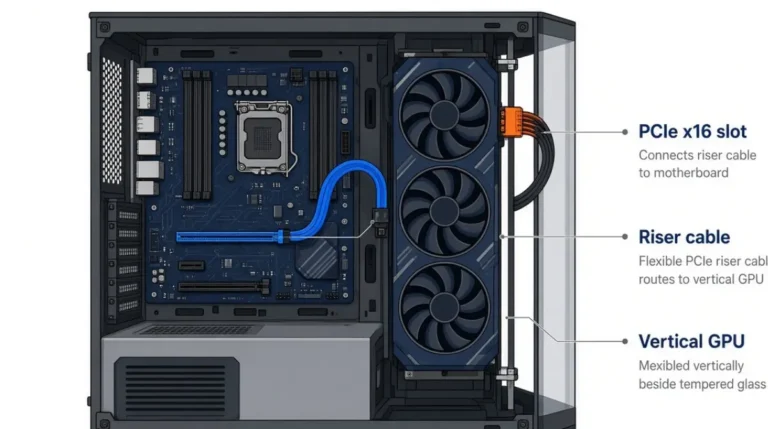
A vertical card sits on a riser and uses the case’s separate vertical clearance figure. NVIDIA’s 312 mm case-length requirement includes any extender. Before buying parts, see our guide to vertical GPU mount and riser clearance.
✅ Do This: Before returning a card, fill in the worksheet once for each layout your manual supports.
Frequently asked questions
1. How do I know if a GPU will fit my case?
Compare the GPU’s length, thickness, and height plus cable room against your case’s figures for your exact fan and radiator setup.
2. What does max GPU length mean?
Max GPU length is the longest card a case accepts in one layout. On the Fractal North, a 360 mm front radiator lowers it to 300 mm.
3. Does a front radiator reduce GPU clearance?
Often, yes. Use the case maker’s with-radiator figure. Otherwise, subtract your exact radiator and fan thickness from the published GPU clearance.
4. Is a 2-slot GPU 40 mm thick?
NVIDIA treats 2.5 slots as 50 mm, so a true 2-slot GPU is about 40 mm. Check cooler thickness in millimetres, not bracket size.
5. How many expansion slots does an ATX case have?
Intel’s ATX specification supports up to seven expansion slots. Your case’s spec page lists its actual count; the Fractal North lists seven.
6. Will a 2.5-slot GPU fit a Mini-ITX case?
Only if the case lists enough slot openings. NVIDIA’s SFF-Ready label marks cases designed for 2.5-slot, 304 mm GPUs.
7. How much space does a 12V-2×6 GPU power cable need?
Enough to leave the plug unstressed. NVIDIA’s 151 mm SFF-Ready height includes the 12V-2×6 cable’s bend radius. Follow your PSU and GPU makers’ installation guidance.
8. Can I remove the drive cage for a longer GPU?
Only if your case manual lists the drive cage as removable. Then use the GPU length figure the manufacturer gives for that layout.
9. Does vertical mounting change GPU clearance?
Yes. A vertical GPU uses a riser and the case’s separate vertical clearance figure, and NVIDIA’s SFF-Ready length includes any extender.
10. Can I upgrade the Steam Machine’s GPU?
No. Teardowns by Gamers Nexus and ETA Prime found the Steam Machine’s GPU and video memory soldered; only RAM and storage are upgradeable.
Your next step
Fill in the worksheet with your exact case and card figures from the manufacturers’ pages, one row per axis. If the margins hold, plan the rest of the system with our guide to building your own Steam Machine. Every number here traces to a named source, and we did not test this hardware ourselves.