What Actually Decides Motherboard QVL RAM Compatibility
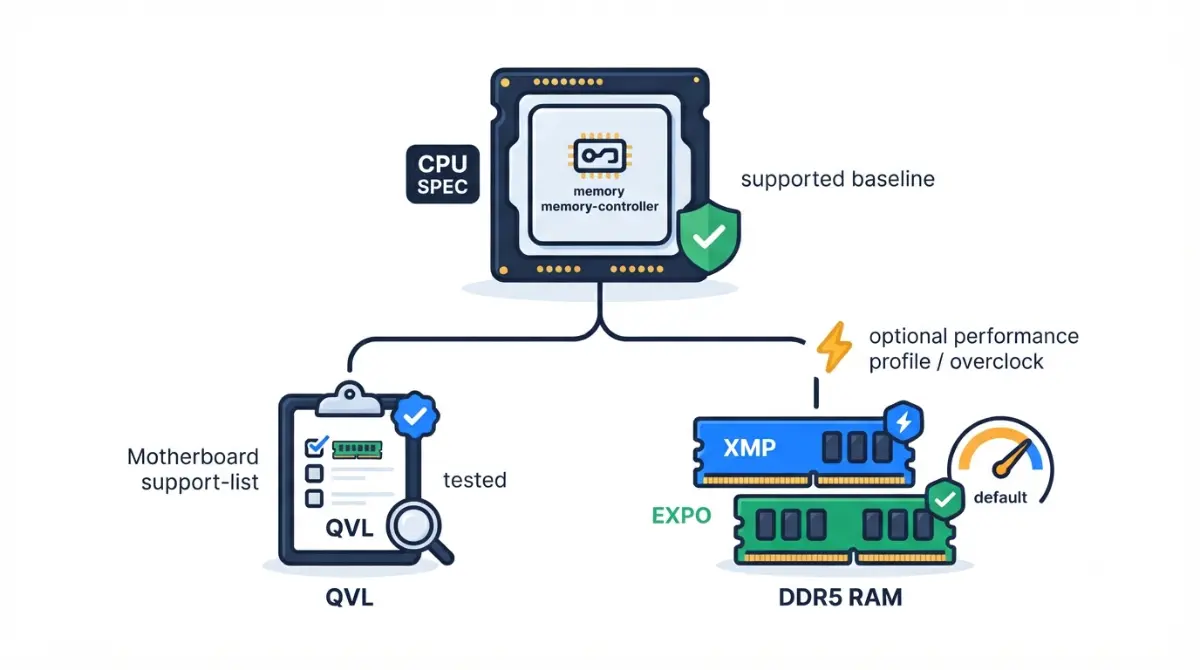
Table of Contents
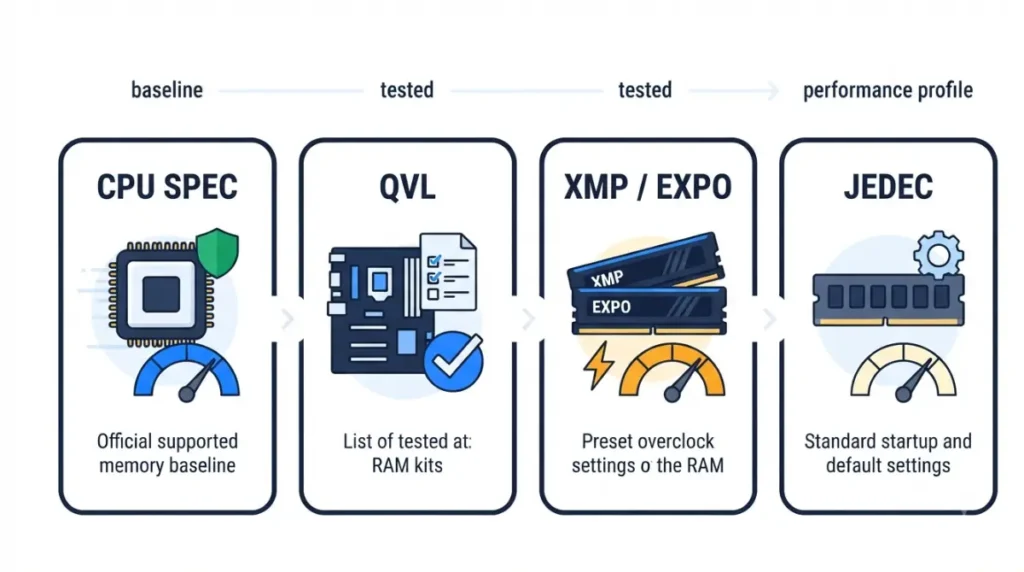
None of the three decides on its own. Your CPU’s memory spec sets the speed that’s guaranteed. The motherboard QVL lists kits the board maker tested. An XMP or EXPO profile is the kit maker’s preset overclock, not a promise of support.
Most RAM headaches start when the box speed is treated as guaranteed. Jump to your situation:
- Buying a kit that isn’t on the QVL: start with the check order, then see whether off-list RAM is safe.
- Adding two more sticks: see why four sticks can run slower.
- Profile won’t hold its speed: skip to the troubleshooting section.
RAM is one part of our full motherboard compatibility checklist.
ℹ️ Risk Note: Enabling XMP or EXPO runs memory outside the CPU maker’s published specifications. AMD states this voids its processor warranty, and Intel states it may. Check your CPU and motherboard warranty terms before enabling a profile, and use only the profiles and BIOS your board maker provides.
What a QVL, XMP and EXPO each actually promise
A QVL (Qualified Vendor List) is a motherboard maker’s list of memory kits it has tested on one specific board model. It shows that a combination worked, not that unlisted kits will fail.
| Layer | Published by | What it promises | Key Detail |
|---|---|---|---|
| CPU memory spec | AMD or Intel | Guaranteed speed per stick configuration | Drops as you add sticks |
| Motherboard QVL | Board maker | Kits tested on that board | Tied to the CPU and BIOS used in testing |
| XMP / EXPO profile | Memory maker | Faster settings stored on the kit | An overclock, not a guarantee |
| JEDEC default | JEDEC standard | Baseline settings a compliant kit boots at | Usually below the box speed |
Source: Intel XMP overview; AMD EXPO page; the JEDEC DDR5 standard (JESD79-5D, November 2025); ASUS QVL documentation.
Does a QVL get updated after BIOS updates?
It varies by board maker, and published sources disagree. Check whether your board’s list shows a BIOS version or date column before relying on it.
Is XMP overclocking?
Yes. Intel’s XMP overview says XMP kits first boot at default JEDEC settings, and the profile is then selected in BIOS. Intel describes enabling it as a type of memory overclocking. The baseline itself is defined in the JEDEC DDR5 standard.
Which one decides: the order to check RAM support
The CPU’s official memory spec decides what’s guaranteed, and each later check narrows the odds. Check in this order:
- CPU spec page: find the memory speed listed for your stick count and rank. This is the only guaranteed number.
- Motherboard spec page: confirm the board supports your memory type and total capacity.
- Motherboard QVL: filter by your CPU family and note the BIOS version tested.
- Kit profile: confirm the kit carries an XMP or EXPO profile your board reads. The box speed lives here.
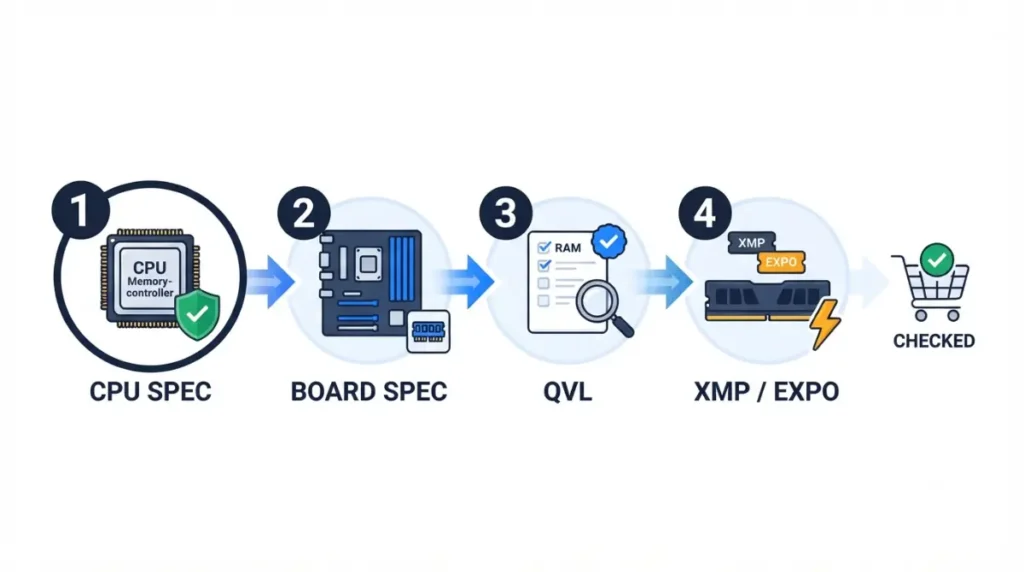
Step 1–2: CPU spec, then board spec
If steps 1 and 2 pass, a compliant kit should boot at its JEDEC default speed.
Step 3–4: QVL, then the profile
Whether the kit also holds its box speed depends on steps 3 and 4.
🔍 Why It Works: The memory controller sits inside the CPU, so the CPU maker sets the guarantee. Board and kit makers can only test combinations and preset faster settings on top of it.
✅ Do This: Before you check out, write down four answers: your CPU’s speed for your stick count, the board’s max capacity, the kit’s QVL status, and its profile type.
Why 4 sticks can run slower than the box speed
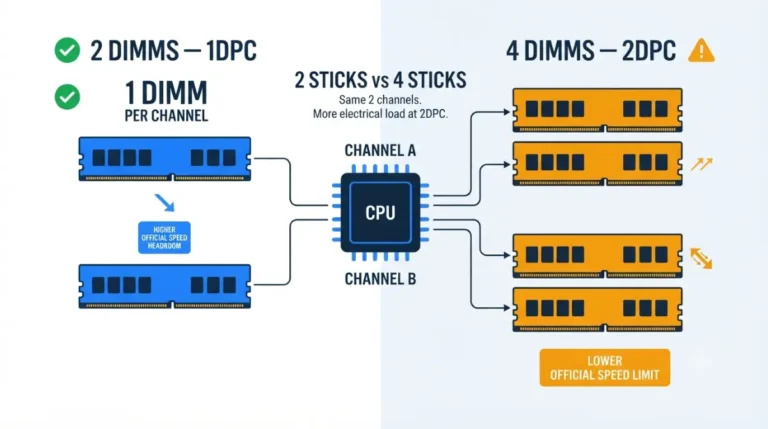
The guaranteed speed falls as you add sticks, because the memory controller has to drive more modules. AMD’s Ryzen 7 9700X shows the pattern clearly.
Ryzen 7 9700X: official speeds by DIMM count
| Configuration | Sticks per channel | AMD max memory speed | Key Detail |
|---|---|---|---|
| 2x1R | One | DDR5-5600 | Two single-rank sticks |
| 2x2R | One | DDR5-5600 | Two dual-rank sticks |
| 4x1R | Two | DDR5-3600 | Four single-rank sticks |
| 4x2R | Two | DDR5-3600 | Four dual-rank sticks |
Source: AMD’s Ryzen 7 9700X specifications,Other Ryzen models list their own figures.
📊 Spec Check: AMD lists the Ryzen 7 9700X at up to 256 GB of dual-channel DDR5 UDIMM memory, with EXPO support.
Speeds above these figures are overclocking. We break down the trade-offs in why four sticks of RAM run slower.
Intel CPUs: check the spec page
🧩 Compatibility Check: Intel publishes memory speeds per processor. Open your exact CPU’s page in Intel’s specification database and read the memory rows for your stick count before choosing a kit.
Is RAM that’s not on the QVL safe to buy?
Often, yes. No QVL can cover every kit, and kits released after a list was last revised won’t appear on it.
When sticking to the QVL matters
Stay on-list when you plan four sticks, very high capacity, or a speed above your CPU’s guaranteed figure. Those are the setups with no guarantee behind them.
Off-list is reasonable when the kit sits at or below your CPU’s guaranteed speed, carries a profile your board reads, and your board runs a current BIOS. AMD also keeps its own memory list of kits the memory maker verified on multiple systems at the boxed speed.
Where to find your board’s QVL
It lives on your board’s support page, usually under a memory or CPU/memory support tab. ASUS’s guide to querying a QVL shows the process for its boards. For the board-by-board method, see checking RAM compatibility with your motherboard.
XMP kit on AMD, EXPO kit on Intel: does it work?
Often it does, but your board decides. XMP is Intel’s memory profile format, and EXPO is AMD’s format for DDR5 on socket AM5. Corsair notes that most modern boards read both, but only your board’s manual or QVL confirms it.
| Kit profile | Platform | Where to confirm | Key Detail |
|---|---|---|---|
| XMP | Intel | Board manual | Native format |
| EXPO | AMD AM5 | Board manual | Native format |
| XMP | AMD AM5 | Manual or QVL | Board-dependent |
| EXPO | Intel | Manual or QVL | Board-dependent |
Source: AMD EXPO page; Intel XMP overview.
What DOCP, A-XMP and EOCP mean
Some boards rename the option. AMD’s community guide lists DOCP (ASUS), A-XMP (MSI) and EOCP (Gigabyte).
Which profile to pick if a kit has both
Pick the profile built for your platform: XMP on Intel, EXPO on AMD. AMD’s EXPO page states that running memory outside AMD’s published specs voids AMD’s warranty, even when it’s enabled with AMD tools.
⚠️ Watch Out: Warranty terms come from AMD and Intel, not your RAM maker. Read your CPU warranty before enabling any profile, and contact the CPU maker’s support if the terms are unclear.
RAM won’t hold its XMP or EXPO speed: what to check
A profile that won’t hold does not by itself mean the RAM is faulty. Start with the two checks below.
Check DIMM count against the CPU spec
If the box speed is above your CPU’s guaranteed figure for your stick count, the profile asks for more than the CPU promises. Disabling the profile, or running two sticks, stays inside the spec.
Update the BIOS, then retry the profile
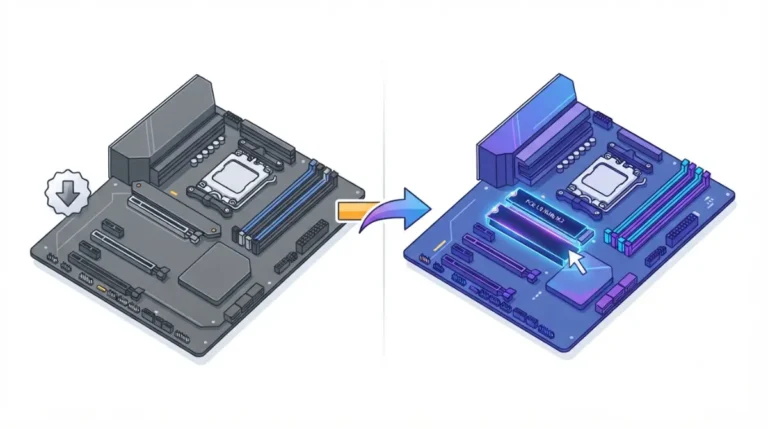
ASUS advises moving to the latest BIOS when QVL-listed memory still has stability issues. Use only your board maker’s update method. Our guide to which BIOS version your board needs covers the checks.
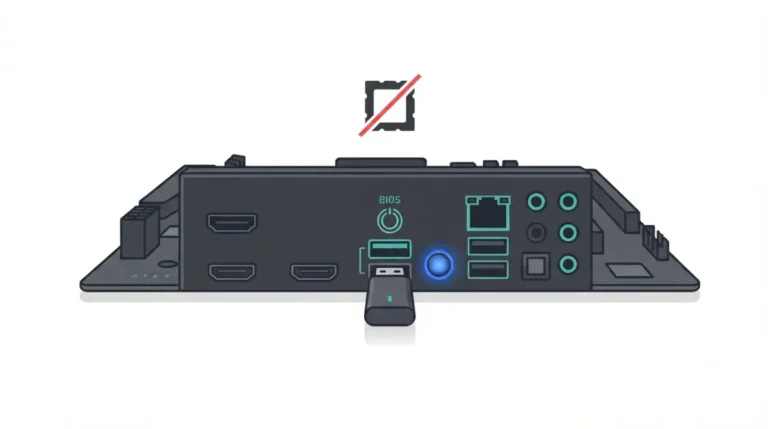
✅ Do This: If the profile still fails on a current BIOS, contact your board maker’s support with the kit’s part number and your BIOS version. Ask whether that kit is validated on your board.
Frequently asked questions
1 .Does RAM have to be on the motherboard QVL?
No. A motherboard QVL lists tested kits, not every compatible one. Off-list RAM at or below your CPU’s guaranteed speed is reasonable.
2. Can I use an EXPO kit on Intel?
Often. Many modern Intel boards read EXPO profiles, but only your board’s manual or memory QVL confirms EXPO support for that model.
3. Can I use an XMP kit on AMD?
Often. Many AM5 boards read XMP profiles too. Check your board’s manual or memory QVL to confirm XMP support on that exact model.
4. Does XMP void the CPU warranty?
Intel says enabling XMP beyond its specifications may void the processor warranty, and AMD says EXPO memory overclocking voids its warranty. Check your CPU warranty terms first.
5. Why is my RAM running slower than advertised?
RAM boots at JEDEC defaults. The advertised speed lives in the XMP or EXPO profile, which you enable in BIOS.
6. Is the QVL updated after BIOS updates?
It varies by board maker. Check whether your motherboard’s QVL shows a BIOS version or date column before relying on it.
7. What is DOCP?
AMD’s community guide lists DOCP as ASUS’s name for the memory profile option. Confirm the current label in your board’s manual.
8. What happens to RAM speed with 4 DIMMs?
On the Ryzen 7 9700X, AMD’s guaranteed RAM speed drops from DDR5-5600 with two sticks to DDR5-3600 with four.
9. Is XMP overclocking?
Yes. Intel describes enabling XMP as a type of memory overclocking, because it runs memory above default JEDEC settings. Check your CPU warranty terms first.
10. Where do I find my motherboard’s QVL?
On your motherboard’s support page, usually under a memory or CPU/memory support tab. Filter the list by your CPU family.
The short rule for RAM support
The CPU spec decides what’s guaranteed, the QVL shows what was tested, and XMP or EXPO is an overclock you opt into. Run the four checks in that order before you buy, and read your CPU warranty before enabling a profile. For the rest of the board checks, return to the motherboard compatibility guide.