GPU motherboard compatibility comes down to exact clearances
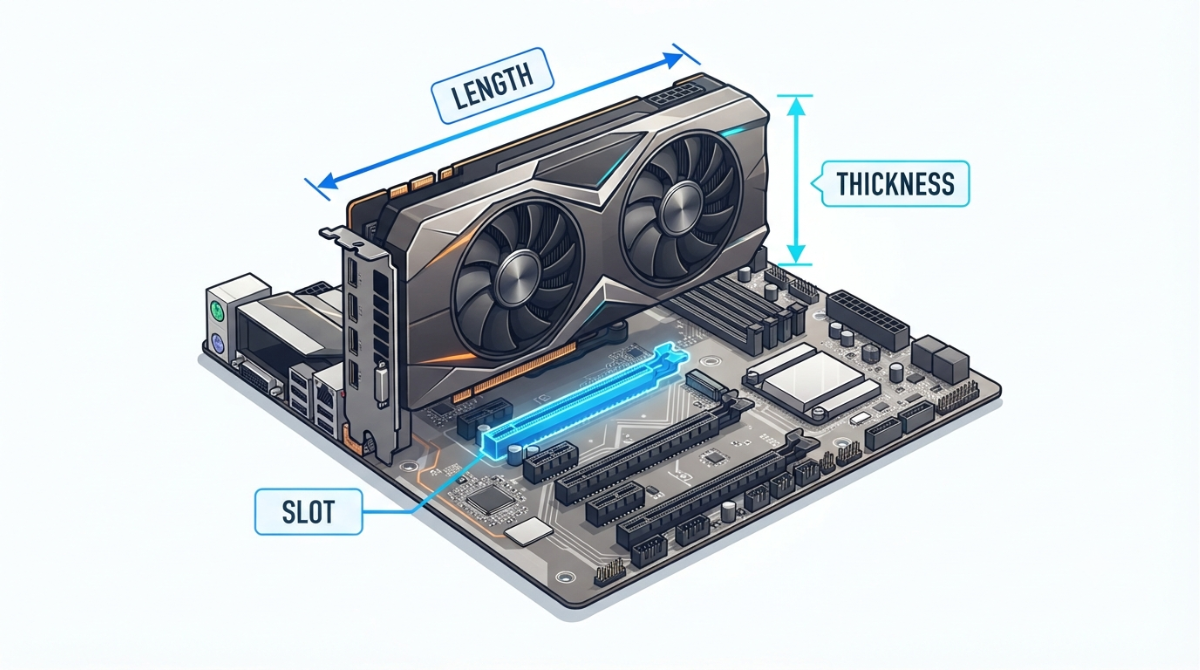
Table of Contents
Will your graphics card fit your motherboard?
The short answer
Almost always, yes — electrically. Every current desktop graphics card uses a PCIe x16 edge connector and every current desktop motherboard has a matching x16 slot. GPU motherboard compatibility failures are nearly always physical.
If you’re still choosing parts, work through the three checks below in order. If the card is already on your desk and won’t seat, skip to the troubleshooting section. If you’re dropping a new card into a working PC, the section on what a thick card covers is the one that will save you a headache.
The three things that actually decide it
- Length — settled by your case, not your board.
- Thickness — how many slot positions the card eats.
- Blockage — what disappears underneath it, physically and electrically.
ℹ️ Risk Note: A graphics card should never be forced into a slot. If the card won’t seat, the side panel won’t close, or you can’t reach the retention latch, stop and re-check the three measurements rather than applying pressure. If a slot, latch or card connector is already bent or broken, contact the board or card manufacturer’s support channel before powering the system on.
What the x16 slot actually promises
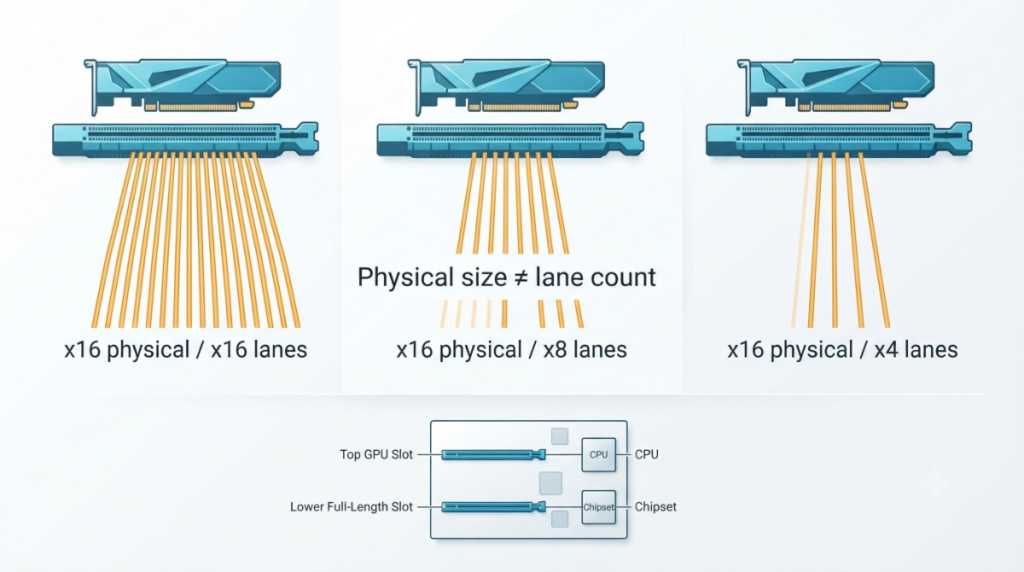
A PCIe x16 slot describes a connector’s physical size. It does not promise sixteen active lanes.
Physical size versus electrical lanes
The mechanical connector and the electrical wiring behind it are specified separately, which is why a board can carry a full-length x16 connector wired for four lanes. Your card will still slot in and still work.
Why the top slot is the GPU slot
On mainstream consumer boards the top x16 slot is the one wired directly to the CPU, and the lower ones are usually fed by the chipset with fewer lanes. This is the common arrangement, not a universal rule — your board’s block diagram is the authority. Slot layout is only one part of the full motherboard compatibility check.
What “x16 slot, x4 mode” means on a spec sheet
It means a card physically the size of an x16 card, running with four lanes. Read every slot line on your board’s spec page for that notation before assuming the lower slots are equivalent.
🔍 Why It Works: Lanes are a finite budget shared between the CPU, the chipset, the slots and the M.2 sockets. Board makers wire the long connector everywhere because cards need the physical support, then allocate lanes where they’re most useful.
Card length is a case question, not a board question
The board doesn’t care how long your card is. Your case does, and so does whatever sits in front of the slot.
Where to find your case’s maximum GPU length
Case makers publish a maximum GPU length, often with a footnote reducing it when a front radiator or fan stack is installed. Compare that figure against the card maker’s published card length — not the reference design’s length, which partner cards routinely exceed.
Why the card’s dimensions aren’t the whole number
Required clearance is larger than the card. NVIDIA lists the RTX 5090 Founders Edition as a two-slot card, yet its own product page states the system needs room for a three-slot card.
| What’s stated | Figure | Source |
|---|---|---|
| RTX 5090 system clearance | 304 mm × 137 mm × 3-slot (61 mm) | NVIDIA RTX 5090 product page |
| SFF-Ready card maximum | 151 mm height including power cable bend radius, 304 mm length, 50 mm / 2.5 slots | NVIDIA SFF-Ready guideline |
| SFF-Ready case minimum | 154.5 mm × 312 mm, 2.5 slots | NVIDIA SFF-Ready guideline |
Source: NVIDIA’s own stated clearance for the RTX 5090 and NVIDIA’s published small-form-factor size guideline, verified September 2026.
The small-form-factor ceiling
That height figure includes the bend radius of the power cable, which is the measurement most builders forget.
📊 Spec Check: NVIDIA’s SFF-Ready guideline sets card maxima of 304 mm long and 50 mm thick, while requiring cases to provide 312 mm and 154.5 mm — the gap is deliberate working room.
Slot width: how thick cards are measured
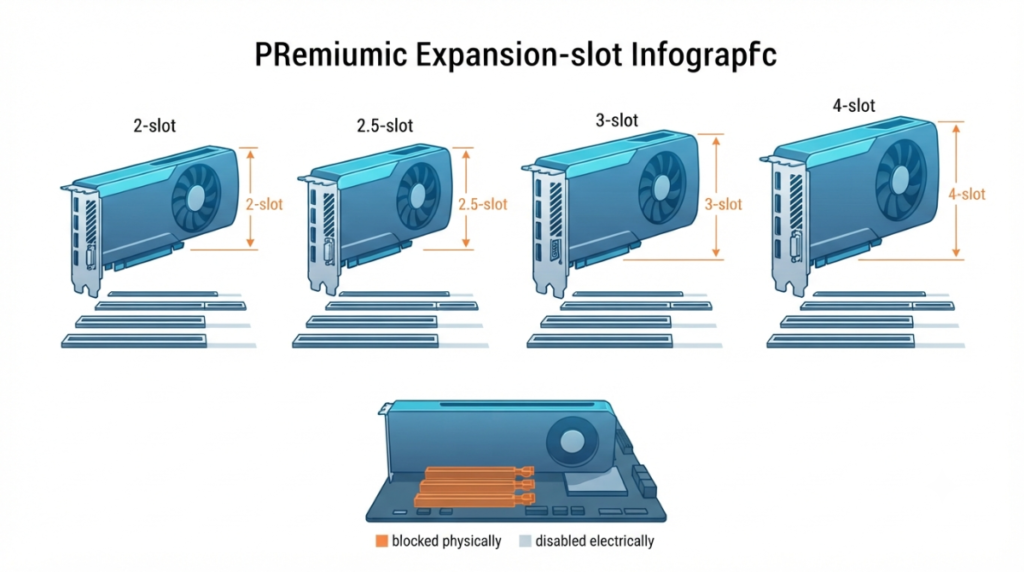
One expansion slot position is a fixed number, so “3-slot card” is arithmetic, not marketing.
How thick one expansion slot is
The PCI Express Card Electromechanical Specification Rev 5.0 (June 2021) sets slot positions 20.32 mm (0.800 in) apart. It allows a dual-slot card a body clearance of 34.8 mm and a triple-slot card 55.12 mm.
Reading 2-slot, 2.5-slot, 3-slot and 4-slot
| Card thickness | Space occupied | Positions consumed | Spec body clearance | Key detail |
|---|---|---|---|---|
| 2-slot | 40.64 mm | 2 | 34.8 mm | Fits most micro-ATX builds |
| 2.5-slot | 50.8 mm | 3 in practice | — | NVIDIA’s SFF-Ready ceiling |
| 3-slot | 60.96 mm | 3 | 55.12 mm | Covers the second x16 on most ATX boards |
| 3.5–4-slot | up to 81.28 mm | 4 | not defined | Count your case’s slot openings first |
Source: PCI Express Card Electromechanical Specification Rev 5.0 (PCI-SIG), 9 June 2021; positions consumed calculated from the 20.32 mm pitch.
Counting the slots your case actually has
Count the openings below the primary x16 position, in the case and on the board. A card advertised as two-slot can measure slightly over two slot widths, which is enough to foul the card or cooler beneath it.
What a thick card covers once it’s installed
A three-slot card physically covers the two positions beneath it. What lives in that zone varies entirely by board.
The slots and ports that disappear underneath
On many ATX boards the covered strip holds a secondary x16 slot, one or two x1 slots, a chipset M.2 socket under its heatsink, and sometimes the SATA block. The card doesn’t disable them, but you may not be able to reach or populate them afterwards.
Losing access to the retention latch
Large coolers overhang the latch at the end of the slot, so plan the removal method before the build, not during it.
Weight, sag and reinforced slots
Heavy cards place real load on the connector, which is why reinforced slots and support brackets exist.
🧩 Compatibility Check: Open your motherboard manual to the board layout diagram (usually the first figure of the hardware chapter). Identify everything within three slot positions of the primary x16 and plug those items in before the graphics card goes in.
The footnotes that decide which slots stay alive
The slot-sharing footnote is the blockage you can’t see, and it sits in small print under the spec table.
Where the sharing footnotes live on a spec page
Look for asterisks attached to the PCIe and M.2 rows on the manufacturer’s tech-spec page or in the manual. Each one names a trade: populate this, lose that.
A worked example from a current board
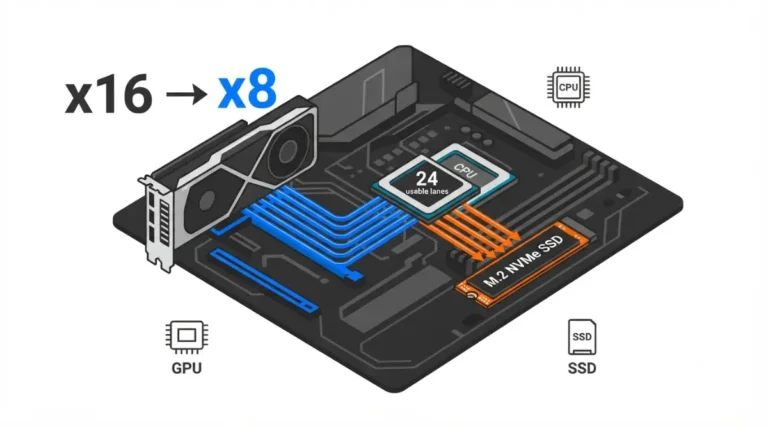
ASUS states for the TUF Gaming X870E-Plus WIFI7 that the M.2_2 slot shares bandwidth with the primary PCIe 5.0 x16 slot, which drops to x8 when M.2_2 runs at x4. Install an SSD in the wrong socket and your graphics card quietly halves its lane count.
| Footnote phrasing | What it costs you |
|---|---|
| “shares bandwidth with” | Both devices can’t run at full width |
| “will run x8 mode” | The GPU slot drops to eight lanes |
| “will be disabled” | The slot or port stops working entirely |
What to change if the footnote goes against you
Move the drive to a chipset-fed socket, accept x8, or choose a different board. How many lanes you have to divide up in the first place depends on which CPU and chipset your board pairs with.
When the card won’t go in, won’t post, or won’t come out
Three stuck states cover almost everything, and none of them are solved with force.
It won’t seat fully
Re-run the three measurements first. An obstruction — a drive cage, a fan, a case standoff — is far more likely than a faulty slot.
It’s seated but there’s no display
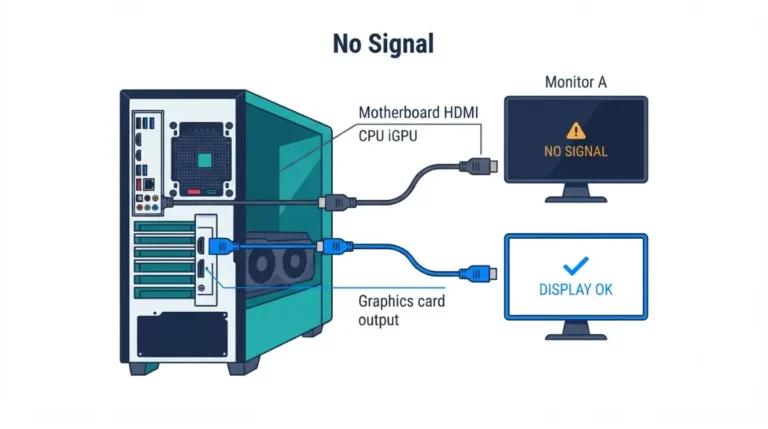
Confirm the monitor cable is in the card, not the board’s video output. If the system is also new, check whether your board needs a BIOS update for your CPU before suspecting the card.
It won’t release from the slot
ASUS says of its tool-free Q-Release Slim design that incorrect angles and excessive force can cause scratches without affecting the functionality of the card or motherboard, and that any card shows wear after repeated insertions — its own assessment, published in ASUS’s statement on the release mechanism.
⚠️ Watch Out: If a latch, bracket or gold-finger edge is visibly damaged, don’t power up and don’t try to bend it back. Contact the board or card maker’s support team and ask two things: whether the damage affects function, and whether it affects warranty on either component.
GPU and motherboard fit: quick answers
1. Will any GPU fit any motherboard?
Physically, in the x16 slot, almost always. Fit problems come from case length, card thickness and what sits underneath.
2. What does “x16 slot, x4 mode” mean?
A connector the physical size of x16, wired with four active lanes. Size and lane count are specified separately.
3. How do I know if my case is long enough?
Compare the card maker’s published length against your case’s maximum GPU length, including its radiator or fan footnote.
4. How thick is one PCIe slot position?
20.32 mm, per the PCI Express Card Electromechanical Specification. A three-slot card therefore occupies about 61 mm.
5. What does a 4-slot GPU cover up?
Up to four slot positions — commonly the second x16, any x1 slots, a chipset M.2 socket and sometimes the SATA block.
6. Can I install my GPU in the second x16 slot?
It will fit, but lower slots often run at fewer lanes. Check your board’s slot notation first.
7. Why did my M.2 drive disappear after installing a GPU?
Sharing footnotes. Some M.2 sockets disable a slot or port when populated — check the asterisks on your board’s spec page.
8. Do I need a reinforced slot or support bracket?
Heavy cards load the connector, which is what reinforced slots and brackets are designed to carry.
9. How do I remove a GPU safely?
Release the latch first, never pull against it, and follow the manufacturer’s method. If anything is damaged, contact their support before powering on.
10. Will a full-size GPU fit micro-ATX or mini-ITX?
Micro-ATX usually accepts up to three slot positions; mini-ITX has one slot and much tighter length limits.
Run the three checks before you order
Measure the length against your case, multiply the slot count by 20.32 mm, then read your board’s sharing footnotes. Those three steps catch nearly every fit failure before money changes hands.
Slot fit is one dimension of the pre-order check — checking memory compatibility with your board is the next. We don’t test hardware; every figure above is traceable to the manufacturer or the standard.