CPU cooler socket compatibility, case height and RAM gap

CPU cooler mounts carry over from LGA1700 to LGA1851 and, with the stock backplate, AM4 to AM5. Then your case limit and RAM height decide the fit.
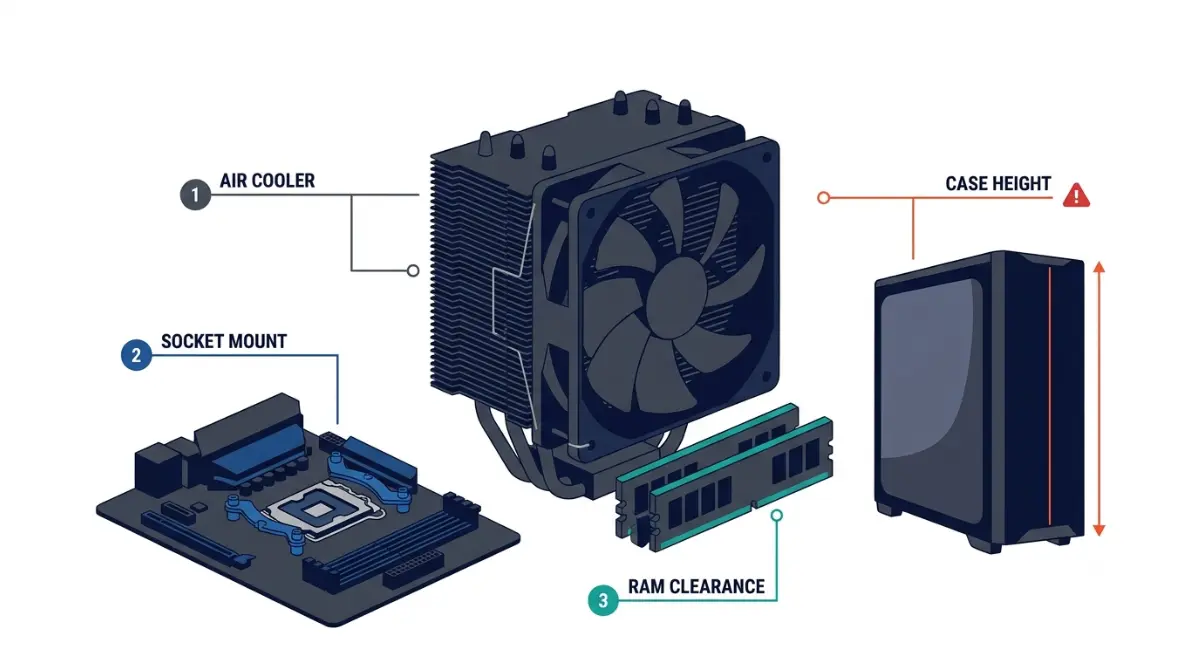
Table of Contents
A cooler’s socket list confirms one thing: its mounting hardware lines up with your board. Whether the cooler fits your build depends on two more numbers from other spec sheets: your case’s maximum CPU cooler height and the height of your memory modules.
The socket check takes a minute. The memory height is the number that moves the case check, because on coolers whose front fan hangs over the RAM slots, taller modules push that fan up. The processor and board side of the same build is covered in the five checks that decide whether your parts work together.
CPU cooler socket compatibility covers the mount only
Noctua spells out the limit under its own socket compatibility overview. The chart shows whether a heatsink is mechanically compatible with a socket, and restrictions can still apply on certain motherboards or CPUs.
Intel draws the line in the same place. Its support article on LGA1700 and LGA1851 thermal solutions calls the two sockets compatible “for thermal solution only” and sends buyers to the cooler maker for thermal and power questions.
So a matching socket name settles whether the brackets and backplate line up. Height, side-panel room and the memory under the fan sit outside it.
Sockets that share a cooler mount
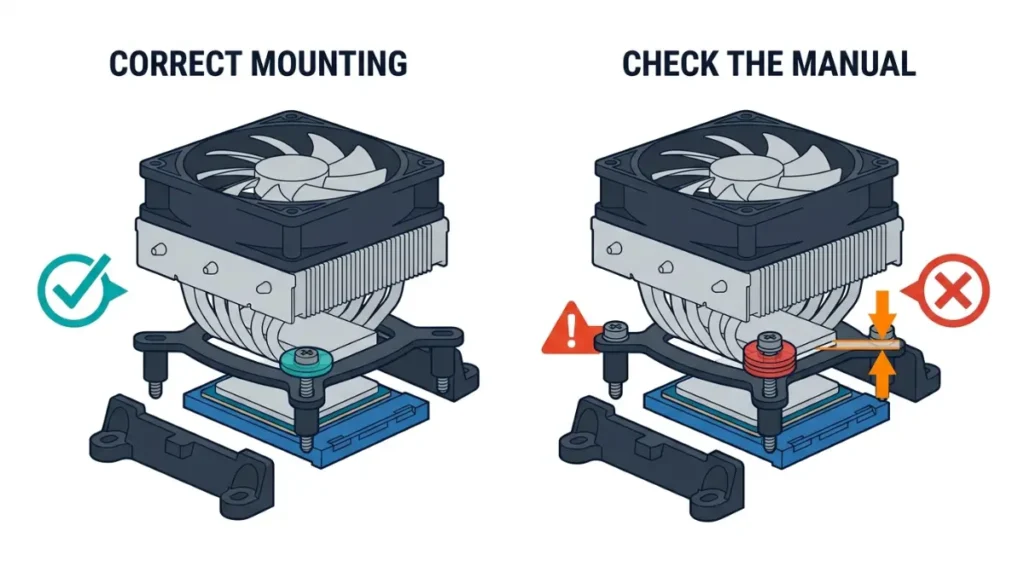
LGA1700 coolers mount on LGA1851 boards without modification, because Intel placed the mounting holes in the same positions on both sockets. AMD’s move from AM4 to AM5 carries most coolers over too, with one condition attached.
| Moving from | Mount carries over | Condition |
|---|---|---|
| LGA1700 to LGA1851 | Yes | Covers the mounting only |
| LGA1700 or LGA1851 to LGA1954 | Yes, per Noctua | No Intel statement yet; no LGA1954 processor on sale |
| LGA1200 or LGA115x to LGA1700 | No | Needs a new mounting kit from the cooler’s maker |
| AM4 to AM5 | Yes | The mounting must screw into the stock AMD backplate |
Sources: Intel support article 000099700, Noctua NH-D15 G2 specifications, Noctua LGA1700 guide, Noctua AM5 guide.
Intel LGA1700, LGA1851 and LGA1954
The LGA1954 row rests on a cooler maker’s word. The NH-D15 G2’s socket list already includes LGA1954. Noctua’s statement that its LGA1700 and LGA1851 coolers need no additional mounting parts for the new socket was covered by Tom’s Hardware. Intel has published no cooler statement of its own for LGA1954, so for any other brand, the socket list on that cooler’s page is the check.
Older Intel coolers go the other way. Noctua’s LGA1700 guide says LGA1700 needs a new mounting mechanism because its hole pattern and stack-up height differ from the sockets before it. That is why a cooler bought for LGA1200 or LGA115x needs an upgrade kit before it goes on a newer board.
Processor support follows separate rules, set out in which CPUs each socket and chipset accept.
AM4 coolers on AM5
On AMD, the answer turns on the backplate. AM4 and AM5 share the same stack-up height and the same backplate thread pattern, so Noctua’s AM4 mountings that attach to the standard AMD backplate also fit AM5 (Noctua’s AM5 guide).
Two Noctua parts are the exception: the NH-L9a-AM4 cooler and the NM-AM4-L9aL9i kit. Both replace the stock backplate with a custom one, which AM5 doesn’t allow. With another brand, open the AM4 section of its manual. If the first step removes the board’s own backplate, ask the cooler maker for its AM5 kit before you buy the board.
Washers, adapters and kits from another socket
Shim washers made for one Intel socket can stop a cooler working on the next. The NH-D15 G2 ships with four NM-ISW1 washers. Noctua’s LGA1851 guide says they were introduced to reduce ILM pressure and CPU deformation on LGA1700, and must be used on LGA1700 only.
LGA1851 uses taller screw heads. Washers underneath can leave those screw heads higher than the CPU’s heat spreader, and then the heatsink doesn’t touch the CPU at all. Most Z890 boards also come with Intel’s RL-ILM, which already lowers ILM pressure. Noctua warns that reducing it further with washers can cause poor contact between the CPU pads and socket pins, damaging both.
Stop if: the cooler only seats with washers, spacers or brackets its manual doesn’t list for your socket. Contact the cooler’s maker with the cooler model and your board’s socket, and ask for the part number of the matching mounting kit.
Will the cooler fit under your side panel?
Both height lines in the NH-D15 G2’s specifications read 168mm (6.61 in), with fans and without. That figure goes against the case maker’s maximum CPU cooler height, and the listed figure isn’t always the room inside.
Noctua measured 168.3mm (6.63 in) inside the ASUS Prime AP201, a case listed at 170mm (6.69 in). In that case the NH-D15 G2 has no room to raise its front fan, which limits it to standard 32mm memory (Noctua’s post on case clearance).
| Case | Maker’s listed limit | Noctua’s figure | Difference |
|---|---|---|---|
| Corsair Frame 4000D | 170mm (6.69 in) | 180mm (7.09 in) | +10mm |
| ASUS Prime AP201 | 170mm (6.69 in) | 168.3mm (6.63 in) | −1.7mm |
| NZXT H2 Flow | 75mm (2.95 in) | 79mm (3.11 in) | +4mm |
| Thermaltake TR100 | 68mm (2.68 in) | 70.7mm (2.78 in) | +2.7mm |
Sources: Noctua’s case clearance post and Noctua’s case database.
The errors run both ways. Across more than a hundred cases Noctua checked, 56 showed a relevant deviation from the maker’s figure, and its database marks those models with a tooltip beside the maximum cooler height. In the Frame 4000D, the extra 10mm is what leaves room to lift an NH-D15 G2’s front fan for taller memory.
Before you buy: when the cooler’s height and the case limit sit within a few millimeters of each other, look the case up in Noctua’s compatibility listings before ordering. A published limit can be off in either direction.
Small-form-factor cases run the same subtraction with much smaller numbers, on top of the compatibility limits a Mini-ITX board sets.
Taller RAM makes the cooler taller
Every millimeter of memory above 32mm costs an NH-D15 G2 a millimeter of case height. The cooler’s front fan overhangs the RAM slots on many boards, and in its default position it clears modules up to 32mm. Raising the fan to clear taller modules adds the same distance to the total height, per Noctua’s case and RAM FAQ for the NH-D15 G2.
Moving the front fan
| Module height | Front fan position | Total cooler height |
|---|---|---|
| 32mm or less | Default | 168mm (6.61 in) |
| 33mm | Raised 1mm | 169mm (6.65 in) |
| 35mm | Raised 3mm | 171mm (6.73 in) |
| 37mm | Raised 5mm | 173mm (6.81 in) |
Sources: Noctua’s case and RAM FAQ and RAM clearance FAQ. The 33mm row applies Noctua’s one-for-one raise rule.
G.SKILL announced its Ripjaws S5 at 33mm (G.SKILL’s launch announcement). That kit lands on the second row, so an NH-D15 G2 over it needs 169mm of case room.
Swapping or removing the fan
Taller kits are where the fan raise runs out. Igor’sLAB measured a Trident Z5 RGB module at approximately 43mm including the contacts (teardown). Guru3D’s review of a DDR5-7200 Trident Z5 RGB kit also gives 43mm.
Noctua describes the raise as a few millimeters and publishes no maximum. For a kit that tall, its documented routes keep the cooler at 168mm:
- A 120mm fan in the front position clears modules up to 52mm.
- Removing the front fan clears modules up to 59mm. Noctua puts the cost at 1–3°C of cooling, depending on the components and setup (RAM clearance FAQ).
Other coolers carry other numbers, and some change with the socket. The NH-U14S clears any RAM height on AM5 and AM4, but only 32mm modules on other sockets, where its front fan overhangs the RAM slots.
Module height covers the physical fit. Whether a kit runs at its rated speed is a separate check against your board’s memory support list.
Your three numbers and where to find them
Open three spec pages before you order the cooler.
- The cooler maker’s page: your board’s socket in its socket list, and the total height for the fan setup your memory needs.
- The case maker’s spec table: the cooler height limit, or Noctua’s measured figure where its database has one for that case.
- The memory maker’s spec page: the module height of the kit you plan to use.
Subtract the cooler’s total height from the case limit. A result of zero or more, with the memory no taller than the cooler’s RAM clearance in that fan setup, means the cooler fits on all three counts.
Found this helpful? See more of our guides on Google.
Want to see our guides first on Google?