Is Your TV Compatible With Steam Machine HDMI 2.1 Support?
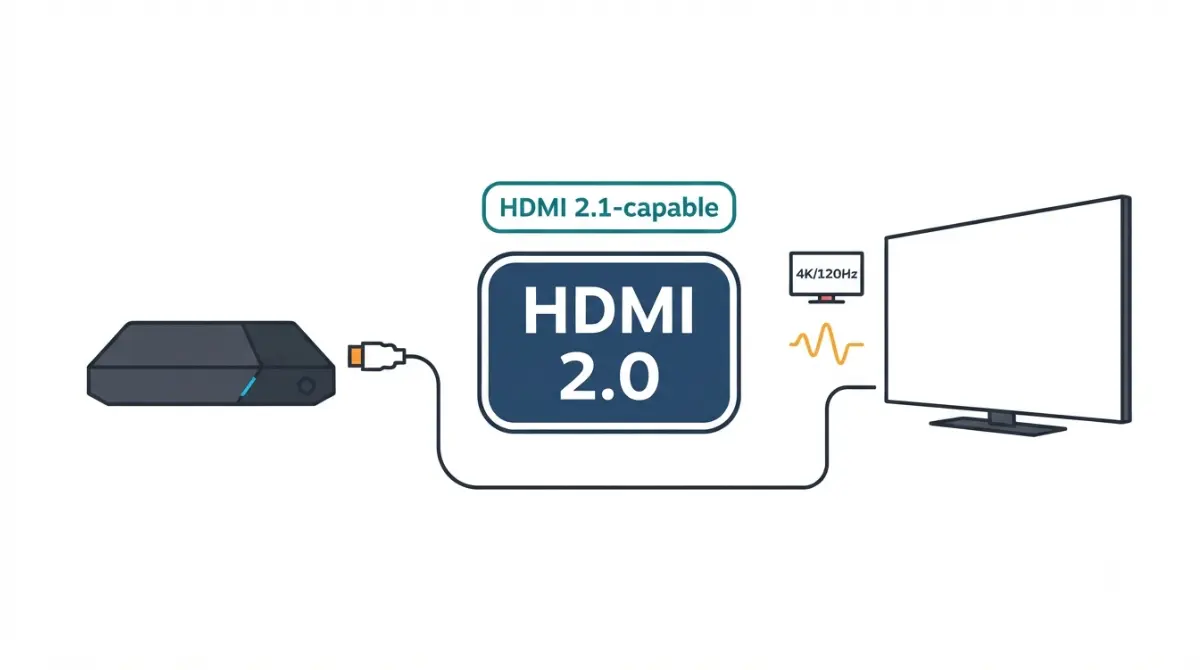
Table of Contents
Does the Steam Machine have HDMI 2.1?
Not officially. Valve’s spec listing shows one HDMI 2.0 port and one DisplayPort 1.4 port, and Valve has said the hardware itself is HDMI 2.1-capable. In an interview reported in late June 2026, Valve’s SteamOS architect called the software issue “fully resolved”: HDMI VRR now works, HDMI output is still capped at 4K 120Hz, and no date has been reported for the rest.
Status as of 7 October 2026. Setting up a TV? Start with the TV check. Choosing a port? See the comparison. Something not working? Jump to troubleshooting. The wider picture is in the Steam Machine specs and limits pillar.
What the Steam Machine’s HDMI port can do today

Yes, but with reduced colour detail. The HDMI port works within HDMI 2.0 bandwidth, with a workaround for 4K 120Hz.
4K 120Hz over HDMI 2.0
HDMI 2.0 is officially limited to 4K 60Hz. FlatpanelsHD reports Valve reaches 4K 120Hz anyway using 4:2:0 chroma subsampling at 8-bit. Whether games reach 120 frames is a GPU question; see what the GPU can realistically render at 4K.
FreeSync vs HDMI VRR
Valve told Ars Technica before launch that FreeSync works over HDMI, but HDMI VRR was unavailable. In late June 2026, Valve said current software supports both.
What chroma subsampling costs
heise reports the loss shows most on text.
🔍 Why It Works: Video stores brightness and colour separately. Sharing colour detail between neighbouring pixels cuts bandwidth, which is how 4K 120Hz fits through HDMI 2.0.
Will your TV work with the Steam Machine’s HDMI port?
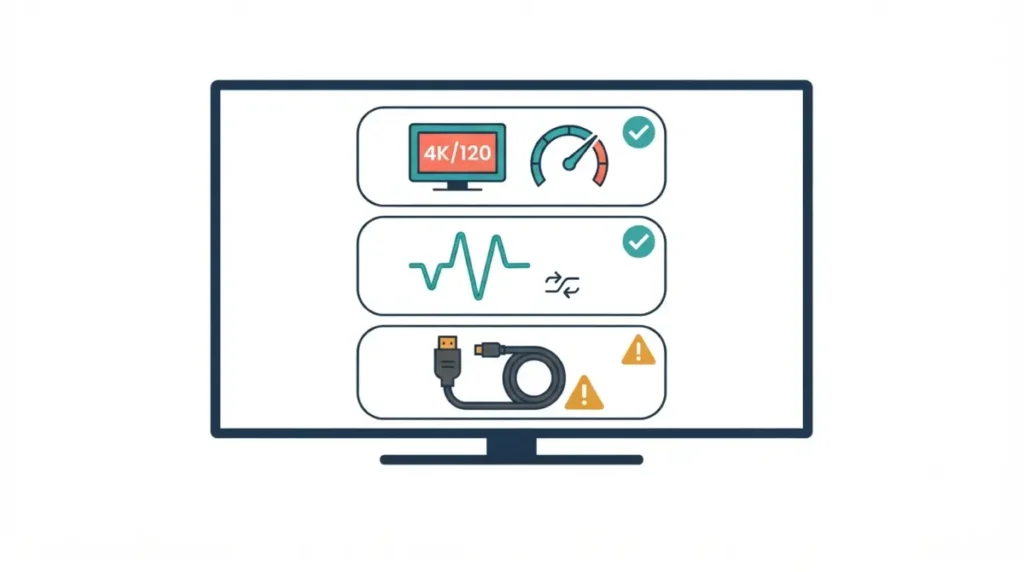
Compatibility depends on your exact TV model, not the label beside its ports.
Which TV input supports 4K 120Hz
TFTCentral, citing the HDMI Licensing Administrator, reports that every HDMI 2.1 capability, including FRL, VRR and ALLM, is optional, so an “HDMI 2.1” input may omit some.
FreeSync or HDMI VRR listed?
Ars Technica flagged that some TVs support HDMI VRR but not FreeSync. Valve says both now work, so your TV’s own list decides.
Cable and ALLM
The HDMI Forum says full 48Gbps support needs an Ultra High Speed cable. ALLM, an automatic game-mode switch, is unconfirmed for this port in the reports we reviewed.
🧩 Compatibility Check: In your TV’s manual, find which input is labelled 4K/120, whether VRR is listed as FreeSync, HDMI VRR or both, and which 4K/120 colour formats it accepts.
HDMI 2.0 vs DisplayPort 1.4 on the Steam Machine
Bandwidth: what each port carries
VESA lists DisplayPort 1.4’s HBR3 link at 32.4 Gbps. HDMI 2.0 is rated at 18 Gbps, and HDMI 2.1 FRL at up to 48 Gbps.
| Mode | Data rate | HDMI today | DisplayPort 1.4 | Key Detail |
|---|---|---|---|---|
| 4K 60Hz, RGB 8-bit | ~14 Gbps | Fits | Fits | HDMI 2.0’s official limit |
| 4K 120Hz, 4:2:0 8-bit | ~14 Gbps | Fits | Fits | Valve’s current HDMI mode |
| 4K 120Hz, RGB 8-bit | ~26 Gbps | No | Borderline | HDMI after FRL: fits (planned) |
| 4K 120Hz, RGB 10-bit | ~32 Gbps | No | Needs DSC | HDMI after FRL: fits (planned) |
| 4K 144Hz, RGB 10-bit | ~39 Gbps | No | Needs DSC | Valve plans uncompressed via FRL |
| 4K 240Hz, RGB 10-bit | Over 48 Gbps | No | Needs DSC | HDMI needs DSC too (planned) |
Sources: VESA (DisplayPort 1.4 link rate), HDMI Forum (HDMI 2.1), BGR (HDMI 2.0 rate), Valve statements via VideoCardz and FlatpanelsHD. Data rates are our calculation from standard video timings, not measurements. “Borderline” fits DisplayPort’s ~25.9 Gbps payload only with reduced blanking (AnandTech). As of 7 October 2026.
4K 240Hz and DSC
DisplayPort 1.4 already supports 4K 240Hz with DSC, VideoCardz reports Valve said, and Valve plans the same for HDMI in a later update.
DisplayPort to HDMI 2.1 adapters: what to check
A TV without a DisplayPort input needs an adapter to use that port; its limits are the maker’s, not Valve’s.
Active adapter, not a passive cable
Valve pointed buyers wanting full-colour 4K 120Hz to an active DisplayPort 1.4 to HDMI 2.1 adapter, per heise and Ars Technica. Check the maker’s page for maximum mode and HDR support.
VRR isn’t guaranteed
Reports citing Valve say HDMI 2.1 VRR is missing on the adapter route; heise says adapters lack official VRR support. Buy only if the maker’s page states VRR.
Unofficial workarounds
PC Games Hardware reported that FRL had to be enabled manually in a SteamOS 3.9 preview test, after which VRR went undetected. Those tweaks are unofficial; rely on Valve’s release notes and support.
When will the Steam Machine get full HDMI 2.1?
HDMI 2.1 on Linux depends on drivers and SteamOS releases, so the status changes with each one.
How we got here
- Jan 2024: the HDMI Forum rejected AMD’s request for open-source HDMI 2.1 support (OC3D, citing AMD).
- May 2026: AMD added HDMI FRL to the Linux driver (TweakTown).
- Late June 2026: Valve said the issue was resolved (VideoCardz’s report of Valve’s Digital Foundry interview).
- Aug–Sept 2026: SteamOS 3.9 previews added preliminary FRL support; stable stayed on 3.8.16 (PC Games Hardware).
What Valve has said
Valve says a later FRL update will enable uncompressed 4K 144Hz and 4K 240Hz with DSC. No report we reviewed gives a date.
What’s still unconfirmed
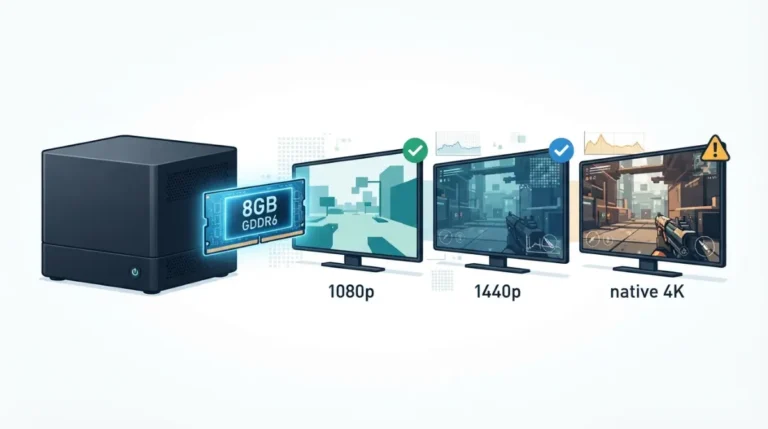
Recent reports still showed HDMI 2.0 on Valve’s listing, so check it before relying on this. Higher modes also depend on the GPU; see the Steam Machine’s 8GB of VRAM.
Steam Machine TV problems: no 4K 120Hz, no VRR
Most issues trace back to one of the limits above.
4K 120Hz won’t enable
Check that your TV input is labelled 4K/120 and accepts 4:2:0 at that mode. If it doesn’t, 4K 60Hz at 8-bit RGB fits HDMI 2.0’s limit.
VRR won’t turn on
Check whether your TV lists FreeSync, HDMI VRR or both. VRR behaviour can also differ by SteamOS channel and HDMI mode, as the preview reports show.
When to contact support
Contact Valve support or your TV maker, giving the SteamOS version, TV model and HDMI input.
FAQ
1. Does the Steam Machine support HDMI 2.1?
The Steam Machine’s spec listing shows HDMI 2.0; Valve says the hardware is HDMI 2.1-capable and the software issue is resolved, with more promised.
2. Can the Steam Machine output 4K 120Hz over HDMI?
Yes, FlatpanelsHD reports Valve reaches 4K 120Hz over HDMI using 4:2:0 chroma subsampling at 8-bit, which reduces colour detail.
3. Does the Steam Machine support VRR on a TV?
Valve says the Steam Machine supports FreeSync over HDMI and, per its late June 2026 statement, HDMI Forum VRR; your TV must accept one.
4. Should I use HDMI or DisplayPort on the Steam Machine for a TV?
Use HDMI if your TV has no DisplayPort input; the Steam Machine’s DisplayPort 1.4 carries more bandwidth than its HDMI port today.
5. Does the Steam Machine support 4K 240Hz?
The Steam Machine supports 4K 240Hz over DisplayPort 1.4 with DSC, per Valve’s comments; HDMI gets it in a later update.
6. Do I need a DisplayPort-to-HDMI adapter for the Steam Machine?
Only for full-colour 4K 120Hz on a TV; the Steam Machine’s HDMI port currently reaches that refresh rate using 4:2:0.
7. Does an adapter keep VRR on the Steam Machine?
Not officially; reports citing Valve say HDMI 2.1 VRR is missing on the adapter route, so check the maker’s page for VRR.
8. What is chroma subsampling on the Steam Machine?
It reduces colour detail to save bandwidth, letting the Steam Machine’s HDMI 2.0 port carry 4K 120Hz; heise says text shows the loss most.
9. Will the Steam Machine get full HDMI 2.1?
Valve says a later FRL update will add uncompressed 4K 144Hz and 4K 240Hz with DSC; no report we reviewed gives a date.
10. What cable does the Steam Machine need for HDMI 2.1 speeds?
The HDMI Forum says full 48Gbps support needs an Ultra High Speed cable; confirm your cable carries that label.
What to do next
Valve says the HDMI software problem is resolved, yet its listing still shows HDMI 2.0 and the higher modes have no date. Run the TV check first, then compare ports against your display. Weighing small PCs? See how the Steam Machine compares with a mini PC. We did not test any hardware here; status is as of 7 October 2026.