Steam Machine SSD Not Detected? Check in the Right Order
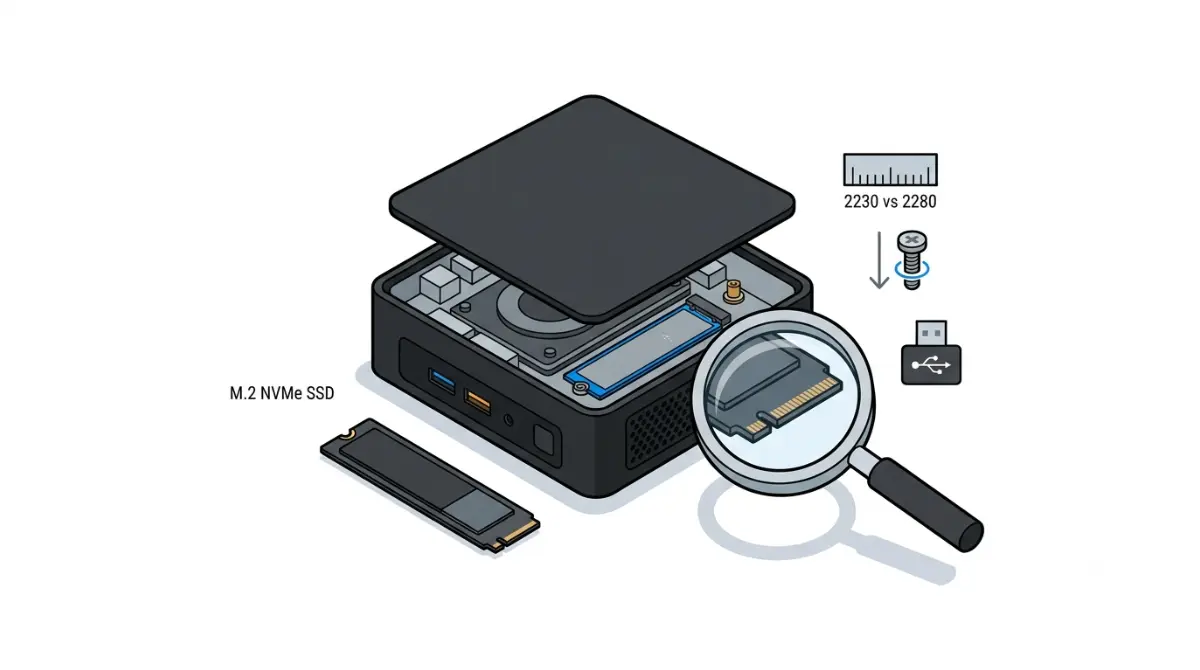
Table of Contents
Steam Machine not seeing your new SSD? Start here
A new SSD that the Steam Machine can’t see sorts into three situations. If the drive appears nowhere, start with drive type and fit in the next three sections; if it appears but SteamOS won’t install, go to the SteamOS section. If the original drive vanished too, jump to the last section.
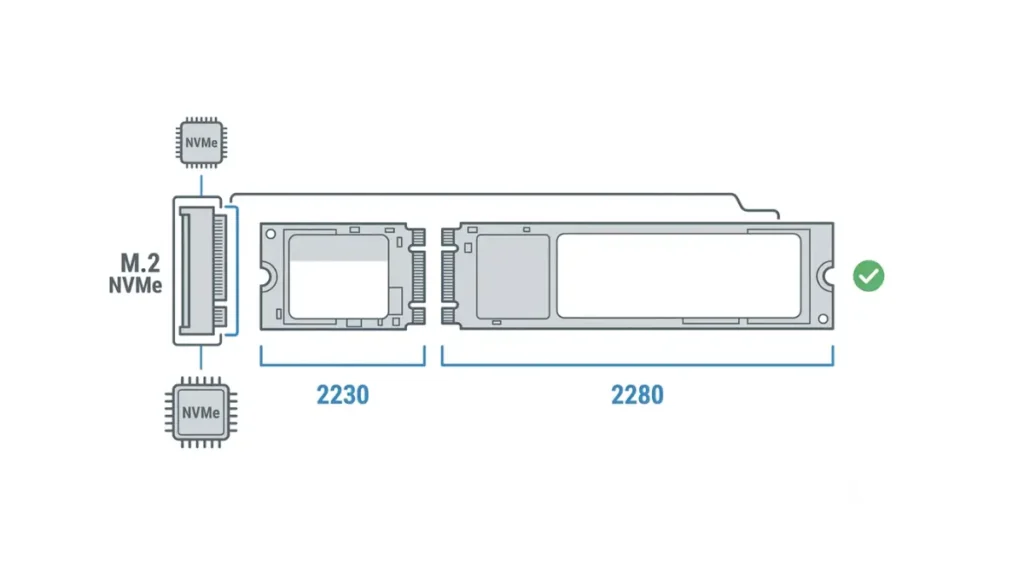
iFixit’s guide, made with Valve, says the machine has a single M.2 NVMe slot for 2230 or 2280 drives. Its steps cover only the physical swap, so a blank replacement drive needs SteamOS installed separately. See our Steam Machine upgrade limits guide for more.
ℹ️ Risk Note: Replacing the SSD means opening the machine, and installing SteamOS can erase a drive. Back up what you want to keep, use only Valve’s files and instructions, and check Valve’s warranty terms first. If anything is unclear, contact Valve Support.
What SSD does the Steam Machine accept?
The Steam Machine has a single M.2 NVMe slot that takes 2230 or 2280 drives, according to iFixit’s SSD guide, made with Valve.
2230 or 2280, NVMe only
| Item | Documented | Status |
|---|---|---|
| Form factor | 2230 or 2280 | |
| Interface | NVMe (M.2) | |
| PCIe generation | None found | |
| Power budget, maximum capacity | None found |
Source: iFixit Steam Machine (2026) SSD Replacement guide.
Is a SATA M.2 drive an option?
Not documented; iFixit describes an NVMe slot. Our SSD compatibility notes list what is confirmed.
🧩 Compatibility Check: On the drive’s spec sheet, confirm NVMe (not SATA) and a 2230 or 2280 length.
Check length and standoff first
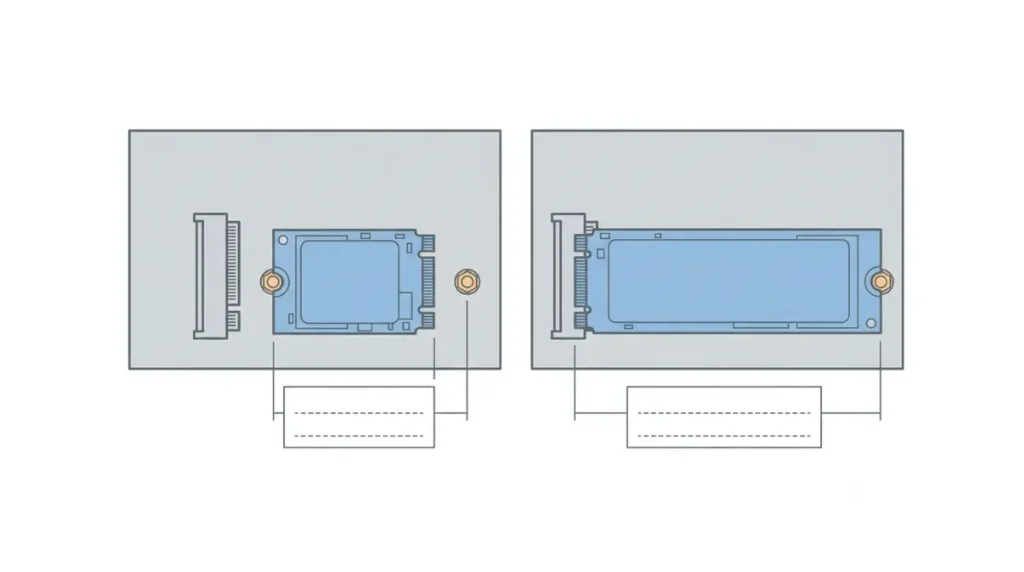
iFixit documents one physical mismatch: the standoff screw, whose position differs for 2230 and 2280 drives.
Standoff screw
The guide says the screw moves with a 5.0 mm nut driver. Match it to your drive’s length. Our full SSD upgrade guide covers choosing a drive.
Seating the drive
A single 5.1 mm screw holds the drive, which pops up at a shallow angle; pulling at a sharp angle can damage the socket.
Before you open it
Power down, unplug everything, and remove any microSD card first, which iFixit says may break otherwise.
⚠️ Watch Out: Opening the machine is the riskiest step; iFixit rates it Moderate, at 30 minutes to 1 hour. Check Valve’s warranty terms first.
Where does your Steam Machine SSD install stop?
Work through these in order: drive type, drive length and standoff, seating, SteamOS install, then hardware.
| Stage | What you see | What to check | Evidence |
|---|---|---|---|
| 1. Drive type | Nothing appears | M.2 NVMe, 2230 or 2280 | Documented |
| 2. Length | Drive sits loose | Standoff matches length | Documented |
| 3. Seating | Still nothing | Power off, microSD out, reseat | Documented |
| 4. OS | Blank drive | Install SteamOS via Valve | Documented |
| 5. Installer | No NVMe reported, fit correct | Stop; contact Valve Support | Owner reports |
| 6. Hardware | Original drive missing too | SSD board may need replacing, per iFixit | Documented sign |
Sources: iFixit Steam Machine (2026) SSD Replacement and SSD Board Replacement guides; owner posts on iFixit Answers, Jul–Sep 2026.
Drive appears nowhere
Work stages 1 to 3, then stage 6.
Appears, SteamOS won’t install
Work stages 4 and 5.
Worked, then vanished
Go to stage 6 and contact Valve Support.
A new blank SSD needs SteamOS installed first
Yes: a blank replacement drive has no operating system, so you install SteamOS from Valve’s installation instructions and recovery instructions, which iFixit’s guide points to.
Why a blank drive has nothing to boot
With no operating system, there is nothing to boot from.
Reinstall or re-image?
Valve’s recovery tools include options that can erase the drive; read each before choosing.
✅ Do This: Back up your files first and follow Valve’s instructions exactly. If the installer can’t find the drive, contact Valve Support.
Power and PCIe limits Valve doesn’t publish
As of 12 October 2026, we found no official PCIe generation, power budget or maximum capacity for the slot.
What’s missing
A drive’s spec sheet gives its own PCIe generation and power draw, not how they fit this slot, so we can’t name safe drives.
Reading a spec sheet
Note both figures and check Valve’s Steam Machine page again before buying; this section will be updated if Valve publishes a limit.
Still not detected? When to contact Valve Support
If the original drive is also missing, stop opening the machine and contact Valve Support. iFixit’s SSD Board guide lists an undetected SSD among signs the board may need replacing.
Its own board
iFixit describes a separate board holding the M.2 connector, linked by a ribbon cable. Our storage expansion options cover microSD and USB meanwhile.
What owners report
iFixit Answers posts describe drives vanishing after upgrades; one owner fixed it, another got a Valve replacement. They are individual accounts, not failure rates.
What to tell Valve Support
Give the drive model, length, standoff position, the stage where it stops, and the error text.
⚠️ Watch Out: Don’t separate boards or reseat internal cables yourself; that is a repair for Valve or a qualified technician.
Steam Machine SSD not detected: common questions
1. Why is my Steam Machine SSD not detected?
Work through drive type, length and standoff, seating, SteamOS install, then hardware, in that order.
2. What SSD does the Steam Machine take?
The Steam Machine takes one M.2 NVMe SSD, 2230 or 2280, according to iFixit’s guide made with Valve.
3. Can I use a SATA M.2 SSD?
The slot is documented as NVMe and no source we found confirms SATA drives; check your drive’s listing.
4. Do I need to install SteamOS on a new SSD?
Yes. A blank drive has no operating system, so a new SSD needs SteamOS from Valve’s instructions. Back up first.
5. Do I remove the microSD card first?
Yes. iFixit says to remove any microSD card first, because it may break during the repair.
6. Does a 2280 SSD need anything different?
Yes. iFixit says the standoff screw moves, using a 5.0 mm nut driver, to suit 2280 or 2230.
7. Which PCIe generation does the slot use?
As of 12 October 2026 we found no official PCIe generation for the slot; check Valve’s page.
8. What if my SSD is still not detected?
If the original drive is also missing, iFixit lists the SSD board as a possible cause; stop opening the machine. Contact Valve Support with your drive details.
9. Does fitting my own SSD affect my warranty?
We have not verified Valve’s warranty terms for a user-fitted SSD, so we cannot say either way. Check them before opening the machine.
10 Can the SSD board be replaced separately?
iFixit publishes a separate SSD Board Replacement guide, which involves disconnecting internal cables. Contact Valve Support first.
Next step
Check drive type, length and standoff, seating, then the SteamOS install; if the original drive is also missing, contact Valve Support. Back up your data before reinstalling, and see Steam Machine upgrade limits for what else the machine accepts.