GPU compatibility with the PC you already have

GPU compatibility on older boards: an RTX 5060 in a PCIe 4.0 slot runs at PCIe 4.0 x8, and Radeon RX 9000 cards officially support UEFI boot only.
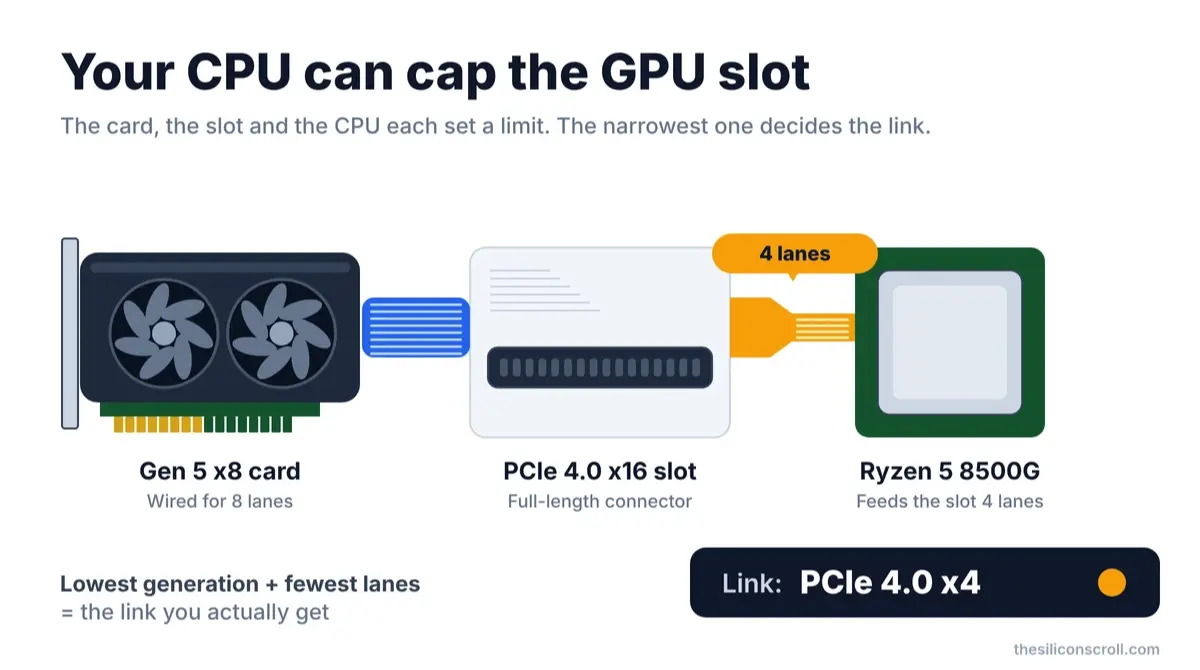
Table of Contents
A current graphics card plugs into and runs in any desktop board with a full-length PCIe x16 slot, because PCI-SIG built PCIe 5.0 to stay backward compatible with PCIe 4.0, 3.x, 2.x and 1.x. What changes is the speed the card runs at, and whether your motherboard’s firmware will start it at all.
Two checks settle both. The first is the link your CPU and board give the graphics slot, which can be narrower than the card. The second is boot mode, because each GPU maker now publishes a requirement or a fix for boards still set to legacy boot. Socket and BIOS questions about the board itself belong to the full motherboard compatibility check.
The link your card will run at
An RTX 5060 in a PCIe 4.0 slot runs at PCIe 4.0 x8. Card, slot and CPU each set a ceiling, and the link settles at the lowest generation and the fewest lanes among them.
Cards differ more than their full-length edge connectors suggest. The RTX 5060 and RTX 5050 are Gen 5 cards wired for eight lanes, listed as “PCI Express Gen 5 x16 (uses x8)” on MSI’s RTX 5060 and RTX 5050 spec sheets. The RTX 5060 Ti uses the same PCIe 5.0 x8 interface. The Arc B580 is a PCI Express 4.0 x8 card. The Radeon RX 9060 XT has a full PCIe 5.0 x16 interface, so it can use every lane a slot offers.
| Your CPU and board | GPU slot it gets | RTX 5060, 5060 Ti, 5050 | Arc B580 | RX 9060 XT |
|---|---|---|---|---|
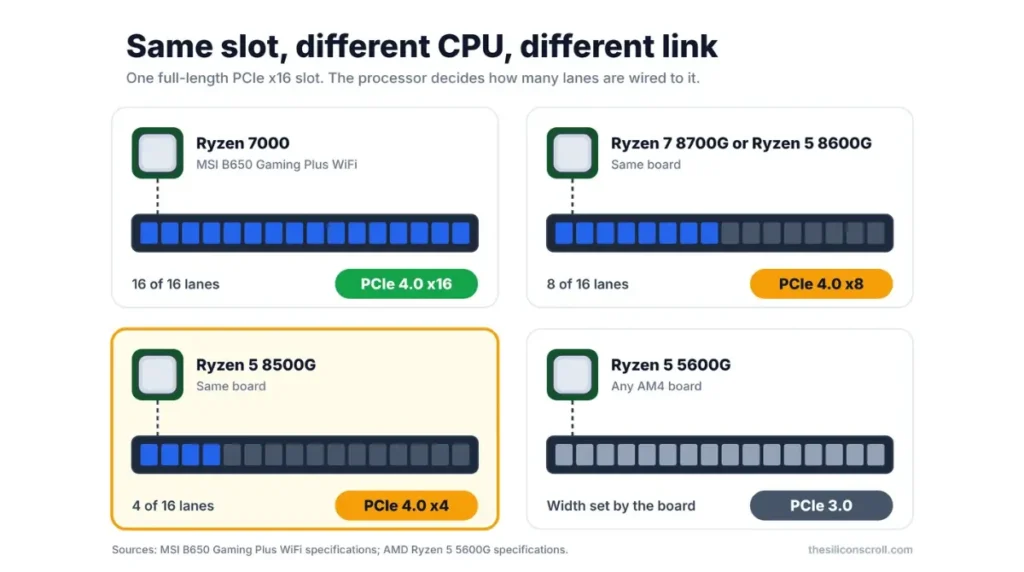
| Ryzen 7000 on MSI B650 Gaming Plus WiFi | PCIe 4.0 x16 | PCIe 4.0 x8 | PCIe 4.0 x8 | PCIe 4.0 x16 |
| Ryzen 7 8700G or Ryzen 5 8600G, same board | PCIe 4.0 x8 | PCIe 4.0 x8 | PCIe 4.0 x8 | PCIe 4.0 x8 |
| Ryzen 5 8500G, same board | PCIe 4.0 x4 | PCIe 4.0 x4 | PCIe 4.0 x4 | PCIe 4.0 x4 |
| Ryzen 5 5600G on an AM4 board | PCIe 3.0 | PCIe 3.0 x8 | PCIe 3.0 x8 | PCIe 3.0, at the slot’s width |
Slot widths from the MSI B650 Gaming Plus WiFi specifications; 5600G generation from AMD’s Ryzen 5 5600G page. Each result takes the lower generation and the fewer lanes of card and slot.
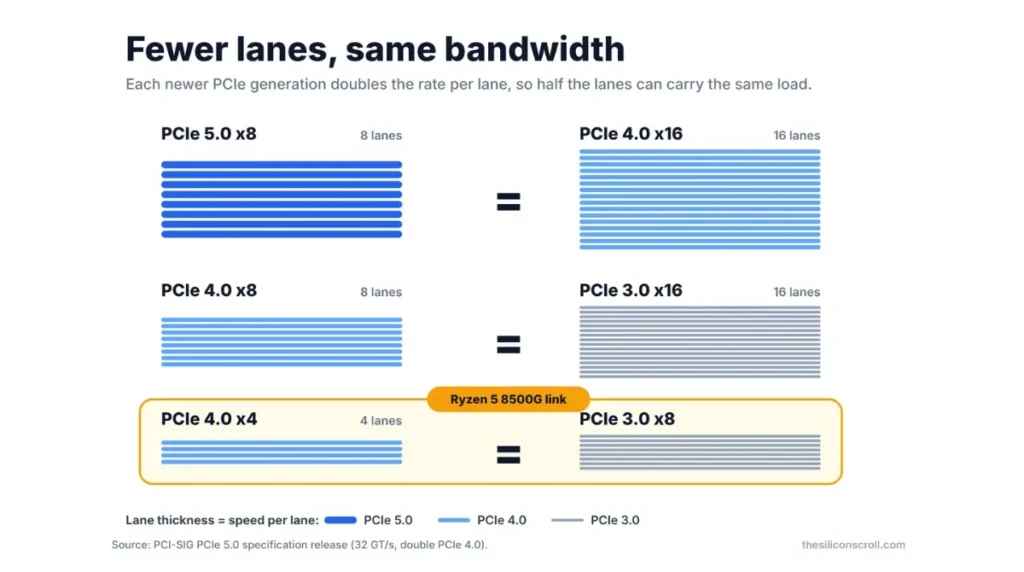
PCIe 5.0 runs at 32 GT/s, double the PCIe 4.0 rate, and 4.0 doubled 3.0 before it. A PCIe 4.0 x8 link therefore carries what 3.0 x16 does, and 4.0 x4 matches 3.0 x8. The bandwidth equivalence table for x8 links sets out every step, along with the M.2 slots that halve the graphics link on some boards.
Ryzen 5600G and 8000G chips narrow the graphics slot
The Ryzen 5 5600G is a PCIe 3.0 processor; the PCI Express Version field on AMD’s spec page reads PCIe 3.0. Pair it with an RTX 5060 and the link tops out at PCIe 3.0 x8, whatever the AM4 board’s slot is rated for.
On AM5, AMD’s APUs keep PCIe 4.0 but feed the slot fewer lanes. The Ryzen 7 8700G has 20 native PCIe lanes, 16 of them usable. On the MSI B650 Gaming Plus WiFi, the x16 slot runs x8 with a Ryzen 7 8700G or Ryzen 5 8600G and x4 with a Ryzen 5 8500G. The ASUS TUF Gaming B650-PLUS WIFI gives its top slot an “x8/x4 mode” for Ryzen 8000 chips, without saying which chip gets which width.
Intel singles out the 8500G pairing. Its Arc desktop guide warns that a card paired with that chip “will have reduced performance due to the CPU only supporting 4 lanes of PCIe Gen 4.” That is a PCIe 4.0 x4 link, the bandwidth of 3.0 x8, for any card in the slot.
When does an eight-lane card lose speed?
The RTX 5060 Ti ships with 8 GB or 16 GB of memory, and the narrower link affects the two versions very differently. For the 16 GB card, TechPowerUp’s PCI-Express x8 scaling tests on a Ryzen 7 9800X3D put PCIe 4.0 x8 2% and PCIe 3.0 x8 4% behind PCIe 5.0 x8 at 1080p, with smaller gaps at higher resolutions. ComputerBase’s 1440p results agree: the 16 GB card averaged 65.2 fps on PCIe 5.0 and 65.0 fps on PCIe 4.0.
Memory size changes the picture, because when a game’s data overflows video memory, the spillover travels over PCIe. Across 27 games at 1440p with adjusted settings, ComputerBase recorded the 8 GB RTX 5060 Ti running 14% faster in average fps and 17% faster in percentile fps on PCIe 5.0 than on PCIe 4.0. Some games that were barely playable on 5.0 became unplayable on 4.0. Hardware Unboxed’s results, summarized by PC Games Hardware, point the same way for the 8 GB card: small losses at PCIe 4.0, clearer ones at PCIe 3.0.
Before you buy: if your platform gives the slot PCIe 4.0 x8 or less, an 8 GB eight-lane card is the combination these tests single out. Compare a 16 GB version, or a card with a full x16 interface, in an independent review before buying.
Black screen on an older board: UEFI, CSM and Resizable BAR
The card is seated and powered, the fans spin, and the screen stays black. On boards still set to legacy or CSM boot, each of the three GPU makers documents either this result or a setting that prevents it.
Radeon RX 9000 and RTX 5060 cards
From AMD’s RDNA 4 generation on, starting with the Radeon RX 9000 series, only UEFI mode is officially supported. CSM mode can cost modern Radeon cards features such as Smart Access Memory. The same article puts the steps in order: run Microsoft’s MBR2GPT process if your Windows drive needs it, then disable CSM in the board’s firmware.
Back up first: converting a Windows drive from MBR to GPT changes how it boots. Copy your files to another drive before running Microsoft’s MBR2GPT tool or changing the boot mode.
NVIDIA’s issue is narrower. The RTX 5060 series firmware notice covers RTX 5060 and 5060 Ti cards that “in certain legacy motherboards could experience blank screens on reboot.” The fix starts with booting in UEFI mode rather than Legacy/CSM. NVIDIA’s firmware update tool is meant only for cards showing those reboot blank screens, and you follow the steps on NVIDIA’s own page. If your board can’t boot in UEFI mode at all, NVIDIA’s instruction is to contact the card maker’s customer service for a legacy VBIOS; that is where self-help stops.
Intel Arc cards
Intel’s Arc desktop guide makes Resizable BAR a motherboard requirement, next to a full-size PCIe 3.0 or newer x16 slot. It also requires UEFI boot with CSM or Legacy Mode disabled, and Above 4G Decoding and Re-Size BAR set to Enabled. Windows must sit on a GPT disk.
Its supported list runs from Ryzen 5000 and most Ryzen 3000 chips on AMD 500-series boards to Ryzen 7000 through 9000 on 600-series boards. On the Intel side it covers Core chips from 10th Gen on, where Resizable BAR support on 10th Gen boards varies by maker. The menu path on your own board is shown in how to enable Resizable BAR in BIOS.
Case, power supply and connector checks
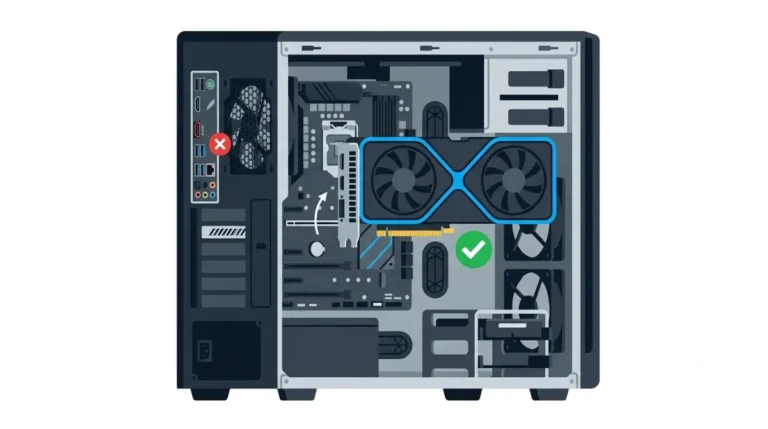
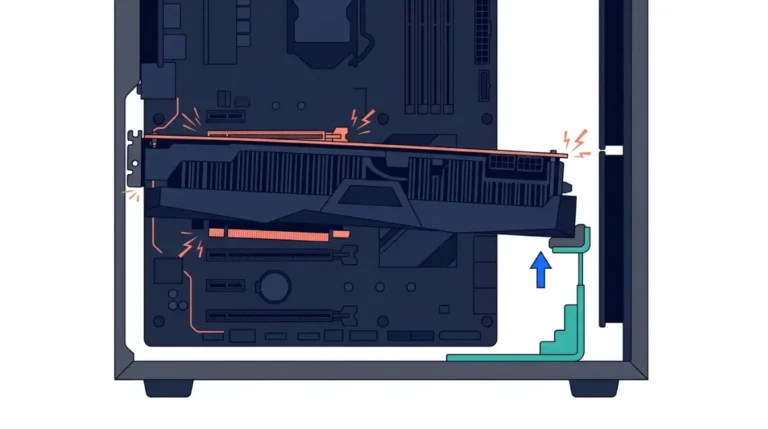
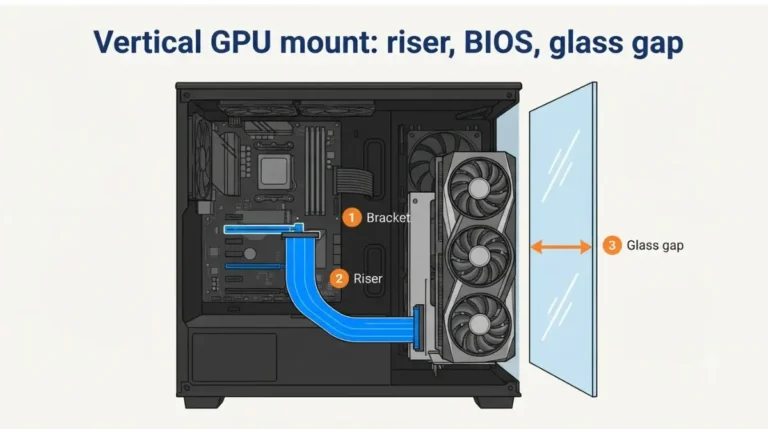
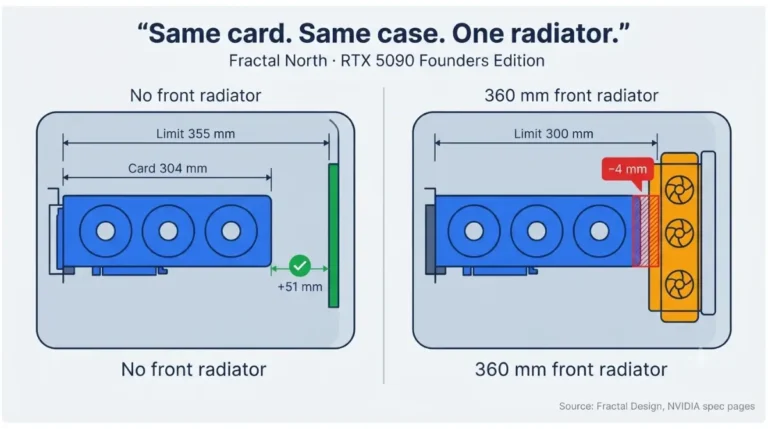
Three more checks have nothing to do with the board. Whether the card’s length and thickness clear your case, front radiator included, is covered in will the GPU fit your case.
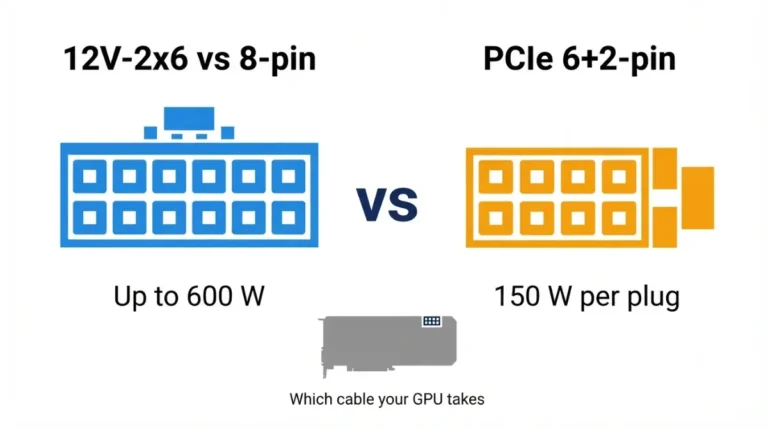
Power supply size starts from each GPU maker’s own required-system-power figure, set out in PSU sizing for your GPU. The cable question is answered in 12V-2×6 versus 8-pin connectors.
Look up your CPU’s PCIe version before you order
Open three spec pages before you pay for the card:
- the CPU’s, for its PCI Express version and usable lane count
- the board’s, for the GPU slot line that matches your CPU family
- the card’s, for its interface line, such as “Gen 5 x16 (uses x8)”
The lowest generation and the fewest lanes across those three is the link you will get. If that works out to PCIe 3.0, or to 4.0 x4, read an independent review of that exact card at that link first.
Found this helpful? See more of our guides on Google.
Want to see our guides first on Google?