12V-2×6 vs 8-Pin Power Cables and the Correct One for Your GPU

12V-2×6 and 8-pin cables differ beyond the plug: some 12V-2×6 cables are rated 450W, not 600W. Here’s how to read your PSU and GPU guides.
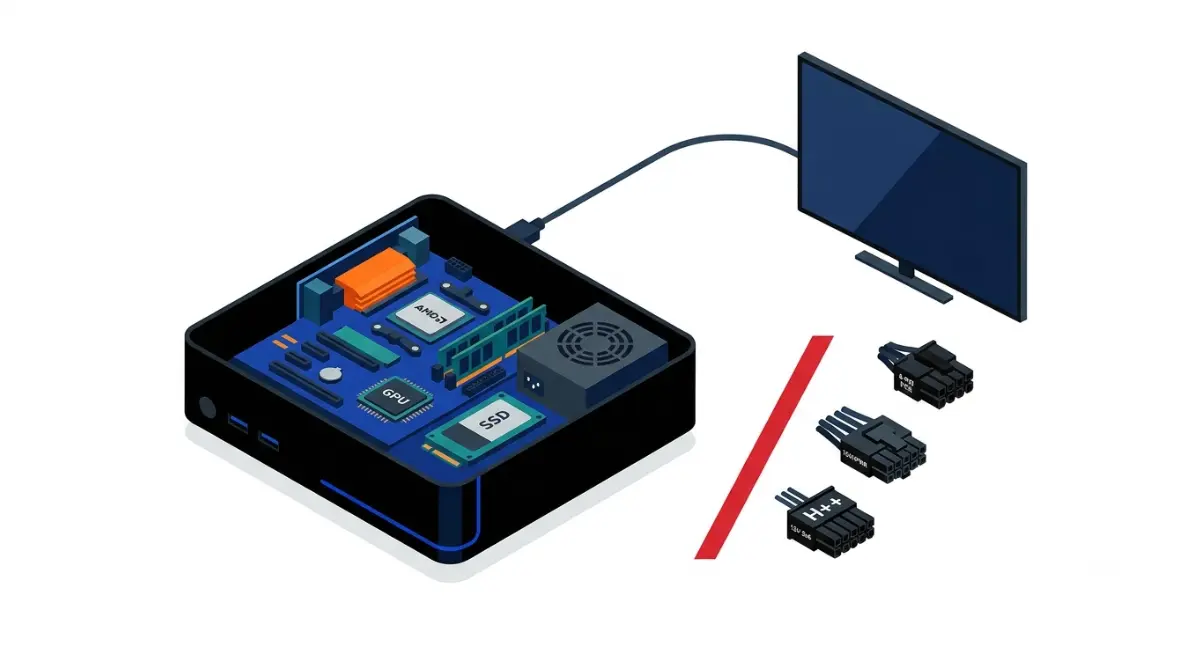
Table of Contents
Does the Steam Machine use any of these cables?
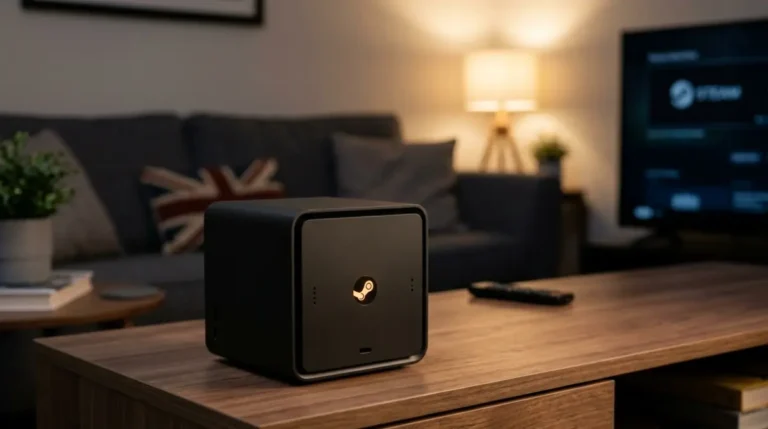
No. The Steam Machine has no 8-pin, 12VHPWR, or 12V-2×6 graphics card cable to choose: Valve describes a discrete semi-custom AMD CPU and GPU, and the power supply is built in.
Steam Machine owners: the GPU and PSU are built in
Gamers Nexus’ teardown, as reported by TweakTown, found the GPU can’t be swapped; only the RAM and SSD are upgradeable. See Valve’s Steam Machine developer page and our guide to what you can and can’t upgrade on the Steam Machine.
Building your own instead: what this guide answers
- Planning a DIY build: start with the connector table below.
- New GPU, older 8-pin PSU: see the native-cable-or-adapter section.
- Worried about melting: see the final section.
ℹ️ Risk Note: GPU power connectors carry high current, and a poorly seated plug can overheat. This guide explains the standards and manufacturer instructions; it is not a repair guide. Use only the cable or adapter your GPU and PSU makers specify, and contact their support if a connector looks damaged, discolored, or smells burnt.
12V-2×6 vs 8-pin vs 12VHPWR at a glance
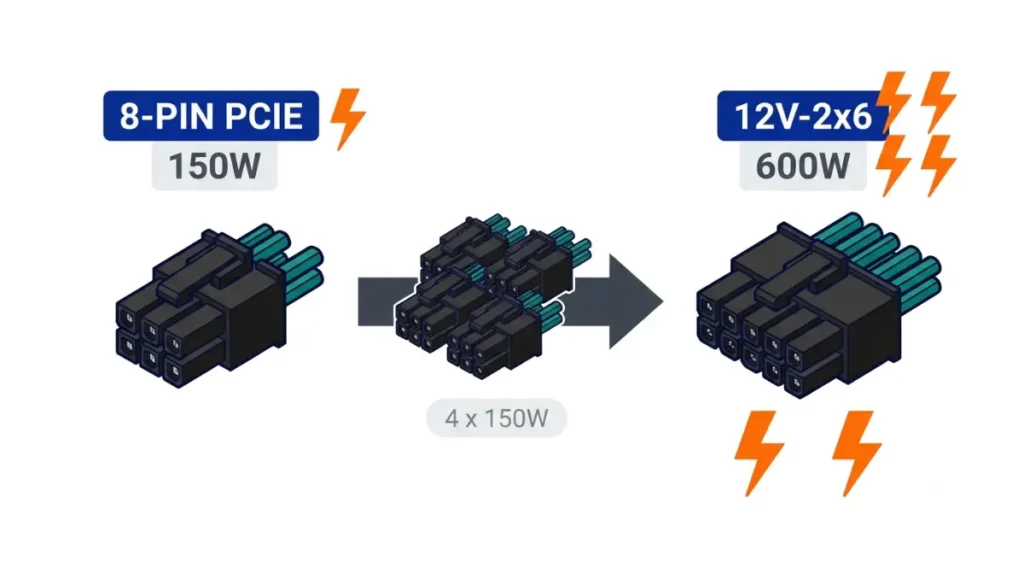
An 8-pin PCIe plug is rated for 150W sustained, while a 12V-2×6 connector is rated for up to 600W, according to Intel’s ATX 3.1 power supply design guide. 12VHPWR is the earlier version of the same 16-pin connector.
| Connector | Pins | Sustained rating | Marking and standard | Key Detail |
|---|---|---|---|---|
| 8-pin PCIe (6+2) | 6+2 | 150W | PCIe 2×4 auxiliary | The plug on the card end; “8-pin” can also mean a PSU-side modular socket |
| 12VHPWR | 12+4 | Up to 600W | H+ · PCIe CEM 5.0 / ATX 3.0 | Intel’s guide deprecates it for new designs |
| 12V-2×6 | 12+4 | 150 / 300 / 450 / 600W, set by sense pins | H++ · PCIe CEM 5.1 / ATX 3.1 | Allowed 0W if neither sense pin makes contact |
The 8-pin (6+2) PCIe plug: 150W by spec
The plug on your graphics card is a 6+2 PCIe connector. Corsair notes that “8-pin” also names sockets on the PSU end of modular cables, which aren’t the same 150W GPU plug.
12VHPWR and 12V-2×6: the 16-pin connectors
Both use 12 power pins plus 4 small sense pins. Intel’s guide says new designs should mount only 12V-2×6.
Is 12V-2×6 better than 8-pin?
One 12V-2×6 carries what four 8-pins carry, so it means fewer cables. Your card’s maker, not you, decides which connector it has.
Is a 12VHPWR cable the same as a 12V-2×6 cable?

Effectively, yes: the 12V-2×6 change is in the sockets on the graphics card and power supply, not the cable. Corsair states that a 12VHPWR cable is also a 12V-2×6 cable.
What changed: the socket, not the cable
In the 12V-2×6 header, the sense pins are recessed and the power pins are longer, according to Hardware Busters’ analysis of PCIe CEM 5.1. The card should only detect the sense signal once the power pins are seated.
🔍 Why It Works: The two sense pins tell the card how much power it may draw. Under Intel’s design guide, if neither pin makes contact, the allowed power is 0W, so a plug that isn’t fully inserted should stop the card from drawing power.
How to tell H+ from H++
12VHPWR plugs carry an H+ mark and 12V-2×6 plugs carry H++, per Hardware Busters. On the cable plug, that mark is the main visible difference.
What the sense pins do now
Intel’s guide maps each sense-pin state to a sustained limit: 600W, 450W, 300W, 150W, or 0W.
✅ Do This: NVIDIA’s RTX 5080 Founders Edition installation guide tells you to make sure the power plug is fully inserted and seated flush. Check for any gap between plug and socket before closing the case.
Native 12V-2×6 cable or 8-pin adapter: which fits your build?
If your PSU has a native 12V-2×6 output, use that native cable; if it has only 8-pin PCIe outputs, use the adapter included with your card, with every input connected.
- Check your card’s spec page for an 8-pin or 16-pin header.
- 8-pin header: connect the 8-pin cables its guide lists.
- 16-pin header: use the PSU’s native 12V-2×6 cable, or the card’s included adapter.
Your PSU has a native 12V-2×6 output
Use the cable made for that PSU model. Corsair says its native and 8-pin-to-12V-2×6 cables deliver the same power.
Your PSU has only 8-pin PCIe outputs
NVIDIA’s RTX 50 Founders Edition guides list the included adapter as a supported setup and say to use only that adapter.
Do you need an ATX 3.1 PSU?
Not necessarily. Intel’s guide recommends a 12V-2×6 on PSUs above 450W, but your card’s supported configurations decide.
🧩 Compatibility Check: Find “supported power connector configurations” in your card’s user guide. Then use only the modular cables your PSU’s manual lists for that exact model.
How many 8-pin cables equal one 12V-2×6?
Four. Intel’s design guide rates each 8-pin at 150W and a 12V-2×6 at up to 600W, so 4 × 150W = 600W. The PCIe x16 slot adds up to 75W, for 675W total under CEM 5.1.
| 8-pin inputs | Combined rating | Matching 12V-2×6 level | Key Detail |
|---|---|---|---|
| 1 | 150W | 150W | Lowest 12V-2×6 level |
| 2 | 300W | 300W | — |
| 3 | 450W | 450W | Matches the 450W cables noted below |
| 4 | 600W | 600W | Full 12V-2×6 rating |
The math: 150W per 8-pin, 75W from the slot
The arithmetic tells you capacity, not permission: your card’s guide still sets how many inputs its adapter needs.
Not every 12V-2×6 cable is rated 600W
Corsair’s cable guide notes that some of its lower-wattage ATX 3.1 units, such as the RM650e, include a 12V-2×6 cable rated for 450W.
📊 Spec Check: NVIDIA’s RTX 5080 Founders Edition guide lists two supported setups: three 8-pin cables through the included adapter, or one 16-pin cable rated 450W or more, with an 850W minimum PSU. That matches the 3 × 150W row above. The RTX 5070 Founders Edition guide calls for a 16-pin cable rated 360W or more. Source: NVIDIA RTX 5080 and RTX 5070 user guides.
For wattage by card, see our PSU wattage table for graphics cards.
Building a Steam Machine alternative? The cable you’ll likely meet
A desktop card’s connector is set by the exact model, so check its spec page before choosing a PSU.
Cards in the Steam Machine’s class
Valve’s November 2025 announcement listed the Steam Machine’s GPU at a 110W TDP. Our guide to the desktop card closest to the Steam Machine’s GPU narrows the field.
Small cases: leave room for the cable to exit straight
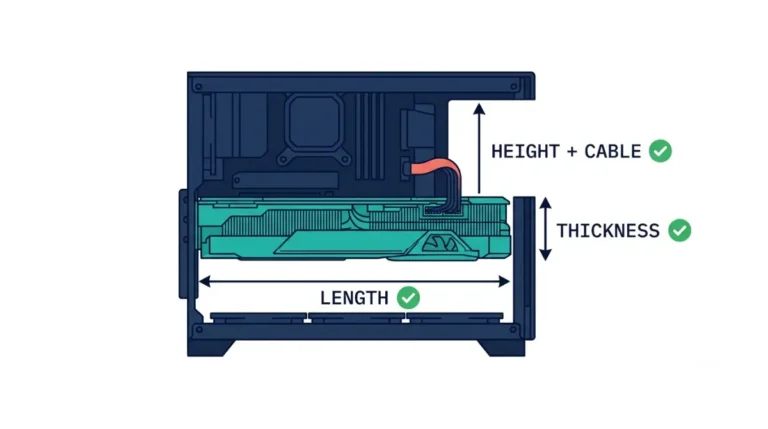
In a small form factor build, the plug still has to sit flush, as NVIDIA’s guides instruct. Check the case’s GPU clearance on its spec sheet, and leave room so the side panel doesn’t press on the plug.
Signs a GPU power connector isn’t seated, and what to do
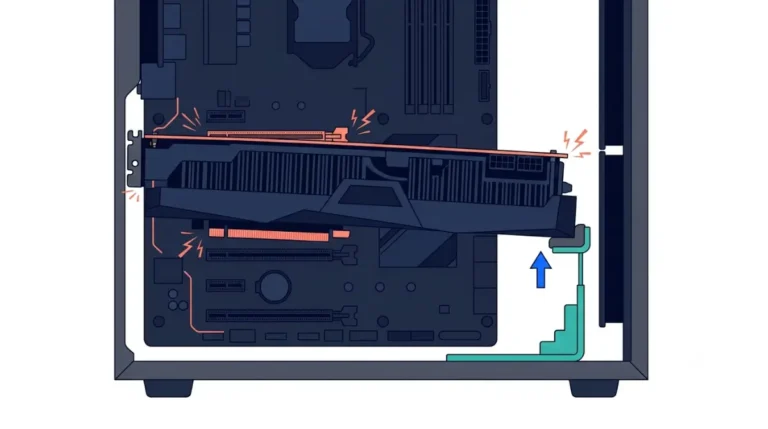
Investigations into early 12VHPWR failures, including Gamers Nexus’ reporting, pointed to connectors not fully seated under load.
Warning signs to stop on
- A visible gap between plug and socket, or a latch that hasn’t clicked.
- A burning-plastic smell, discoloration, or melting near the connector.
Reports haven’t stopped entirely: Club386 and YouTuber Daniel Owen each reported a melted RTX 5090 connector, one on a native cable and one on an adapter. Seating matters on every high-power card.
⚠️ Watch Out: If you see any of these signs, shut the PC down, switch off and unplug the PSU, and don’t reuse the cable or adapter. Contact your GPU and PSU makers’ support to arrange inspection or replacement under warranty.
Check for recalls on adapters you already own
On February 8, 2024, the CPSC announced the recall of about 25,300 CableMod angled adapters, V1.0 and V1.1, after 272 overheating and melting reports. Stop using one if you own it.
12V-2×6 vs 8-pin: quick answers
1. Is 12V-2×6 better than 8-pin?
A 12V-2×6 carries up to 600W through one plug versus 150W per 8-pin; your card’s design sets which it uses.
2. Is a 12VHPWR cable compatible with a 12V-2×6 GPU?
Yes. 12VHPWR and 12V-2×6 cables are effectively the same; the 12V-2×6 change is in the card and PSU sockets.
3. How do I tell 12VHPWR from 12V-2×6?
Check the plug’s marking: 12VHPWR connectors carry an H+ mark, while 12V-2×6 connectors carry H++.
4. How many watts does an 8-pin PCIe cable carry?
Intel’s ATX design guide rates each 8-pin PCIe connector at 150W, so four 8-pins equal one 600W 12V-2×6.
5. Do I need an ATX 3.1 PSU for a 12V-2×6 card?
Not necessarily. NVIDIA lists its included 8-pin adapter as supported; your card’s user guide lists the configurations it accepts.
6. Is the adapter that came with my GPU safe to use?
Use only the 12V-2×6 adapter your GPU maker supplies, with every listed 8-pin input connected and seated flush. If it looks damaged, contact the GPU maker’s support.
7. Why did 16-pin connectors melt?
Investigations into early 12VHPWR failures pointed to plugs not fully seated; 12V-2×6 recessed its sense pins to address this. If you smell burning, power down and contact the manufacturer.
8. Does the Steam Machine use a 12V-2×6 or 8-pin cable?
No. The Steam Machine’s GPU and power supply are built in, so there’s no 12V-2×6 or 8-pin cable to choose.
9. Can I upgrade the Steam Machine’s GPU?
No. Gamers Nexus’ teardown found the Steam Machine’s GPU can’t be swapped; RAM and the SSD are upgradeable.
10. Are all 12V-2×6 cables rated for 600W?
No. Some lower-wattage PSUs ship a 12V-2×6 cable rated for 450W, so check your PSU’s spec sheet.
Which cable fits: the short version
An 8-pin carries 150W; a 12V-2×6 carries up to 600W, and your 12VHPWR cable still works with it. Your GPU and PSU manuals decide the supported path, and a plug that won’t seat flush is a reason to call support. Next, plan your own Steam Machine build and check which mini-ITX cases suit it.