Which Steam Machine Storage Expansion Options Are Compatible?
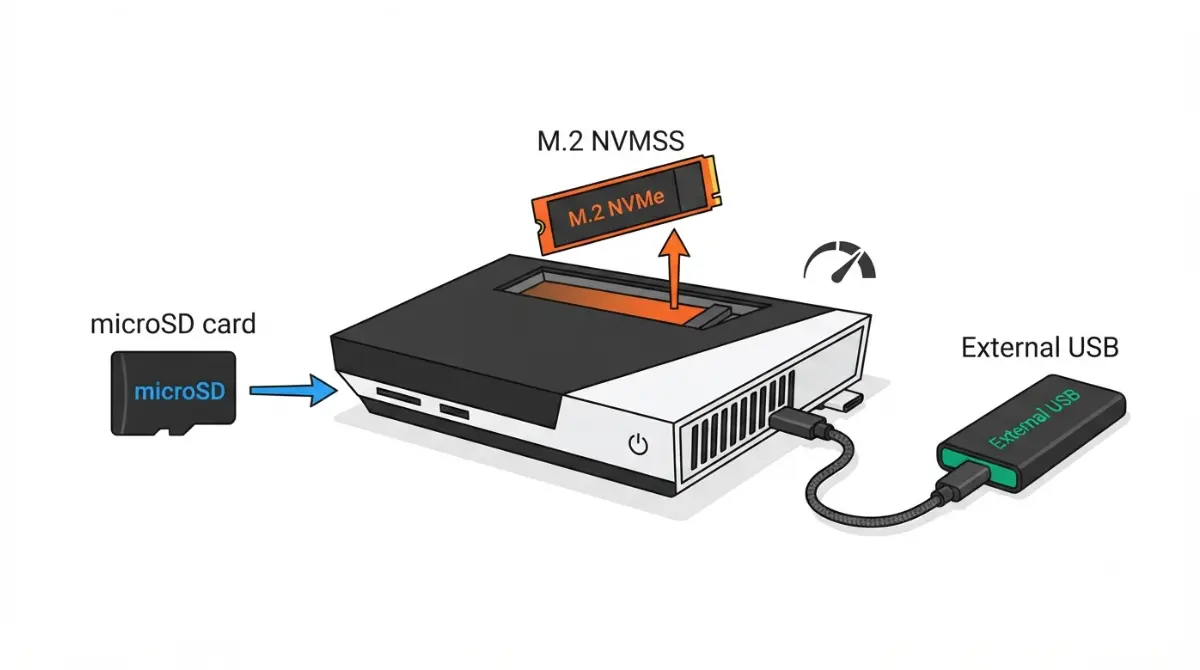
Table of Contents
How can you expand Steam Machine storage?
Steam Machine storage expansion comes down to three routes, and only one needs a screwdriver.
- microSD card: front slot, no opening required.
- Internal M.2 SSD swap: replaces the stock drive and means opening the case.
- USB drive: plugs into a USB port, no opening required.
Filling up a 512 GB model? Start with the card. Choosing between the 512 GB and 2 TB models? Jump to the comparison. Installed storage that isn’t showing up? Go to the troubleshooting section.
ℹ️ Risk Note: Opening the console, swapping its SSD, or formatting a card or drive can cost you data or warranty coverage. Back up first, follow Valve’s and iFixit’s published methods, and read Valve’s hardware warranty terms before opening anything; contact Valve Support if you’re unsure.
Where can a Steam Machine’s storage grow?
Valve’s published Steam Machine specifications list a 512 GB or 2 TB NVMe SSD, a high-speed microSD slot, and five USB ports.
| Route | Interface | Ceiling | Opening needed? | Best for |
|---|---|---|---|---|
| Internal M.2 slot (2230 or 2280) | NVMe | Not stated in sources checked | Yes | Biggest capacity step |
| microSD slot (front) | UHS-I | 104 MB/s | No | Easy library extension |
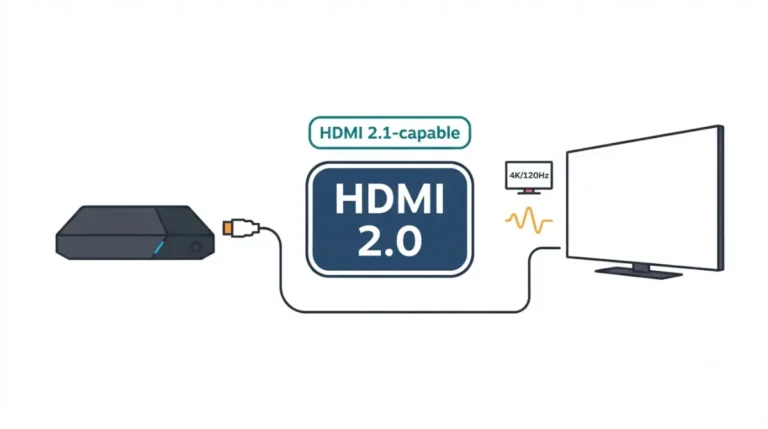
| USB-C (rear) | USB 3.2 Gen 2 | 10 Gbps | No | Fastest external drive |
| USB-A ×2 (front) | USB 3.2 Gen 1 | 5 Gbps | No | Portable drives |
| USB-A ×2 (rear) | USB 2.0 | 480 Mbps | No | Accessories |
Sources: Valve and iFixit (slots, ports); SD Association (UHS-I); USB-IF naming, as explained by Tom’s Hardware. Ceilings are theoretical maximums; real speeds are lower.
For the wider picture, see Steam Machine specs, upgrades, and limits.
Which microSD cards work in a Steam Machine?
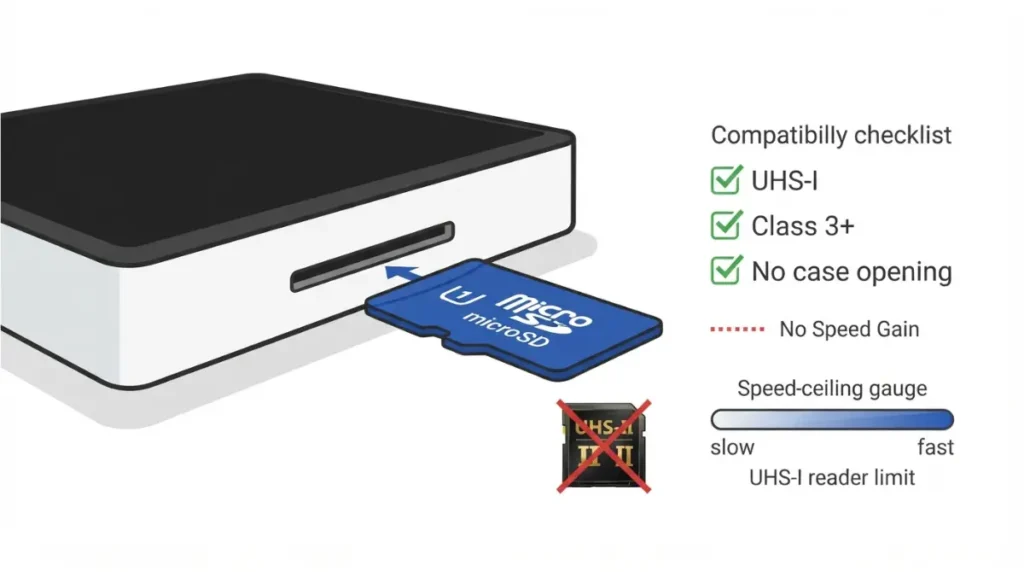
The microSD slot is a UHS-I reader, so cards faster than UHS-I add nothing.
What Valve says to buy
Valve supports formatted cards rated Class 3 or higher, per NeoTeo’s secondhand summary.
🧩 Compatibility Check: Look for UHS-I and Class 3 or higher on the packaging.
Does a UHS-II card help?
It may work, but Valve doesn’t support UHS-II speeds, and UHS-I tops out at 104 MB/s (SD Association).
How close is microSD to the SSD?
No Steam Machine benchmark turned up. On the Steam Deck, Linus Tech Tips and The Phawx found load times near the SSD’s in several games (via PC Gamer, 2022), while SteamDeckHQ saw longer loads in some titles. Different device, so a guide, not a result.
Moving a Steam Deck card over
Cards used for Deck libraries should generally work, per NeoTeo; see Steam Machine vs Steam Deck.
Can you swap the Steam Machine’s SSD?
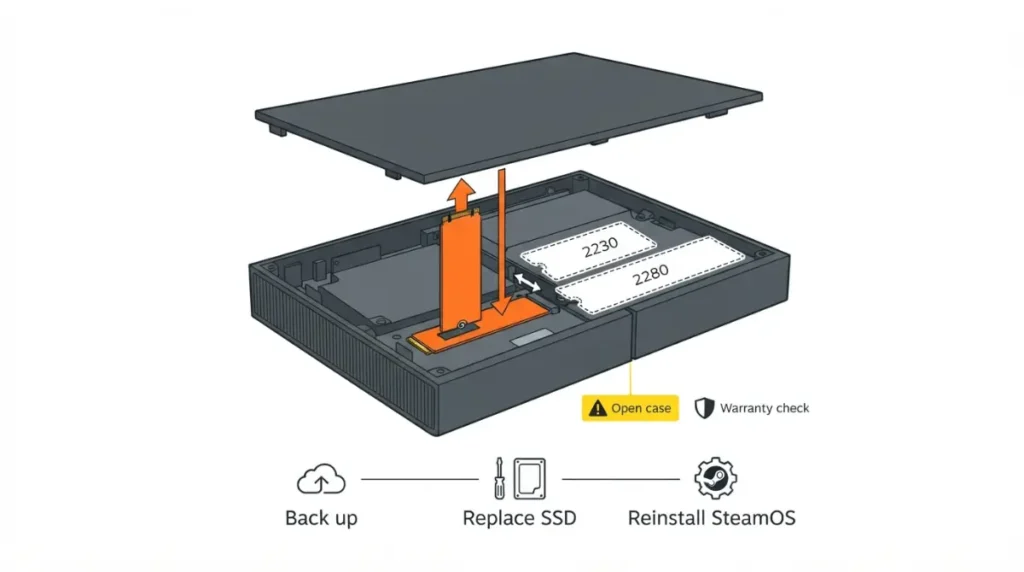
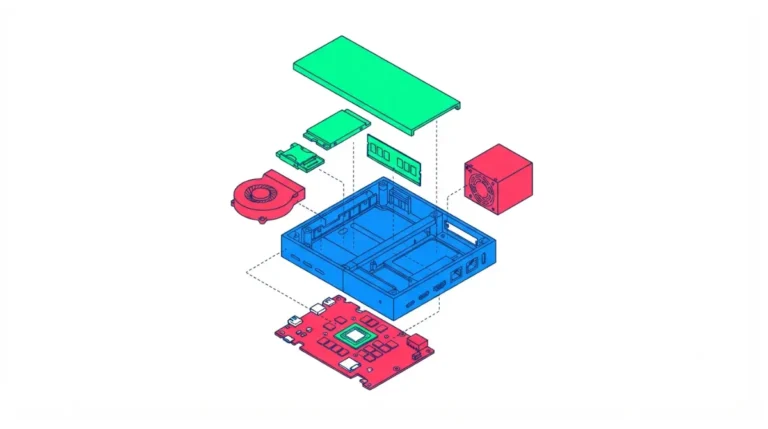
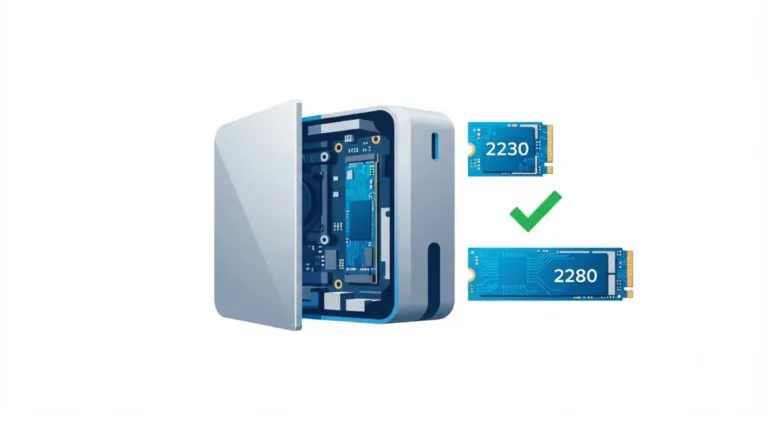
Yes: iFixit’s SSD replacement guide documents a single M.2 NVMe slot that takes 2230 or 2280 drives, but a swap means reinstalling SteamOS.
What fits: one M.2 slot, 2230 or 2280
A movable standoff screw sets the length, and the slot replaces the stock drive.
🧩 Compatibility Check: Confirm your drive’s length and its maker’s support page; no Valve list of tested SSDs turned up.
What you must do after: reinstall SteamOS
iFixit’s guide covers only the physical swap; the OS needs Valve’s SteamOS installation instructions. Our SSD upgrade guide goes further.
What it can cost you: warranty and drive choice
NeoTeo reports Valve says damage from opening or modifying the console isn’t covered. YouTuber ETA Prime’s 4 TB 2280 swap (Notebookcheck) shows what’s possible, not a guarantee.
✅ Do This: Back up anything you can’t re-download, keep the original drive until the new one boots, and ask Valve Support first if warranty matters.
Can you run games from a USB drive or external SSD?
Steam’s library-folder support page, written for Steam on PC, explains adding drives but advises against external ones: performance issues, possible disconnects.
Which port to use
Use the rear USB-C 3.2 Gen 2 port (10 Gbps) first, then the front USB-A 3.2 Gen 1 ports (5 Gbps); the rear USB 2.0 ports top out at 480 Mbps.
USB flash drive vs portable SSD
A flash drive or portable SSD is capped by the slowest link in its chain, so check the drive’s and cable’s labels.
What to check before you format
⚠️ Watch Out: Formatting erases everything on a drive, and no Valve documentation on accepted formats turned up here. Back up first and check Valve’s current SteamOS documentation.
microSD vs SSD vs USB: which should you pick?
Four checks decide the route: opening the case, space needed, speed ceiling, and portability.
If you won’t open the console
Use a Class 3 or higher UHS-I card, or a USB drive within Steam’s caveats.
If you need the most space or speed
Only the internal swap enlarges the main drive. Cards cap at 104 MB/s, USB at each port’s ceiling; the M.2 slot’s own ceiling wasn’t stated in sources checked.
If you move between devices
A microSD card is the portable route; per NeoTeo, Deck cards generally carry over.
Buy 2TB now or expand later?
At Valve’s June 2026 launch prices, the 2 TB model cost $300 more ($1,349 vs $1,049), about $200 per extra terabyte, plus two faceplates. Compare that with card or SSD prices when you buy.
Why isn’t my new storage showing up?
Each route fails in its own way, so start with the one you used.
New SSD not detected or SteamOS won’t install
A replacement drive needs SteamOS installed via Valve’s instructions; the swap alone doesn’t do it. If it isn’t detected, recheck the standoff position for your drive’s length, then see Steam Machine SSD compatibility.
microSD not recognized
Confirm the card meets Valve’s UHS-I, Class 3 or higher guidance.
USB drive missing in Game Mode
Try the rear USB-C or front USB 3.2 ports first.
✅ Do This: Give Valve Support your SteamOS version and drive model, and keep the original drive until the replacement works.
Frequently asked questions
1. Can you expand Steam Machine storage without opening it?
Yes. Steam Machine storage expansion works through the microSD slot or a USB drive; only the internal SSD swap needs the case opened.
2. What microSD card does the Steam Machine support?
Per NeoTeo’s summary of Valve’s guidance, Steam Machine storage cards should be formatted UHS-I microSD rated Class 3 or higher.
3. Can you upgrade the Steam Machine SSD?
Yes. iFixit documents one M.2 NVMe slot for the Steam Machine SSD that takes 2230 or 2280 drives; the swap replaces the stock drive.
4. Does a Steam Machine SSD swap affect the warranty?
NeoTeo reports Valve says damage from opening or modifying the Steam Machine isn’t covered, so an SSD swap carries warranty risk. Ask Valve Support first.
5. Will a Steam Deck microSD card work in a Steam Machine?
Per NeoTeo, a card already used for Steam Deck library storage should generally work for Steam Machine storage expansion.
6. Is microSD as fast as the internal SSD?
No Steam Machine microSD benchmark turned up; the slot’s UHS-I bus caps at 104 MB/s, and Steam Deck results varied by game.
7. Which Steam Machine USB port is fastest for an external drive?
The rear USB-C 3.2 Gen 2 port, rated 10 Gbps, is the fastest of the Steam Machine’s five USB ports.
8. Can a Steam Machine run games from a USB drive?
Steam’s PC support page explains adding library folders but advises against external drives for performance and disconnect reasons; Steam Machine-specific guidance wasn’t found.
9. Can a Steam Machine run games from a USB drive?
Steam’s PC support page explains adding library folders but advises against external drives for performance and disconnect reasons; Steam Machine-specific guidance wasn’t found.
10. Do you need to reinstall SteamOS after swapping the SSD?
Yes. iFixit says the physical swap alone doesn’t make the new Steam Machine SSD work; the OS needs Valve’s installation instructions. Back up first.
11. Which Steam Machine storage option should you choose?
Choose by space, willingness to open the case, and portability; card and USB need no tools, while the swap replaces the main drive.
What to do next
The lowest-risk route is the microSD card; USB comes with Steam’s caveats, and an SSD swap warrants a backup and a look at Valve’s warranty warning. RAM too? See Steam Machine RAM upgrade. Coverage questions go to Valve Support. Every spec above is attributed; nothing was tested here.