A Clear Steam Machine SSD Upgrade Guide for 2230 and 2280 Drives
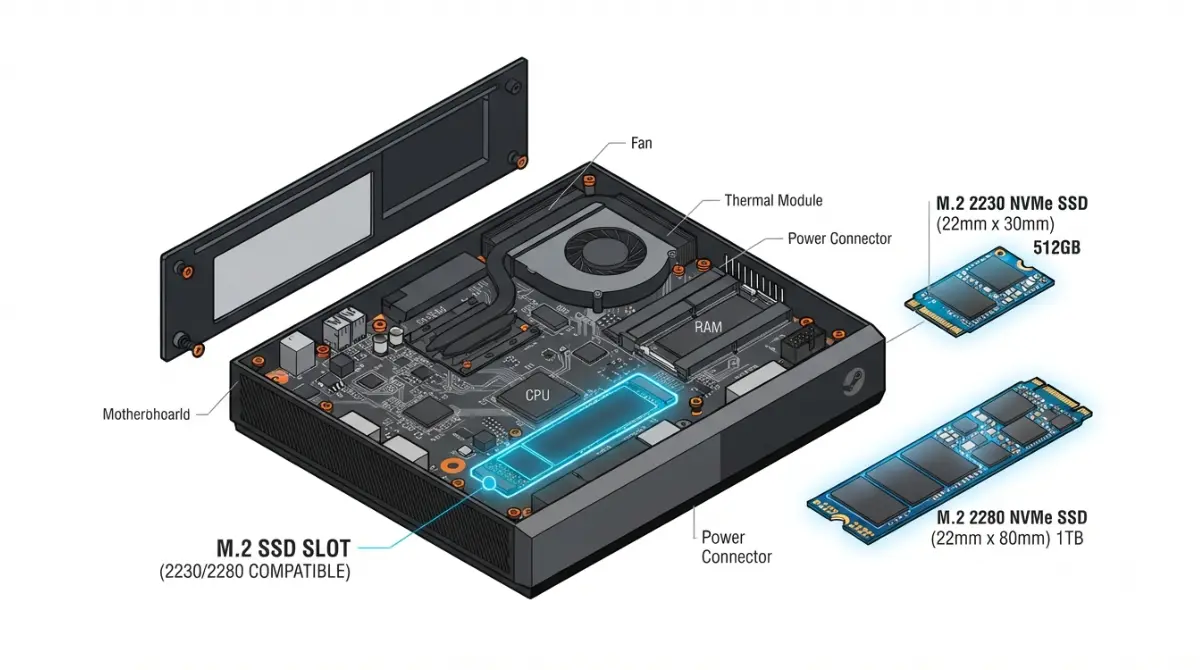
Table of Contents
Short answer: one slot, two lengths
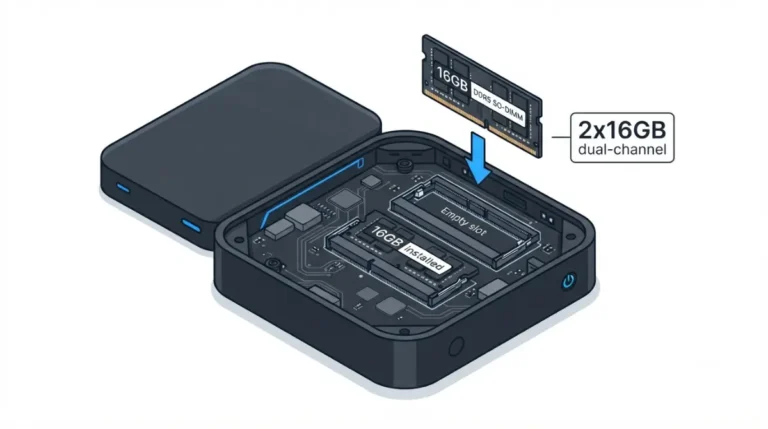
Yes. The Steam Machine has a single M.2 NVMe slot that accepts 2230 or 2280 drives, per iFixit. Choosing a drive the machine can power is harder than swapping it.
Which part you need
Buying: read the 2230 versus 2280 comparison. Swapping now: follow the install steps. Drive not detected: go to troubleshooting. This is one upgrade in the Steam Machine specs, upgrades, and limits guide.
ℹ️ Risk Note: Reinstalling SteamOS can cost you saved data if you skip a backup. Back up first, follow only iFixit’s and Valve’s instructions, check Valve’s warranty terms before opening the case, and contact Valve support if unsure.
Which SSDs fit the Steam Machine’s M.2 slot?
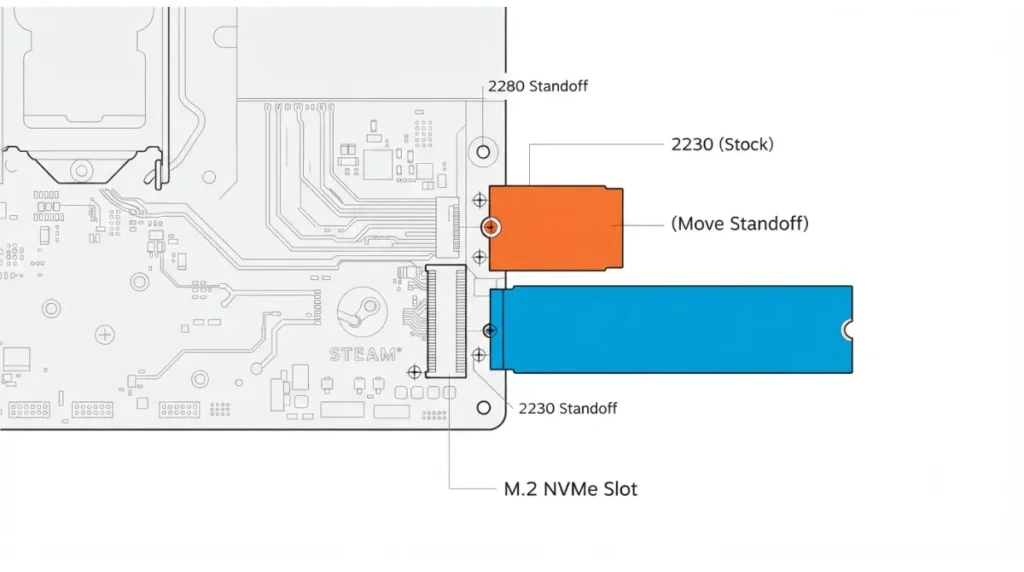
The Steam Machine has one M.2 NVMe slot for 2230 or 2280 drives, so an upgrade replaces the stock drive, per iFixit’s SSD replacement guide.
One slot, two lengths: 2230 and 2280
| Length | Standoff | Key Detail |
|---|---|---|
| 2230 | 2230 position | Stock size (PC Gamer) |
| 2280 | 2280 position | Moved with a 5.0 mm nut driver (iFixit) |
Source: iFixit; PC Gamer’s pre-launch Valve interview (November 2025). No prices quoted.
What to read on any drive’s datasheet
Check length, NVMe interface, and rated maximum power in watts.
🧩 Compatibility Check: Find those on the maker’s datasheet, and check Valve’s Steam Machine page for storage details. The slot’s PCIe generation couldn’t be verified, so it isn’t stated.
Why “it fits” isn’t “it works”
Length is confirmed; the slot’s power limit isn’t, as the power section explains.
2230 or 2280: which should you buy?
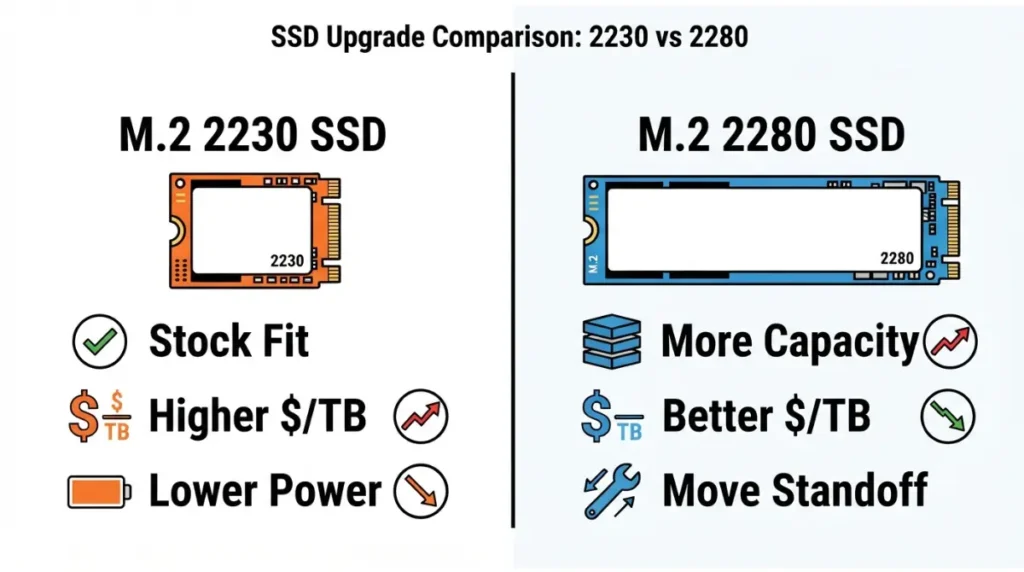
Both lengths fit, so the choice rests on what a drive’s datasheet shows.
What changes physically
The standoff position changes, per iFixit. Coming from a Steam Deck? The Steam Machine versus Steam Deck comparison covers the differences.
Capacity and price per terabyte
Capacities vary by maker, so check each spec page. No prices are quoted because they change often and none could be dated from a manufacturer page.
Rated power draw matters more than length
| Criterion | 2230 | 2280 | Key Detail |
|---|---|---|---|
| Matches stock size | Yes | No | PC Gamer |
| Capacities | Check maker | Check maker | Prices not quoted |
| Rated maximum power | Read datasheet | Read datasheet | Either length |
Source: iFixit; PC Gamer; drive datasheets.
How to swap the SSD, step by step
Replacing the SSD takes five steps and two tools, per iFixit.
| Tool | Used for |
|---|---|
| T8 Torx | Feet, back panel, inner assembly, SSD screw |
| 5.0 mm nut driver | Moving the standoff |
Source: iFixit.
Before you open it
- Power down, unplug everything, and remove any microSD card.
Lift out the inner assembly
- Remove the feet and back panel.
- Remove the inner-assembly screws and lift it out, without resting it on the microSD and USB ports.
Release the SSD and set the standoff
- Remove the SSD screw and pull the drive out along the shallow angle it pops up at.
- For 2280, move the standoff, seat the new drive, and reassemble in reverse.
⚠️ Watch Out: iFixit warns that pulling the SSD up sharply can damage the drive and its socket.
✅ Do This: Read iFixit’s full guide first; if unsure, contact Valve support.
Reinstalling SteamOS on the new drive
A new SSD holds no operating system, so SteamOS must be installed before it boots.
Why the new drive starts empty
iFixit says its steps cover only the physical swap and that extra software tools are needed to install an OS.
Use Valve’s instructions only
Follow Valve’s SteamOS installation and repair instructions exactly.
✅ Do This: Back up what you need before wiping a drive, and use only Valve’s recovery files.
Cloning: reports are mixed
TechEBlog’s write-up of a YouTuber’s teardown says a clone to a 4TB Kingston Fury Renegade booted; Spawning Point reported a clone hanging at the Steam logo. We found no Valve cloning guidance, so this guide skips it.
Why some drives fail: the M.2 power budget question
Valve has not published a maximum-power figure for the M.2 slot that we could find as of October 2, 2026.
What Valve has and hasn’t published
Spawning Point reports a Valve engineer reproduced a failure and Sabrent cited the slot’s power budget: one test, not a rule.
🔍 Why It Works: A drive writing data draws more power than one idling; if the slot can’t supply the peak, the drive can vanish mid-write.
Reported results by drive
| Drive | Reported Result | Source |
|---|---|---|
| Sabrent Rocket 5 2TB (Gen5) | Dropped off during sustained writes | Spawning Point, July 2026 |
| Kingston Fury Renegade 4TB | Booted after a clone | TechEBlog |
⚠️ Watch Out: These reports support neither “any 2280 works” nor “Gen5 never works.” Check a drive’s rated maximum power, and if an install fails, stop and contact Valve support.
Heat and heatsink clearance
Valve’s heatsink clearance isn’t published that we found; one tester’s 4 mm heatsink isn’t a recommendation.
New SSD not detected or won’t install SteamOS?
If the new drive is not detected, power down and recheck its seating first.
Drive not detected after the swap
Re-open the machine, confirm the drive sits in its socket and the standoff matches its length. If the original drive boots, the problem is the new drive or its fit.
Install fails partway or the machine freezes
Spawning Point described a drive vanishing mid-write, a pattern that can point to power draw rather than a faulty drive. This guide doesn’t cover fixes.
✅ Do This: Contact Valve support with the drive model, the symptom, and your SteamOS and BIOS versions.
FAQ
1. Can you upgrade the Steam Machine SSD?
Yes. iFixit says the Steam Machine has a single M.2 NVMe slot for its SSD, accepting 2230 or 2280 drives.
2. Does the Steam Machine SSD use 2230 or 2280?
Either. Stock drives are 2230, per PC Gamer; a 2280 drive needs the standoff moved.
3. Is there a second M.2 slot?
No. iFixit describes a single slot, so a Steam Machine SSD upgrade replaces the stock drive.
4. What tools do you need for a Steam Machine SSD upgrade?
A T8 Torx screwdriver, plus a 5.0 mm nut driver to move the standoff, per iFixit.
5. Do you remove the microSD card first?
Yes. iFixit says to remove it first, because it may break during the procedure.
6. Will my SteamOS install carry over to a new SSD?
Not automatically. iFixit says extra software steps are needed; follow Valve’s SteamOS instructions and back up first.
7. Can I use any 2280 drive in the Steam Machine SSD slot?
Not guaranteed. Reports differ by drive, so check rated maximum power first; if installs fail, contact Valve support.
8. Does Valve publish the M.2 slot’s power limit?
We found none as of October 2, 2026; check Valve’s Steam Machine page and support before buying a high-power drive.
9. Will a heatsink fit the Steam Machine SSD?
Not published that we found; one tester fitted a 4 mm heatsink, so confirm clearance with Valve support first.
10. What if the new Steam Machine SSD isn’t detected?
Recheck seating and the standoff position, test with the original drive, then contact Valve support with the drive model and symptom.
The slot takes 2230 or 2280 drives, but we found no published power limit for it, so check a drive’s rated maximum power before buying. Back up first, follow iFixit’s guide and Valve’s SteamOS instructions, and contact Valve support if installs fail. Next, see how the machine compares with a mini PC or which desktop GPU it matches. This guide draws on iFixit and independent reports, not our own testing.